
BitFree promises a prepaid crypto card in the app. What it actually tells you is much thinner than that.
 Available in US
BitFree is a prepaid virtual card that lives inside an app, topped up with crypto and then spent like an ordinary payment card. That is the whole pitch, and on paper it is aimed at exactly the person I would expect: someone who wants to pay for things from a crypto balance without opening a bank account in the country they actually live in. The problem is that when I went through BitFree’s public pages and its app store listings to write this review, I kept running into the same wall — the details you need most are simply not there. Fees are not stated. Limits are not stated. Which coins and which networks you can use are not named. The card’s network and currency are not named. Even the licence of the company that issues the card is described only as “licensed”, without a name.
So my score is 5.2 out of 10, and I want to be upfront about why: this is not a card I found evidence of being bad. It is a card I could not verify. Those are different problems, and for anyone about to put money into it, the second one matters just as much as the first.
Conditions are current as of October 28, 2026.
What BitFree is, and who it suits
BitFree is a virtual prepaid card managed in the BitFree app, issued by an unnamed licensed partner. That single sentence contains most of what the public pages say. The card is virtual, so there is nothing to be posted to you and nothing to be lost in a wallet. The balance is prepaid, so it behaves like a stored-value card rather than a line of credit. And it is funded from crypto — the app store text says supported digital assets may be used only for prepaid card top-up requests.
For someone whose problem is “I cannot get an ordinary bank card”, that combination is genuinely the right shape. A virtual card can be issued in minutes without a plastic delivery wait, a prepaid balance cannot overdraw, and funding from a crypto balance sidesteps the salary-account requirement that trips up many payment cards in the first place.
And it is not for everyone. If you want a physical card in your hand, BitFree does not offer one — the card is virtual only, and delivery is not applicable. If you want to draw cash at an ATM, the card’s public pages say nothing about cash withdrawal, wallets, or limits, so I cannot tell you that it works. If you want to know exactly what a coffee costs, the fee disclosure is not there. If you are the sort of person who reads the fee schedule before signing up, this card will frustrate you, and you should read the sections below before you decide.
Here is how I scored it, criterion by criterion. The marks are the ones I set after reading everything BitFree publishes; the reasons are mine, not the company’s.
| Criterion | Mark | Why |
|---|---|---|
| Who can get it | 7 / 10 | Available in supported App Store regions except mainland China, and not in Hong Kong, Macau or the US |
| Cost | 5 / 10 | Fees are not disclosed; conversion is done by the partner, and the rate is visible before you confirm a top-up |
| Top-up options | 4 / 10 | Supported digital assets are for card top-up only; neither coins nor networks are named |
| Reliability and complaints | 5 / 10 | Bitfree Limited / BITFREE INC., issuer is an unnamed licensed partner, no third-party reviews found, KYC with AML monitoring |
| Everyday use | 4 / 10 | Virtual prepaid card in the app only; wallets and ATM not disclosed |
| Total | 5.2 / 10 |
The strongest mark is eligibility, because BitFree states its exclusions plainly and that is more than many products in this category do. The weakest is top-up options, because the entire funding story rests on a list that is never published.
Will they give you the card?
Partly — and the conditions are in the store listing rather than in any dedicated eligibility page.
BitFree says the card is “available in supported App Store regions (excluding mainland China)”. It also states that it is not available in Hong Kong, Macau and the US. So the practical test is which store your phone can reach and which country your account is tied to. It also notes that availability depends on issuing partner terms and local regulations, which means the store listing is the outer boundary of the promise, not a guarantee of approval inside it.
That last clause is the one I would not skip. “Depends on the issuing partner” means the card company has delegated the actual decision somewhere it does not name. I cannot tell you which partner, under which licence, or with what risk policy. If you are somewhere unusual — a country not on the usual lists, a residence address that differs from your citizenship, a second or third nationality — expect the answer to live in a support conversation rather than in the listing.
Two things worth adding from the general picture of how these cards are regulated, because they shape who gets approved. Nationality is recorded and screened separately from residence, so your citizenship can matter even when your address does not. And because prepaid and debit cards are generally offered to adults, you should assume an age requirement of 18 or more; some issuers set higher limits on top.
How to get it
There is no complicated application described, and the verification step is the interesting part.
Before use, BitFree requires KYC: a government-issued ID and liveness check. A liveness check means you hold the phone and move or blink, so the app can tell a photograph of you from a photograph of somebody holding your ID. The version history of the app mentions improvements to the KYC document upload flow, which tells me they have been iterating on the part where users complain most.
What is not stated: whether proof of address is required, whether an age check is separate from the ID check, and whether there are different verification levels with different limits. I would not assume “one tier” and I would not assume “tiers exist”. Where a product does not publish a verification ladder, the practical consequence is that you find out your limit only when you hit it.
So the honest description of getting the card is: install the app, see whether your store region supports it, complete ID and liveness checks, and expect the partner behind the card to be the real decision-maker on the outcome.
Fees: what it really costs
This is the section where BitFree is quietest, and it is the section I would read twice.
The card’s public pages do not state the cost of the card. They do not state a monthly fee. They do not state ATM fees. They do not state daily or monthly spending limits, beyond the general note that limits and functionality are determined by the issuing partner and applicable network rules. The card currency is not stated, and there is no mention of tiers.
What is stated about pricing is this: conversion is done by the partner, and the amounts are not published — though the App Store text says the reference rate can be reviewed before you confirm a top-up. That is the single most useful pricing fact on the whole page. It means you can see the rate before the money moves. It does not tell you what the rate will be, or what is added on top of it.
I will say clearly once what “not stated” means: the card’s public pages simply do not say these things. I am not inferring, and you should not read a fee into an empty space.
| Item | What BitFree states |
|---|---|
| Issuance | Not stated |
| Monthly fee | Not stated |
| Crypto-to-fiat conversion | Done by the issuing partner; amounts not stated; reference rate visible before confirming a top-up |
| Foreign exchange | Not stated |
| ATM / cash withdrawal | Not stated |
| Daily limits | Not stated; determined by the issuing partner and applicable network rules |
| Monthly limits | Not stated; determined by the issuing partner and applicable network rules |
| Card currency | Not stated |
| Tiers | Not stated |
Now let me walk through three everyday payments, so you can see how the blanks behave in practice.
A coffee. You open the app, your crypto is converted at the partner’s rate, the card balance is loaded, and then you tap to pay. What you learn: you saw the reference rate beforehand, and the amount that left your crypto. What you cannot learn: what the partner charged to do the conversion, whether a fixed fee sits on top of the rate, and whether the coffee shop sees a foreign-issued card. That last point is a category-wide issue rather than a BitFree one — some merchants decline prepaid or foreign BINs, because a BIN lookup reveals the card type and the issuer country.
An online subscription. You type the card number into a website. Here two standard protections come into play: 3-D Secure adds an identity check where the issuer challenges you with a one-time code or a biometric, and Address Verification Service compares the numeric parts of the billing address you type with issuer records. AVS is mainly offered in the US, Canada and the UK and is generally unavailable for foreign-issued cards, which can cause declines. I would plan for the subscription to fail sometimes rather than treat a decline as a fault in the card.
A withdrawal at an ATM. I cannot walk you through this one, because BitFree does not say whether cash withdrawal is offered. If it is, you would also be spending the network’s and the issuer’s ATM fees, plus whatever the conversion adds. Treat it as unsupported until the app tells you otherwise.
Two category costs do apply to any card funded from crypto, and neither of them is BitFree’s to set. On-chain network fees for your deposit are charged by the blockchain, not by the card provider. And if you hold USDT on Ethereum, the gas must be paid in ETH — a wallet with USDT but no ETH cannot send. If you hold on Tron, fees are paid through bandwidth and energy, often burning TRX. One trap to know: Circle stopped supporting USDC on Tron in February 2024, so “USDC over TRC20” is not a native option.
How to top up
The funding rule is narrow and worth reading literally: supported digital assets may be used only for prepaid card top-up requests.
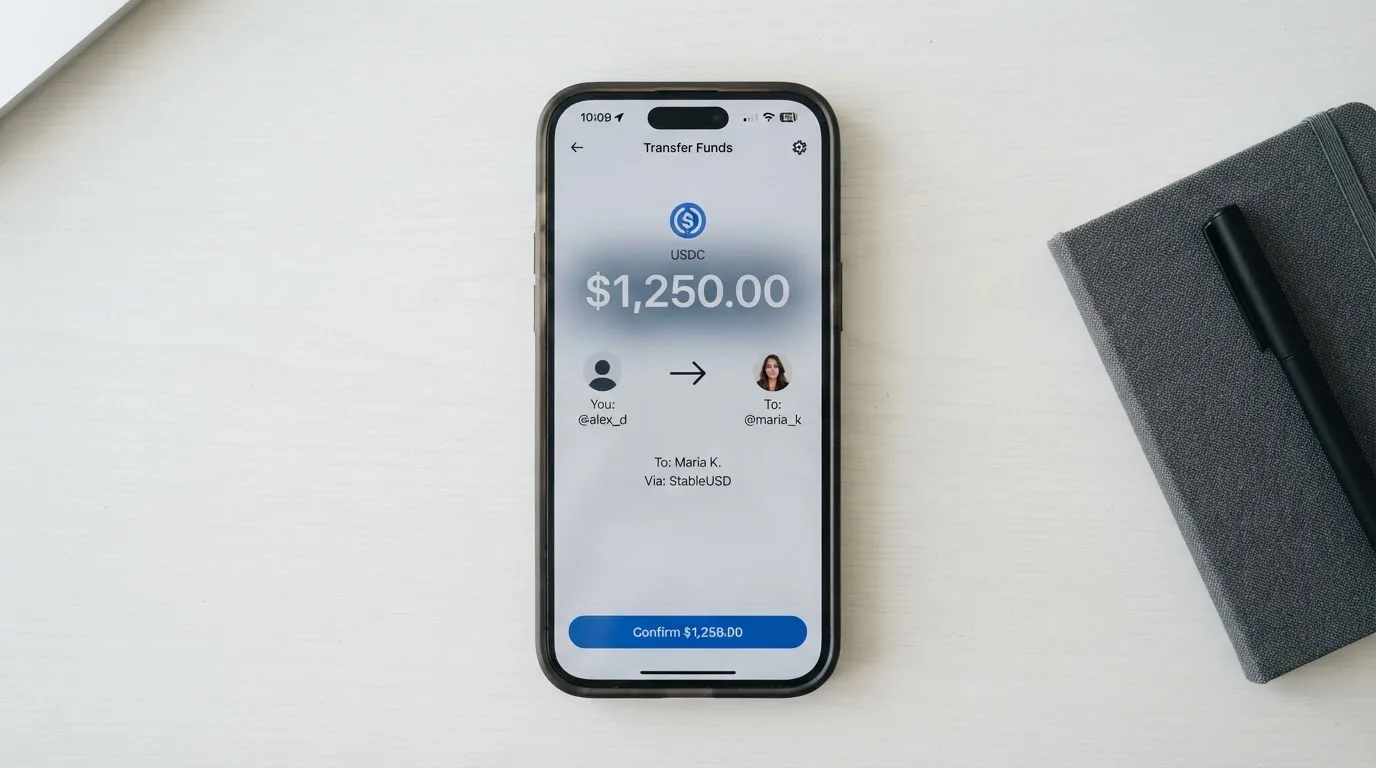
That word “only” does real work. It means the crypto is not a wallet you hold and spend from — it is a way to fill the card. Whatever balance sits on the card, you spend; the crypto side is not a general-purpose account, at least not as described.
What BitFree does not publish is the important part for anyone actually planning to use this: the coins and the networks are not named. Neither is the minimum top-up, the arrival time, or how to withdraw money from BitFree. If you have never sent a stablecoin before, you cannot read BitFree’s page and know which chain to pick.
That absence has teeth, because of how transfers work. Blockchain transfers are irreversible. A deposit sent on a network the provider does not support, or to an address belonging to a different network, can be lost or need manual support recovery with no guarantee of success. So the list of supported coins and networks is not a detail you can discover after your first deposit by trying. You need it before.
For comparison, this is where the alternatives are much more forthcoming. OkiCard names USDT on BSC (BEP-20), Ethereum (ERC-20), Tron (TRC-20) and Solana (SPL), with USDC “soon” and BTC and altcoins “coming soon”, and states a 3% load fee with a 0% USD transaction fee. Cardex lists USDT, USDC and BTC wallets. TakeCard’s own article says you can top up from your Takenos balance. BitFree is the only one of the four where I could not name a coin from the company’s own pages.
Paying with it every day
Everyday use is where BitFree scores lowest for me, at 4 out of 10, and it is about absences rather than failures.
The card is virtual, in the app. Wallets are not disclosed — whether you can push BitFree into Apple Pay or Google Pay is not stated, and I would not build a routine around it until the app tells you. Rewards are not stated — there is no cashback or perk mentioned anywhere I could find. Dispute handling is not stated: if a merchant takes the money and does not deliver, I cannot tell you what route BitFree offers, or whether prepaid-card protection applies. That last point deserves emphasis, because prepaid-card coverage varies by scheme and should not be assumed to mirror the protections people expect from a credit card.
The one thing I can say in BitFree’s favour is that the app exists and is maintained. The iOS app from Bitfree Limited shows 3.3 from 99 ratings on the Japan App Store. That is a small sample, from one market, and I did not re-read it at the time of writing — treat it as a signal, not a verdict. The Android app carries the Google Play id com.yykj.bitfree.en, and I did not read its rating.
There is also no reward or news story to weigh. The card’s public pages say nothing about recent news, and I found no third-party reviews for BitFree at all — no Trustpilot page, no editorial write-ups. For a product in this category, that is unusual. It cuts both ways: there is no history of public complaints, but there is also no independent record of anyone having used it for long.
What can go wrong
Let me split this into two lists: the things BitFree itself has done, and the things that could happen to you.
Official incidents: none found. No third-party reviews, no Trustpilot page, nothing on record from the company either.
The list of what could happen is longer. Start with the company and licence. The iOS publisher is Bitfree Limited and the Android publisher is BITFREE INC. The issuer is described only as an unnamed “licensed card issuing partner operating under its own financial licenses”, and its registration is not stated. The company’s own site is available in Russian. Support is reachable at [email protected], with [email protected] for media and regulatory inquiries — but the languages and opening hours are not stated, which for a card aimed at people in many countries is a practical limitation.
On security, the card does KYC with AML monitoring and device checks. The custody model is not stated, and that is the question I would want answered: is your crypto held by the partner, and if so under what safeguarding? If they are an electronic money institution in the EU, they must safeguard customer funds by segregating them in dedicated accounts or insuring them — but such funds are not the same as bank deposits and may not be covered by a deposit guarantee scheme. That is a category fact about EMIs, not something BitFree promises, but it is the standard to ask against.
Know the category’s own track record. Custodial platforms have failed before: Mt. Gox (about US$350 million reported stolen, 2011–2014), Coincheck (about US$400 million, 2018), Ronin Network (US$625 million, 2022). And a small reminder of who actually holds the leash on these programmes: Visa terminated its global agreements with FTX on 13 November 2022 and the FTX US debit card was wound down by its issuer; WaveCrest, a Visa issuer that supplied crypto card brands, was suspended by Visa in Europe in 2018, closing all its Visa programmes. Card programmes close. When they do, the usual sequence is a notice period, then spending and loading stop, then users are asked to withdraw remaining balances. So keep only what you can afford to have waiting during such a window.
And one mechanical detail that bites people: a declined authorisation can leave a hold on funds for several days, typically up to 7.
What to take instead
I compared BitFree against three alternatives in the same category. Two of them, on published detail, are simply more informative.
| Alternative | Score | Who it says it serves | What it publishes that BitFree does not |
|---|---|---|---|
| BitFree | 5.2 / 10 | Supported App Store regions, excluding mainland China, Hong Kong, Macau and the US | Almost nothing: no fees, limits, coins, networks, card currency or issuer name |
| Cardex | 5.6 / 10 | “One crypto card, 200+ countries”; no exclusions listed | Networks VERVE, VISA, Mastercard and UnionPay; virtual and physical; crypto-to-fiat conversion at the moment of payment |
| TakeCard | 5.5 / 10 | Physical card “available only to Bolivian users for now”; wallet can receive payments “from any country” | Issuance USD 5 virtual, USD 20 physical plus shipping; 1% commission per purchase; USD payments 1:1; Visa named; USD card currency |
| OkiCard | 6.0 / 10 | “150+ countries” (some pages say “200+”); “no geo-blocking based on your passport” | Issuance $0 and monthly $0 on its pricing page, starting price $15 for virtual; 3% load fee, 0% USD transaction fee; coins and networks named |
Read that table as a comparison of *transparency*, not of quality. Cardex tells you its networks and how conversion works but no percentage fee. TakeCard publishes a full price list — USD 5 virtual, USD 20 physical issuance plus USD 20 shipping for Bolivia, 1% per purchase, no monthly fee, USD payments at 1:1, other currencies at the official Visa rate of the transaction day — though its own help centre contradicts itself on the Bolivia physical card price, saying USD 10 in one article and USD 20 in another. OkiCard has the highest score of the four and the most detail, though even it disagrees with itself: the pricing page lists issuance at $0 and a starting price of $15 for the virtual card, while its FAQ mentions a one-time issuance fee.
Two comparisons deserve a note on how I got them. TakeCard’s country list is not something I could verify on a page — it comes from starting data, so treat it as unconfirmed by the company. Cardex’s App Store listing is Naira-focused, with the card currency shown as Naira and payments in Naira, which tells you something about who it is really built for. And OkiCard requires users to confirm they are not in a sanctioned jurisdiction — I am not going to suggest a way around that, and neither should anyone selling you a card.
Who I would recommend it to
I would recommend BitFree to someone in this specific position: you have already decided to hold crypto, you want a card-shaped way to spend it today rather than a wallet, you are in a supported App Store region that is not mainland China, Hong Kong, Macau or the US, and you are comfortable treating the balance as money you could lose without recourse. If you need a physical card, or you plan around cash at ATMs, or you need to dispute a transaction through a known process, this is the wrong card and you should read the alternatives above instead.
What I would not do is recommend it to someone who needs to predict their cost per transaction, or who intends to build a routine around a merchant category or a subscription that might decline. Neither of those is possible to plan when the fee and limit disclosures are empty.
If you do try it, the order I would do things in is short: confirm in the app which coins and networks are accepted before sending anything; read the conversion reference rate on screen before you confirm each top-up; keep the balance to an amount you could see locked up for a week; and note down that a declined payment can hold funds for up to 7 days. None of that works around the rules — it is just how you avoid the mistakes that cost other people money.
Frequently asked questions
What is the BitFree card?
BitFree is a prepaid virtual payment card managed inside the BitFree app. You load it from crypto and spend the resulting balance like an ordinary card. There is no physical card. The card is issued by an unnamed licensed partner, and BitFree’s public pages do not name its card network, currency or the partner itself.
How does the BitFree card work?
Supported digital assets are used only for prepaid card top-up requests, so crypto is converted into a fiat balance that the card then draws down. The conversion is performed by the issuing partner rather than by BitFree, and the reference rate can be reviewed on screen before you confirm the top-up. Nothing else in the flow is described publicly.
Is BitFree a bank?
No — nothing in its public pages presents it as a bank. The issuer is described as an unnamed licensed card issuing partner operating under its own financial licences, and BitFree itself appears as the app and programme front-end. Card programmes like this typically run through an e-money or payment institution rather than a bank, and BitFree does not name which.
Who owns BitFree?
The iOS app is published by Bitfree Limited and the Android app by BITFREE INC. Beyond those two names I could not verify ownership: the card issuer is not named, no corporate registration is stated, and the company’s own site is available in Russian.
Who can get the BitFree card?
BitFree says the card is available in supported App Store regions, excluding mainland China, and is not available in Hong Kong, Macau or the US. Availability also depends on the issuing partner’s terms and local regulations. Proof of address and age requirements are not stated, though prepaid cards are generally for adults aged 18 or over.
Does BitFree require KYC?
Yes. Before use you must complete a government-issued ID check and a liveness check. BitFree also describes KYC with AML monitoring and device checks. Whether separate verification tiers exist, and what limits each tier carries, is not stated — so treat your limit as something you discover rather than something you plan.
What are BitFree’s fees?
They are not disclosed. BitFree’s public pages state no issuance cost, no monthly fee, no ATM fee and no daily or monthly limits, and the card currency is not stated. Conversion is carried out by the issuing partner with amounts unpublished, though the reference rate is visible before you confirm a top-up. On-chain network fees still apply at the blockchain level, separately.
How do I top up the BitFree card?
Through a top-up request in the BitFree app using supported digital assets, which may be used only for that purpose. The coins and networks are not named on the public pages, nor is the minimum amount or how long a deposit takes. Because transfers are irreversible, confirm the supported network before sending — a deposit to the wrong chain can be lost.
Is the BitFree card safe to use?
I cannot answer that as a yes. BitFree applies KYC with AML monitoring and device checks, and I found no official incidents and no third-party reviews at all — no Trustpilot page. That means no record of complaints, but also no independent long-term record of use. The issuer’s name, registration and the custody model are not stated, so I would only hold an amount you could afford to lose.
Can I add BitFree to Apple Pay or Google Pay?
BitFree does not say. Its public pages do not disclose wallet support, so I would not assume it works. As a general point, adding a card to a mobile wallet replaces the card number with a device-specific token, which can be a sensible precaution — but only if the app actually offers it. Check in the app before planning around contactless or phone payments.
Virtual card options – cryptocardoptions.com
Content created by the «cryptocardoptions.com» team