
OkiCard reviewed: what the no-KYC crypto card actually delivers, and where the gaps are
 Available in US
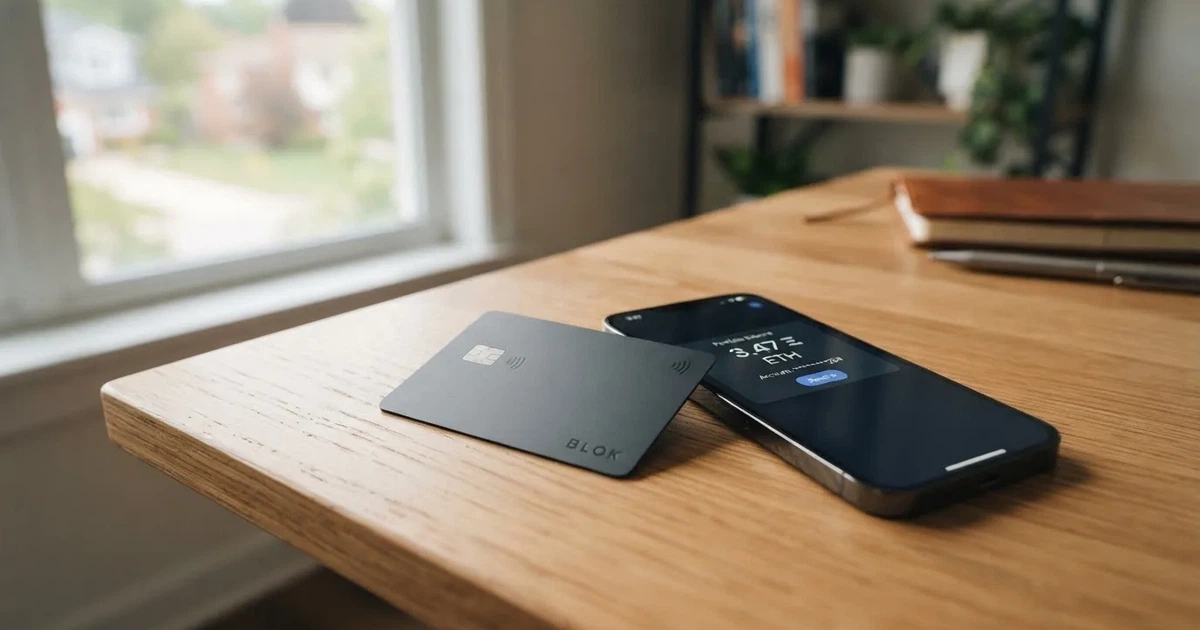
OkiCard is a payment card that draws on a crypto balance, aimed at people who have trouble getting an ordinary bank card. The pitch is simple: order a virtual card through a Telegram bot, top it up with USDT, and spend anywhere Visa or Mastercard is accepted, including via Apple Pay or Google Pay. The terms promise access in 150+ countries (some pages say 200+), with no identity verification required below a $10,000 spending limit, and no monthly fees. The reality, after going through the public pages and the terms, is more uneven. The card is easy to start using, but the legal entity behind it is not named, the governing law in the terms is an unfilled placeholder, and the issuer is described only as “a regulated issuing entity” without further detail. The score I land on is 6.0 out of 10. The breakdown is below, and so is everything I found and everything I couldn’t confirm.
The conditions described here are current as of October 28, 2026.
Verdict
OkiCard scores 6.0 out of 10. That is not a bad card, but it is one where the on-paper convenience runs ahead of the public record around the company, and where you need to be comfortable with that gap before you load meaningful funds. The card suits a specific reader: someone outside the traditional banking system who holds USDT and wants a quick way to spend it, day to day, including through Apple Pay and Google Pay, without uploading identity documents. If that is you, the headline features line up: no KYC below a $10,000 tier, no monthly fee, four supported USDT networks, and a virtual card issued in under a minute.
| Criterion | Mark | Why |
|---|---|---|
| Who can get it | 8 / 10 | “150+ countries” (some pages say “200+”); no passport-based geo-blocking; sanctioned jurisdictions closed |
| Cost | 5 / 10 | Issuance $0, monthly $0, starting price $15 for virtual; 3% load fee; first deposit 100 USDT |
| Top-up options | 8 / 10 | USDT on BSC, Ethereum, Tron, Solana; USDC, BTC and other coins “soon” |
| Reliability and complaints | 3 / 10 | Legal entity not named; governing law is an unfilled placeholder in the terms; issuer not named; no reviews found |
| Everyday use | 6 / 10 | Virtual card in 60 seconds, Apple Pay and Google Pay supported; physical card mentioned but details not given; ATM not addressed |
| Total | 6.0 / 10 |
The card does not suit you if you need a clearly identified regulated issuer, a transparent fee schedule, an app, or a rewards programme. None of those are present in the public material. If you are looking for a card from a named, licensed provider with published fee tables, dispute processes and a mobile app, OkiCard is the wrong choice, and the alternatives section below will be more useful to you than the rest of this review.
A short note on what the score reflects in plain words: the everyday experience is set up to be frictionless for someone who already has USDT in a self-custody wallet and wants to spend it. The drag on the score is everything that happens when something goes wrong: who you contact, under which country’s law a dispute would be heard, and what happens if the programme shuts down. The public material does not answer those questions, and that is the gap you should weigh before loading more than you can afford to leave there.
Who will they give you the card
The headline claim on availability is that OkiCard works in 150+ countries, with some pages using 200+. There is no published list of eligible or excluded countries, and the site says it does not geo-block based on your passport, which in plain terms means the eligibility check is not tied to your citizenship or the country printed in your ID. What the site does require is for you to confirm that you are not in a sanctioned jurisdiction; the onboarding does this through the Telegram bot rather than by asking for a document. That distinction matters: a card sold to residents of many countries is not the same as a card regulated in any of them.
Age-wise, the requirement is 18 or the legal age in your jurisdiction, which the FAQ frames as a single line. If you are below the legal age where you live, you will not be issued the card.
The KYC layer is the most permissive the public material describes. Below a $10,000 spending threshold, no identity verification is required. The bot is the only interface: there is no e-mail registration, no password, and no app, just an order placed inside Telegram. The terms reserve the right to ask for documents at higher tiers, and the bot shows “tier limits” that adjust based on your history, but the higher tiers and the documents that unlock them are not described on the public pages. The reasons for rejecting an application are also not stated, so if you are refused, the bot does not appear to tell you why.
The practical upshot: if you are an adult, you confirm you are not in a sanctioned country, and you do not push past $10,000 in spending, the card is available to you. That is a wider net than most regulated crypto cards cast, and it is also the reason the score for “who can get it” is 8 out of 10. The 2 points withheld are for the absence of a published country list and for the ambiguity around higher tiers.
How to get it
Ordering is built around a Telegram bot, @okicard_bot. There is no web account, no app, and no e-mail step. You open the bot, complete the in-chat prompts, and the virtual card is generated in under 60 seconds. The card is delivered digitally, with the details you need for online spending and for adding to a mobile wallet.
The card on offer is virtual. The public pages also mention a physical card, but do not give conditions for it: no price for the plastic version, no shipping time, no delivery cost, and no list of countries it is shipped to. The card network is described only as “Visa/Mastercard,” which is not a network specification, and the card’s currency is pegged to USD or EUR. If you need a specific BIN, or a card that spends in a specific fiat, the public material does not pin those down.
Activation is the moment the virtual card is generated; there is no separate activation step. Once you have the card, you can tokenise it into Apple Pay or Google Pay for in-store contactless payments. Adding the card to a wallet is a standard tokenisation flow on your phone; the bot or the public pages do not describe a separate “activate Apple Pay” step.
The signup flow is unusually short for a payment product, and that is by design. The card is built for users who are unwilling or unable to complete the identity checks most regulated issuers require. The trade-off is that the higher tiers of verification, the physical card, and the limits above $10,000 are not documented, so if your plan is to spend more than that, you will find out what is required by trying, not by reading.
Fees: what it really costs
The published pricing is a mix of zeroes and a few specific numbers. Issuance is $0, the monthly fee is $0, and the starting price of the virtual card is $15, which on the FAQ page also appears as a “one-time issuance fee.” The two phrasings suggest the same $15 charge, framed differently on different pages, which is one of the small inconsistencies worth flagging. The minimum first deposit is 100 USDT, separate from the card price.

Beyond the card price, the fee that matters most is the load fee: 3% on top-ups. That is charged when you deposit crypto, not when you spend, so it is the first cost a new user pays. The transaction fee for spending in USD is 0%, and the marketing material claims “no hidden exchange spreads.” What is not stated is the FX fee for spending in a currency other than the card’s pegged fiat: if the card is in USD and you pay in euros or pounds, the fee structure for that conversion is not on the page.
ATM withdrawals are not described. The cost of taking cash out, the daily ATM limit, and whether ATM use is supported at all are all marked “not stated” in the public material. If you need cash, that is a gap.
Limits are partly described: the daily spending limit is $10,000, and monthly limits exist, but their values are not given on the public pages. The bot shows tier-specific limits, and the FAQ mentions that tier changes happen inside the bot. If you need to plan around a specific monthly cap, you will need to ask the bot directly.
| Fee or limit | Value |
|---|---|
| Card issuance | $0 (virtual starting price stated as $15 on some pages) |
| Monthly fee | $0 |
| Minimum first deposit | 100 USDT |
| Load (top-up) fee | 3% |
| Transaction fee (USD spending) | 0% |
| FX fee | not stated |
| ATM fee | not stated |
| Daily spending limit | $10,000 |
| Monthly spending limit | not stated |
To make these numbers more concrete, here is how they play out in three everyday situations.
A $50 grocery shop paid in USD with a USD-pegged card costs you 0% in transaction fees, and the conversion step does not apply because the merchant settles in dollars. The cost you have already paid is the 3% load fee on whatever USDT balance funded the card, so a $50 spend effectively cost you slightly more than the original amount spent in the original top-up. If you load right before you spend, that 3% is your only fee.
A €40 dinner paid in a country that uses euros, with a USD-pegged card, has an FX step the public material does not price. Visa or Mastercard will apply an exchange rate, and the issuer can layer a fee on top. OkiCard’s site does not say what that fee is, so the only way to know the cost is to watch the actual amount that lands on your statement. That is a real gap, and it is the reason the cost score sits at 5 out of 10 rather than higher.
An ATM withdrawal is the scenario the public material answers least. Whether you can take cash out, what the fee is, and what the daily ATM cap is are all unstated. If cash access is part of why you want the card, the answer to that question has to come from the bot, not from the website.
How to top it up
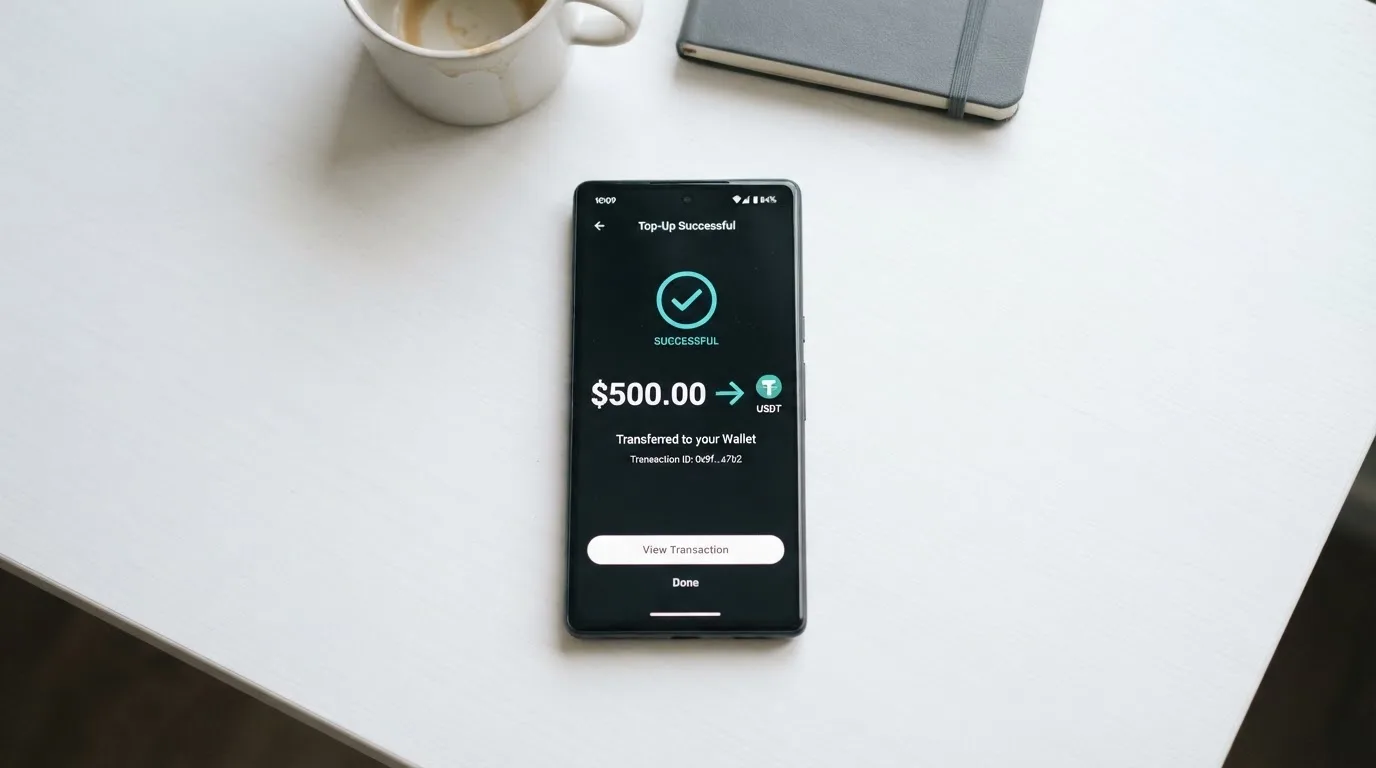
Topping up starts with a stablecoin transfer. The card supports USDT on four networks: BSC (BEP-20), Ethereum (ERC-20), Tron (TRC-20), and Solana (SPL). The deposit address is generated for you inside the bot, and the funds you send are converted to fiat at the moment you spend, not at the moment you deposit. That distinction matters: the card holds a fiat balance for spending, while the top-up itself is a stablecoin transfer. The crypto you deposit is not held as crypto on the card.
USDC is described as “soon.” BTC and other coins are described as “coming soon.” None of these are available on the public pages as of the date this review was written, so if your funding source is something other than USDT on one of the four supported networks, OkiCard is not a current option for you.
The load fee is 3%, applied on each top-up. The first deposit has a 100 USDT minimum, which is meaningful: it means a small test load is not possible on the first go. The suggested top-up cadence in the FAQ is $300 to $1,000 per week, which is a soft recommendation rather than a limit.
Network fees are paid separately by the sender, and the difference between networks is real. Deposits on BSC and Solana are zero network fee at the time of writing. ERC-20 (Ethereum) is low but congestion-dependent, so during busy periods the gas cost can climb. TRC-20 (Tron) carries a standard network fee. The card provider does not charge you for the network fee; the blockchain does. Choosing the right network before you send is the simplest way to keep that cost down, and sending USDT on a network the card does not support is the simplest way to lose the funds, because crypto transfers are irreversible and there is no guaranteed recovery path.
On balance, the top-up side is well designed for a user who already holds USDT and knows which network to use, and weak for anyone whose funding is in a coin other than USDT, or who has not dealt with multi-network stablecoins before. The score of 8 out of 10 reflects the breadth of USDT networks, and the 2 points withheld are for the unfulfilled “coming soon” list and the 3% load fee.
Paying with it every day
The virtual card is the daily-use product. Once you have it, you can enter the card details at any online merchant that accepts Visa or Mastercard, or you can tokenise it into Apple Pay or Google Pay and pay contactless in stores. Tokenisation replaces the card number with a device-specific number stored in the Secure Element, and each contactless payment uses a one-time code; the real card number is not shared with the merchant or stored on Apple’s servers. That is the standard mobile-wallet security model and is the same regardless of which bank-issued card sits underneath.
Blocked merchant categories are not stated. The public material does not list which MCCs the card declines by policy, so it is not possible to tell from the website whether gambling, crypto purchases, or other categories that some issuers block are allowed. If a specific category matters to you, the only way to know is to try.
Rewards are not stated. There is no cashback, no points programme, and no referral bonus described in the public material. If you are choosing a card partly on the basis of what you earn back, OkiCard is not in that conversation.
There is no app. The entire interface is the Telegram bot, and the FAQ explicitly frames this as a feature: “no heavy apps.” Ratings do not apply, because there is no app store listing. The trade-off is that everything you do with the card happens inside a chat interface, including support, ordering, and tier changes.
Disputes follow the card network’s standard rules. There is no separate chargeback process described on the OkiCard pages, and the FAQ notes that issuance fees are non-refundable once the card has been generated. If you have a problem with a merchant, the route is the standard Visa or Mastercard dispute process; the speed and the outcome depend on the network and the issuer, not on OkiCard as the programme manager.
The everyday-use score of 6 out of 10 reflects a working but limited product. Apple Pay and Google Pay support is a real plus, and the virtual card being available in under a minute is genuinely convenient. The 4 points withheld are for the absent app, the absent rewards, the unstated blocked categories, and the gap around the physical card.
What can go wrong
The risks around OkiCard are mostly about what the public material does not say, rather than what it does.
The most concrete issue is the legal entity. The terms of service do not name a company. The governing-law clause is currently blank, which is what a published terms page looks like before someone has filled it in. The issuer is described only as “a regulated issuing entity,” with no name, no licence number, and no regulator cited. For a product that holds your money and issues a payment instrument, that is a significant gap, and it is the single biggest reason the reliability-and-complaints score is 3 out of 10.
There are no user reviews to lean on. I did not find a Trustpilot page for OkiCard, no app store ratings, and no third-party complaint threads. That is not the same as “no complaints exist” — it means I could not find a public record of complaints to weigh against the marketing. If you are considering the card, that is the situation you are choosing into: there is no community track record to check.
The security claims on the site are “AES-256 Encrypted,” “No Database Logs,” and “Non-Custodial.” These are positive-sounding labels. The “non-custodial” claim in particular deserves a careful read: it likely means the card provider does not hold your crypto, because the USDT you deposit is converted to fiat at the moment of spending. The fiat balance that sits on the card is, by definition, custodial — the issuer holds it. So the architecture is a hybrid: your crypto stays in your wallet until the top-up, and the issuer holds the resulting fiat balance. Freeze controls, transaction limits, and account-recovery paths are not described, so if the issuer freezes your card or your balance, the public material does not tell you what to expect.
Support is a “Support” link in the footer with no channel or contact details listed. The Telegram bot is the operational interface for ordering and tier changes. Languages and hours are not stated. If something goes wrong, the route is either the bot or whatever contact the support page eventually leads to, and that route is not documented in advance.
The terms of service are dated 2 March 2026. Beyond that date, there is no public timeline of incidents, updates, or programme changes to anchor expectations. The category background section below has more on what happens when crypto card programmes close, because that history is the only track record that exists in this space.
The honest summary: there is no evidence of misconduct, but there is also no evidence of a regulated, named, accountable issuer. The risk profile of OkiCard is closer to that of a small, new programme with limited public documentation than to that of an established card brand. If that is a profile you can take on, the card is usable; if it is not, the alternatives below are a better fit.
What to take instead
If OkiCard’s gaps are too large for your situation, three other cards operate in the same rough space: a crypto-funded payment card, often without full KYC, often available internationally. They are not direct replacements — none is identical to OkiCard — but they are the closest alternatives in the same category, and they show what the trade-offs look like when the issuer and the regulator are more visible.
| Card | Score | What it is | Country reach | Card cost | Funding | Notable |
|---|---|---|---|---|---|---|
| Cardex | 5.6 / 10 | Crypto debit card on Verve, Visa, Mastercard, UnionPay | “200+ countries,” no list | not stated | USDT, USDC, BTC | App Store listing is Naira-focused; “AI-Powered Conversion Rate” claims to pick the best rate at spend time |
| TakeCard | 5.5 / 10 | Virtual card, physical card in Bolivia only | Virtual: starting data lists Argentina, Bolivia, Peru, Chile, Paraguay, Colombia, Ecuador, US, Spain, Italy (not verified by the reviewer) | Virtual $5; physical (Bolivia) $20 issuance + $20 shipping (one source says $10 for shipping) | Top-up from a Takenos balance; starting data mentions USDC/USDT via Polygon, BNB Chain, Tron, Ethereum (not verified) | 1% commission per purchase; USD payments 1:1 |
| NEXA Cards | 4.7 / 10 | Reloadable stored-value cards (Silver, Black, Platinum) on Visa and Mastercard | “190+ countries” | Silver (virtual) total $114.93 displayed; Black $133.85; Platinum $281.85; line items do not sum to totals and the page does not explain it | Cash, wire, transfer or crypto via dashboard; coins not named | Black/Platinum labelled “Pre-Paid Annually”; fee-schedule link is a placeholder |
Cardex is the closest in spirit to OkiCard, with a similarly wide country footprint and a similarly thin public record. Its distinguishing feature is the “AI-Powered Conversion Rate” claim, which is marketing language for “we look at several rates and pick one when you spend.” Whether that produces a better rate than a standard card-network conversion is not something the public material proves. The score of 5.6 is close to OkiCard’s, and the choice between the two comes down to which fee structure and which country list you can verify for yourself.
TakeCard is a different shape: a virtual card available in seconds and a physical card that, as of writing, is available only in Bolivia. The 1% per-purchase commission is lower than OkiCard’s 3% load fee, and the $5 virtual card price is lower than OkiCard’s $15 starting price. The catch is the geographic split: if you are not in one of the listed Latin American or European countries (and the starting data for the country list is not confirmed by a verifiable page), the virtual card may not be available to you. For a Bolivian user, TakeCard is the most concrete alternative; for a user outside that footprint, the comparison is harder to make.
NEXA Cards is the most expensive of the three, with displayed annual costs, a fee-schedule link that is a placeholder, and no published coin list. The “190+ countries” reach is comparable, but the absence of a working fee schedule, the line items that do not sum to the totals, and the prepaid-annual structure on the higher tiers make it harder to evaluate on the public material alone. It is included here because the brand exists in the same search results, not because it is a strong recommendation.
A more general point: if your priority is a named, regulated issuer with a published fee schedule, an app, and a transparent dispute process, none of the cards in this comparison is a strong fit, and you would do better looking at a mainstream crypto card from a large exchange or a licensed e-money institution. The category background section below explains why that combination — a named issuer plus a transparent fee schedule — is the standard to weigh these smaller cards against.
Who I would recommend it to
OkiCard is a fit for a specific reader, and a poor fit for almost everyone else.
You are a good fit if you already hold USDT in a self-custody wallet, you are an adult, you are not in a sanctioned jurisdiction, and you want a quick way to spend that stablecoin balance in stores and online without uploading identity documents. You should be comfortable with the 3% load fee, the $15 starting price, the 100 USDT minimum first deposit, the unstated FX and ATM fees, and the absence of a named issuer in the public material. You should also be comfortable topping up at $300 to $1,000 per week, which is the suggested cadence, and you should plan to keep the balance on the card modest, because the public material does not describe what happens to those funds if the programme closes.
You are a poor fit if you need a clearly named, regulated issuer; a published fee schedule that covers every fee you are likely to pay; a mobile app; a rewards or cashback programme; a transparent dispute process; or a physical card with a clear price and a clear delivery time. You are also a poor fit if you fund the card in anything other than USDT on BSC, Ethereum, Tron, or Solana, or if you need to spend more than $10,000 a day, because the public material does not describe the higher tier or the documents that unlock it.
A short, practical checklist before you load:
- Confirm the four supported USDT networks (BSC, Ethereum, Tron, Solana) match the network your USDT is on. Sending on the wrong network is the most common way to lose funds.
- Treat the load fee (3%) and the card price ($15) as the cost of admission, not a one-off.
- Watch the actual amount that lands on your statement when you spend in a non-USD currency. The published fee schedule does not cover that step.
- Keep the card balance modest. The public material does not describe what happens to a stored balance if the programme shuts down.
- Decide in advance whether the missing pieces (named issuer, app, fee schedule, physical card details) are gaps you can live with. If they are not, the alternatives above or a mainstream crypto card from a licensed provider will be a better fit.
The card is usable. The card is also thin on documentation. Whether that is acceptable depends on what you are using it for and how much you are willing to leave at risk while the public record catches up.
Frequently asked questions
What is OkiCard?
OkiCard is a payment card that draws on a crypto balance. You order a virtual card through a Telegram bot, top it up with USDT, and spend the resulting fiat balance online or via Apple Pay and Google Pay. The card is built for users who want to spend stablecoin without going through a full identity verification.
How does OkiCard work?
You open the Telegram bot @okicard_bot, complete the in-chat prompts, and the virtual card is generated in under 60 seconds. You send USDT to a deposit address the bot gives you, and the card’s fiat balance updates. When you pay, the network settles in fiat, and the crypto balance is converted at the moment of spending.
Is OkiCard a bank?
No. The public pages describe the issuer as “a regulated issuing entity” without naming it, and the legal entity behind OkiCard is not named in the terms of service. The governing-law clause in the terms is an unfilled placeholder. The card is a payment product, not a bank account, and funds loaded onto it are not the same as bank deposits.
Who owns OkiCard?
The public material does not name the company. The terms of service leave the governing jurisdiction unspecified, and the issuer is referenced only as an unnamed regulated entity. If ownership matters to your decision, this is one of the gaps to weigh.
Is OkiCard available in my country?
OkiCard states it works in 150+ countries (some pages say 200+), without publishing a country list. Eligibility is not tied to your passport, but you must confirm you are not in a sanctioned jurisdiction. If your country is sanctioned, the card is not available to you.
Does OkiCard require KYC?
Below a $10,000 spending threshold, no identity verification is required. Above that, the bot shows “tier limits” that change based on your history, and the higher tiers are described inside the bot rather than on the public pages. The reasons for rejection are not stated.
How do I top up OkiCard?
You send USDT to a deposit address the bot generates, on one of four supported networks: BSC (BEP-20), Ethereum (ERC-20), Tron (TRC-20), or Solana (SPL). The minimum first deposit is 100 USDT, the load fee is 3%, and the suggested cadence is $300 to $1,000 per week. Network fees are paid by the sender on the blockchain.
How do I add OkiCard to Apple Wallet?
You tokenise the virtual card into Apple Pay or Google Pay through the standard flow on your phone. The card details are entered once, and the wallet stores a device-specific number rather than the real card number. There is no separate “activate Apple Pay” step described in the public material.
Is OkiCard safe?
The public material claims “AES-256 Encrypted,” “No Database Logs,” and “Non-Custodial.” The non-custodial claim applies to the crypto side: your USDT stays in your wallet until the top-up, and the issuer holds the resulting fiat balance. The legal entity, the regulator, and the dispute process are not described in detail, which is the main reason the reliability score is 3 out of 10.
Is OkiCard worth it?
For a user with USDT who wants a no-KYC card and is comfortable with the unstated FX and ATM fees, the 3% load fee, the $15 starting price, and the thin public record around the issuer, the card is usable. For a user who needs a named, regulated issuer, a published fee schedule, a mobile app, or a rewards programme, the card is not worth the trade-off, and a mainstream crypto card from a licensed provider is a better fit.
Virtual card options – cryptocardoptions.com
Content created by the «cryptocardoptions.com» team