
Munify card review: a virtual Visa for stablecoin earners, weighed against its gaps
 Available in US
Munify is a virtual Visa that spends from a USDC or USDT balance you top up from your own crypto wallet. If you earn stablecoins for remote work and want a card number to use online without a traditional bank, that is the product’s pitch, and the top-up story is genuinely the strongest part of the offering. The weaknesses sit elsewhere: the company behind it is opaque, there is no physical card and no ATM access, the issuer and the licence are not named, and a small but consistent set of user complaints describes accounts being frozen after deposits. This review walks through who Munify suits, what it costs, where the gaps are, and what to compare it against before you commit real money.

Conditions are current as of October 28, 2026.
Conditions are current as of October 2026.
Verdict
Munify scores 6.7 out of 10. That is a middle-of-the-pack result for a crypto card: enough to be useful for the audience it is built for, but not enough to recommend without conditions. The card is at its best for freelancers and remote workers who are paid in USDC or USDT and who need a clean, virtual card number to spend those earnings online, ideally in USD, without touching a bank. If that is you, the 0% exchange rate on card spending and the very wide set of supported networks (Base, Solana, Polygon, Arbitrum and Ethereum) are genuinely helpful. If you need a physical card, ATM withdrawals, Google Pay, or a regulated bank-grade issuer behind the product, Munify will not be the right fit.
The score breaks down as follows:
| Criterion | Score | Why it matters |
|---|---|---|
| Who can get it | 7 / 10 | Blocked-list approach (Belarus, Russia and similar) tested by location, not citizenship, but no public list of supported countries |
| Cost | 8 / 10 | 0% FX on all three tiers and a clear monthly fee schedule, but the crypto-to-card conversion fee and the card issuance fee are not disclosed |
| Top-up options | 9 / 10 | USDC and USDT from external wallets on five major networks, settled in seconds |
| Reliability and complaints | 4 / 10 | Company is opaque, no named issuer, no licences listed, and Trustpilot reviews cluster around frozen accounts and silence from support |
| Everyday use | 5 / 10 | Unlimited virtual Visa cards in USD, Apple Wallet supported, but no physical card, no ATM and Google Pay not confirmed |
The headline picture: the mechanics of moving stablecoins onto a card are well solved, but the company and the regulatory framing around the card are not, and that combination drags an otherwise capable product down to a score most readers should treat as “useful with caution.”
Who will they give you the card
Munify applies a blocklist rather than an allowlist. The terms say the services are “not available to individuals, entities, or businesses located in” a list of jurisdictions, which includes Belarus and the Russian Federation. The check is about where you actually are, not which passport you hold, so a citizen of one blocked country living in an allowed country is generally fine, while the reverse is not.
There is no published list of supported countries. That asymmetry is important for you: if you are in a country not on the blocklist, you can probably sign up, but you will not see that confirmed before you try. If you are in a country that is on the blocklist, the product page does not tell you in advance either, so the only honest answer to “is Munify available where I live?” is “almost certainly yes unless you are in a small set of named places, and the only way to be sure is to try.” That uncertainty is itself a cost.
The company does reserve the right to ask for identity verification, source-of-funds information or other documentation at any time, and you must keep your location and business information accurate. The App Store description speaks of “quick onboarding,” but the actual documents, proof of address and age requirements are not stated on the public pages.
How to get it
Munify is a virtual card product, and the card it gives you is a Visa in US dollars. There is no physical card. The card is created instantly and you can have an unlimited number of them, which is useful if you want one card per subscription, per client, or per category of spending.
Because it is virtual-only, the question of delivery does not really arise; there is no shipping step, no waiting, and no need to enter a delivery address for a card. The cards live in the app and can be added to mobile wallets from there.
The onboarding flow itself is not described step-by-step on the product page, but the App Store listing suggests it is a quick process. The KYC level required to be fully verified is not stated; that is a gap worth knowing about up front, because it means the only way to find out what documents you need is to start the flow and see what the app asks for. If identity verification is later requested and not provided, Munify reserves the right to restrict, suspend or close the account.
Fees and what it really costs
The headline banner on the product page says “Get 0% FX and $0 fees on Munify!” and that is broadly accurate for the card-spending side: the exchange rate on card purchases is 0% on all three account tiers. The structure underneath that banner is more nuanced and worth understanding.

There are three account tiers, billed monthly: Standard (no price listed), Plus at $7.99 per month, and Premium at $19.99 per month. The billing period and whether the Plus and Premium prices renew automatically are not stated on the product page. To get the Premium pricing, you need to fund “at least $2,000 via USD earnings or USDC by end of 2026.” What happens to your pricing tier if you fall under that threshold after getting it is also not described.
What is described is a points reward on card spending: 10% back on Standard, 25% on Plus, and 50% on Premium. The currency those points are paid in and the conditions for redeeming them are not stated, so treat the headline numbers as upper bounds, not as guaranteed cashback.
The cost of actually moving crypto onto the card is less clear. The crypto-to-card conversion fee is not stated. The card issuance fee is not stated. On-chain network fees for the deposit are charged by the blockchain, not by Munify, and the product page describes the offering as “predictable network fees and zero hidden exchange markups,” but that is not the same thing as a fee schedule.
Local transfers between Munify accounts have their own fee structure. The standard rate is 1% on Standard, 0.4% on Plus, and 0% on Premium. Digital-wallet transfer fees are 0.9% with a $2.99 minimum on Standard, 0.4% with a $1.99 minimum on Plus, and 0% on Premium.
ATM access is not stated. The card is virtual, USD-denominated and online-focused; there is no public mention of a way to get cash. Daily and monthly spending limits for the card are not stated. The only limits disclosed publicly are for the USD account deposit, which has a minimum of $2.00 and a maximum of $10,000.
The costs, as the public pages describe them:
| Fee or limit | Standard | Plus | Premium |
|---|---|---|---|
| Monthly fee | not listed | $7.99 | $19.99 |
| Card-spending FX | 0% | 0% | 0% |
| Card issuance fee | not stated | not stated | not stated |
| Crypto-to-card conversion fee | not stated | not stated | not stated |
| Local-transfer FX | 1% | 0.4% | 0% |
| Digital-wallet transfer | 0.9% (min $2.99) | 0.4% (min $1.99) | 0% |
| Card-spending rewards | 10% | 25% | 50% |
| ATM access | not stated | not stated | not stated |
| Card daily/monthly limits | not stated | not stated | not stated |
| USD account deposit min/max | $2.00 / $10,000 | $2.00 / $10,000 | $2.00 / $10,000 |
To make this concrete, three everyday situations and what the published fees imply:
- You earn USDC from a client, send it from your wallet to your Munify card over the Base network, and pay a $50 online subscription. The 0% card-spending FX rate applies, so you are not charged a markup at the moment of payment. The conversion fee from USDC to USD balance is not stated, so you will only know that number by trying, and the on-chain network fee is whatever Base charges at that moment.
- You use Plus to send a $300 local transfer to another Munify user. The Plus local-transfer rate is 0.4%, so the fee is $1.20. On Standard it would be $3.00; on Premium it is zero.
- You pay for a $120 item at a US merchant from your Premium card. The card-spending rate is 0%, and you earn the published 50% in points, but what those points are worth in dollars and when you can use them is not stated.
The honest summary on cost is that the headline is true (0% FX on the card) but the rest of the cost story has gaps. If you are choosing between tiers, those gaps are the reason to start on Standard and move up only after you have spent enough to make the Plus or Premium subscription clearly pay for itself in the things you can actually verify: local transfers, points and, in theory, the lower digital-wallet fee.
Top up: how to fund the card
Top-up is the part of Munify that is genuinely well thought out. You can send USDC or USDT from an external wallet on five networks: Base, Solana, Polygon, Arbitrum and Ethereum. The product page says funds are added “in seconds” once the transfer is confirmed on-chain, which is a meaningful difference from crypto cards that batch deposits or hold balances in a wallet you have to convert manually.
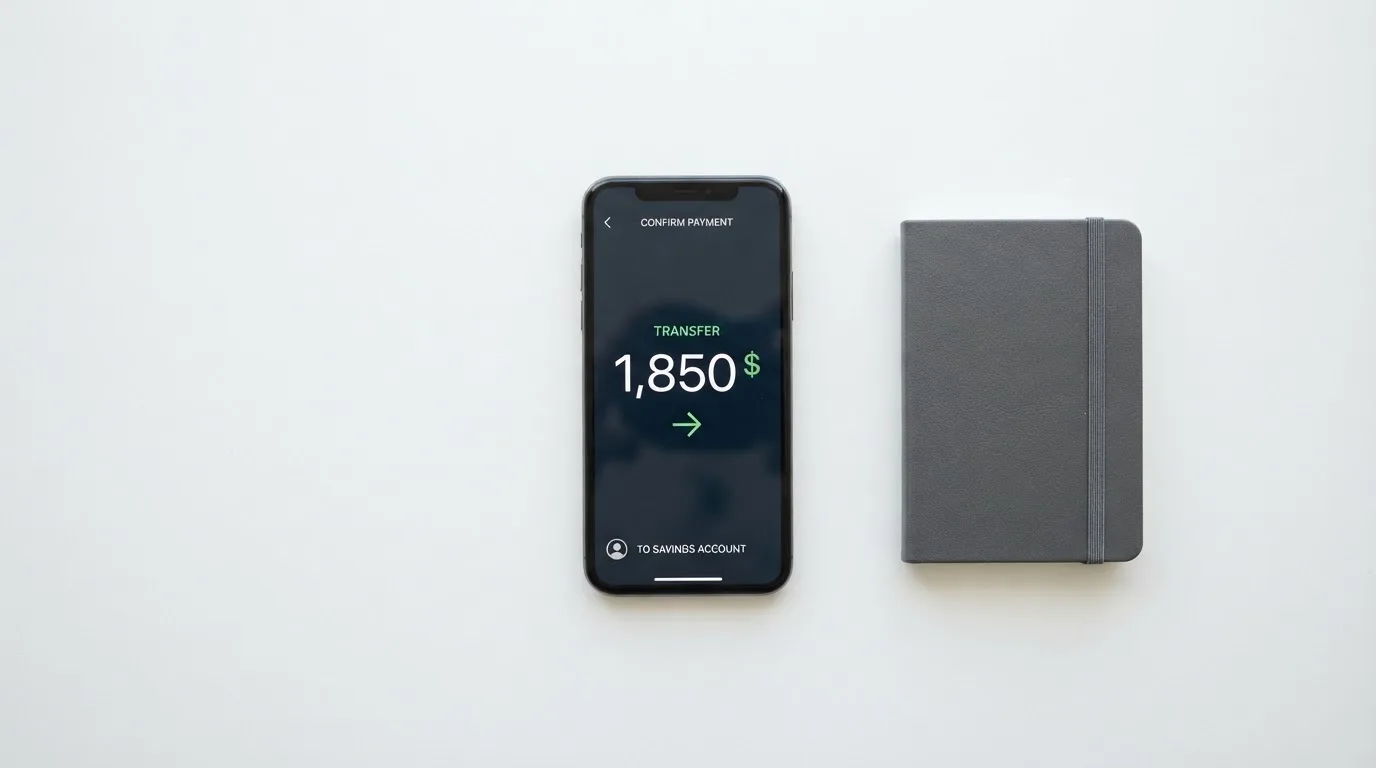
The card itself is a USD card, so the underlying balance you spend from is US dollars, not the stablecoin itself. The product page describes “Your USD balance is accepted and converted wherever needed,” which is the model most stablecoin cards use: a pre-loaded balance that the card draws on, and that cannot overdraw. If you also need to receive traditional USD or EUR wires, Munify offers local USD and EUR account details for ACH, Fedwire, SWIFT and SEPA, and USD account ACH receipts are free.
Two things to know before your first top-up:
- Pick the right network. Munify lists five, but a transfer sent on a network the provider does not support, or to an address of another network, can be lost or need manual support recovery. That risk is structural to crypto generally, and it is worth double-checking the network selection in your sending wallet before you confirm.
- Keep a small amount of the network’s native token for gas. If you are sending USDC or USDT on Ethereum, for example, the gas fee is paid in ETH; a wallet with USDC but no ETH cannot send. The same logic applies on other networks.
The card top-up fee itself and the minimum top-up are not stated. The product page leans on the language of “predictable network fees and zero hidden exchange markups” rather than publishing a fee table, which is a different thing from “free.” For the on-chain side, you will pay what the network charges; for Munify’s own fee on top of that, the public pages do not say.
For getting money back out, the process is to add a bank account through the “Transfer” section in the app. The product page says settlements go “within minutes using instant local rails such as instapay etc.,” though the local rails available to you depend on the bank account you add. The fee for that withdrawal is not stated, and the terms reserve the right to restrict, suspend or close accounts. What happens to your balance on closure is not described in the public pages.
Paying with Munify every day
The card works as a virtual Visa in US dollars. You can create unlimited virtual cards, instantly, and add them to mobile wallets. The App Store listing explicitly mentions Apple Wallet; Google Pay is not stated, which is a real gap if your phone is Android, because at the time of writing there is no public confirmation either way.
The spending side has two useful features and a few important limitations.
The useful features:
- Unlimited virtual cards mean you can isolate subscriptions, give different cards to different tools, or burn a card number after one use. That is a meaningful security and budgeting benefit over a single physical card.
- 0% FX on card spending means the markup at the moment of payment is zero across all three tiers. The merchant still sees whatever their own bank or card network sets, but you are not paying a Munify-side markup on top.
The limitations:
- No physical card and no ATM access. If you need to tap a card at a store, pay at a restaurant terminal, or get cash from an ATM, Munify is not the right product. Online is where it lives.
- Google Pay support is not stated, so anyone on Android should check this directly in the app before depending on it.
- Blocked merchant categories are not stated. Many card issuers block specific MCCs (gambling is the usual example) by policy, and Munify does not publish which ones it blocks. If you have a specific subscription in mind, the only way to know is to try.
- The mobile app is the main interface for managing the card, and the iOS App Store rating is 2.9 out of 5 from 28 ratings as of October 2026. The Google Play listing is on Munify’s site; its rating was not read for this review.
On rewards, the points system on card spending is the most eye-catching number in the marketing: 10% back on Standard, 25% on Plus, 50% on Premium. The currency those points are paid in (USDC, USD, points that can only be spent in-app) and the conditions for redeeming them are not stated, so those numbers are ceilings, not guaranteed cashback.
On disputes, chargebacks are not addressed in the public material. The terms describe a disputes process that requires an internal complaint review and at least 30 days of informal resolution, then binding AAA arbitration under Delaware law, with claims required within one year. Fees are non-refundable except where law requires, and a separate Refund Policy exists at /legal/munify-refund-policy. The 30-day informal window and the one-year claim window are both tight compared with consumer-friendly alternatives, and the binding arbitration clause means you cannot take a dispute to a public court.
What can go wrong
There are three layers of risk to think about with Munify, and they sit in different places.
The first is the company. Munify Corporation describes itself as “Backed by YC,” which refers to the Y Combinator startup accelerator. The country of registration and the card issuer are not stated. The terms say Munify “does not act as a bank, custodian, trustee, or fiduciary” and that “banking and card network partners” handle the regulated side, but those partners are not named. Delaware law governs the terms, no licences are listed, and there is no dated licence, issuer or programme news to point to. The product page does describe card limits, usage tracking and management from a “secured dashboard,” but how customer funds are actually held is not described. The phrase “not a custodian” appears in the terms, which is a meaningful thing to be told about a product you are loading money onto.
The second is the complaint record. Trustpilot shows 3.2 out of 5 from 7 reviews, all within the last 12 months as of October 2026. The recurring themes are not good. Two user reports in August and September 2026 describe accounts blocked after a $4,000 deposit, with support stopping answering. A third report from September 2026 describes a profile “Rejected” after a $50 deposit. Other reports in August 2026 describe support not replying to chat or email, and a July 2026 report describes slow service. The positive reviews (May to September 2026) describe a quick sign-up and easy spending. A small review sample of seven is not a definitive picture, but the pattern of “deposit then freeze” is the kind of pattern you should take seriously, because it lines up with what can happen on any platform that does not have a clear regulatory framework for the funds it holds.
The third is the category-level risk that applies to any custodial or custodial-adjacent crypto product. Crypto transfers are irreversible, so a deposit sent to the wrong address, on the wrong network, or under a profile that then gets frozen is genuinely hard to recover. A 30-day informal dispute window followed by binding arbitration under Delaware law is not a fast or friendly path back.
None of this is a reason to write Munify off; it is a reason to size your exposure accordingly. If the only money on the card is the next few weeks of USDC earnings you would have spent online anyway, the worst case is annoying. If you park several months of earnings on it, the worst case is more meaningful.
What to take instead
Munify is not the only virtual card that spends from a stablecoin balance, and the differences between the options are worth walking through. The three alternatives below are described using the public material available about them; treat any specific fee, country or limit as the alternative’s own claim, not as something Munify’s documentation has confirmed.
Whop Cards (score 5.2 out of 10) is closer to a payout tool than a consumer card. Consumers are accepted in 31 US states (Alabama, Alaska, Arkansas, California, Colorado, Connecticut, Florida, Hawaii, Illinois, Indiana, Iowa, Kansas, Kentucky, Maine, Massachusetts, Michigan, Minnesota, Montana, Nebraska, New Hampshire, New Jersey, New York, North Carolina, Oklahoma, Pennsylvania, South Carolina, Texas, Utah, Virginia, West Virginia, Wyoming); businesses in 41. Unsupported consumer countries include Belarus, mainland China, Cuba, Hong Kong, India, Iran, Iraq, Israel, Myanmar, Nepal, Nicaragua, North Korea, Russia, Syria, Turkey, Ukraine, Venezuela and Vietnam. The card is a Visa, accepted wherever Visa is taken online and in stores. The page says “no extra fees” and lists no issuance or monthly amounts; conversion and FX fee amounts are not stated. Spending draws on a Whop balance that can use a pending balance as soon as a payment arrives, with cards also issuable to team members. Rewards are 5% cashback at select merchants, currently including Uber, with more planned; payout currency and conditions are not stated. Compared with Munify, Whop is more useful for a creator with a US-tied audience, and less useful for a global freelancer paid in USDC.
Stella (score 6.5 out of 10) is closer to Munify’s shape. Countries are not stated on the official site, and the terms bar users under economic sanctions programmes while routing US and European users through affiliates. The card is both virtual and physical, runs on the Visa network, and is accepted at “over 40 million VISA merchants globally.” Fees are not stated officially; the user agreement refers to fees “described under this User Agreement and/or on the App.” Funding is via depositing crypto into the account, which automatically tops up the card from an in-app custodial wallet. There is no cashback stated on the card page; yield is a separate Earn product. Stella is a reasonable comparison point if you specifically want the option of a physical card that Munify does not offer.
UniFi Card (score 4.7 out of 10) is the most traditional-looking of the three. Country support is not confirmed from official pages; the App Store lists send-money routes to the Philippines (PHP), Mexico (MXN), the eurozone (EUR) and recent release notes mention Colombia, Brazil (PIX) and the UK (GBP). The card is a “Prepaid Debit Visa Card” issued by Lead Bank, with Apple Pay support and a USD balance. Fees are not stated, and “Fees may apply” is the published line. Funding is by ACH, wire, SEPA (IBAN) or SPEI (CLABE), with the option of getting paid to a USDC wallet; coins and networks beyond USDC are not stated. The app claims “3% rewards on balances,” with card cashback not stated. UniFi is closer to a US-anchored, USDC-friendly card than to a global product, which is the opposite of what Munify is.
The honest comparison:
- If your problem is “I am paid in USDC and I need a card number to spend it online,” Munify is the most directly built for that. The 0% card-spending FX and the five supported networks are the strongest part of the offering.
- If your problem is “I need a physical card, an ATM, or both,” Stella is the closer match, because Munify does not provide either.
- If your problem is “I want a US-tied card with a named issuer and ACH funding,” UniFi is closer to that picture, with the trade-off that its crypto support is narrower and its public country list is thinner.
- If your problem is “I run a US creator business and want to issue cards to my team,” Whop Cards is built for that specific use case, not for a global freelancer.
Who I would recommend it to
I would recommend Munify to a freelancer or remote worker who is paid in USDC or USDT, who already self-custodies their crypto, and whose spending is online and in USD. For that person, the card does what it claims: it accepts stablecoins from your own wallet, holds a USD balance, and spends it through a virtual Visa with 0% FX at the moment of payment. The Unlimited virtual card model is genuinely useful for someone who wants to isolate subscriptions, and the five supported networks (Base, Solana, Polygon, Arbitrum and Ethereum) make it easy to use the network that is cheapest at the time of transfer.
I would not recommend Munify to someone who needs a physical card, ATM access, Google Pay support, or a clear, named, regulated issuer behind the product. I would also be cautious about parking a large balance on the card given the gap in published information on how customer funds are held and the pattern of complaint reviews around frozen accounts after deposits. The right way to use Munify, in my view, is as a spending rail for current earnings, not as a place to store them.
Before you sign up, the four things I would check in order:
- That your country of residence is not on the blocklist, and that you are willing to provide identity or source-of-funds documents on request.
- That the on-chain network you usually send from is one of the five supported, and that you have a small amount of the native gas token to pay the network fee.
- That the conversion fee from USDC or USDT to your USD balance, which is not published, is acceptable to you once you see it in the app.
- That the rewards points are paid in something you can actually spend, because the percentage is high (up to 50% on Premium) and a rewards program that pays in unusable points is not really 50% back.
If those four checks come back positive, Munify is a useful product for the audience it is built for. If any of them are negative, the alternatives above are worth a look before you commit.
Frequently asked questions
What is the Munify card?
Munify is a virtual Visa in US dollars that you top up with USDC or USDT from your own crypto wallet. The card is issued through a partner the company does not name, and Munify itself states that it “does not act as a bank, custodian, trustee, or fiduciary.” It is best understood as a stablecoin-to-card spending rail, not as a bank account with a card attached.
How does the Munify card work?
You create a virtual card in the app, send USDC or USDT to your Munify deposit address from your own wallet on one of five supported networks (Base, Solana, Polygon, Arbitrum or Ethereum), the deposit is credited to your USD balance in seconds, and the card spends from that balance. The exchange rate at the moment of card spending is 0% on all three tiers, so you are not paying a Munify-side FX markup when you pay online.
Is Munify a bank?
No. The terms state that Munify does not act as a bank, custodian, trustee or fiduciary, and that “banking and card network partners” handle the regulated side. Those partners are not named in the public pages, and no licences are listed, so the regulatory framework around the product is not as visible as it would be with a licensed bank or e-money institution.
Who owns Munify?
Munify Corporation is the entity behind the product, and the marketing says the company is “Backed by YC,” referring to the Y Combinator startup accelerator. The country of registration is not stated, and the card issuer is described as one of several “banking and card network partners” without naming any of them.
Is the Munify card available in my country?
The terms block individuals, entities and businesses “located in” a list of countries that includes Belarus and the Russian Federation, and the test is location rather than citizenship. There is no published list of supported countries, so the only honest answer is “almost certainly yes unless you are in a small set of named places, and the only way to be sure is to start the sign-up flow.” Identity verification, source-of-funds information or other documents can be requested at any time.
How do I get the Munify card?
The sign-up happens in the app. The App Store description speaks of “quick onboarding,” but the specific KYC level, the documents required and the proof of address or age thresholds are not stated on the public pages. Once your account is in place, virtual cards can be created instantly and you can have as many as you want.
Does the Munify card require KYC?
The terms say Munify “may request identity verification, source-of-funds information, or other documentation at any time” and require users to keep their location and business information accurate. The onboarding step-by-step is not described publicly, so the practical answer is that the company reserves the right to ask, and that not providing what is asked can lead to the account being restricted, suspended or closed.
How do I top up the Munify card?
You send USDC or USDT from your own external wallet to the deposit address shown in the app, choosing one of the supported networks (Base, Solana, Polygon, Arbitrum or Ethereum). Funds are added “in seconds” once confirmed on-chain, and the card then spends from your USD balance. The card top-up fee and the minimum top-up are not published; the on-chain network fee is set by the blockchain, not by Munify.
Can I use the Munify card with Apple Wallet or Google Pay?
The App Store listing explicitly mentions Apple Wallet, so iPhone users can add the card there. Google Pay is not stated anywhere in the public material at the time of writing, so Android users should confirm directly in the app before depending on it. There is no physical card, which means contactless in-store payment depends entirely on mobile wallet support.
Is the Munify card safe?
The product offers the standard app-side safeguards: a “secured dashboard” for managing the card, the ability to freeze or replace virtual card numbers, and the option to isolate spending across multiple cards. The gaps are at the company level: no named issuer, no published licences, and a Trustpilot record of 3.2 out of 5 from 7 reviews with recurring reports of accounts being frozen after deposits. Treat Munify as a spending rail for current earnings rather than as a place to hold a large balance, and the safety picture is reasonable. Treat it as a long-term store of value and it is not.
App and neobank card options – cryptocardoptions.com
Content created by the «cryptocardoptions.com» team