
A digital Visa you load with stablecoins: how MaaarPay works, what it actually charges, and when it is the right call
 Available in US
MaaarPay is one of the newer crypto-to-payment cards on the market: a Visa you load with stablecoins, spend anywhere Visa is taken, and manage from a phone app. The promise is straightforward if you already hold USDT or USDC and want a card that draws on that balance. The reality is more mixed. The company behind it (a Dubai-based DMCC licensee) is small and young, the public fee schedule is thin, and the physical card and ATM access are still listed as “coming soon.” So before you sign up, it is worth knowing exactly what you are getting into, what you will pay in the everyday case, and where you might be better off with one of the alternatives.
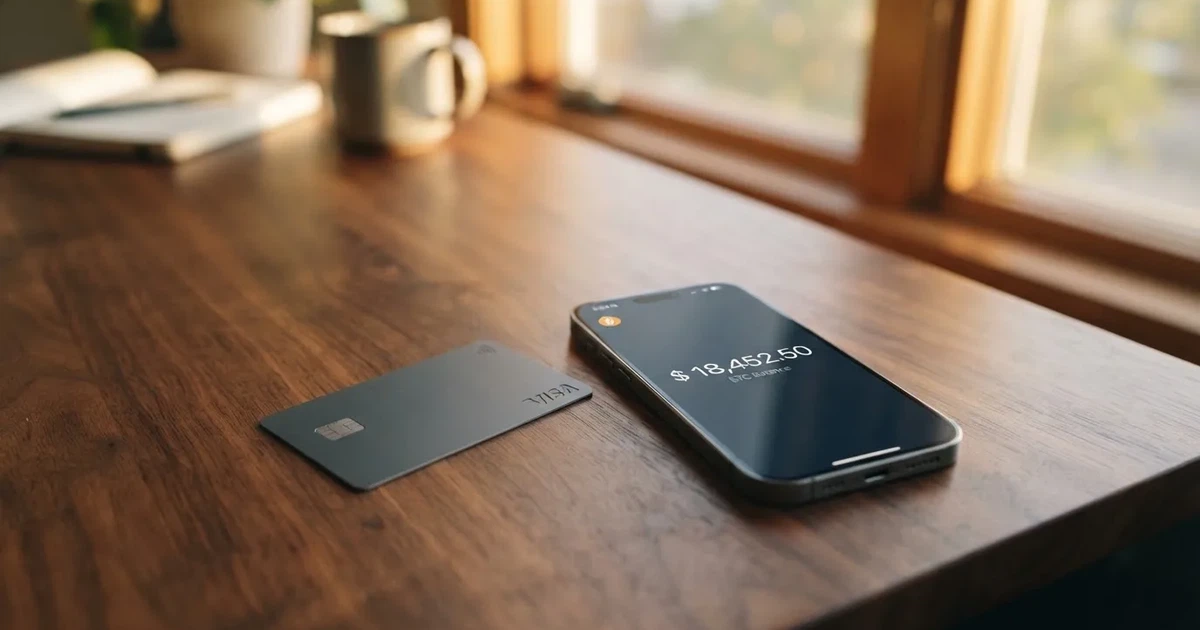
The score I land on after going through the published terms and the help-centre pages is 6.7 out of 10 — solid for accessibility and top-up options, weaker on cost transparency. The breakdown is in the verdict below. I also check it against three comparable cards (Cardex, TakeCard and OkiCard) so you can see where it stands.
The conditions described here are current as of October 28, 2026.
Verdict
MaaarPay earns 6.7 out of 10 in my scoring. The reason is a split: the onboarding story and the top-up setup are genuinely strong for a card in this category, but the public cost disclosure is thin enough that you have to assume the worst, and the physical card and ATM access have not shipped yet. If you only need a digital Visa, load it with USDT or USDC, and you are outside the United States, it does the job. If you want a physical card in your hand tomorrow, or if the FX and conversion line items matter to you, the picture is less clear.
| Criterion | Score | Reason |
|---|---|---|
| Who can get it | 8 / 10 | Available in 150+ countries; US citizens excluded; OFAC sanctions referenced. Country list is not published. |
| Cost | 4 / 10 | FX fee up to 2%, cross-border fee up to 3%; issuance and crypto-conversion fees not disclosed. |
| Top-up options | 8 / 10 | USDT, USDC and other supported crypto (BTC listed on the home page); stablecoin collateral on Ethereum, Polygon, Optimism, Arbitrum. |
| Reliability and complaints | 8 / 10 | Operated by MAAAR PAY FZCO (DMCC, Dubai, license DMCC-981512); issuer named as Third National under a Visa licence; no complaints found in public sources. |
| Everyday use | 6 / 10 | Digital card is instant, Apple Pay and Google Pay supported, freeze in app; physical card and ATM withdrawals marked “coming soon”. |
Who it suits: people outside the US who already hold USDT or USDC, want a digital Visa they can add to Apple Pay or Google Pay today, and do not need a physical card yet. Users funding a digital Visa with USDT or USDC are exactly the audience this card was built around.
Who it does not suit: US citizens, anyone who needs a physical card or ATM access right now, and anyone who needs to know the full fee schedule before they sign up. If you want a card that publishes an issuance fee, a monthly fee and a stablecoin conversion fee in plain numbers, this is not the one.
Who can get the MaaarPay card
MaaarPay states it is “available in 150+ countries,” but the public pages do not list those countries. So you cannot pre-check by name; you have to attempt sign-up and see whether the app accepts you. The terms also require you to confirm that you are “not a United States citizen,” and they refer to OFAC sanctions, which means anyone in or from a sanctioned jurisdiction will be turned away. Citizenship and residence are treated separately in the document language, but the precise rule is not stated: the company appears to apply restrictions to citizenship as well as to the country you currently live in.
The practical takeaway: if you are not a US citizen and your country is not on an OFAC sanctions list, the probability that the form lets you through is high. If you are a US citizen, even if you live abroad, the terms say no. If you hold citizenship of a sanctioned country, also no.
One other thing worth noticing: the company behind the card is MAAAR PAY FZCO, registered in DMCC (Dubai) under licence number DMCC-981512, with a Canadian subsidiary called MAAAR CIRCLE PAYMENTS LTD. (British Columbia, BC1585437). It describes itself as a “technology service provider” and not a bank or money-transmitter. The actual card is issued by a third-party licensed institution identified in the terms as Third National, operating under a Visa licence. The help-centre pages also name BANEX MICROFINANCE BANK LIMITED for Nigerian users. So the legal structure has three moving parts: the Dubai parent, the licensed Visa issuer, and a regional partner for some users. That is not unusual for this category, but it is a detail to know if you are weighing who you are actually signing a contract with.
Sign-up: what getting the card involves
The sign-up flow has two moving parts: an identity check and the card itself.
Identity verification. MaaarPay describes the process as “secure identity verification” and links to an AML & KYC policy page. The published terms and the marketing site do not list the specific documents required (passport, national ID, proof of address, and so on), nor a minimum age, nor whether there are different verification tiers. You should expect to be asked for a government-issued photo ID and a selfie or live capture, as is standard in the category, and you may be asked for proof of address depending on what the issuer requires. If verification cannot be completed, EU-style rules that the issuer follows will require them to close the relationship, which is why you sometimes see accounts frozen “pending documents.”
The card itself. A digital card is issued instantly in the app, and the terms say it is on the Visa network. The physical card and ATM access are marked “coming soon” on the public pages. The card is described as a Visa debit/prepaid hybrid, with foreign transactions converted to USD by the card association. Apple Pay and Google Pay are supported, and you can freeze and unfreeze the card in the app at any time. The card is issued by Third National, as noted in the terms.
What the signup does not include is also worth flagging. There is no published “starter” or “premium” tier with different limits, no public timeline for the physical card, and no stated activation step beyond downloading the app and passing identity verification. If you are a person who likes to see a roadmap with dates, you will not find one.
Fees: what it really costs
This is the part of the review where I have to be careful, because the public cost disclosure is genuinely incomplete. Here is what is on the page, and what is not.
| Fee or limit | Amount | Notes |
|---|---|---|
| Card issuance | Not stated | Not published on the marketing pages or in the terms summary. |
| Monthly fee | Not stated | Not published. |
| Crypto-to-fiat conversion | Not stated | Not published. |
| Foreign exchange (non-USD) | Up to 2% | Applied when you pay in a currency other than USD. |
| Cross-border fee | Up to 3% | Applies to cross-border transactions, separate from the FX fee. |
| Late payment | Up to $40 | Per the published terms. |
| Returned payment | Up to $29 (terms) vs $00.00 (section 6) | The two parts of the published document conflict. |
| Interest | 0% APR for now | Stated in the terms. |
| ATM withdrawal fee | Not stated | Physical card marked “coming soon”; terms say “cash advances and balance transfers are not available.” |
| Daily and monthly purchase limits | Not stated in amounts | Issuer may cap by “type, number and dollar amount.” |
Three everyday payments, walked through:
- A €40 dinner in Berlin, paid with Apple Pay, USDT in the wallet. You start with USDT on a supported network. At the moment of payment, the card converts your USDT to fiat balance (the conversion fee is not published), then the card association converts USD to EUR at the wholesale rate, and MaaarPay adds up to 2% FX on top. Because Berlin is outside the United States, the cross-border fee of up to 3% may also apply. The total drag on the payment could be significant, before you count any crypto-conversion fee that the company may or may not charge.
- A $20 subscription in New York, paid with the digital card. USD-denominated, so no FX fee. Whether the cross-border fee applies depends on where the card is treated as issued. If you are sitting in Nigeria or Kenya, the merchant and the issuer country may differ, and the cross-border fee is the bigger of the two disclosed charges. If you are in the US, the terms say you cannot have the card.
- A cash withdrawal at a Lagos ATM, in theory. Not available today. The physical card and ATM access are “coming soon.” The terms also say “cash advances and balance transfers are not available,” which is a category-level restriction to keep in mind even when the physical card does ship. When it does ship, the ATM fee is not published.
The single biggest gap in the cost picture is the crypto-to-fiat conversion fee. Other cards in this category publish a number. MaaarPay does not. So you should assume there is one, until the company publishes a figure. The FX and cross-border fees, taken together, are also high for a card whose main value proposition is cheap global spending.
A small but real nit: the published terms contradict themselves on the returned-payment fee (one section says up to $29, another says $00.00). If that matters to you, ask support to clarify before you sign up.
Top up: how the card gets funded
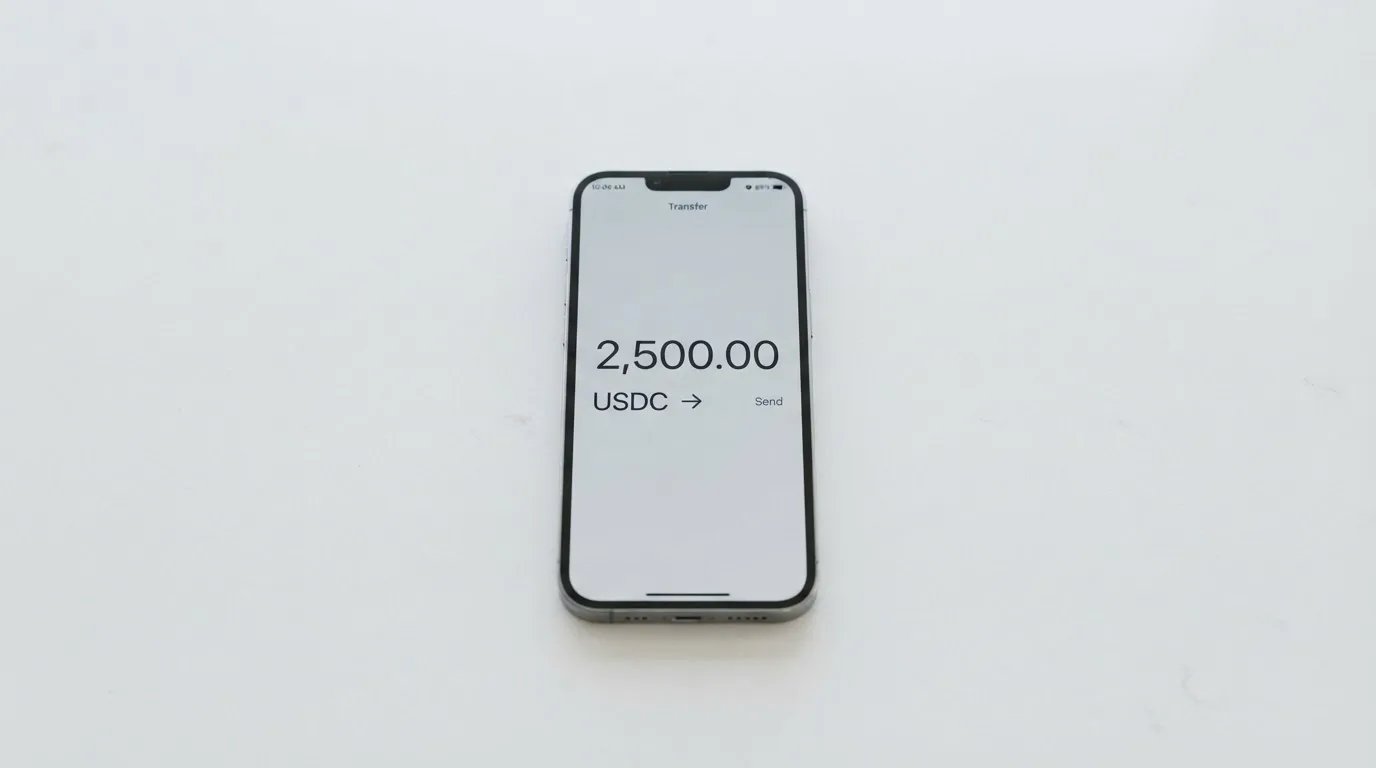
MaaarPay is built around loading a wallet with crypto and spending the converted fiat. The home page lists USDT, USDC and “other supported crypto,” with BTC also in the list. The card’s collateral is held in stablecoins on four named networks: Ethereum, Polygon, Optimism and Arbitrum. The wallet itself accepts USDT, USDC and other supported assets, but the help-centre pages do not name the full set of networks for deposits in one place; you have to follow the “Deposit crypto” article to see the deposit address and the network to use.
A few practical points that come from the general background of the category and apply here:
- Pick the right network. Blockchain transfers are irreversible, so if you send USDT on a network the wallet does not support, you cannot get it back automatically. You would have to open a support ticket and there is no guarantee of recovery.
- Mind the gas. If you send USDT on Ethereum, you also need a small amount of ETH in the sending wallet to pay the gas fee. The same logic applies to other chains that have a native asset for fees (Tron uses bandwidth and energy, often burning TRX).
- Use the address the app gives you. Crypto-card wallets typically generate a deposit address per user; do not copy a third-party address from a chat, and watch for clipboard-hijacking malware that swaps addresses when you paste.
- Stablecoins are not risk-free. Tether’s USDT and Circle’s USDC are the two largest dollar-pegged stablecoins, and Circle says USDC is redeemable 1:1 for USD with monthly Big-Four reserve attestations. But stablecoins have lost their peg before (TerraUSD in May 2022, USDC briefly in March 2023), and Tether says it disables tokens in wallets on the OFAC sanctions list. So the “dollar” in your wallet is a token, not a deposit.
The wallet also supports withdrawing crypto to an external wallet, with a help-centre article linked. The fees for that are not stated on the marketing pages, so check inside the app before you withdraw. The terms also say the issuer may suspend or cancel the card “with or without cause,” and the rules around the balance on closure are not stated.
Paying with it every day
Once you have a balance and a digital card in Apple Pay or Google Pay, the day-to-day experience is the same as any other Visa debit: tap to pay, insert to pay, type the details in online, and approve with 3-D Secure when the merchant challenges you.
A few things the card is and is not, drawn from the published terms:
- It is Visa, with tokenised mobile wallets. Apple Pay replaces your card number with a device-specific number stored in the Secure Element; MaaarPay can configure restrictions on how the token is allowed to authenticate.
- Cash-like transactions are restricted. Money orders, crypto purchases and gambling are blocked. The merchant category code (MCC) for gambling is 7995, and the issuer can decide to block it for specific cards.
- AVS may not be available. Address Verification Service is mainly offered in the US, Canada and the UK and is generally unavailable for foreign-issued cards, so some online merchants may decline the card based on the BIN alone.
- Holds can stick. A declined authorisation can leave a hold for several days, typically up to 7. If you see money missing after a failed payment, give it a week before you panic.
- Disputes and chargebacks. The terms say to resolve with the merchant first, then start a chargeback in your account, and to report within 60 days of posting. They also include an arbitration clause (AAA) and a class-action waiver, which is standard for US-style card programmes.
What is not published: cashback, rewards or any kind of return on spending. The marketing pages do not mention a rewards programme, so treat this as a card that costs you fees but does not pay you back.
Freeze and unfreeze any time from the app. If your phone is lost, freeze the card before you replace the device.
Customer support channels: a Help Center, FAQ, Contact Us form, email at [email protected], a Telegram channel at t.me/Maaarpay_official, and a Reddit subreddit at r/maaarpay. Languages and hours are not stated, and the FAQ shows “Eng.” Expect English-language support and, possibly, a wait.
What can go wrong
A few real risks, and a few ordinary ones, that you should weigh before signing up.
The fee schedule is incomplete. As covered above, the issuance fee, the monthly fee and the crypto-conversion fee are not published. If the published fees matter to you (and they should, since FX and cross-border fees apply), this is a gap.
The physical card and ATM access are not available. They are “coming soon.” If you need a card you can hand over at a restaurant or insert at a cash machine, the current product is not it. The terms also say “cash advances and balance transfers are not available” as a category rule.
Programmes can shut down. The category has a track record here. Visa terminated its global agreement with FTX on 13 November 2022, and the FTX US debit card was wound down by its issuer. WaveCrest, a Visa-licensed card issuer that supplied crypto card brands, was suspended by Visa in Europe in 2018 and every WaveCrest-issued Visa programme was closed. When a programme is wound down, the typical pattern is: a notice period, then spending and loading are stopped, then you are asked to withdraw your remaining balance. The speed and cost of that withdrawal is up to the programme.
The company is the technology provider, not the bank. MaaarPay says it “does not provide banking or money transmission services.” The card is issued by Third National under a Visa licence. Your contract for the card is with that issuer, not with MaaarPay. The issuer can suspend or cancel “with or without cause” per the terms. The safeguarding regime that protects customer funds (where applicable) is the issuer’s, not the marketing brand’s.
Sanctions and country rules apply. OFAC sanctions are referenced in the terms, and the company does business in Nigeria through a named partner bank. If you are in a jurisdiction that ends up on a sanctions list, or if your local regulator changes the rules for crypto cards, the card can be turned off for you without a long explanation.
Custodial risk on the wallet balance. Your crypto is held by the platform until you spend it; you do not hold the private keys. The category has a long history of custodial failures: Mt. Gox (around US$350 million reported stolen between 2011 and 2014), Coincheck (around US$400 million in 2018), Ronin Network (US$625 million in 2022). The company has no published statement on whether customer balances are held in segregated accounts or covered by safeguarding rules. The “advanced security protections” and “institutional-grade SaaS infrastructure” language in the marketing is reassuring but not specific.
App ratings are not read. I did not pull ratings from the Apple App Store or Google Play. Before you sign up, look at the most recent reviews in your local store to see how the app actually behaves.
No public complaints page. I did not find a Trustpilot page for MaaarPay, and there were no notable complaints in the public sources I checked. That is mildly positive but not a substitute for a track record.
No 2FA or safeguarding statement. The published terms mention 2FA in passing but do not specify whether it is on by default, what methods are supported, or whether customer funds are held in segregated accounts. Treat that as something to confirm in the app before you load a large balance.
What to take instead
Three alternatives worth comparing, each with a different angle.
| Card | Score | Best for | Watch out for |
|---|---|---|---|
| MaaarPay | 6.7 / 10 | Digital Visa, USDT/USDC, 150+ countries, no monthly fee published. | Issuance and conversion fees not disclosed; physical card coming soon. |
| Cardex | 5.6 / 10 | Naira-focused users; Verve, Visa, Mastercard and UnionPay networks; 200+ countries. | App Store listing is Naira-focused; fee percentages not stated. |
| TakeCard | 5.5 / 10 | Bolivian users needing a physical card; prepaid Visa in USD; top-up from Takenos. | Physical card Bolivia-only; conflicting shipping fees in help-centre articles. |
| OkiCard | 6.0 / 10 | Virtual card with $0 issuance, 100 USDT initial deposit, 0% transaction fee in USD. | Pages disagree on pricing; USDC “soon,” BTC “coming soon”; load fee 3%. |
Cardex
Cardex is a debit crypto card on Verve, Visa, Mastercard and UnionPay, listed in 200+ countries without a published exclusion list. The App Store listing is Naira-focused, and the card’s currency is Naira per the listing. The site says an “AI-Powered Conversion Rate” scans global exchanges and picks the best one when you spend, and the wallet supports USDT, USDC and BTC. The fee percentages are not stated, and the rewards are not stated. The score is 5.6 out of 10, mostly on the back of a thin public fee schedule and an unclear cost story. It is the right pick if you are paying in Naira and want a card that works across multiple networks.
TakeCard
TakeCard is a prepaid Visa issued in the US, in USD, with payments in USD 1:1. The virtual card is USD 5. The physical card is Bolivia-only, at USD 20 issuance plus USD 20 shipping per one help-centre article, and USD 10 per another (the two articles conflict). The transaction fee is 1% per purchase; other currencies convert at the official Visa rate of the transaction day. Funding is from your Takenos balance; the help-centre article does not name the supported coins, and starting data lists USDC/USDT via Polygon, BNB Chain, Tron or Ethereum. The score is 5.5 out of 10. It is the right pick if you are in Bolivia and want a physical card you can hold, or if you are in one of the other named countries (Argentina, Peru, Chile, Paraguay, Colombia, Ecuador, US, Spain, Italy per starting data, not verified) and just need a virtual USD card.
OkiCard
OkiCard is a virtual card priced at $0 issuance and $0 monthly, with a starting price of $15 for the virtual card and an initial deposit of 100 USDT. The load fee is 3%, the transaction fee in USD is 0%, and the company says there are “no hidden exchange spreads.” Funding is USDT on BSC, Ethereum, Tron and Solana; USDC is “soon” and BTC plus altcoins are “coming soon.” The card currency is pegged to USD/EUR. The score is 6.0 out of 10. It is the right pick if you want a virtual card with a published fee schedule and you are happy to fund it with USDT on one of the four named networks.
If I had to choose between these four for a US-excluded, USDT-holding user, the call would be: MaaarPay if you are happy with a digital card and want broad country coverage; OkiCard if you want the fee schedule in writing; TakeCard if you are in Bolivia and need a physical card; Cardex if you are paying in Naira and want multi-network acceptance. None of them is a complete answer for every user.
Who I would recommend it to
I would recommend MaaarPay to a specific kind of reader: someone outside the US, in a non-sanctioned country, who already holds USDT or USDC in a self-custody wallet and wants a digital Visa they can add to Apple Pay or Google Pay today. If you are paying for online subscriptions, online services, or in-person contactless in a country that accepts Visa, the digital card does the job. The freeze-in-app feature, the tokenised wallets and the 0% APR are all real pluses.
I would not recommend it to:
- US citizens. The terms say no.
- Anyone who needs a physical card or ATM access today. The card is “coming soon” and the terms say cash advances are not available as a category.
- Anyone who needs a published fee schedule before signing up. The issuance, monthly and crypto-conversion fees are not published.
- Heavy FX users. The up to 2% FX and up to 3% cross-border fees add up; if you are paying in multiple currencies often, the effective drag can be noticeable per transaction.
- Anyone uncomfortable with a small, new programme manager. The company is a technology service provider, not a bank; the card is issued by a third party. If the issuer or the programme winds down, you are exposed to the category-level risk of a card programme closure.
For everyone else — a person who wants a digital Visa, has stablecoins ready, and is happy to accept the cost picture that is published — MaaarPay is a reasonable, if imperfect, fit.
Frequently asked questions
What is the MaaarPay card?
MaaarPay is a Visa payment card linked to a crypto wallet. You load the wallet with USDT, USDC or other supported crypto, and the card spends the converted fiat balance. A digital card is issued instantly in the app; a physical card is listed as “coming soon.” It is issued by Third National.
How does the MaaarPay card work?
You complete identity verification in the app, the digital card is added to your mobile wallet, and you top up the wallet with supported crypto on a supported network. At the moment of payment, the crypto is converted to fiat, the card pays the merchant in local currency, and the card association handles any FX conversion. Cash-like transactions (money orders, crypto purchases, gambling) are restricted.
Is MaaarPay a bank?
No. The company behind the card, MAAAR PAY FZCO (DMCC, Dubai, licence DMCC-981512), describes itself as a “technology service provider” and not a bank or money-transmitter. The card is issued by Third National under a Visa licence. The Nigerian help-centre pages name BANEX MICROFINANCE BANK LIMITED as a regional partner.
Who owns MaaarPay?
MaaarPay is operated by MAAAR PAY FZCO, registered in DMCC (Dubai) under licence number DMCC-981512 and registration number DMCC202616. The group also includes a Canadian subsidiary, MAAAR CIRCLE PAYMENTS LTD. (British Columbia, BC1585437). Individual ownership is not stated in the public documents I reviewed.
Is the MaaarPay card available in my country?
The card is described as “available in 150+ countries,” but the country list is not published. The terms require you to confirm you are not a US citizen and refer to OFAC sanctions. The only practical way to confirm eligibility for your country is to start the sign-up flow; if the form accepts you, you are in.
How do I get a MaaarPay card?
Download the app, create an account, complete the “secure identity verification” step, and request the digital card. The card is issued instantly in the app. The physical card is “coming soon.” You will need a wallet with supported crypto on a supported network to top up the card and start spending.
Does the MaaarPay card require KYC?
Yes. The sign-up includes “secure identity verification,” and the company links to an AML & KYC policy page. The specific documents required (passport, national ID, proof of address) and the minimum age are not stated in the public materials. KYC rules apply because the card is issued by a regulated third-party institution under a Visa licence.
How do I add the MaaarPay card to Apple Wallet or Google Pay?
After the digital card is issued in the app, follow the in-app prompts to add it to Apple Wallet or Google Pay. The card supports tokenised mobile wallets; the device account number is stored in the Secure Element and each payment uses a one-time dynamic security code. If you lose your phone, freeze the card in the app before you replace the device.
Is the MaaarPay card safe?
It is a Visa with tokenised wallets, freeze/unfreeze in the app, and the institutional claims of “advanced security protections” and “institutional-grade SaaS infrastructure.” On the other hand, the company is a technology service provider, not a bank, and the issuer can suspend or cancel the card “with or without cause” per the terms. Public statements on 2FA defaults, fund segregation and safeguarding are not in the published documents. Treat it as a custodial wallet with the usual category-level risks.
How do I delete my MaaarPay account?
The published help-centre pages do not describe a self-serve account-deletion flow in the materials I read. The standard approach is to contact support at [email protected], withdraw your remaining crypto balance to an external wallet (fees not stated in marketing), and ask for account closure. The terms do not state what happens to the balance on closure, so make sure the wallet is empty before you request deletion.
Virtual card options – cryptocardoptions.com
Content created by the «cryptocardoptions.com» team