
NAKA card, tested: a self-custody Visa with a lot of blanks
 Available in US
NAKA pitches itself as a Visa card you spend from your own crypto wallet, not from a balance the company holds for you. That idea is genuinely different from most crypto cards on the market, and it is the single thing I kept coming back to as I read through the company’s pages, app store listing, and the supporting documents. The idea is sound. The execution, at the time of this review, leaves a lot of practical questions unanswered, and several of them are the kind you would want answered before you put any meaningful amount of money on the card.
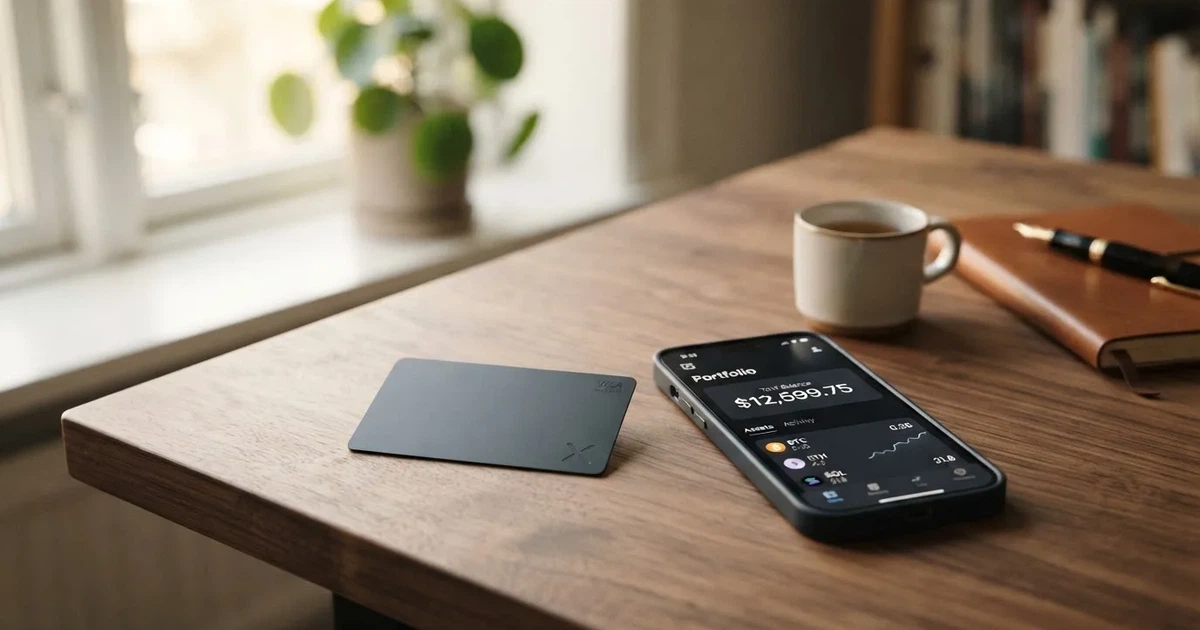
This is a review of NAKA as a payment product, not an investment in any token or in the company. The conditions described are current as of October 28, 2026. Where I have to draw on third-party sources because the company has not published the figure itself, I say so. Where the company’s own pages do not say something at all, I say that plainly rather than guess.
Verdict
NAKA gets 5.1 out of 10 in my scoring, and that score reflects a product that is interesting in concept but thin on disclosure. The strongest part of the proposition is the self-custody model: each payment requires a cryptographic signature from your own private key, your key never leaves your device, and there is no pooled custodial balance that a third party could lose. That is a real advantage over most crypto cards, where your funds sit with a custodian until you spend them. The weakest parts are the things NAKA has simply not published: pricing, fees, ATM terms, country eligibility, card currency, and which entity actually issues the card. For a payment product you would carry in your pocket, those are not small details.
The card is a virtual Visa Platinum, tokenised for Apple Pay and Google Pay, and the company describes it as accepted at over 150 million locations. NAKA is registered in Ljubljana, Slovenia, holds three ISO certifications (27001:2022, 9001:2015 and 22301:2019), and the NAKA Pay+ app is currently rated 5.0 on the App Store from 11 ratings. I could not find any negative incident reports or a Trustpilot or Reddit thread for this specific product. The product was first shown publicly in Lugano in late October 2025, which makes it a young product, and that is part of why there is so little third-party track record to lean on.
Here is how the score breaks down by criterion:
| Criterion | Score | Why |
|---|---|---|
| Who can get it | 5/10 | Marketed for Latin America, app listed as “worldwide” with no country list, US citizens are explicitly excluded at signup |
| Cost | 5/10 | Pricing is described as “per user” but no figures are published, no fee schedule to read |
| Top-up options | 3/10 | USDT from a self-custody wallet, the app store listing only confirms USDT on Avalanche C-Chain |
| Reliability and complaints | 6/10 | Slovenian company with three ISO certifications, but card issuer and licences are not named, no review trail |
| Everyday use | 6/10 | Virtual Visa Platinum, Apple Pay and Google Pay, ATM mentioned but conditions not stated |
| Total | 5.1/10 |
Who this card suits, in my view, is someone who already lives in USDT, already keeps their crypto in a self-custody wallet, and wants to be able to tap-to-pay at a shop without first moving funds to a centralised exchange or a custodial card account. If that is you, the self-custody angle is genuinely useful, and you may be comfortable operating on the published detail you can see. Who it does not suit is anyone who needs to know their monthly fee, their ATM withdrawal fee, or their country eligibility before they sign up, because NAKA has not published those details in the form most readers will expect to find them. It also does not suit a US citizen, who is asked to confirm they are not one before they can continue, and it does not suit anyone who needs a physical card, since the product page describes only a virtual card.
Who will they give you the card
The most important thing to know up front is that NAKA’s card is targeted at Latin America, even though the NAKA Pay+ app is listed as available “worldwide” in the app stores, with no country list attached. If you are reading this from Europe, Asia, Africa or the Middle East, the company has not told you, in any document I could find, whether you are in or out. The single line the signup flow does give you is a checkbox to confirm you are not a United States citizen, which suggests the US is treated as a hard exclusion at the citizenship level, separate from the country you currently live in.
The legal side is split by entity, which is a clue in itself. NAKA GLOBAL, finančne tehnologije, d.o.o. is registered in Ljubljana at Letališka cesta 33F, with company number 8106452000. There is also a NAKA CH SAGL in Switzerland and NAKA SLV, S.A. de C.V. in El Salvador. The company’s own documents say “the specific provider depends on your jurisdiction and/or the product suite”, and there is a separate US-specific card agreement in the paperwork. So if you are signing up, the entity you eventually contract with is not the same as the company whose name is on the marketing site. That is normal for a cross-border fintech, but it is something you would want to look at the actual agreement for, especially because the card issuer itself is not named on the pages I read.
There is no mention of a minimum age, a list of accepted identity documents, or a list of accepted proof-of-address documents on the public pages. The signup flow is described in broad terms as “a quick KYC verification” after you set up the wallet inside NAKA Pay+, with no bank account required. If you are used to the long, checklist-style signup pages that mainstream crypto cards publish, the lack of detail here is itself the answer to the question: NAKA is asking you to download the app and find out.
How to get it
The process, as far as the company describes it, runs like this. You download NAKA Pay+, the app published by NAKA GLOBAL d.o.o., currently at version 2.2 with a 5.0 average rating across 11 App Store reviews at the time I checked. Inside the app you set up a self-custodial wallet, you go through a quick KYC check, and the card itself is a virtual Visa Platinum. There is no physical card mentioned anywhere in the materials I read, so the question of delivery, postage, or PIN collection does not apply. Your card lives inside the app and is tokenised for tap-to-pay.
A virtual-only card is the right shape for a self-custody product, because there is no card to ship, no courier to wait for, and no physical address to add to your risk surface. It does mean that you cannot hand the card to a family member, cannot use it at a payment terminal that requires a swipe, and cannot fall back to inserting a chip if your phone runs out of battery. You will need either Apple Pay on an iPhone or Google Pay on an Android device, and you will need the merchant to accept contactless. In 2026 that is most merchants, but it is not all of them, and small shops, market stalls and some older fuel pumps can still be a problem.
NAKA has not published a list of KYC tiers, supported identity documents, or the kind of “we need a utility bill dated within the last three months” detail that competitors publish. If your usual identity document is unusual in the country you live in, that is a question for support before you sign up rather than after. There is also no statement on whether rejected applications are explained or whether the company stores the documents you upload.
What it really costs: Fees
This is the section of the review where I have the least to tell you, because NAKA has published the least. The pricing page describes cost as “per user rather than per transaction” and does not attach a number. There is no fee schedule, no comparison table, no example of what a typical coffee would cost in fees. That is unusual for a card product, where even free cards normally publish a “no monthly fee, no foreign transaction fee” line so the reader knows what they are getting.

What I can confirm from the materials is the structure, even where I cannot give you the figure:
| Fee or limit | What NAKA says |
|---|---|
| Issuance | not stated |
| Monthly or annual fee | not stated |
| Crypto-to-fiat conversion fee | not stated |
| Foreign exchange (FX) fee | not stated |
| ATM withdrawal fee | not stated |
| ATM withdrawal allowance | not stated |
| Daily spending limit | adjustable in the app, amount not stated |
| Monthly spending limit | adjustable in the app, amount not stated |
| Settlement currency | USDT (per NAKA site) |
The settlement currency line is the one that matters most for everyday payments. If the card settles in USDT and the merchant charges you in euros, dollars or pesos, there has to be a conversion somewhere, and the cost of that conversion is the single most important number for an everyday card. NAKA has not published it. A foreign exchange spread of 1% sounds small until you do the math over a year of normal spending, and the difference between a 0.5% spread and a 2% spread on, say, $10,000 of annual spending is $150.
Let me walk through three everyday situations to show why the missing fee figures matter. First, paying for a coffee in your local currency with USDT in your wallet. NAKA has to convert your USDT into the merchant’s currency, and the spread on that conversion is whatever the company has set, which is not stated. Second, paying online in a foreign currency, where the Visa or Mastercard rate will apply on top of any fee NAKA adds. Third, withdrawing cash from an ATM, where you would normally expect an ATM-owner fee plus an issuer fee, and where NAKA has confirmed cards work at ATMs but has not published either.
The honest summary is that the fee picture is a black box. You can spend the card, you can top it up, and the company will tell you afterwards what it cost, but you cannot read the price list in advance. For a $20 purchase that may not matter much.
Top up: how the card gets funded
Top-up is where the self-custody model is most clearly different from a custodial card, and it is also where the available information is thinnest. NAKA’s own pages describe the funding flow as follows: you hold USDT in your own self-custodial on-chain wallet, and each payment is “settled via smart-contract signature” at the moment you tap or pay. Your funds stay in your wallet until the moment of payment, and there is no pooled custodial account that NAKA holds on your behalf. If that is how it actually works in the app, it is a meaningfully different security model from most crypto cards, and it is the part of the product I find most interesting.
The thinness is in the specifics. The app store listing for NAKA Pay+ shows a screenshot captioned as accepting only USDT on the Avalanche C-Chain network. Avalanche C-Chain is an EVM-compatible sidechain, and it is one of several networks on which Tether has issued USDT. The choice has practical consequences: Avalanche transaction fees are paid in the network’s native token, AVAX, and you need a small AVAX balance in your wallet to move USDT at all. If you already hold USDT on Ethereum, Tron, Solana or Polygon, you cannot simply send it to the NAKA wallet and expect it to arrive; you would have to bridge it across, pay a bridge fee, and have the right gas token available. Send USDT on the wrong network to the NAKA deposit address, and the transaction is irreversible, because blockchain transfers cannot be undone by the receiver. NAKA’s own pages do not list every supported network, and they do not describe a recovery flow for tokens sent on the wrong chain.
There is no published figure for a top-up fee, no minimum top-up amount, no maximum top-up amount, no processing time, and no description of what happens if a deposit sits unconfirmed. There is also no description of a withdrawal flow in the materials I read, because in the self-custody model the funds are not “loaded” onto the card in the traditional sense; they remain in your wallet and are signed out at the moment of payment. The way you “cash out” is by sending USDT from your wallet to an exchange or to another wallet you control, not by closing a card account.
Paying with it every day
For everyday spending, the card behaves like a normal contactless Visa: you tap it in a shop, you confirm with Face ID or your device passcode, and the merchant is paid. The NAKA Pay+ launch post says the card integrates with Apple Pay and Google Pay, and the app store description mentions Apple Wallet tap-and-go, so the tokenisation is in place. Tokenised mobile wallets are the most secure way to pay with a card in 2026, because the merchant never sees your real card number, and a dynamic security code is generated for each transaction.
What NAKA has not told you, in the materials I read, is the list of blocked merchant categories. Most crypto cards block gambling (MCC 7995), and many block adult content, cryptocurrency purchases, and certain financial services. The NAKA pages do not list the MCCs that will be declined, so the safest working assumption is that you may find a category blocked that you expected to work, and you only discover it when the terminal declines.
The other things you would normally check for an everyday card are also absent. There is no published cashback or rewards rate for card spending, and the company’s blog mentions “programmable rewards” as a partner feature rather than a cardholder benefit. There is no description of how to dispute a transaction, no description of the chargeback process, and the “NAKA Spend Card Terms” are referenced as a document that exists but are not reproduced in the materials I read. The NAKA Pay+ app currently has only 11 ratings on the App Store, so third-party user experience reports are also thin. There is a Google Play listing, but I did not find a rating figure for it.
In practical terms, this means: yes, you can pay at a shop that takes contactless Visa, you can pay in apps and online, and you can use Apple Pay and Google Pay. What you cannot do, as far as the published material tells you, is plan a rewards strategy, plan around known blocked categories, or plan around a known dispute process before you start spending.
What can go wrong
For a card that asks you to hold your own crypto, the risks are not the usual list of “your bank might decline this purchase.” They are more specific, and they fall into two groups: the risks of self-custody itself, and the risks of a young product with thin disclosure.
The self-custody risks are well known and not unique to NAKA. If you lose your seed phrase, you lose access to your wallet and the card stops working. If malware on your phone swaps the recipient address when you copy and paste a deposit address, your funds go to the attacker. If someone phishes your seed phrase out of you, no customer support line can reverse the transaction, because the network cannot freeze or return funds. These are the trade-offs you accept in exchange for not having a custodian hold your balance, and they apply to NAKA in the same way they apply to any self-custody wallet.
The product-specific risks are the ones that come from the gaps in disclosure. The card issuer is not named on the public pages I read, so if the card programme were suspended by Visa the way WaveCrest’s programmes were in 2018, you would need to read the terms to know what happens to your balance. NAKA has not published a programme-closure process, and the company is not on any register of authorised crypto-asset service providers that I could confirm from the materials. The self-custody model softens this particular risk, because there is no pooled balance for the issuer to freeze, but the card itself could still be stopped. The company describes a card-freeze feature in the app and adjustable spending limits, which is a good sign, but those controls only help if the company is around to honour them.
I searched for complaints, reviews, and incident reports specific to the NAKA card, and I could not find any Trustpilot page, Reddit thread, or news article about this product at the time of writing. That is not a clean bill of health; it is more accurately described as a young product that has not yet accumulated a public review trail. The 5.0 average across 11 App Store ratings is encouraging, but 11 ratings is not a statistical sample.
NAKA GLOBAL d.o.o. is a real company in Ljubljana, with a published company number and address, and it holds ISO/IEC 27001:2022 (information security), ISO 9001:2015 (quality management) and ISO 22301:2019 (business continuity). Those certifications are not a substitute for a financial services licence, but they are an indicator that the company has been through external audits of its information security and continuity processes, and that is more than many early-stage crypto products can show. The card was first shown publicly in Lugano in October 2025, with the NAKA Pay+ app first released on October 9, 2025, so you are looking at a product that is roughly a year old at the time of this review.
Support is via a contact form at naka.com/contact. There is no published phone line, no published live chat, and no published support hours.
What to take instead
If the self-custody idea appeals to you but the missing details do not, there are three other cards that publish more of the information you would want before signing up. None of them is a self-custody card in the same way NAKA is, so this is a list of alternatives rather than equivalents, and you should read each one as a different trade-off.
BloFin Wallet Card scores 6.9 out of 10 in my reading. The published fee structure is clear: $0 activation, $0 annual, $0 issuance, $0 dormancy, $0 cancellation, and a spend fee of 1% or lower depending on your VIP tier, dropping to 0% at the top tier. The card is a Visa Platinum. The top-up is USDT and USDC on the Arbitrum and Base networks, both of which are low-fee EVM chains. There is no cashback; the reduced spend rate is the reward. The country list is not published on the card page, but the starting data lists 35 countries including the US, Australia, Japan, the UAE, Brazil, Mexico, Malaysia and New Zealand. Citizenship versus residence is not stated.
Decaf scores 6.2 out of 10. The card is a Visa, virtual for $5 worldwide or physical for $10 in the US or $90 elsewhere, with no annual or monthly fee. The published FX policy is unusually clear: Decaf adds no fee, the FX is the rate Visa offers, and there is no separate crypto-conversion fee stated. The restricted-country list is published and is long, including Belarus, China, North Korea, India, Iran, Iraq, Israel, Myanmar, Nepal, Russia, Syria, Turkey, Cuba, Ukraine, Venezuela, Vietnam, Nicaragua, Puerto Rico and Nigeria, plus twelve restricted US states. The app runs on Solana and Stellar, and top-up mechanics on the card itself are not fully described.
SafePal scores 6.2 out of 10. The card is a virtual Mastercard debit, with spending limits quoted in euros because the underlying account is a Swiss Fiat24 account. There are no account creation or management fees, the standard top-up fee is 0%, the Mastercard non-USD settlement fee is 1%, refunds cost $1 / €1 / CHF 1 / 7 CNH, and swaps include a spread that the bank page elsewhere describes as “as low as 0.4%” on the top tier. Crypto from over 40 blockchains can be converted to USDC or fiat, with transactions on Arbitrum. There is no cashback; rewards come through a referral programme of up to 40% of referred top-up fees, plus tier privileges for deposits, referrals and SFP staking. The supported-regions list was empty when the page was last fetched, which is itself a transparency gap.
| Card | Score | Issuance | FX policy | Networks | Cashback |
|---|---|---|---|---|---|
| NAKA | 5.1 | not stated | not stated | Avalanche C-Chain (USDT) | not stated |
| BloFin Wallet Card | 6.9 | $0 | not stated | Arbitrum, Base (USDT, USDC) | none, reduced spend fee instead |
| Decaf | 6.2 | $5 virtual, $10/$90 physical | no extra fee, Visa rate | Solana, Stellar | not stated |
| SafePal | 6.2 | not stated | 1% on Mastercard non-USD | 40+ blockchains, Arbitrum settlement | none, referral programme |
If you want a card that publishes its fees in plain numbers and supports multiple networks, BloFin is the closest published equivalent. If you want a card that explicitly publishes its FX policy, Decaf is the clearest on that. If you want the broadest set of supported blockchains, SafePal is the most permissive. None of them is a self-custody card in the NAKA sense, which is the trade-off you would be making by switching.
Who I would recommend it to
I would recommend NAKA to a fairly narrow reader, and I would tell most other readers to wait. The reader I would recommend it to is someone who already operates a self-custody USDT wallet, who is comfortable with the seed phrase and gas-token responsibilities, who is based in the company’s target region (Latin America, with some European and other support implied by the entity structure), who is not a US citizen, and who is happy to use a virtual-only card on Apple Pay or Google Pay. For that reader, the self-custody model is a genuine benefit, and the gaps in disclosure are a price worth paying for not having to hand USDT to a custodian before spending it.
I would tell everyone else to wait, and I would tell them to wait for three specific things. First, a published fee schedule, with at least the issuance cost, the FX margin, the ATM fee and the conversion fee. Second, a published country list, with citizenship and residence rules stated separately. Third, a named card issuer and a regulatory registration that you can look up, ideally a CASP registration on ESMA’s interim register if the issuer is in the EU. Until those three things are public, you are signing up for a card whose running cost you cannot predict, whose availability in your country is not guaranteed, and whose programme continuity you cannot independently verify.
NAKA is built on a genuinely good idea, and the company has been thoughtful about publishing a Slovenian company number, three ISO certifications, and a clear description of the self-custody security model. The next step is to publish the boring numbers and the boring lists that the rest of the industry already publishes, and to bring a regulator on board. When that happens, this score should move.
Frequently asked questions
What is the NAKA card?
The NAKA card is a virtual Visa Platinum that draws on USDT held in your own self-custody wallet, rather than on a balance the company holds for you. Each payment is signed with your private key at the moment of purchase, and your key never leaves your device. The card is integrated with Apple Pay and Google Pay, and is described by the company as accepted at over 150 million locations.
How does the NAKA card work?
You keep USDT in your own on-chain wallet inside the NAKA Pay+ app, and each time you pay, the payment is settled via a smart-contract signature from your wallet. There is no pooled custodial account, and no pre-loaded fiat balance in the traditional prepaid-card sense. NAKA has confirmed the card works online, in store and at ATMs, but the fee for each of those is not stated in the public materials.
Is NAKA a bank?
No, NAKA is not a bank. NAKA GLOBAL, finančne tehnologije, d.o.o. is a fintech company registered in Ljubljana, Slovenia, and the company holds ISO certifications for information security, quality management and business continuity. The card issuer and the licences that authorise the card programme are not named on the public pages I read.
Who owns NAKA?
NAKA is operated by NAKA GLOBAL, finančne tehnologije, d.o.o., registered at Letališka cesta 33F, 1000 Ljubljana, Slovenia, with company number 8106452000. Related entities include NAKA CH SAGL in Switzerland and NAKA SLV, S.A. de C.V. in El Salvador. The ownership structure behind those entities is not described in the public materials.
Is the NAKA card available in my country?
The NAKA Pay+ app is listed as “worldwide” in the app stores, but the company has not published a country list for the card itself. The signup flow asks you to confirm you are not a United States citizen, which suggests the US is excluded at the citizenship level, and the company describes the product as targeting Latin America. For any other country, the only way to find out is to download the app and try.
How do I get the NAKA card?
You download the NAKA Pay+ app, set up a self-custody wallet, complete a “quick KYC verification” with no bank account required, and request the card inside the app. The card is virtual, so there is nothing to wait for in the post. The specific identity documents accepted and the age requirement are not stated in the public materials.
Does the NAKA card require KYC?
Yes, the signup flow includes a KYC check. The company has not published the level of KYC required, the documents accepted, or how the verification is performed, so the practical answer is that KYC is required but the detail is not public. If your identity documents are unusual for the country you live in, this is a question for support before you sign up.
How do I top up the NAKA card?
You do not top up the card in the traditional prepaid sense, because the funds stay in your own wallet until each payment is signed. The app store listing confirms USDT on the Avalanche C-Chain network as the funding asset, and you would send USDT to your wallet address inside the app, paying Avalanche gas fees in AVAX. NAKA has not published a top-up fee, a minimum or maximum, or the supported networks beyond the screenshot caption.
How do I add the NAKA card to Apple Wallet or Google Pay?
The NAKA Pay+ app integrates with Apple Pay and Google Pay, and the app store description mentions Apple Wallet tap-and-go. The practical steps are the standard tokenised-wallet flow: open the app, select the card, choose Add to Apple Wallet or Add to Google Pay, and authenticate with your device passcode or biometrics. The exact button labels inside the app are not described in the public materials.
Is the NAKA card safe?
The self-custody model is the strongest part of the safety story: your key never leaves your device, every payment requires your cryptographic signature, and there is no pooled custodial balance that a third party could lose. The trade-off is the usual self-custody risk: if you lose your seed phrase or have it stolen, no one can recover the funds, and on-chain transactions are irreversible. The company also offers in-app card freeze and adjustable spending limits, which are useful but only as long as the company is operating.
Wallet card options – cryptocardoptions.com
Content created by the «cryptocardoptions.com» team