
Plasma One card review — what you actually get from a Visa paid in XPL cashback
 Available in US
The Plasma One card promises something that sounds almost too convenient: a Visa you can spend from a crypto balance, with cashback paid in the project’s own XPL token and no extra fees from the issuer. It comes in three tiers, accepts stablecoins for top-up, and works with Apple Pay and Google Pay. But the fine print narrows the picture. This card is a collateral-backed Visa issued by Rain, a Visa Principal Member, with account services routed through Bridge, and the card’s own published terms make it clear that stablecoin balances are not bank deposits, not covered by FSCS or FDIC insurance, and that the issuer can change or cut your spending limit at any moment.
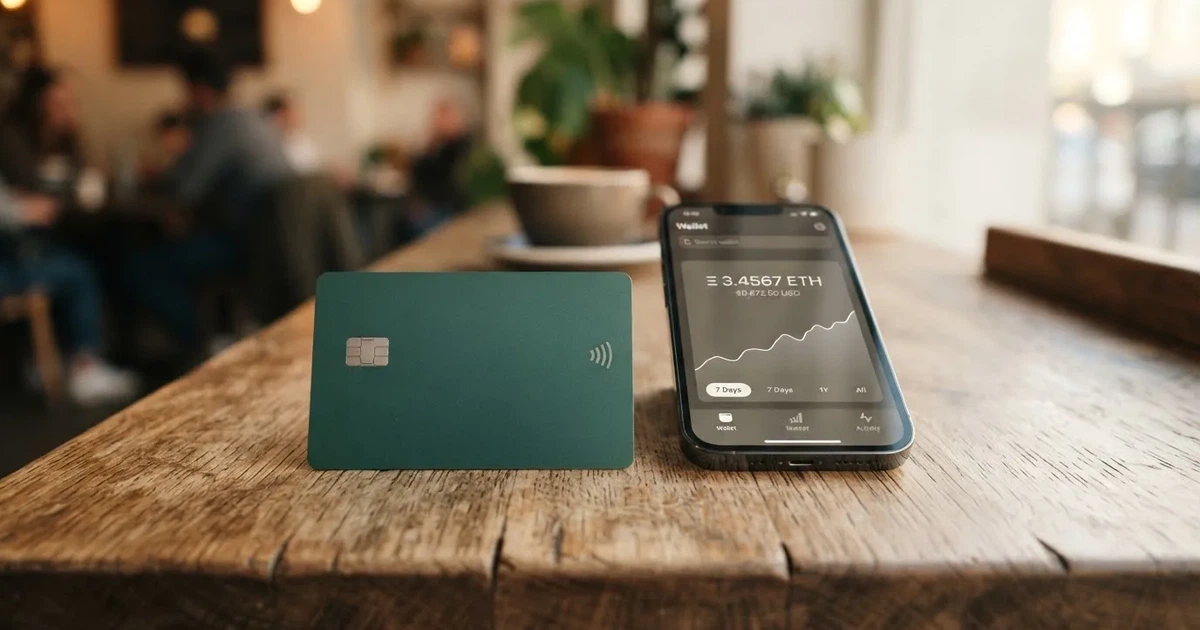
If you already hold stablecoins, want a Visa that lives inside a crypto app, and don’t mind a card programme that is still relatively new, Plasma One has real appeal. If you live in a restricted jurisdiction, expect a fully regulated bank account, or want a track record of consumer complaints handled to a high standard, this is not the card for you. My score: 7.1 out of 10.
Conditions are current as of October 28, 2026.
Verdict
Plasma One earns a 7.1 out of 10, which puts it firmly in the “worth considering” zone for a specific kind of user, but not in the “good for everyone” zone. The split between tiers explains a lot of the score. The free Lite tier genuinely costs nothing and adds no extra fees, which is unusual, while the paid Core and Platinum tiers add cashback rates that can climb to 10% on AI-related spending, but they require either a dollar subscription or a year-long lock of the XPL token. That lock cannot be broken early, and you cannot close the account while it is in place.
The card’s strongest case is the everyday mechanics: it is a real Visa, accepted in 180+ countries, with tokenised mobile wallet support. Its weakest case is the parts the official pages leave unsaid. ATM fees, ATM limits, KYC processing times, the cost and reach of physical card delivery — none of these are published on Plasma’s site. The Trustpilot page for plasma.org has only two reviews, which is far too thin a base to draw conclusions, but the more critical one notes that advertised Platinum benefits are not in the currently published tier and that the arbitration body was changed after a reviewer raised issues.
Below is the score breakdown.
| Criterion | Mark | Why it lands there |
|---|---|---|
| Who can get it | 7 / 10 | Residence-based eligibility; restricted jurisdictions are listed in the Terms of Service Appendix I (Belarus, India, Israel, China, Russia, Turkey, Ukraine, Vietnam among them, plus Cuba, Iran, North Korea). The list is not exhaustive. |
| Cost | 8 / 10 | Lite is free and “does not charge any additional fees”; FX outside USD up to 1%, cross-border 0%. Core and Platinum carry a fee or an XPL lock. |
| Top-up options | 7 / 10 | Local currency top-up to a USD account; unofficial sources list USDT, USDC and USDG on certain networks, plus fiat accounts in USD, EUR, GBP, MXN, BRL, COP. Withdrawals go to bank or wallet. |
| Reliability and complaints | 6 / 10 | Issued by Rain (Visa Principal Member), services through Bridge; Plasma is not a bank. Collateral can be liquidated on non-payment. Trustpilot at 3.4-3.5 from only 2 reviews; one complaint about changing terms. |
| Everyday use | 7 / 10 | Virtual and physical Visa, Apple Pay and Google Pay. Unofficial reports say the physical card is currently Platinum-only; ATM access is not disclosed. |
| Total | 7.1 / 10 | Best suited to dollar-account users who like cashback paid in XPL and accept a self-custody style of risk. |
Who can actually get the Plasma One card
The first thing to check is whether the card is even available where you live, because the official position is “geographic, regulatory, and other eligibility limits apply, and are subject to change.” That sentence, in the card’s own terms, is the rule rather than the exception. The card is organised around residence, not citizenship. The Terms of Service Appendix I sets out a restricted-jurisdictions list, and the rule applies to anyone “located in or ordinarily resident in” those places, even if they hold citizenship elsewhere. The list is explicitly not exhaustive, so a country not appearing here can still be added.
The restricted jurisdictions named in the Appendix are: Afghanistan, Belarus, Bosnia and Herzegovina, Central African Republic, China (Mainland), DR Congo, Guinea, Guinea-Bissau, Haiti, India, Iraq, Israel, Libya, Mali, Myanmar, Nepal, Nicaragua, Russia, Somalia, South Sudan, Sudan, Syria, Turkey, Ukraine (outside a Crimea/Donetsk/Luhansk/Kherson/Zaporizhzhia carve-out), Venezuela, Vietnam, Yemen and Zimbabwe. On top of that come the three US-sanctions staples: Cuba, Iran and North Korea. International Card Terms add a separate rule: you must attest that you are not a US citizen. I did not find a citizenship-based rule in the broader Terms, which is why I treat residence as the main filter and the US-citizen attestation as a card-specific overlay.
Unofficial sources tell a different story, and you should treat their numbers as unofficial. One site says the card is available in 188 countries with restrictions in seven; another says 31 US states; another, from DefiLlama, lists only the United States; Bleap claims 150+ countries excluding the US. The sources disagree, and the most important thing to know is that the official Terms list Russia, Belarus and Turkey as restricted, which directly contradicts the “188 countries” claim. If you live in a country on the Appendix I list, do not expect to be approved.
In short, the practical test is: are you ordinarily resident in a country that is not on the restricted list, and are you at least 18 years old? Beyond that, the Terms require “complete identity verification,” say the user must not be under US, UK or EU sanctions, and limit each person to one Card Account. The card’s own marketing adds “Get a card you can add to your wallet in minutes,” but the page does not say what verification is required or how long it takes.
Unofficial reporting describes a standard KYC flow: legal name, date of birth, government ID, residence and address, liveness video, and proof of address in some countries. Automated checks, the same source says, usually clear in up to 5 minutes, with human review on request. I could not confirm any of that on the official site, so treat it as unconfirmed.
How to sign up
The card’s own onboarding language is brief: “Get a card you can add to your wallet in minutes.” The flow is digital — the iOS or Android app is where it all happens. There is no published public sign-up link that walks through each step, and the public page is light on the specifics.
What we know from the official pages:
- Cards are virtual and physical, both under the Visa banner.
- The card is “issued by Rain, a Visa Principal Member,” meaning Visa has approved Rain to issue cards directly rather than through a sponsor.
- The card is accepted in 180+ countries — that is a Visa acceptance figure, not a Plasma distribution figure.
- The underlying account is denominated in dollars. The marketing line is “Add local currency. Get dollars.”
- You must complete identity verification, be 18 or older, and not be under US, UK or EU sanctions.
- One Card Account per person.
What is not stated: the steps of KYC, the time it takes, the rejection criteria, where physical cards can be delivered, how long delivery takes, and whether a replacement card costs anything. Unofficial reporting says the physical card is currently available on Platinum only, with Core’s physical card not confirmed live, but I could not find that in Plasma’s own pages.
A practical worry: card numbers can change on replacement, which the Terms confirm. If you have set up subscriptions on a card number, plan to update them when a replacement is issued.
Fees and what a payment actually costs
The headline claim on the official site is that “Plasma One does not charge any additional fees.” That is the Lite tier talking, and it is more or less literal: no monthly fee, no issuance fee on the basic card, and partner fees shown in the app before you confirm a transaction. It is also the most important sentence in this section, because it sets the floor. Everything else sits on top of that floor and varies by tier.

The card comes in three tiers. The first, Lite, is free and is the default. The second, Core, unlocks with either an annual US-dollar subscription or a 12-month lock of XPL. The third, Platinum, is unlocked by an XPL lock only. The XPL amounts are described in the Help Center rather than on the public pages, which is why the precise numbers here come from unofficial sources: one site, dated August 2026, says Core costs $199 a year or a 20,000-XPL 12-month lock, and Platinum is a 100,000-XPL 12-month lock with a launch rate that later rises to 150,000 XPL. Another source (Bleap) says the annual fee runs $0 to $120 per year or an XPL lock, and the two disagree on the Core price. I have not been able to confirm either number on Plasma’s own pages.
What each tier offers:
- Lite: 2% base cashback, one free virtual card, standard support.
- Core: 3% base cashback, 5% on AI-category spending, ChatGPT Go, reduced fees, priority support, up to two free virtual cards.
- Platinum: 4% base cashback, 10% on AI-category spending, Claude Pro and ChatGPT Plus, up to USD 600 per year in flight cashback, no added fees with the Visa FX fee covered, VIP support, up to three free virtual cards.
The “AI cashback” line is unusual and worth pausing on. It is not a separate spend category in the merchant-code sense that most readers would expect; it is a boosted rate for purchases in a curated list of AI-related services. Plasma describes it as such, and the merchant list is not on the public pages I read.
On the currency side, the official International Card Terms say foreign exchange (when you spend in a currency other than the account currency, which is USD) is up to 1%, and cross-border is 0%, with 0% APR on purchases. Platinum covers the Visa FX fee on top. Unofficial reporting gives a fuller picture: Lite FX markup around 1%, Core 0.5%, Platinum 0% on top of the Visa network FX, which itself can be around 1% for non-USD spend; USDT and USDG deposits are free, USDC is free up to $30,000 per transaction; USD ACH onramp is reported at $1.00 / $0.50 / $0.50 by tier, wire at $15 / $15 / $10; USD ACH offramp at 0.75% / 0.35% / 0.10% plus an ACH fee. Bleap gives a different figure: FX fee of about 2% on non-USD spend. These figures are from third-party sites and not confirmed by the card’s public pages.
ATM withdrawals earn no Rewards, and Spending Credit cannot be applied to ATM withdrawals — that is from the Terms. The Terms do not state the ATM fee or the ATM allowance, and unofficial sources say they are not published for any tier. Bleap, for its part, says the virtual-only Lite cannot be used at ATMs at all.
Spending limits are not stated as a dollar figure anywhere on the official site. The Terms say limits are set by Plasma based on collateral and can be changed, including reduced to $0, at any time. Cash-like transactions may be restricted.
A few everyday examples to make this concrete, using only the official figures and the unofficial figures clearly labelled as such. A coffee in Berlin paid by a Lite cardholder in a non-USD currency: up to 1% FX from the card terms, plus whatever the Visa network adds, plus a 2% cashback. A subscription to a US-based AI service paid by a Platinum cardholder in USD: no FX fee, no cross-border fee, 10% AI cashback. A $200 ATM withdrawal: fee and allowance not stated on the official page; the withdrawal earns no Rewards.
| Fee or limit | Lite | Core | Platinum |
|---|---|---|---|
| Card issuance | $0 (unofficial: virtual; physical not confirmed) | $0 with subscription or XPL lock (subscription level unofficial) | $0 with XPL lock (amount unofficial) |
| Monthly / annual fee | $0 | $199/year or 20,000 XPL lock, 12 months (unofficial) | 100,000 XPL lock, 12 months, launch rate rising to 150,000 (unofficial) |
| FX markup (non-USD) | up to 1% (card terms) | up to 1% (unofficial: ~0.5%) | up to 1% (unofficial: ~0%; Visa FX covered) |
| Cross-border | 0% (card terms) | 0% (card terms) | 0% (card terms) |
| ATM fee | not stated | not stated | not stated |
| ATM allowance | not stated | not stated | not stated |
| Daily / monthly spend limit | not stated; can be reduced to $0 at any time (card terms) | not stated; can be reduced to $0 at any time (card terms) | not stated; can be reduced to $0 at any time (card terms) |
| Cashback (base / AI) | 2% base | 3% base, 5% AI | 4% base, 10% AI, up to $600/year flight cashback |
| Virtual cards | 1 | up to 2 | up to 3 |
Top up: how to put money on the card
The official line is “Add local currency. Get dollars.” In other words, the card sits in dollars, and the top-up flow is designed to let you pay in local currency and arrive at a USD balance. Withdrawals, on the other hand, go to a bank or wallet through in-app off-ramps where available, and the rails depend on the region. The card mentions USDT for transfers, but the official pages do not state which networks are accepted, and the help text says “Plasma One does not charge any additional fees,” with partner fees for some FX and bank withdrawal transactions shown in the app before you confirm. The Cash Out button “may carry processing fees and minimums,” but the amounts are not specified.
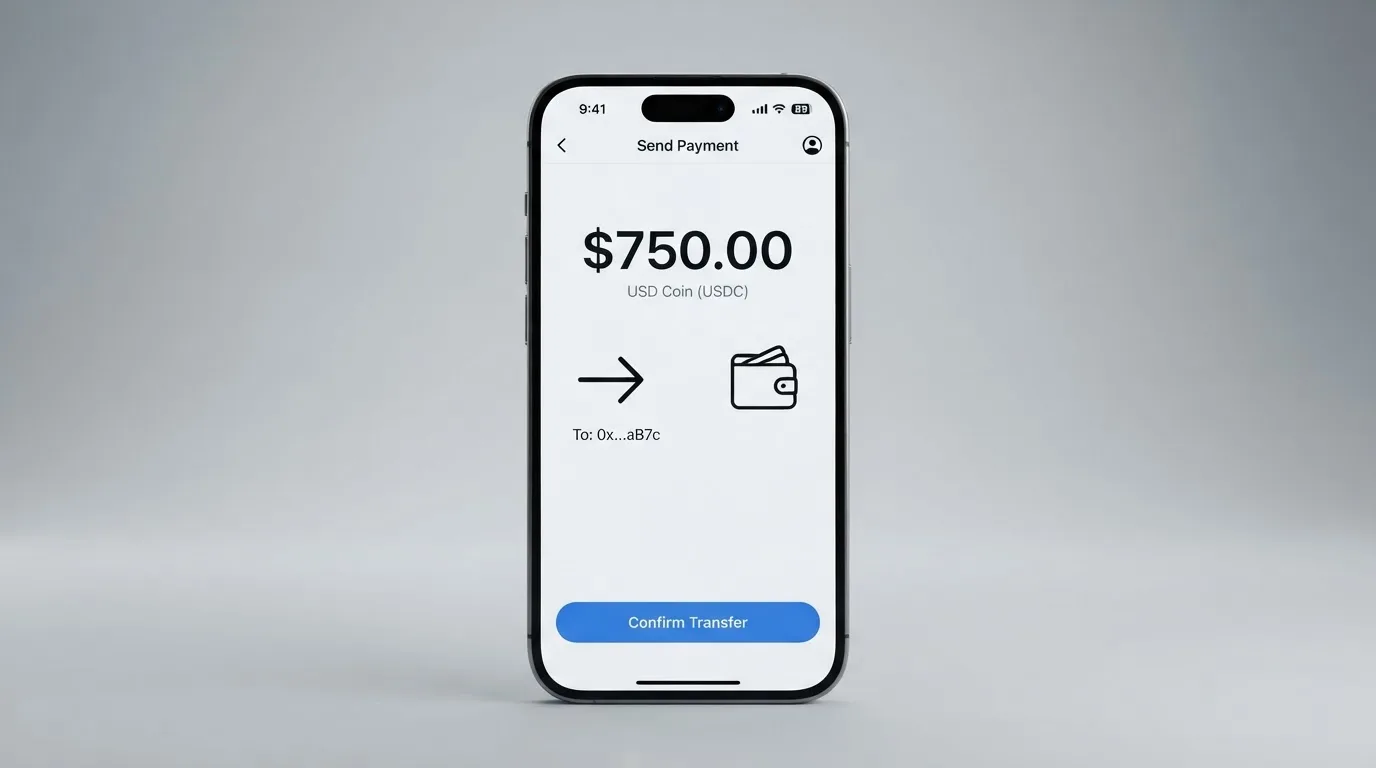
Unofficial reporting fills in a more detailed picture, which I am setting out as unofficial because it is not on the card’s own site. Deposits in USDT, USDC and USDG on listed networks usually clear within 5 minutes. Fiat virtual accounts in USD, EUR, GBP, MXN, BRL and COP are converted to USDT, and New York residents reportedly cannot use fiat rails. On the cash-out side, ACH and wire are the rails for USD; the unofficial figures are USD ACH offramp at 0.75% / 0.35% / 0.10% (Lite / Core / Platinum) plus an ACH fee, and wire at $15 / $15 / $10 by tier.
The key thing to get right is the network. Stablecoin transfers are irreversible, and a deposit sent on a network the card provider does not support, or to an address of a different network, can be lost. If you are topping up from a self-custody wallet, double-check the network selector and the address before signing. A few minutes of care here saves an expensive support ticket later, and even then manual recovery is not guaranteed.
A note on closure: the Terms say the issuer may suspend or cancel at any time, that withdrawing your collateral does not end outstanding obligations, and that Spending Credit is not cash and is forfeited if the account closes. If you ever need to close, do it with a small buffer in place to settle any pending authorisation holds.
Paying with the card day to day
The card works in two forms: a virtual card that lives in your phone’s wallet, and a physical card that arrives by post if you are entitled to one. On the wallet side, both Apple Pay (iPhone) and Google Pay (Android) are supported, subject to regional availability, and that is the part of the everyday experience that is most polished. Adding the card to a wallet is the headline onboarding moment, and the “Get a card you can add to your wallet in minutes” line refers to this flow.
The store apps — iOS via the App Store and Android via Google Play — are where the card lives. I could not find store ratings or numbers of ratings on Plasma’s site, and a search on 20 October 2026 did not surface them, so I cannot tell you whether users are rating the app well or poorly. That absence is itself a data point.
The cashback rate is the headline reward and is paid in XPL, not in dollars. The base rate is 2% on Lite, 3% on Core, 4% on Platinum, and the AI-rate bumps that to 5%, 10% and 10% respectively, with Platinum adding up to USD 600 per year in flight cashback. The rates vary by tier and may change. There is no third-party confirmation of the merchant list for AI cashback, and the cashback is paid in a token whose price can move, which is worth factoring in if you are thinking of it as a yield.
If something goes wrong with a payment, the team will help dispute unauthorised charges and issue a replacement card, and the Terms require a disputed charge to be reported within 60 days after it posts to the statement. That window is comparable to other prepaid and debit cards. US debit reversal rights come from Regulation E, credit-card rights from Regulation Z, and prepaid-card coverage varies and should not be assumed.
Three things are not stated on the official site: which merchant categories are blocked (Plasma does not publish a list); the ATM fee, ATM allowance, and the physical-card delivery footprint; and the global daily and monthly spend limits, which the Terms reserve the right to set or change at any time.
What can go wrong
This is the section I would read most carefully if I were deciding whether to put a meaningful balance on this card. The risks fall into four groups.
First, regulatory and licensing risk. Plasma describes itself as a “financial technology company” and explicitly says it is “not a regulated financial institution, bank.” Account services are powered by Bridge, which is a licensed money services business, and the card is issued by Rain, which is a Visa Principal Member. That puts two regulated parties between the user and the network. The user, however, holds the balance in stablecoins, not in a bank account, and stablecoin balances “are not bank deposits and not covered by FSCS/FDIC.” This is a self-custody style of risk, even though the spending is by card. If you are used to FSCS or FDIC protection, this is a meaningful downgrade.
Second, collateral-liquidation risk. The card account is “a collateral-backed account where collateral can be liquidated after non-payment.” This is a striking sentence in the Terms. It means that if your account falls into a state the issuer treats as non-payment, the issuer can take your collateral. Crypto cards have a long history of users being caught out by precisely this kind of clause, so read it carefully and keep your account in good standing.
Third, the limits that can move. Spending limits are set by Plasma based on collateral and can be changed, including reduced to $0, at any time. The Terms do not give a published maximum, and unofficial sources describe them as adjustable in the app, taking effect within about a minute. This is normal for a programme that wants to manage risk, but it means the card is not a guaranteed way to spend a given amount on a given day.
Fourth, the complaints picture. Trustpilot for plasma.org sits at 3.4-3.5 out of 5 from only two reviews as of 20 October 2026, and the company has not invited reviews. The critical review alleges that the terms and the arbitration body (now to LCIA) were changed after the reviewer raised issues, and that advertised Platinum-tier benefits are not in the current published tier. The July 2026 positive review praises cashback, low fees and the virtual card, and notes that there is no physical card yet and that the product is in a private beta with an access key. No Reddit threads turned up in my search. Two reviews are too few to draw statistical conclusions, but the qualitative content of the critical review is something I would not ignore.
The Terms are effective 26 February 2026 (with the issuer named as Third National in defined terms and Rain in the footnote); an Android Core promo of six months free ended 21 July 2026; and the Platinum lock amount runs at a first-30-days launch rate and is then set in the Help Center. None of those are red flags by themselves, but together they describe a programme that is still settling its terms.
On the safety side, the FAQ says custody sits with the user (“You do”); Plasma does not custody assets. You can freeze the card instantly in the app and lock the account. The card programme is PCI DSS v4.0.1 Level 1 Service Provider under SAQ D, which is the highest level of payment-data security attestation. Support is “available 24/7” at [email protected], and support level is by tier: standard on Lite, priority on Core, VIP on Platinum. The site language selector shows English only, so do not expect localised support beyond that.
A final, more general risk worth flagging is programme closure. Visa and Mastercard can suspend an issuer, and the cardholder pays the price. In 2018, Visa suspended WaveCrest, a Visa card issuer that supplied crypto card brands, and every WaveCrest-issued Visa programme in Europe was closed. In November 2022, Visa said it had “terminated our global agreements with FTX” and the FTX US debit card programme was wound down by its issuer. Programme closures typically give a notice period, stop spending and loading, and ask users to withdraw remaining balances. Keep that in mind when sizing your balance.
What to take instead
Plasma One is not the only Visa-backed option that takes crypto at the door. If you want a different combination of cost, reach and reward, three alternatives are worth a look. None of them is a perfect substitute, and each makes a different trade.
BloFin Wallet Card. Score: 6.9 out of 10. Country list is not published on the card page; the app asks you to “select your country or region.” A starting data set lists 35 countries including the US, Australia, Japan, the UAE, Brazil, Mexico, Malaysia and New Zealand. The card is the “BloFin Wallet Visa Platinum card” on the Visa network. Activation, annual, issuance and dormancy fees are each $0.00, and there is no cancellation fee. The spend fee is “1% or lower” by VIP tier, falling from 1.00% on VIP 0 to 0.00% on VIP 5, charged at the moment of payment. The FX fee is not stated. Top-up is in USDT and USDC on Arbitrum and Base. There is no cashback or rebate, just a lower spend rate for higher tiers.
Decaf. Score: 6.2 out of 10. The restricted list is long and overlaps Plasma One’s: Belarus, China, North Korea, India, Iran, Iraq, Israel, Myanmar, Nepal, Russia, Syria, Turkey, Cuba, Ukraine, Venezuela, Vietnam, Nicaragua, Puerto Rico and Nigeria. Restricted US states are Arizona, Delaware, Georgia, Idaho, Louisiana, Maryland, Montana, Ohio, Oregon, Rhode Island, Washington and Wisconsin. The card is a Visa, virtual or physical (physical is tracked delivery). The virtual card costs $5 worldwide; the physical card is $10 in the US or $90 elsewhere. No annual or monthly fee. Decaf adds no FX markup, “the FX is the one Visa offers.” The crypto conversion fee is not stated. Top-up is by card, bank transfer or USDC, with the app running on Solana and Stellar, and the sample balance shown in USDC. The specific coins and networks that top up the card are not stated. Cashback is not stated.
SafePal. Score: 6.2 out of 10. The page says “Citizens of supported regions who live in supported areas,” and the regions page was empty when fetched. The card is a virtual Mastercard debit; physical is not stated; spending limits are given in EUR through a Swiss Fiat24 account. There are no account-creation or management fees; the card issuance fee is not stated. The standard top-up fee is 0%; Mastercard non-USD settlement carries a 1% FX fee; refund processing is 1 USD/EUR/CHF/7 CNH; swaps include a spread that is not quantified. Top-up is crypto from 40-plus blockchains, converted to USDC (default) or fiat, with transactions running on Arbitrum. There is no cashback; instead, referral commissions can pay up to 40% of referred top-up fees, with tier privileges tied to deposits, referrals and SFP staking.
| Card | Score | Issuer / network | Where it works | Cashback | Top-up style | Key cost |
|---|---|---|---|---|---|---|
| Plasma One | 7.1 / 10 | Rain / Visa | Residence outside a long restricted list | 2-10% in XPL by tier | Local currency to USD; stablecoins on certain networks (unofficial) | Lite $0; Core/Platinum by sub or XPL lock |
| BloFin Wallet Card | 6.9 / 10 | Visa | 35 countries per starting data | None; spend rate falls by tier | USDT, USDC on Arbitrum and Base | Spend fee 0-1% by tier |
| Decaf | 6.2 / 10 | Visa | Long restricted list; 13 restricted US states | Not stated | Card, bank transfer, USDC; app on Solana and Stellar | Virtual $5; physical $10 US / $90 elsewhere |
| SafePal | 6.2 / 10 | Mastercard | Residents of supported regions (not published) | None; referral commissions | Crypto from 40+ chains, converted to USDC, on Arbitrum | 0% top-up, 1% FX on non-USD |
Plasma One wins on cost for the Lite user, on cashback rate for the tier-locked user, and on stablecoin flexibility. BloFin wins on simplicity and on a published spend-fee schedule; Decaf wins on no-FX-markup transparency; SafePal wins on chain reach but loses on cashback. If your main worry is the restricted-country list, Decaf and Plasma One have broadly similar profiles, and both will rule out Russia, Belarus, Turkey, India, Vietnam and a long list of others.
Who I would recommend it to
The honest answer is that this is a card for a particular kind of reader, and the more of those criteria you tick, the better the fit.
You should consider Plasma One if you:
- Are ordinarily resident in a country that is not on the Appendix I restricted list and you are 18 or older.
- Already hold stablecoins and want a Visa that draws on them without an exchange detour.
- Are comfortable with self-custody risk: stablecoin balances are not bank deposits, and the card is a collateral-backed account where collateral can be liquidated.
- Are happy with cashback paid in a token (XPL) whose price can move, and do not need the cashback in dollars.
- Use Apple Pay or Google Pay heavily, since tokenised mobile-wallet support is the most polished part of the experience.
- Want a free tier first. Lite is genuinely $0, and the no-additional-fees promise is a real statement of intent.
You should probably look elsewhere if you:
- Live in or are ordinarily resident in any of the countries on the Appendix I restricted list, including Russia, Belarus, Turkey, Ukraine (with the named-region carve-out), Vietnam, India, Israel, China (Mainland), Cuba, Iran or North Korea. The International Card Terms also require you to attest that you are not a US citizen.
- Need a fully regulated bank account with deposit insurance. Plasma is not a bank, and the balance is not covered by FSCS or FDIC.
- Want a card with a long, public history of consumer complaints handled to a high standard. Two Trustpilot reviews, with one critical, is not a track record.
- Need to use an ATM heavily. The ATM fee, allowance and limits are not published.
- Want published, stable daily and monthly limits. The Terms reserve the right to set or change limits at any time, including down to $0.
- Are unwilling to lock XPL for 12 months to unlock higher tiers, and unwilling to accept that the lock cannot be broken early or used as a way to close the account.
- Plan to use the card in a country where Visa is not widely accepted, or rely on address-verification-system checks that may not work for foreign-issued cards.
For a reader who ticks the “consider” box and lives in a supported country, Plasma One is a genuinely interesting card. The fee floor is unusually low for the Lite tier, the cashback is paid in a token that has a real economic role inside the programme, and the wallet support is solid. The risk you accept is the risk of a young programme with a thin public complaint history, an unpublished maximum spend, and a collateral-liquidation clause. If you size your balance to that risk, the card is a useful tool; if you do not, it is a disappointment waiting to happen.
Frequently asked questions
What is the Plasma One card?
The Plasma One card is a Visa debit card that draws on a USD-denominated balance, with cashback paid in the XPL token. It is issued by Rain, a Visa Principal Member, and the card account is collateral-backed. There are three tiers: Lite (free), Core (annual fee or XPL lock) and Platinum (XPL lock only).
How does the Plasma One card work?
You fund the card by adding local currency or, by unofficial reports, stablecoins such as USDT, USDC and USDG. The card settles in dollars, and when you pay, the network charges the merchant in the local currency, Visa converts to dollars, and Plasma debits your account. Cashback arrives in XPL.
Is Plasma One a bank?
No. Plasma describes itself as a “financial technology company” and explicitly says it is “not a regulated financial institution, bank.” Account services are provided by Bridge, and the card itself is issued by Rain.
Who owns Plasma One?
Plasma is the company that markets the card and the app. It is not the issuer and not the bank. Account services are powered by Bridge, a licensed money services business, and the card is issued by Rain, a Visa Principal Member.
Is the Plasma One card available in my country?
The card is organised around residence, and the Terms of Service Appendix I lists restricted jurisdictions: Afghanistan, Belarus, Bosnia and Herzegovina, Central African Republic, China (Mainland), DR Congo, Guinea, Guinea-Bissau, Haiti, India, Iraq, Israel, Libya, Mali, Myanmar, Nepal, Nicaragua, Russia, Somalia, South Sudan, Sudan, Syria, Turkey, Ukraine (outside the Crimea/Donetsk/Luhansk/Kherson/Zaporizhzhia carve-out), Venezuela, Vietnam, Yemen, Zimbabwe, plus Cuba, Iran and North Korea. The list is not exhaustive. Unofficial third-party sites give different coverage figures that disagree with the official list.
Does the Plasma One card require KYC?
The Terms say the user must “complete identity verification,” be 18 or older, and not be under US, UK or EU sanctions. The card’s own pages do not describe the KYC flow, the documents required, the processing time or the rejection criteria. Unofficial reporting describes name, date of birth, government ID, address and a liveness video.
How do I activate the Plasma One card?
The card is activated through the Plasma One app. The Terms say replacement cards may have new numbers, so any subscriptions set up on a card number will need to be updated when a replacement is issued. The exact in-app steps and the time they take are not stated on the public pages.
How do I top up the Plasma One card?
The official line is “Add local currency. Get dollars.” Unofficial reporting says deposits in USDT, USDC and USDG on listed networks usually clear within 5 minutes, and that fiat virtual accounts in USD, EUR, GBP, MXN, BRL and COP are converted to USDT. The Cash Out function “may carry processing fees and minimums,” with the specific amounts not specified on the official pages.
How do I withdraw money from Plasma One?
Withdrawals go to a bank or wallet through in-app off-ramps where available, with rails depending on the region. Unofficial figures report USD ACH offramp at 0.75% / 0.35% / 0.10% by tier plus an ACH fee, and wire at $15 / $15 / $10 by tier. The issuer can suspend or cancel the account at any time, and Spending Credit is forfeited if the account closes.
Is the Plasma One card safe?
It is a Visa with PCI DSS v4.0.1 Level 1 Service Provider attestation, with tokenised mobile-wallet support, instant card freeze and account lock. The risk profile, however, is closer to a self-custody wallet than to a bank account: stablecoin balances are not bank deposits and are not covered by FSCS or FDIC, and the card is a collateral-backed account where collateral can be liquidated on non-payment. The Trustpilot page has only two reviews, so the public complaint history is thin.
Wallet card options – cryptocardoptions.com
Content created by the «cryptocardoptions.com» team