
ZexoCard, a virtual-only crypto card with a low $0.25 everyday fee
 Available in US
ZexoCard is a virtual-only card platform that lets you spend cryptocurrency at the till. You register with an email, fund an in-platform wallet in crypto, mint a virtual card, load it, and pay with Apple Pay, Google Pay, or Samsung Pay wherever those wallets are taken. There is no plastic card and no ATM. The card comes in three flavours, Everyday, Subscriptions, and Campaigns, and the headline numbers are $10 to issue and $0.25 per merchant transaction on the Everyday tier.

The product is pitched at people who are shut out of ordinary banking, who run ads or subscriptions in crypto, or who simply want a thin bridge between a self-custody wallet and a point-of-sale terminal. It is genuinely open in most of the world, the signup flow is unusually light, and the per-transaction fee is low. The flip side is that the company behind the card is hard to identify, the Everyday card does not support recurring billing, and there is no chargeback procedure, which is something to understand before you load meaningful balances.
I went through the card’s public pages and the materials available as of the conditions are current as of October 28, 2026. Here is what I found.
Verdict: 7.3 out of 10
Across the criteria I was asked to weigh, ZexoCard comes in at 7.3 / 10. The card scores very well on accessibility and top-up options, reasonably well on cost, and only middling on reliability, complaints, and everyday usability.
| Criterion | Score | Why it got that score |
|---|---|---|
| Who can get it | 9 / 10 | Open almost everywhere, with a clear list of restricted jurisdictions |
| Cost | 7 / 10 | $10 to issue, no monthly fee, $0.25 on Everyday, no merchant fee on Subscriptions/Campaigns |
| Top-up options | 9 / 10 | Bitcoin, Ethereum, USDT, USDC, Solana, and around 95 other tokens; pay from MetaMask, Phantom, or TronLink |
| Reliability and complaints | 5 / 10 | Issuer, legal entity, and licences are not named; 2FA via authenticator app; no complaints surfaced |
| Everyday use | 6 / 10 | Virtual only, works through Apple Pay, Google Pay, Samsung Pay; no plastic, no ATM, Everyday does not support subscriptions |
The audience the card seems to be built for is people who already hold crypto in a self-custody wallet, want to route that balance into recurring or ad-spend payments, and live in a place where a normal bank card is hard to come by. If that is you, ZexoCard is one of the cleaner options I have looked at in this space. If you need a physical card, ATM withdrawals, or a regulated bank behind the brand, this is not it.
Who can get the card
ZexoCard is unusually open in terms of geography. Registration is by email, the platform is open to adults from any location outside a defined list of restricted jurisdictions, and the only age requirement mentioned is 18+. The restricted jurisdictions are North Korea, Iran, Syria, Cuba, Belarus, Afghanistan, Myanmar, and the Crimea, Donetsk, and Luhansk regions of Ukraine. People in those places cannot open an account, be issued a card, or load one. The site adds a warning not to try to bypass the rules with a false location.
The restriction is location-based, not citizenship-based, which is a meaningful distinction. If you are a citizen of a restricted country but live in, say, Germany, the platform’s rules as stated appear to be about where you are when you register and use the service, not the passport you hold. That said, the card’s public pages do not go into detail about edge cases at the border of these categories, and the warning about false location details suggests the platform is alert to attempts to evade the rules. If your situation is unusual, it is worth asking support directly before you deposit anything.
A subtle but important point: country rules on this kind of service are not only the platform’s. Sanctions, anti-money-laundering rules, and the policy of the licensed partner that actually issues the card or holds custody can also block you, even if the platform’s own country list would let you in. With a card like this, the official list you see is the floor of the restrictions, not the ceiling.
Two things that often come up in this section of a crypto card review are not stated by ZexoCard. The first is the registered legal entity behind the platform. The card describes itself as “a card platform connecting customers with financial and digital asset services,” with “licensed external partners” providing cards, custody, and conversion, but does not name the issuer, the registered company, or the licences those partners hold. The second is the processing time and what happens if an application is rejected. The platform does not describe any tiers of verification, and standard onboarding does not require routine identity-document submission, so there is little to be rejected for at the signup stage. Further checks can presumably happen later, but that is not spelled out.
How to sign up
The signup flow is intentionally short. You register with an email, age 18+, the country rules above apply, and there is no routine identity-document submission for standard onboarding. The site is explicit about this: “No routine identity-document submission is required for standard onboarding.” You do not need to upload a passport, take a selfie, or prove your address to open an account. The standard path is:
- Register with an email
- Fund the in-platform wallet in crypto
- Create a card
- Load the card and start spending
Three card types are available, and they are virtual, reloadable, and tied to a different purpose:
- Everyday — the general-purpose card, the network for which is not stated by the platform
- Subscriptions — a Visa card for recurring billing
- Campaigns — a Visa card aimed at ad spend and marketing
This is the moment to be honest about what “no KYC at signup” means. The platform is allowed to ask for documents later, and its licensed partners can be required to. In the EU, for example, customer due diligence covers name, address, date of birth, nationality, identity documents, a sanctions check, and politically exposed person screening, and if it cannot be completed, the institution is required to end the relationship. In the US, the customer identification programme requires name, date of birth, address, and an identification number, with electronic KYC systems validating proof of address. The platform’s no-document onboarding is real as far as it goes, but it is not the same as a permanent waiver of verification, and you should not read it as a guarantee that no further check will ever happen.
What it really costs: Fees, the costs table, and three everyday payments
Cost on ZexoCard has three pieces: the price to get a card, the per-transaction fee, and the cost of moving money in. The numbers below come from the card’s published pages.

| Fee or limit | Amount |
|---|---|
| Card issuance (one-time, all three types) | $10 |
| Registration | Free |
| Monthly maintenance | Free |
| Balance check | Free |
| Support | Free |
| Everyday — merchant transaction fee | $0.25 per transaction |
| Subscriptions — merchant transaction fee | None |
| Campaigns — merchant transaction fee | None |
| Funding fee | Shown in the final quote |
| Network and conversion costs | May apply |
| FX fee | Not stated |
| ATM fee | Not stated |
| Per-purchase limit | Up to $100,000 |
| Monthly limit per card | Up to $500,000 |
Three things to know:
- The $0.25 is the merchant transaction fee on the Everyday card, not the full cost. If the platform needs to convert your crypto to dollars at the moment of payment, a conversion spread can sit on top, and the blockchain you used to top up will have charged its own network fee when you deposited. The card’s published pages describe this as “network and conversion costs may apply” and a funding fee “shown in final quote,” with FX not stated.
- Subscriptions and Campaigns do not charge a per-transaction merchant fee, which is a real advantage if you run a lot of recurring billing or ad spend. The Subscriptions card is explicitly a Visa, the Campaigns card is explicitly a Visa, and the Everyday card’s network is not stated. The card currency is not specified, although all amounts on the platform are shown in dollars.
- The $500,000 monthly cap per card is generous and not paired with a daily cap. If a single card is shared across a team, that $500,000 is the total, not per user.
Three everyday payments
To make the costs concrete, here is what three common payments would look like, ignoring any FX that may apply to non-USD transactions:
- $4 coffee on the Everyday card — $0.25 merchant transaction fee, plus any conversion spread and the original deposit’s network fee spread across your balance. The card-side cost is $0.25. This is the kind of small payment where the per-transaction fee stings the most as a percentage.
- $50 monthly streaming subscription on the Subscriptions card — $0 merchant transaction fee, plus conversion and funding costs as above. The card-side cost is zero, which is exactly the use case the Subscriptions product was designed for. The Everyday card, by contrast, does not support subscriptions or recurring payments, so it would either decline or have to be re-loaded for each month.
- $1,000 ad spend on the Campaigns card — $0 merchant transaction fee, plus conversion and funding costs. Again, the card-side fee is zero; the variable cost is the conversion and the spread you accepted on the way in.
If you only ever use the Subscriptions or Campaigns cards, the headline cost is genuinely low. If you lean on the Everyday card for small purchases, the $0.25 adds up, and the percentage of each payment can be significant.
Account groups called Free, Silver, and Gold set pricing, with benefits not detailed, and the platform clarifies that the group is “not a rolling 30-day spending tier.” The practical takeaway is that the Everyday, Subscriptions, and Campaigns cards are the actual product lineup, and the Free/Silver/Gold groups sit on top as a pricing layer.
Top up
Top up is where most of the friction on a card like this lives, and ZexoCard’s top-up flow is the part of the product that is most clearly built for someone who is already comfortable with crypto.
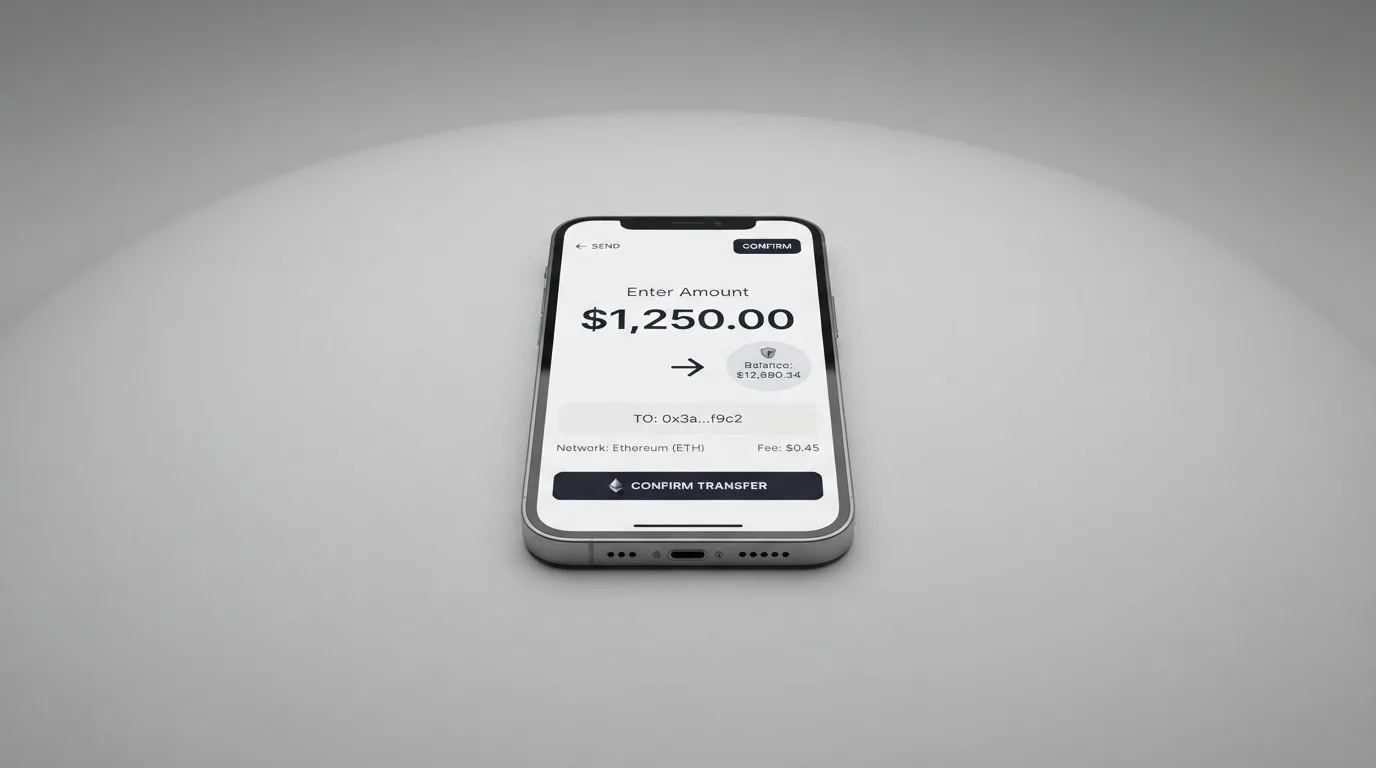
You start by funding the in-platform wallet. The list of supported coins on the platform’s own page is Bitcoin, Ethereum, USDT, USDC, and Solana, with an earlier check also listing Litecoin and “around 95 other tokens.” Where those tokens are available, you can pay from a self-custody wallet through MetaMask, Phantom, or TronLink, which means the deposit can come straight from a wallet you control rather than a centralised exchange.
The mechanics, in order:
- Pick the network you want to use
- Make sure it matches the deposit instructions shown on screen
- Send from your self-custody wallet, or pay through MetaMask, Phantom, or TronLink if the token supports it
- Wait for the deposit to confirm
- Load the card
Three things to be careful of:
- The network must match. USDT on Ethereum (ERC-20) is a different transfer from USDT on Tron (TRC-20) or Solana (SPL). If you send USDT on the wrong network to the deposit address, the platform’s published pages do not describe a recovery procedure, and blockchain transfers are typically irreversible. The card’s help materials reflect this — they say to use a network the platform supports, but they do not promise manual recovery.
- ERC-20 needs ETH for gas. The Ethereum token standard charges gas only in ETH. If you fund with USDT on Ethereum but have no ETH in the same wallet, the transfer will not go through. Tron uses bandwidth and energy as internal resources, often burning TRX. Each chain has its own way of paying for the transfer, and the cost is paid to the network, not to the card provider.
- Stablecoins are not all interchangeable. Tether’s USDT and Circle’s USDC are the two largest dollar-pegged stablecoins, and both can run on multiple networks. They are not the same token, however, and on Tron specifically, Circle stopped supporting USDC in February 2024, so “USDC on TRC-20” is not a native option. Stablecoins have also depegged in the past — TerraUSD in May 2022, and USDC briefly in March 2023 during the US banking stress — so a stablecoin is not the same as a dollar in a bank account.
The card does not describe a fiat top-up path, and the minimum top-up amount is not stated. The funding fee is “shown in final quote,” meaning the rate you see at the deposit screen is the rate you get, but you will not see the fee broken out as a separate line item, which makes it harder to compare to a competitor on a like-for-like basis.
A final wrinkle: the card does not describe a withdrawal procedure for getting balances back out, and the only mention of closing an account says remaining funds depend on “applicable law and account circumstances.” Sending funds to other users is also not offered. If the card platform becomes unusable, the way to your money is whatever the platform and its partners will allow at that point, and that path is not described up front.
Paying with it every day
In real life, the card is virtual only. There is no plastic, and no ATM, and the platform’s published pages do not list a mobile app — what you get is a web panel and a Telegram bot. The card itself works through the major mobile wallets, Apple Pay, Google Pay, and Samsung Pay, on supported devices, and that is how you pay at the physical till or online.
This has practical consequences:
- Online checkout. You add the card to Apple Pay, Google Pay, or Samsung Pay, and pay at checkout the way you would with any other card in those wallets. For card-not-present merchants, the card details (last four digits are visible in the panel, full details require the PIN) can also be entered manually, but for a card whose main job is subscriptions and ad spend, the wallet flow is the intended path.
- In store. Contactless payment works through the phone’s wallet, with the device-specific token replacing the real card number at the terminal. The platform can restrict tokenised numbers by use, for example, allowing wallet use while blocking the same number on websites.
- Subscriptions and ads. The Subscriptions card is the one for recurring billing. The Campaigns card is for ad spend. The Everyday card does not support subscriptions or recurring payments, so it is not a substitute for a Subscriptions card if you want a single payment to roll each month.
Two features that often come with a card product are not stated: there is no cashback or rewards program, and there is no freeze or kill-switch listed for the card itself. If a card is lost or stolen, the platform’s published pages do not describe a way to freeze it from your side.
Disputes are handled by contacting support with a description and a transaction reference. For goods or services that did not arrive or were not as described, the platform tells you to contact the merchant first. There is no chargeback process described, and the platform’s terms prohibit “chargeback abuse.” Given that some merchant category codes (the four-digit numbers that classify a business, MCC 7995 for gambling being a common example) are blocked on specific cards by issuer policy, and that Address Verification Service is mainly offered in the US, Canada, and the UK and is generally unavailable for foreign-issued cards, you may also run into declines that are not the card’s fault.
If a payment is declined, the authorisation can leave a hold on the funds for several days (typically up to 7). The hold is not a charge, but it can briefly reduce the available balance while it is in place.
What can go wrong
This is the section where honesty is most useful, and where the card’s public pages are most thin. There are a few angles.
Identity of the company
ZexoCard describes itself as “a card platform connecting customers with financial and digital asset services,” and says licensed external partners provide cards, custody, and conversion. The issuer, the registered legal entity, and the licences those partners hold are not named on the public pages I read. In a market where the card network (Visa or Mastercard) does not issue cards to consumers directly but licenses issuers that it can suspend, and where EMIs in the EU must safeguard customer funds and MiCA authorisation is being phased in through 1 July 2026, a card whose issuer is not named is harder to evaluate than one whose issuer is. That is not a statement that anything is wrong; it is a statement that the reader has less to go on.
Complaints and news
The platform’s own pages do not list any official incidents. A search for “ZexoCard” on Trustpilot and on crypto-focused Reddit communities did not return a meaningful page of results, so there is no body of public complaints or a clear news cycle to weigh. In the wider crypto card market, there are cautionary examples — Visa terminated its global agreements with FTX on 13 November 2022 and the FTX US debit card was wound down by its issuer, and WaveCrest, a Visa issuer that supplied several crypto card brands, was suspended by Visa in Europe in 2018, closing all WaveCrest-issued Visa programmes. When a programme does close, the pattern is typically a notice period, then a stop on new loads, then a stop on spending, then a request to withdraw remaining balances. None of that is specific to ZexoCard; it is the shape of the risk.
Security
The platform does describe some of the basics. Two-factor authentication is supported through an authenticator app, with a PIN as the alternative, passwords and PINs are stored hashed, and login attempts are rate-limited. Card details show only the last four digits in the panel, with the full number behind the PIN. Custody is handled by partners, with the platform’s public pages not detailing how those partners segregate or insure customer funds. A freeze or kill-switch for a compromised card is not stated.
Crypto transfers themselves carry a different kind of risk: they are typically irreversible, and a stolen private key or seed phrase cannot be undone. With a card like this, where a self-custody wallet feeds the platform, the chain of trust runs from your seed phrase to your wallet to the platform to its licensed partner, and the question at each link is who can move the money and who can be reached when something goes wrong.
Support
The platform offers support through a Telegram handle (@zexocard), an email, a help centre, and a knowledge base, seven days a week, with a stated reply window of usually within 24 hours. The help centre and the knowledge base are useful, but for an account-level problem (a card declined at a critical moment, a deposit on the wrong network) the response time is the part that matters, and the platform’s promise is “usually” within a day.
What to take instead
I compared three alternatives that are pitched at broadly the same use case: spending crypto at the till, with light onboarding. None is a perfect substitute, and each sits in a different spot on the cost, country, and transparency axes.
Cardex — 5.6 / 10
Cardex is pitched as “one crypto card, 200+ countries” with no country list or exclusions published. The App Store listing is Naira-focused, so the card’s primary market appears to be Nigeria, with payments denominated in Naira. The card is a debit card on the networks Verve, Visa, Mastercard, and UnionPay, available as both virtual and physical. The published site describes an “AI-Powered Conversion Rate” that scans global exchanges and picks one at the moment of payment, but no fee percentage is stated. Funding is via USDT, USDC, and BTC wallets, with the networks not stated. No rewards program is described.
Where it is stronger than ZexoCard: it is a debit card that may support a wider set of merchants, and it offers a physical card. Where it is weaker: the country list is opaque, the fee structure is hard to compare, and the score is lower across the criteria I was asked to weigh.
TakeCard — 5.5 / 10
TakeCard comes out of the Takenos wallet and is most clearly described in Spanish-language help articles. The virtual card is available immediately at a stated USD 5 issuance, with the physical card available “only to Bolivian users for now” at USD 20 issuance and USD 20 shipping (another article in the same help centre says USD 10 for physical in Bolivia — the two pages conflict). The card is a prepaid Visa issued in the United States, denominated in USD with payments in USD at a 1:1 rate. Other currencies are converted at the official Visa rate of the transaction day. The fee per purchase is 1%. Funding is “from your Takenos balance,” with starting data listing USDC and USDT on Polygon, BNB Chain, Tron, or Ethereum, which I have not been able to confirm from a single canonical page I could read. No rewards program is described.
Where it is stronger than ZexoCard: it is clearer about the fee structure (1% per purchase), and the card is prepaid with a known USD denomination. Where it is weaker: Bolivia is the only market for the physical card, the two articles disagree on the physical price, and the country list as I read it is narrower than ZexoCard’s.
OkiCard — 6.0 / 10
OkiCard says it serves “150+ countries” (some pages say “200+”) and explicitly markets itself as “no geo-blocking based on your passport,” with users asked to confirm they are not in a sanctioned jurisdiction. The card is virtual (a physical card is also mentioned without details), the network is described as “Visa/Mastercard” without specifying which, and the card is pegged to USD or EUR. Pricing on the published pages is conflicting — the pricing page shows issuance $0, monthly $0, and a starting price of $15 for a virtual card, while the FAQ mentions a one-time issuance fee. The initial deposit is 100 USDT. Funding is via USDT on BSC (BEP-20), Ethereum (ERC-20), Tron (TRC-20), and Solana (SPL), with USDC listed as “soon” and BTC and other altcoins as “coming soon.” Deposits go to a generated address and are converted to fiat at the moment of spending. The load fee is 3%, the transaction fee on USD is 0%, and FX is described as “no hidden exchange spreads.” FX fee as a number is not stated. No rewards program is described.
Where it is stronger than ZexoCard: the geographic reach is similar but the pitch is more about sanctions-resilience, and the deposit/load flow is more clearly documented. Where it is weaker: the 3% load fee is steep if you top up often, and the pricing pages internally disagree.
Across the three, ZexoCard’s edge is the openness of its country list, the $0 merchant transaction fee on Subscriptions and Campaigns, and the 95-or-so tokens accepted. Cardex’s edge is the breadth of network coverage on a single card. TakeCard’s edge is a clearer fee structure in a narrow set of markets. OkiCard’s edge is the explicit sanctions-aware pitch. None of them publishes the issuer name as clearly as a regulated bank or e-money institution would, which is the standing concern for this entire product category.
Who I would recommend it to
Putting this together, the reader I would point to ZexoCard is someone who:
- Already holds crypto in a self-custody wallet, is comfortable choosing a network, and has a small amount of ETH or TRX available to pay gas
- Pays for online subscriptions or ad spend in crypto, where the Subscriptions or Campaigns card’s $0 merchant transaction fee is a clear win
- Lives in a country where ordinary banking is hard to access, or where a foreign-issued card is hard to obtain, and is outside the eight named restricted jurisdictions
- Does not need a physical card, does not need ATM access, and does not need a chargeback procedure for the kinds of purchases they make
The reader I would not point to ZexoCard is someone who:
- Needs a physical card or ATM withdrawals — ZexoCard has neither
- Needs recurring billing on the Everyday card — the Everyday card does not support subscriptions
- Wants a clearly identified, regulated bank or e-money institution behind the brand, with a published issuer name and a published licence number
- Plans to hold a large balance on the platform for a long time, given the company information, complaint history, and custody structure that the public pages do not detail
For most readers, the right way to use this card is the same way you would use any prepaid virtual card: load it for the specific payment you want to make, spend it, and do not leave a balance sitting on the platform that you would be upset to lose. The funding fee and the conversion spread are paid at deposit time, and the card itself does the rest.
Frequently asked questions
What is the ZexoCard card?
ZexoCard is a virtual-only payment card you load with crypto and spend through Apple Pay, Google Pay, or Samsung Pay. The platform comes in three flavours — Everyday, Subscriptions, and Campaigns — and is intended as a thin bridge between a self-custody crypto wallet and a point-of-sale or online checkout.
How does ZexoCard work?
You register with an email, fund the in-platform wallet in a supported cryptocurrency, mint a virtual card, load it, and pay through a mobile wallet. The Subscriptions and Campaigns cards are Visa, the Everyday card’s network is not stated, and there is no plastic card and no ATM.
Is ZexoCard a bank?
No. The platform describes itself as a card platform connecting customers with licensed external partners that provide cards, custody, and conversion. It does not name the issuer, the registered entity, or the licences those partners hold, which is a real gap if you need a regulated bank behind the brand.
Where is the ZexoCard card available?
In principle, almost everywhere: the platform is open to adults from any location outside North Korea, Iran, Syria, Cuba, Belarus, Afghanistan, Myanmar, and the Crimea, Donetsk, and Luhansk regions. The restriction is location-based, and the platform warns against using false location details to bypass the rules.
Does ZexoCard require KYC?
Standard onboarding does not require routine identity-document submission. Registration is by email, age 18+, and the country rules apply. That said, the platform and its licensed partners can ask for further documents later, and EU and US rules on customer due diligence apply in the background, so a permanent waiver of verification should not be assumed.
How do I top up the ZexoCard card?
Pick a supported coin (Bitcoin, Ethereum, USDT, USDC, Solana, and around 95 other tokens), make sure the network you are using matches the deposit instructions, and send from your self-custody wallet or pay through MetaMask, Phantom, or TronLink where available. The funding fee is shown in the final quote, and network and conversion costs may apply. There is no fiat top-up path described, and the minimum is not stated.
Can I add ZexoCard to Apple Wallet?
Yes. The card works with Apple Pay, Google Pay, and Samsung Pay on supported devices. Add the card to the wallet, then pay at contactless terminals or at online checkouts that accept those wallets. The card itself is virtual and reloadable.
Is ZexoCard safe?
The platform describes the basics — 2FA through an authenticator app, hashed passwords and PINs, rate-limited login, last-four-digits display for card details, partner custody — but does not name the issuer, the registered entity, or the licences. There is no public complaints page for “ZexoCard” on Trustpilot or in the crypto Reddit communities I checked, and the wider category has had high-profile failures (FTX in 2022, WaveCrest in 2018). Treat the card as a way to spend a small loaded balance, not as a place to hold funds.
How do I withdraw money from ZexoCard?
The platform does not describe a withdrawal procedure, and the only mention of closing an account says remaining funds depend on applicable law and account circumstances. Sending funds to other users is also not offered, so the practical path back to your own wallet is whatever the platform and its partners will allow at the time.
Is ZexoCard worth it?
For subscriptions and ad spend, the Subscriptions and Campaigns cards have a $0 merchant transaction fee, which is genuinely competitive. For general everyday spending, the $0.25 per transaction on the Everyday card adds up, especially on small purchases, and the lack of a physical card, the lack of ATM access, the absent chargeback process, and the unnamed issuer all narrow who this card suits. If you are the audience the card is built for, it does the job; if you are not, you will feel the gaps quickly.
Virtual card options – cryptocardoptions.com
Content created by the «cryptocardoptions.com» team