
The card that spends straight from crypto, with a 5.5 out of 10
 Available in US
The conditions described here are current as of October 28, 2026.
If you have been turned away by a bank — no address proof they accept, no local branch, no legal
address in the country you actually live in — a crypto card is one of the few doors left. TakeCard is
one of those doors. It is a prepaid card, denominated in US dollars, that draws on a balance inside
the Takenos app, and it is issued in the United States on the Visa network. On paper it does what a
prepaid card does, and the fees are on the transparent side.
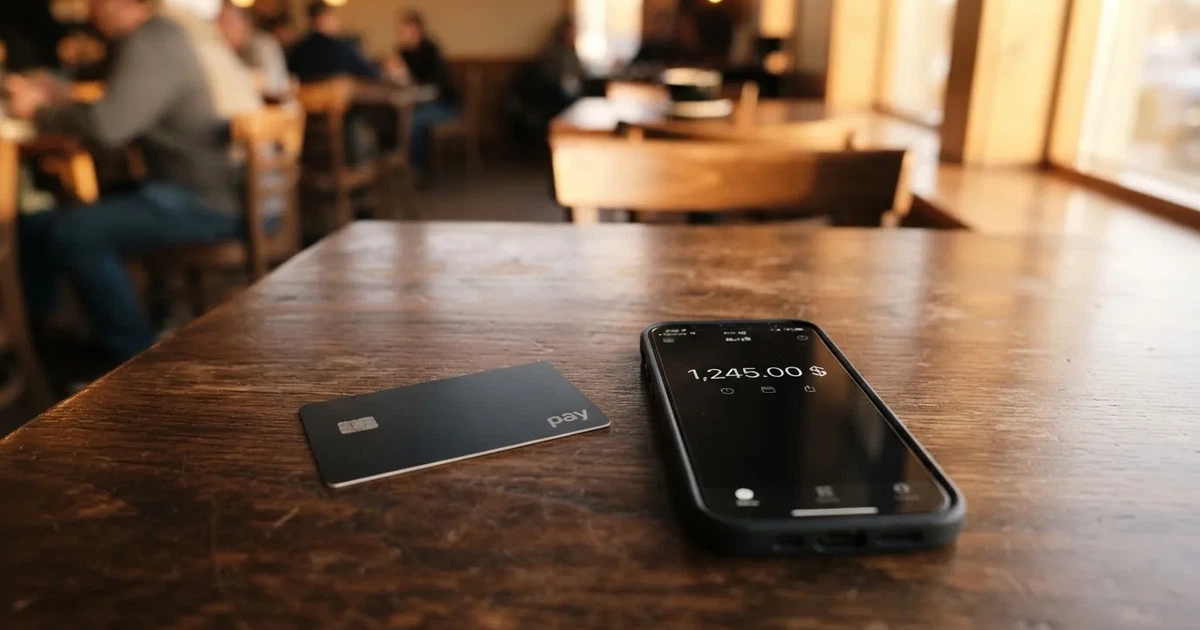
On the other side of that paper, there are gaps. The card’s own help centre does not list the
countries it serves. It does not name the issuer or any licence. Its cost pages contradict each other
about what a physical card costs. And on Trustpilot, the reviews you can read describe accounts
switched off with money held and no explanation. Those are not small details — they are the details
you need before you move funds.
I have read the card’s help articles, its app listing, its fee pages and its public reviews, and I
weigh them against the alternatives. My score is 5.5 out of 10. That is not a rejection; it is a
card that does one job plainly and leaves too much of the surrounding question unanswered. Read on,
because who it suits is a narrower group than the marketing suggests.
The single clearest thing about TakeCard is who it was built for. The audience is Latin American
crypto holders who need to spend in US dollars — people whose local currency is unstable or whose
access to a dollar account is limited. For that person, a card that spends USD from a crypto balance at
a stated 1% per purchase is genuinely useful, and the virtual card arrives immediately rather than
after a postal delivery.
What holds it back is not the product. It is the paper trail. Countries are not listed on the pages I
could read, the physical card is stated to be available only to Bolivian users for now, and there is
no named legal entity, issuer or licence behind it. The provider is Takenos; starting data names Global
Flow S.A.U., but the site itself names no legal entity, issuer or licences. When you cannot see who
is liable for your money, you are trusting on reputation alone — and the reputation data is poor.
| Criterion | Mark | Why |
|---|---|---|
| Who can get it | 4 / 10 | Countries not listed in the help articles; physical card only for Bolivia; an unconfirmed list names virtual cards for Argentina, Bolivia, Peru, Chile, Paraguay, Colombia, Ecuador, US, Spain, Italy |
| Cost | 7 / 10 | Virtual card USD 5, 1% per purchase, USD payments 1:1, ATM 1% plus the ATM’s own fee; no monthly fee named |
| Top-up options | 6 / 10 | Top up from the Takenos balance; coins not named in the article; an unconfirmed list gives USDC and USDT over Polygon, BNB Chain, Tron, Ethereum |
| Reliability and complaints | 4 / 10 | Issuer and licences not named, card issued in the US; Trustpilot 3.2 from 147 reviews, with complaints about deactivation and frozen funds |
| Everyday use | 7 / 10 | Virtual card immediately, Apple Pay and Google Pay, ATM with a USD 250 limit per transaction; plastic only in Bolivia |
| Total | 5.5 / 10 | A usable card wrapped in an unusually thin regulatory picture |
Two audiences I would push away from it: anyone in a sanctioned jurisdiction who expects the service
to ignore that, and anyone planning to hold a large balance for a long time. Neither is a statement
about the card’s intentions; both are about what it does not tell you.
Will they give you the card?
The honest answer is: the public pages do not say. The help articles do not list the countries
eligible, and I could not find a country table anywhere on the card’s own material. The Takenos site
says the wallet can receive payments “from any country” — which is about the
wallet, not about the card.
What is stated plainly is narrower. The physical card is “available only to Bolivian users for now”.
If you are not in Bolivia, you are looking at the virtual card, and whether you get one is a question
the public pages leave open. Starting data — which I could not confirm on any page I could read —
lists the virtual card for Argentina, Bolivia, Peru, Chile, Paraguay, Colombia, Ecuador, the US,
Spain and Italy. Treat that as unofficial: it is not confirmed by the card, and it is the single
most useful thing to check yourself before you invest any time.
There is a second, broader gate that is worth understanding even if you never apply. Card issuers
screen nationality and country of birth separately from where you live, because sanctions screening
and issuer risk policy apply to citizenship as well as to address. That is standard industry
practice, not a TakeCard peculiarity, and it is why “I live in a country where it works” is not always
the same question as “I am a citizen of a country that is eligible.”
What the card does state is what you need to prove. You need a photo of the front and back of your
DNI — the national identity document common across the Spanish-speaking world — plus a short gesture
video used as a biometric check. That is a single one-time identity check, and the card says it takes
up to 24 business hours. Proof of address and proof of age are not stated. Neither are the tiers, if
any exist, or the rejection reasons. There is one product, with a virtual card and a physical variant
for Bolivia; no tier structure is stated.
If you are weighing this against a crypto card that publishes an eligibility list, the absence here
is itself the answer to “who can get it”: you find out by trying.
How to get it
The route is short, and entirely inside the app.
- Install the app — iOS and Android, reached through a single link.
- Go to Tarjetas.
- Pick the “Internacional” option.
- Tap “Quiero mi tarjeta”.
- Complete the identity check: DNI front and back, plus the gesture video.
- Wait up to 24 business hours; the card is then notified as ready.
The virtual card is available immediately. The physical card is Bolivia only, and shipping is USD 20 per
the fee page. Delivery time is not stated, and the cost of a replacement card is not stated either —
two numbers you would want before an order, not after.
The card itself is a Visa, issued in the United States, and it is prepaid rather than a debit card
tied to a bank account. Card currency is USD, and payments in USD go through 1:1. That last detail
matters more than it sounds: because the card is US-issued, its BIN tells the merchant it is a foreign
card. Shops can and do apply extra scrutiny to foreign-issued BINs, and prepaid cards get declined
in more places than ordinary debit cards. Some merchants decline them precisely because the BIN lookup
reveals what they are.
Fees: what it really costs
The fee structure is where TakeCard looks best. There is no monthly fee stated anywhere, and the
per-purchase charge is a single, published 1%. But there are two things it does not tell you, and both
of them can change the arithmetic.
The costs table, with every value taken from the card’s own pages:
| Fee or limit | Value |
|---|---|
| Virtual card issuance | USD 5 |
| Physical card issuance (Bolivia) | USD 20 — another article in the same help centre says USD 10, which conflicts |
| Physical card shipping (Bolivia) | USD 20 |
| Monthly fee | Not stated |
| Commission per purchase | 1% |
| Payment in USD | 1:1, no currency adjustment |
| Payment in other currencies | Official Visa rate of the transaction day |
| Crypto conversion fee | Not stated |
| ATM fee (Takenos) | 1% of the amount |
| ATM operator fee | Usually around USD 5, charged by the ATM owner |
| Free ATM allowance | None stated |
| Default weekly spending limit | USD 5,000, changeable in the app under Tarjetas > Ajustes > Límites y restricciones |
| ATM limit per transaction | USD 250, including the ATM fee |
| ATM limit per day | USD 750, over up to 3 transactions |
| ATM attempts | 3 per 24 hours |
| Fixed spending limit | None — the balance is the limit |
Two everyday payments, so the percentages mean something concrete.
Buying a USD 12 lunch with the card: 1% of 12 is USD 0.12, so USD 12.12 comes off your balance.
There is no currency adjustment because the payment is already in USD. That is the clean case, and it
is the case the card is built for.
Buying something priced in euros at EUR 20: the card converts at the official Visa rate of the day,
and the 1% commission applies on top of the converted amount. So your cost is the Visa rate plus 1%
— but the crypto conversion fee, if there is one, is not stated, and that is the number that could
quietly sit between the Visa rate and your balance. You are told the conversion rate; you are not told
whether a second charge sits on it.
Taking USD 100 out of an ATM: the Takenos fee is 1%, so USD 1, and the ATM operator typically charges
around USD 5 on top. All of it has to fit inside the USD 250 per-transaction ceiling, which includes
the ATM fee. That USD 250 cap is worth internalising before you rely on cash — this is not a card for
large withdrawals.
One more thing the pages do not say, and a reader deserves to hear plainly: the crypto conversion fee
is not stated. That is not the same as zero. On a card where you hold crypto and spend dollars, the
conversion from your coin to the balance is the step most likely to cost you something, and it is the
step the fee table leaves blank. Ask before you rely on it.
How to top it up
The stated method is simple: “You can top up your TakeCard quickly from your Takenos account” —
you can top up your TakeCard quickly from your Takenos account. In practice this means the money is
already inside the Takenos wallet, and the top-up moves it from there onto the card balance.
What that leaves open is the step that actually costs most crypto card users time and money: how the
money gets into Takenos in the first place. The article does not name the coins. Starting data says
USDC and USDT over Polygon, BNB Chain, Tron or Ethereum into the Takenos account — not verified by
me, so unofficial, and unconfirmed by the card.
That gap matters more than it looks, because crypto transfers are irreversible. A deposit sent on a
network the provider does not support, or sent to an address belonging to a different network, can be
lost outright or need manual support recovery with no guarantee attached. Two specific traps are worth
naming, because both are live today: gas on Ethereum is paid only in ETH, so a wallet holding USDT
with no ETH cannot actually send anything; and Circle stopped supporting USDC on Tron in February
2024, so “USDC over TRC20” is not a native option even though USDC is widely discussed as if it were.
Not stated in the TakeCard articles: the deposit fee, the minimum top-up, and who pays the network
fee. On-chain network fees are charged by the blockchain, not by the card provider — that is a fact
about the category, not about TakeCard — but which party here absorbs it, you would have to ask.
Cash out, meanwhile, is ATM only, with the fees and limits in the table above. Withdrawal back to
crypto or to a bank, and what happens to a leftover balance when you close the account, are not stated
on the pages I could read. If closing cleanly matters to you, ask that question before you fund it.
Paying with it every day
Everyday use is the card’s strong suit, and in the Latin American dollar-spending case it is a
genuinely good fit.
The virtual card is available immediately, which means no waiting for the post. Apple Pay is supported
on iPhone, Apple Watch and iPad — you add the card once per 24 hours and can enter the details
manually. Google Pay and PayPal both have help articles. Adding the card to a mobile wallet is a
practical step worth taking early: Apple Pay replaces the card number with a device-specific number
stored in the Secure Element, never on Apple’s servers, and each payment uses a one-time dynamic code.
It is a cleaner way to pay than handing over a card number you have typed into three different
websites.
ATM use works with either the virtual or the physical card, at any ATM that accepts other
institutions’ cards — but read the limits again: USD 250 per transaction including fees, USD 750 per
day across at most three transactions, three attempts per 24 hours. Trips to the ATM are the most
constrained thing you will do with this card.
What is missing from the everyday picture: blocked merchant categories are not stated, and rewards are
not stated. If you spend on gambling, that is a category many issuers block by policy rather than by
law, and the blocked list varies by issuer — here, you cannot check, because no list is published.
If you were hoping for cashback, there is nothing on the page promising it.
When something goes wrong with a payment, the procedure is: pause the card in the app, then contact
support with the date, the amount and the merchant. No time frame is stated, and there is no mention
of chargeback. Refunds come back as credit to the Takenos balance, and the stated expectation is 15 to
30 business days after the merchant processes the return. That last part is the merchant’s pace, not
the card’s.
Also worth knowing as general card mechanics, because they explain declines you may hit on any
crypto card: the address verification service compares the numeric parts of the billing address you
type with issuer records, and is mainly offered in the US, Canada and the UK. On a foreign-issued
card it is generally unavailable, which alone can cause a decline at checkout. And a declined
authorisation may leave a hold on your funds for several days — typically up to seven.
Security controls you do have: pause the card in the app, report a lost or stolen card, set your ATM
PIN in the app. Whether the funds are held custodially is not stated, and for a card that spends from
a balance inside the Takenos app, that is a material unknown — with a custodial wallet the provider
holds the credentials and you must trust them completely, and transfers are typically irreversible with
no built-in recovery.
What can go wrong
This is where I have to be blunt, because the complaint data is the weakest part of the picture.
Officially: no incidents found. But the reviews people write are not nothing. Trustpilot shows 3.2
out of 5 from 147 reviews, 28 of them in the last 12 months, as I read them on 2026-10-21. The themes
are consistent. One user report from July 2026 describes an account deactivated without reason with
over USD 10,000 held and no replies. Another user report, from 2026, says the company does not respond
to negative reviews. A reviewer in September 2025 says he was asked to deposit USD 200 to verify. And
news coverage carries an Argentine article arguing that the card remains more than 15% more expensive
than the “financial dollar” because other levies apply — which, if accurate, would mean the 1% on its
own does not describe what you pay.
Read those complaints against what is simply missing on the site. No named legal entity. No named
issuer. No licences. A card issued in the United States, in a business model where the crypto brand is
often only a programme manager or a front end while a licensed issuer holds the actual card
programme. When the front end does not tell you which issuer stands behind the programme, the reviews
become the only evidence you have about whether the money is safe.
Frozen funds are not an exotic risk in this category either. Anti-money-laundering rules require
regulated businesses to verify customers, monitor transactions and report suspicious activity; where
due diligence cannot be completed, EU rules require the institution to refrain from the transaction
or relationship and, where necessary, end the relationship. That is why accounts close or freeze
pending documents. If your situation is complicated — residency in one country, citizenship in another,
money arriving from an exchange — that is precisely the situation where freezing happens.
Then there is the category’s own history. Custodial platforms have failed before: Mt. Gox at around
US$350 million reported stolen between 2011 and 2014, Coincheck at about US$400 million in 2018, Ronin
Network at US$625 million in 2022. Card programmes have been closed too — Visa terminated its global
agreements with FTX in November 2022, and WaveCrest, a Visa issuer that supplied crypto card brands,
was suspended by Visa in Europe in 2018, closing all its Visa programmes. A closure typically means a
notice period, then spending and loading stop, then you are asked to withdraw what is left.
What is not stated, and what you should ask: whether funds are safeguarded in a way comparable to a
bank deposit. In the EU an electronic money institution must safeguard customer funds by segregating
them or insuring them, but such funds are not the same as bank deposits and may not sit under a
deposit guarantee scheme. Nothing on TakeCard’s pages tells you what happens to your balance if the
provider has a bad quarter.
Support exists: in-app chat, WhatsApp on +54 9 11 2471-6668, and email at [email protected]. The help
centre has an English path, but the articles themselves are in Spanish. Hours are not stated. That is a
real constraint if you are outside Argentina — and the WhatsApp number is Argentine, which tells you
something about where the operation is centred.
Finally, tax. I am not giving tax advice here, and you should talk to someone qualified in your
country. What is worth knowing as a general principle is that in the US the IRS treats digital assets
as property, so exchanging them for goods, services or dollars generally produces a taxable gain or
loss measured in local currency at the fair market value on the date of the transaction. Each card
payment funded from crypto may therefore be a separate disposal. Do not assume the card is outside
this.
What to take instead
Three alternatives came up in my comparison. None of them is clearly better; each trades TakeCard’s
transparency gaps for different ones.
| TakeCard | Cardex | OkiCard | NEXA Cards | |
|---|---|---|---|---|
| Score | 5.5 / 10 | 5.6 / 10 | 6.0 / 10 | 4.7 / 10 |
| Coverage claim | Not listed on help pages; physical only Bolivia | “One crypto card, 200+ countries” | “150+ countries” (some pages say “200+”) | “190+ countries” |
| Card type | Prepaid Visa, virtual plus physical in Bolivia | Debit crypto card on VERVE, Visa, Mastercard and UnionPay | Virtual card, page also mentions physical; network “Visa/Mastercard” unspecified | Reloadable stored-value: virtual, plastic, metal |
| Issuance cost | Virtual USD 5 | Not stated | Pricing page: issuance $0, starting price $15; FAQ mentions a one-time fee — pages disagree | Silver $49.95, Black $99.95, Platinum $99.95 |
| Monthly | Not stated | Not stated | $0 per pricing page | $3.99 virtual, $11.95 plastic and metal |
| Purchase fee | 1% | Conversion at payment time, no percentage stated | Transaction fee (USD) 0%, load fee 3% | Not stated |
| Funding | Takenos balance; coins unconfirmed | USDT, USDC, BTC wallets, networks not stated | USDT on BSC, Ethereum, Tron, Solana | Cash, wire, transfer or crypto; coins not named |
| Card currency | USD | Naira per the app listing | USD/EUR pegged | Not stated |
A few things stand out.
OkiCard scores highest of the four and is the most explicit about who it serves: “150+ countries”,
some pages “200+”, and it says there is no geo-blocking based on your passport, though users must
confirm they are not in a sanctioned jurisdiction. It publishes a load fee of 3% and a 0% transaction
fee in USD, with “no hidden exchange spreads”. Its weaknesses are its own contradictions — the pricing
page says issuance $0 while the same page shows a starting price of $15 for the virtual card, and the
FAQ mentions a one-time issuance fee — and an initial deposit of 100 USDT to get moving.
Cardex claims “one crypto card, 200+ countries” and supports the widest set of networks, including
UnionPay and VER alongside Visa and Mastercard. But it publishes no fee percentage at all. It says an
“AI-Powered Conversion Rate” scans global exchange rates and picks the best one at the moment you spend,
which is a description of a mechanism, not a price. Its app listing is Naira-focused.
NEXA Cards is the outlier, and the reason it scores lowest is its pricing page. Three tiers —
virtual, plastic, metal — with enrollment, monthly hosting and activation fees that do not sum to the
totals displayed on the same page, and the page does not explain the gap. Its fee-schedule link is a
placeholder with no values behind it. A page that cannot add up its own prices is a page that will
cost you money to trust.
Where TakeCard genuinely wins the comparison is honesty about what it charges per purchase. One
percent, published, with USD at 1:1 and no currency adjustment — that is clearer than any of the
three. What it loses on is everything around the price: who issues the card, which countries you
qualify for, what the crypto conversion costs, what the deposit rules are.
Who I would recommend it to
I would recommend TakeCard to someone who is spending US dollars month to month, already holds crypto,
has a DNI, and can afford to treat the balance on the card as money they could lose access to for a
while. For that person the practical case is real: the virtual card is immediate, the purchase fee
is a published 1%, dollars go through 1:1, and Apple Pay and Google Pay are supported. If you are in
Bolivia, you also get the physical card, which is a genuine convenience the virtual-only competitors
cannot offer you.
I would not recommend it as the place to hold a large balance. Not because anything suggests your
money is being taken — because nothing on these pages tells you who is liable for it. With over USD
10,000 held in a deactivated account and no replies, as one reviewer describes, the downside is not
fictional and it is not recoverable by you. Nor would I recommend it to anyone whose banking problem
is a paperwork one that a bank will solve if you push: bring the DNI and the front and back of it to a
bank and ask again, because a regulated bank will at least tell you its rules.
If you do go ahead, three things first. Find out whether your country is eligible — the help centre
does not list it, so you have to ask or try. Ask what the crypto conversion fee is, because the fee
table leaves it blank and it is the number that matters most to a crypto-funded balance. And keep a
working payment method alongside it, because support hours are not stated, the help articles are in
Spanish, and a frozen account with no replies is exactly the scenario in the reviews.
Frequently asked questions
What is TakeCard card?
TakeCard is a prepaid Visa card issued in the United States that spends a US dollar balance held inside
the Takenos app. It is available as a virtual card, which arrives immediately, and as a physical card
for users in Bolivia. Card currency is USD, and payments in USD go through 1:1 with no currency
adjustment. The provider is Takenos; the site names no legal entity, issuer or licence.
How does the TakeCard card work?
You top up a balance, and the card spends that balance and nothing more — there is no fixed spending
limit beyond what you hold. Payments in US dollars cost 1% with no conversion adjustment; other
currencies are converted at the official Visa rate of the day. Cash is available at compatible ATMs
for 1% plus the ATM operator’s own fee. One gap: the crypto conversion fee is not stated on the public pages.
Is TakeCard a bank?
Not on the evidence available. The card is described as prepaid, drawing on a balance rather than a bank
account, and the provider is Takenos. The site names no legal entity, issuer or licence, and no dated
licence or programme events were found. Starting data names Global Flow S.A.U., but that is not confirmed
by the card. That absence matters more here than it would for an ordinary prepaid card.
Who owns TakeCard card?
The card is provided through Takenos, which operates the wallet and the app. Starting data names
Global Flow S.A.U. as the company, but the card’s own pages do not confirm it, and no issuer or licence
is named. The card itself is stated to be issued in the United States. Support runs through in-app
chat, WhatsApp on +54 9 11 2471-6668 and [email protected].
Does TakeCard card require KYC?
Yes, one identity check. You need a photo of the front and back of your DNI plus a short gesture video
used as a biometric check. It is a single one-time process, and the card says it takes up to 24 business
hours. Proof of address and proof of age are not stated, and neither are the reasons a check might be
refused. App-based 2FA is a typical safeguard in this category, but is not mentioned on these pages.
How do I top up the TakeCard card?
From your Takenos account balance — the help article says you can top up the card quickly from your
Takenos account. The coins are not named in that article. Unofficial, unconfirmed starting data lists
USDC and USDT over Polygon, BNB Chain, Tron or Ethereum. Deposit fee, minimum amount and who pays the
network fee are not stated. Transfers are irreversible, so the network has to be right.
How much does the TakeCard card cost?
The virtual card costs USD 5. A physical card for Bolivia is USD 20 issuance plus USD 20 shipping,
though another article in the same help centre says USD 10 for physical in Bolivia — the sources
conflict. No monthly fee is stated. Each purchase costs 1%, with USD payments at 1:1 and other
currencies at the official Visa rate of the day. The crypto conversion fee is not stated.
Can I withdraw money from TakeCard card?
At ATMs only, and with tight limits. The Takenos fee is 1% of the amount and the ATM operator’s fee is
usually around USD 5, with no free allowance stated. You can take USD 250 per transaction including the
ATM fee, USD 750 per day across up to three transactions, and three attempts per 24 hours. Withdrawal
back to crypto or bank transfer is not stated, nor is what happens to a balance on closure.
Is the TakeCard card safe?
Judge it on what is verifiable rather than on intent. There is no named issuer or licence, no stated
fund safeguarding arrangement, and no stated answer on whether funds are custodial. Trustpilot shows 3.2
out of 5 from 147 reviews, with reports of accounts deactivated with over USD 10,000 held and no reply.
No official incidents were found. Treat the balance as money you could lose access to.
Is the TakeCard card worth it?
For spending US dollars month to month from a crypto balance, the 1% purchase fee and 1:1 dollar
payments are the most transparent numbers in this comparison, and the immediate virtual card plus Apple
Pay and Google Pay make it genuinely convenient. Against that: an unstated conversion fee, unlisted
eligible countries, Bolivia-only plastic, and a weak complaints record. Worth it for a spending float;
not worth it as a place to hold savings.
Virtual card options – cryptocardoptions.com
Content created by the «cryptocardoptions.com» team