
A stripped-back virtual card that spends one thing only, and is cheap only if you stay inside that
 Available in US
The Currency.com Card is a virtual Visa Platinum that spends a single thing: your USDC balance. There is no physical card, no multi-currency balance, no rewards scheme described on the help pages, and no second crypto for anything else. What you get is a clean, low-cost way to convert a stablecoin holding into everyday purchases — and, in my view, that narrowness is both its appeal and its ceiling. For someone who already holds USDC on a Currency.com account and simply wants to spend it at shops, the proposition is unusually tidy. For anyone who wants a general-purpose travel card, a card with cashback, or a way to be handed a piece of plastic, it will frustrate you.

I scored it 6.5 out of 10. That is not a dismissal — it is a card that does one job clearly and cheaply, with real limits on who it reaches and a lingering cloud of customer-service complaints. The conditions below are current as of October 28, 2026.
Verdict: who the Currency.com Card is for, and who it is not
The score is 6.5 out of 10. Here is how that breaks down, criterion by criterion, so you can see exactly where the strengths and the friction sit before I go into detail.
| Criterion | Mark | Why |
|---|---|---|
| Who can get it | 8 / 10 | Available globally, but each residency decision is made case by case and the card does not work in sanctioned territories |
| Cost | 6 / 10 | Card and servicing are free; a 1% processing fee, an FX fee up to 1% on non-USD, a cross-border fee up to 1%, and 2% at ATMs |
| Top-up options | 4 / 10 | USDC only — on-chain to the Currency.com wallet or bought in the platform; no networks named |
| Reliability and complaints | 6 / 10 | Regulated entities in Canada and Gibraltar, issuer unnamed; Trustpilot 4.2 from 2,006 reviews, with frozen accounts and slow checks |
| Everyday use | 8 / 10 | Virtual Visa Platinum issued instantly, Apple Pay and Google Pay, $750 per ATM transaction — but no physical card |
| Total | 6.5 / 10 | A clean card for spending USDC, limited by its narrow funding and its support record |
Read the “Top-up options” row twice. It is the lowest score in the table and the one that decides who this card is really for. You can only fund it with USDC. That single fact narrows the audience sharply to people who already sit in the stablecoin world, and it is why I would point a crypto holder here but not a traveller or a first-time card applicant.
Who it suits, plainly: you keep a USDC balance, you are comfortable topping it up on-chain, you mostly pay online or in dollars, and you want a card with no monthly fee and a low processing charge. Who it does not suit: you need a physical card in the post, you want cashback or points, you spend across many currencies and mind the FX margin, or you expect a support desk that resolves problems the same day.
Who will they give the card to?
Currency.com says the Currency.com Card is available globally. That sounds wider than it is. The same help pages say that the ability to receive the card may depend on multiple factors, including the country of residency of the applicant, and that the final decision is made on a case-by-case basis. The card cannot be used in certain countries, including sanctioned territories, but no list of those countries is published on the pages I could read. So the practical answer to “is the Currency.com Card available in my country?” is: possibly, decided individually, and you should not treat “available globally” as a guarantee.
There is one firm eligibility rule I can give you. Only verified Currency.com account holders can get the card. Verification is not optional and not a formality — it is the gate the whole application sits behind.
How the country question works in general, and why it comes up so often with crypto cards, is worth understanding even if it never applies to you. Every card number begins with an issuer identification number that tells any merchant which institution and which country issued the card. Merchants can look that up at checkout and, if the issuer country differs from your billing address, may apply extra scrutiny. That is why a card issued in one country can look “foreign” to a shop in another, and why residents of some places find foreign cards declined more often. It is not about you; it is about how your card looks on the merchant’s screen.
How to get it
You start inside your Currency.com account, not on a separate application form. The path runs through identity verification, then the Cards section of the platform.
The KYC you will go through. The card shares the platform’s account verification. It usually includes identity verification and proof of address. In practice that means:
- Profile data, and proof of identity with a valid ID or a passport.
- Sometimes proof of address, such as a bank statement or a utility bill. Note the help text is explicit that a mobile bill does not count.
- A liveness test.
The process is automated and, the platform says, takes an average of 5 minutes. Five minutes is the average, not the promise; verification is where requests most often stall. Where due diligence cannot be completed, the institution is expected to hold off or close the relationship, which is the normal regulatory behaviour rather than a sign that something went wrong for you personally. Once your account is verified, you order the card in the Cards section. A minimum USDC balance is required to order it.
The card itself. It is a virtual Visa Platinum, issued instantly — your virtual card is issued instantly, in their words. There is no physical card described. The help text calls it a Visa credit card, but it only spends the USDC balance and there is no credit line, so treat it as a prepaid card in everything but the label. The card currency is USD.
The minimum age for ordering is not stated on the public pages. The account’s three verification tiers are shown only as deposit and withdrawal limits rather than as card perks; they change what you can move on and off the platform, not what the card does. Reasons for rejection are also not stated, so I cannot tell you what trips a refusal.
Fees: what it really costs
Here is the honest shape of it. The card is genuinely free to hold — no card order fee applies for the virtual card, and there are no monthly fees, no annual fees and no account maintenance charges. You pay a minimum USDC balance and nothing else to keep it.

What you pay depends on what you buy. The fee table for the Currency.com Spend card lists a processing fee of 1%, a foreign exchange (FX) fee of up to 1% on non-USD, and a cross-border fee of up to 1%. Depositing USDC carries no deposit fee, though standard blockchain (gas) fees may apply depending on the network. Separately, the crypto exchange on the platform charges a 1% transaction fee — that is the cost of buying or swapping within Currency.com, not of using the card.
| Fee or limit | Value |
|---|---|
| Card order fee (virtual) | None; a minimum USDC balance is required |
| Monthly / annual / maintenance fee | None |
| Processing fee | 1% |
| Foreign exchange (FX) fee, non-USD | Up to 1% |
| Cross-border fee | Up to 1% |
| Deposit fee for USDC | None (network gas fees may apply) |
| ATM fee | 2% |
| ATM maximum per transaction | $750 USD, including the ATM surcharge |
| ATM maximum per day | Up to 750 USD |
| ATM attempts per rolling 24 hours | Maximum three, declined attempts counting |
| Free ATM allowance | None stated |
| Platform crypto exchange fee | 1% transaction fee |
Three everyday payments, to make the percentages real:
- An online subscription in USD. You pay the 1% processing fee. No FX fee, because the transaction is in dollars, and no cross-border fee on an ordinary domestic online merchant. This is the card at its best — a clean 1% on straightforward USD spending.
- A purchase from a non-USD merchant. Here the layers stack: the 1% processing fee, plus the FX fee of up to 1% because it is not a USD transaction, and possibly the cross-border fee of up to 1%. In the worst case, fees approach three percent on such purchases. Non-USD spending is where the “free card” framing stops being accurate.
- Withdrawing $200 from an ATM. The 2% ATM fee applies on top of whatever the cash machine itself charges, and the $750 per-transaction ceiling means you are making small withdrawals. The fee table also caps you at up to 750 USD daily, with a maximum of three attempts in a rolling 24 hours including declined ones. That last detail is the sting: three failed attempts and you wait out the window.
Card spending limits are not stated on the help pages. What is stated are the account deposit and withdrawal limits by verification tier: Tier 1 allows $500 deposit and $1,000 withdrawal per transaction, $1,000 daily, $3,000 monthly, $15,000 lifetime; Tier 2 gives $15,000 per transaction, per day and per month, with a $30,000 lifetime cap; Tier 3 gives $50,000 per transaction, per day and per month, and $300,000 lifetime.
Because the card spends USDC, a US-dollar-pegged stablecoin, amounts are enforced in dollars. Local currency conversion is handled automatically, and the FX fee applies for non-USD transactions. There is no multi-currency balance described — you are spending dollars that happen to be tokens.
Top up: the one thing you have to get right
Funding is USDC only, and this is where I would focus your caution. You deposit USDC on-chain to the Currency.com wallet, or you buy it inside the platform. After on-chain confirmation the balance is available for card use within minutes, and your USDC balance is automatically used to collateralise the transaction. There is no deposit fee for USDC; standard blockchain (gas) fees may apply depending on the network.
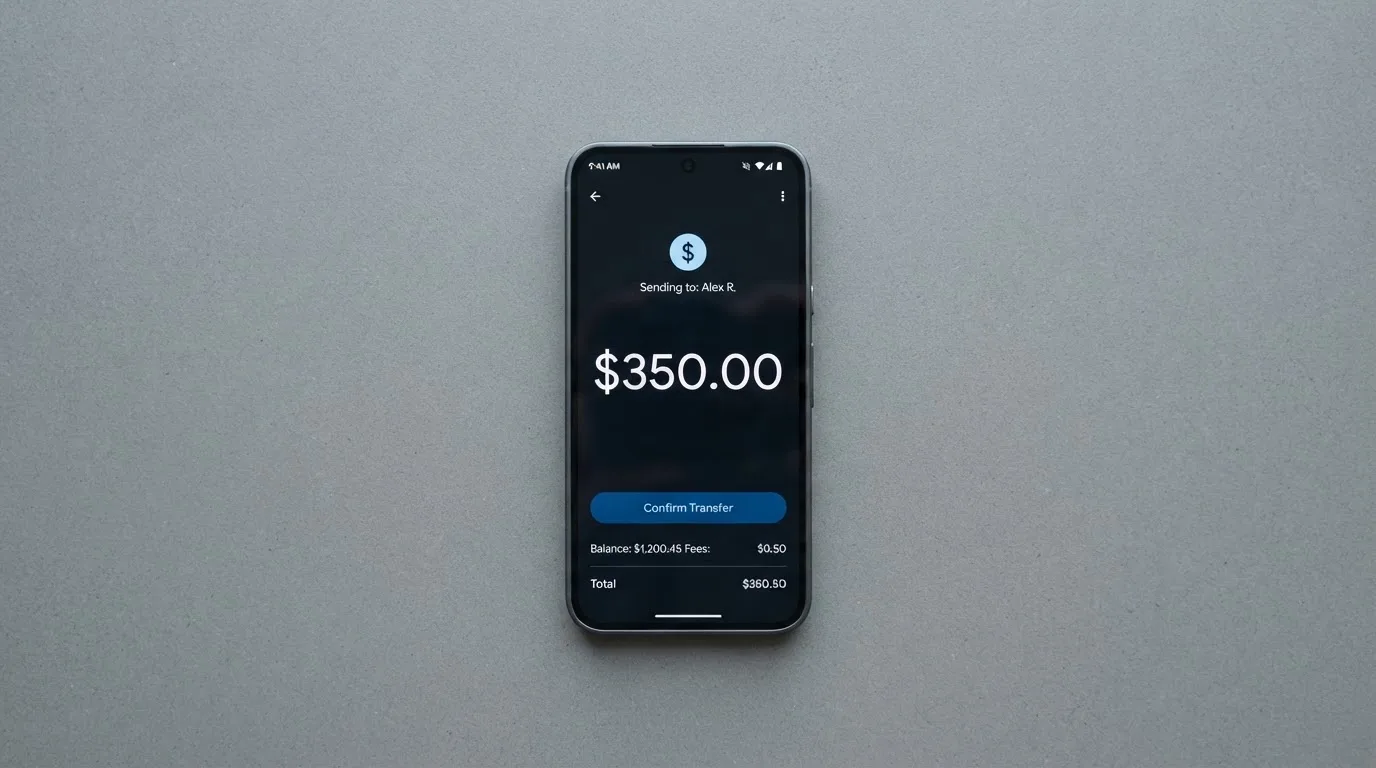
The network question deserves care. The help page does not list which networks are supported for the deposit. That matters more than it sounds, because blockchain transfers are irreversible: a deposit sent on a network the provider does not support, or to an address belonging to a different network, can be lost or need manual support recovery with no guarantee. If you are moving USDC in, send a small test amount first and confirm it has landed before sending the rest. This is not advice about evading anything — it is the ordinary care any on-chain transfer deserves.
A note on the network landscape, since USDC exists on many of them. Circle lists USDC as natively supported on 38 networks as of 16 September 2026, including Ethereum, Solana, Base, Polygon PoS, Avalanche, Arbitrum and Stellar. Circle also stopped supporting USDC on Tron in February 2024, so “USDC over TRC20” is not a native option. Because Currency.com does not name its supported networks, you cannot rely on that list — you have to check the platform’s current deposit instructions for the card.
The balance stays a USDC balance in your Currency.com account after you spend; it does not become a separate card balance you hold elsewhere. Account withdrawal limits are the tier figures above. Withdrawal fees, and what happens to any balance if you close the account, are not stated on the card pages. The minimum top-up needed for the card is not stated either — the platform only says a minimum USDC balance is required to order it.
Paying with it every day
Once the virtual card is issued you can add it to Apple Pay and Google Pay, and that is the realistic way most people will use it — tap the phone, no plastic needed. Card details are shown only inside the authenticated session, you can freeze and unfreeze the card instantly in the app, and online payments run through 3-D Secure with Visa fraud monitoring behind them.
The blocked-category list is short but real: certain merchant categories, for example gambling and adult content, may be blocked at the card network level. There is no rewards or cashback scheme described anywhere on the card pages — the rewards line for this card is simply not stated — so if you are used to earning something back on your spend, this card gives you nothing.
The apps are unremarkable rather than polished. On the iOS App Store, Currency Com Limited’s app “hasn’t received enough ratings or reviews to display an overview” as I read it on 2026-10-21. On Google Play, com.currency.application.android showed 1K+ downloads and was updated on 21 September 2026; I did not read its star rating. That is a thin public footprint, and if a smooth app experience matters to you, go and look at it yourself before committing.
If something goes wrong with a payment. For an unauthorised transaction, freeze the card in the app and write to support; the standard Visa dispute and fraud protection processes apply. For goods not received, contact the merchant first, then request a Visa dispute with the date, amount, merchant and a description. A pending authorisation normally settles in 1–3 business days — if it is still unresolved after 5 business days, contact support. How long you have to raise a dispute is not stated, so do not sit on a problem.
What can go wrong
I want to separate two different kinds of risk here: the operational reality of a custodial card, and the customer-service record, which is where I have real reservations.
The money is custodial. Currency.com is a custodial service — you do not manage private keys. With a self-custody card your funds stay in your own wallet until the moment of payment and you bear sole responsibility for key loss and phishing; with a custodial one, you are trusting the provider with the credentials completely. Custodial platforms have a real record of failure: Mt. Gox (about US$350 million reported stolen 2011–2014), Coincheck (about US$400 million in 2018), and the Ronin Network bridge (US$625 million in 2022). The safeguards on this card are the ordinary ones — instant freeze, 3-D Secure, Visa fraud monitoring, card details visible only in-session. Two-factor authentication and the safeguarding of funds are not stated on the card pages, so I cannot tell you how they are done. Safeguarding rules for e-money firms generally mean segregated accounts or insurance, but that is not the same as a bank deposit guarantee.
The issuer is not named, and the company is not a bank. The card sits behind two regulated entities: CURRENCY COM INTERNATIONAL INC. (Ontario, Canada; FINTRAC Money Services Business registration C10001741, Mississauga) and Currency Com Limited (Gibraltar, company 117543; a DLT Provider authorised by the Gibraltar Financial Services Commission, Licence No. 25032). Currency.com describes itself as a financial technology company, not a bank. The card-issuing bank or institution is not named on the help pages. Unofficial reporting (from TradeInformer, 12 March 2026, and not confirmed by Currency.com’s own pages) says the card is powered by Rain, a Visa Principal Member that settles with Visa in stablecoins.
The complaints are the part I would not skip. On Trustpilot, Currency.com — the platform, not the card specifically — sits at 4.2 out of 5 from 2,006 reviews as I read them on 2026-10-21, with roughly 69% five-star and 10% one-star. The recurring themes, all marked as user report, are frozen or locked accounts with slow compliance review (including a 4 May 2026 review describing business funds held over 15 days), accounts terminated without reasons (August 2023), unclear balances and dormant fees (October 2023), and delisting and high fees (September 2024). An earlier theme is login confusion after the site redirected to Dzengi.com (August 2023). None of that is a card-specific incident — I found no official incident notices — but it is the same support desk you would be dealing with if a payment went wrong on your card, and that is the part that matters to you as a cardholder.
The category has a history of programmes being switched off. Visa and Mastercard do not issue crypto cards themselves; they license issuers and can suspend a programme. Visa terminated its global agreements with FTX in November 2022 and the FTX US debit card was wound down. WaveCrest, a Visa issuer that supplied crypto card brands, was suspended in Europe in 2018, closing all its Visa programmes. Closures typically give notice, then stop spending and loading, then ask you to withdraw. For a card that only holds USDC, being told to withdraw is at least an exit, not a total loss — but it means your spending stops.
Tax is yours to consider, not mine to advise on. The IRS treats digital assets as property, so spending them on goods or services generally produces a taxable gain or loss measured in your local currency at the value on the date of the transaction. In other jurisdictions the treatment differs. I am flagging this, not advising on it — speak to a professional about your own position.
What to take instead
If the Currency.com Card’s single-funding limitation is a problem for you, two alternatives score close to it and cover different ground. Both scores are my own and sit below this card’s.
Bybit Card — 6.0 / 10. Much wider geography, real physical cards in some regions, and an actual rewards programme, but much more complex. The card is explicitly not for European Economic Area customers, and Bybit’s fiat service restricts a list of countries including Belarus, the Russian Federation, Serbia, China and the United States. It supports both virtual and physical cards (a virtual card must be obtained first; the physical card is not available in Peru and is rolling out in phases), across Mastercard and Visa depending on region. Issuance is free for the virtual card “until further notice”; physical issuance varies, from 29.99 USD in Australia to 5 USD/USDT in Argentina and Asia Pacific, and VIP holders of several physical cards pay no issuance or replacement fee. Fees are heavier: a crypto conversion fee of 0.9% over the One-Click Sell rate in most regions, 0.5% in Argentina, and an FX fee of 2% on top of the network rate in Australia, Asia Pacific, Georgia and Mexico; Argentina’s is 7%. Rewards are tiered from a 2% Base to a 10% Infinite cashback tier, but from 2026-10-05 only crypto-funded transactions earn — fiat-funded spending does not. In short: more to learn and more to pay, in exchange for cashback, a physical option and more regions.
MEXC Card — 5.6 / 10. Virtual card only (physical not yet available); network and card currency not stated. Issuance is listed at 20 USD (the page shows it possibly beside a discounted 0 USD price, which is unclear); service fee 0%; monthly fee not stated. Funding is USDT transferred to the Fiat account and then added to the card page; networks not stated. Cashback runs by M-Score tier, paid by the 15th of the next month: Standard 4% capped at 100 USDT a month, Premier 6% at 300, Elite 10% at 800. Its eligibility page names “The Philippines, Taiwan, Thailand…” with a details link, so the full list is not shown.
For a quick side-by-side:
| Currency.com | Bybit | MEXC | |
|---|---|---|---|
| Score | 6.5 / 10 | 6.0 / 10 | 5.6 / 10 |
| Funding | USDC only | Crypto (multiple coins) with a fiat priority | USDT |
| Physical card | None described | Yes in many regions | Not yet |
| Rewards | Not stated | Tiered cashback, crypto-funded only | Cashback by M-Score tier |
| Standout fee | 1% processing, FX up to 1% | FX 2% in many regions, 7% Argentina | Issuance 20 USD |
The honest summary of this comparison: if you want cashback or a physical card and can navigate Bybit’s region rules, Bybit is the more featureful card. If you want the simplest possible USDC-spends-it-and-done setup with no monthly fee, Currency.com stays ahead of both. Neither MEXC nor Bybit changes the fact that Currency.com’s whole design is one asset and one wallet.
Who I would recommend it to
I would recommend the Currency.com Card to someone in a specific and fairly narrow spot: you already hold USDC, you are a verified Currency.com account holder in a country where the card is actually granted, you spend mostly online or in dollars, and you would rather have no monthly fee and a flat 1% than chase cashback. For that person it is a genuinely good, honest little card — free to hold, instant to issue, and ready to tap in Apple Pay or Google Pay the moment it lands.
I would not recommend it if any of these are true of you: you need a physical card, you want a rewards programme, you travel and pay across many currencies where the FX fee bites, or you are the kind of customer who needs a support desk that resolves a frozen account the same week. That last point is not a small reservation — it is the one that keeps this card at 6.5 rather than higher.
If you are simply looking for “a card that works” without a crypto balance behind it, this is the wrong page: the entire value proposition here is that it spends tokens you already hold.
Frequently asked questions
What is the Currency.com Card?
It is a virtual Visa Platinum card that spends one thing: your USDC balance on a Currency.com account. It is issued instantly, has no card order fee and no monthly fee, and its balance is collateralised automatically from your USDC. There is no credit line and no physical card described, so it behaves like a prepaid card in everything except the label. You pay a 1% processing fee per payment, plus up to 1% FX on non-USD purchases and up to 1% cross-border.
How does the Currency.com Card work?
Your USDC balance is automatically used to collateralise each transaction. When you pay, the amount is taken from that USDC balance, and local currency conversion is handled automatically, with the FX fee applying for non-USD transactions. The card currency is USD, so dollar spending is the cheapest path. You can add the virtual card to Apple Pay and Google Pay once issued, freeze it instantly in the app, and pay online through 3-D Secure.
Is Currency.com a bank?
No — Currency.com describes itself as a financial technology company, not a bank. The platform sits behind CURRENCY COM INTERNATIONAL INC. (Ontario, Canada, FINTRAC registration C10001741) and Currency Com Limited (Gibraltar, Licence No. 25032 as a DLT Provider authorised by the Gibraltar Financial Services Commission). The card-issuing bank or institution is not named on the help pages. Currency.com is custodial: you do not manage private keys.
Is the Currency.com Card available in my country?
Possibly, but not automatically. Currency.com says the card is available globally while also saying the ability to receive it depends on several factors including your country of residency, and that the final decision is made case by case. It cannot be used in certain countries, including sanctioned territories, but no list is published. Only verified account holders can apply. If the answer matters to you, apply and see rather than assuming.
Does the Currency.com Card require KYC?
Yes. It uses the platform’s account verification, which usually includes identity verification and proof of address — a valid ID or passport, and sometimes a bank statement or utility bill (a mobile bill does not count) — plus a liveness test. The process is automated and averages about 5 minutes, but that is an average. Once verified, you order the card in the Cards section; a minimum USDC balance is required.
How do I top up the Currency.com Card?
With USDC only. You deposit USDC on-chain to your Currency.com wallet, or buy it inside the platform. After on-chain confirmation the balance is usable within minutes. There is no deposit fee for USDC, though blockchain gas fees may apply. The help page does not list which networks are supported, so send a small test amount first — on-chain transfers are irreversible and a wrong-network deposit can be lost.
Is the Currency.com Card safe?
It uses the ordinary safeguards: instant card freeze, 3-D Secure on online payments, Visa fraud monitoring, and card details visible only inside the authenticated session. Two-factor authentication and the safeguarding of funds are not stated on the card pages. Because it is custodial, you are trusting the provider with your USDC. Note also that card programmes can be wound down — Visa ended its FTX agreements in 2022 — so keep an eye on announcements.
How much does the Currency.com Card cost to use?
Nothing to hold: no card order fee, no monthly, annual or maintenance fees. Per payment, a processing fee of 1% applies; non-USD transactions add an FX fee of up to 1%, and cross-border up to 1%. ATM withdrawals cost 2%, capped at $750 USD per transaction and up to 750 USD daily, with a maximum of three attempts per rolling 24 hours including declines. Buying crypto on the platform separately costs a 1% transaction fee.
Is the Currency.com Card worth it?
For someone already holding USDC who wants to spend it without a monthly fee, yes — the flat 1% processing fee and instant virtual issuance are hard to argue with. For everyone else, the single-asset funding, the absence of a physical card and of any stated rewards, and a Trustpilot record of 4.2 from 2,006 reviews mentioning frozen accounts and slow compliance checks, argue for looking at an alternative first. Judge it against what you actually spend and where.
Can I use the Currency.com Card in Apple Pay or Google Pay?
Yes — both Apple Pay and Google Pay are supported once the virtual card is issued. That is the intended way to use it day to day, since no physical card is described. Keep in mind that the card cannot be used for certain merchant categories, such as gambling and adult content, which may be blocked at the card network level, and that pending authorisations normally settle in 1–3 business days.
Exchange card options – cryptocardoptions.com
Content created by the «cryptocardoptions.com» team