
A free-to-issue Visa Platinum card funded in USDT and USDC, with several details its own pages leave unstated
 Available in US
The Lydian card is a Visa Platinum card issued through Rain, spent directly from a crypto balance held in the Lydian Wallet. There is no annual fee, both the physical and the virtual card are free to issue, and you top it up in USDT or USDC. If you hold stablecoins and want an ordinary-looking card to pay with, that is the shape of it. If you need a published list of countries, a named network, a conversion percentage or an ATM fee before you commit, this card’s own pages do not give you those things. My score is 6.9 out of 10. The card is competent and unremarkable; the gap between what is promised and what is documented is the reason it is not higher.
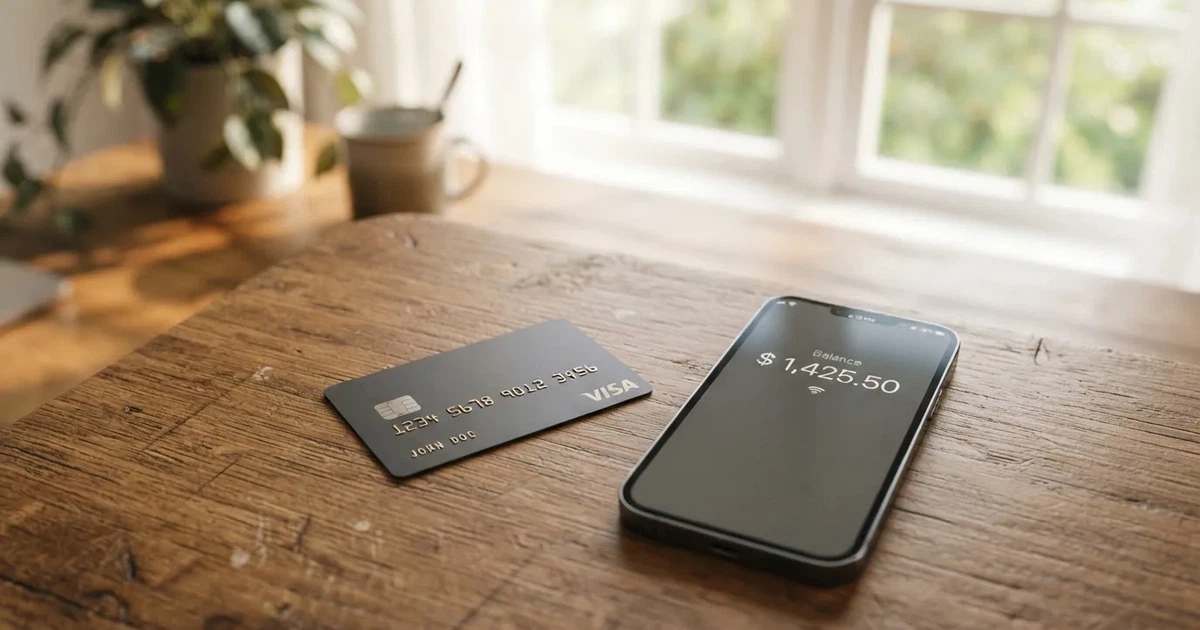
Who this suits: you already hold USDT or USDC, you want a card rather than an exchange account, and you are comfortable with a balance-based model where the card spends only what you have loaded. Who it does not suit: anyone who needs to know the exact conversion rate before tapping, anyone in a country whose eligibility is unclear to you, and anyone for whom a fee that is “shown before you complete a transaction” is not the same as a fee you can forecast.
The conditions described here are current as of October 28, 2026.
Verdict: 6.9 out of 10
| Criterion | Mark | Why |
|---|---|---|
| Who can get it | 5 / 10 | No country list at all; features depend on your country of residence and on eligibility requirements, and the bar is 18+ with a quick identity verification |
| Cost | 7 / 10 | No annual fee, physical and virtual both free to issue; conversion and network fees are shown before a payment but the figures are never published |
| Top-up options | 7 / 10 | Funded directly in USDT and USDC on supported networks, other assets swapped inside the wallet; the networks themselves are not named |
| Reliability and complaints | 8 / 10 | Issuer is Rain, a Visa Principal Member; I found no complaints about the card; unofficial: the company is described as backed by Tether and Cantor Fitzgerald |
| Everyday use | 8 / 10 | Visa, physical with chip and tap plus instant virtual, Apple Pay and Google Pay; ATM terms are not disclosed |
| Total | 6.9 / 10 |
The two eight scores are the strongest part of the offer. A card that works as a Visa card, with a physical and a virtual version and both mobile wallets, is solving the boring daily problem well, and Rain is a real issuer rather than a name on a landing page. The weak scores are all about disclosure. Availability, conversion cost and limits are exactly the three things you need in writing before you move money, and all three are absent.
Will they give you the card?
There is no country list, and that is the honest answer to this question. Lydian states that “availability of features may vary depending on your country of residence and is subject to eligibility requirements”. Residence-based, then, with an eligibility gate behind it that it does not describe. The audience this fits, in plain terms, is a holder of USDT or USDC who wants a Visa and lives somewhere the app will accept them.
Practically, that means the only way to know whether you qualify is to try. Download the app, see whether the country selector lets you proceed, and treat any failure at that step as the answer. Do not read anything into a signup form that accepts your email if the verification step then declines your documents — those are different systems with different purposes.
What is clear is the age bar: individuals 18 and over. Nothing in the public material suggests a higher minimum age for this card.
One thing worth understanding before you apply, because it explains a lot of the card’s behaviour later: the card is issued through Rain, which is “a Visa Principal Member”. Rain is the programme holder. Lydian is the brand you interact with. Visa itself does not issue crypto cards to consumers; it licenses issuers and can suspend a programme. In November 2022 Visa said it had “terminated our global agreements with FTX” and the FTX US debit card programme was wound down by its issuer. So the name on your statement and the name in your app are not the same company, and the party that actually owes you card servicing sits somewhere in that chain.
How to get it
The route is short. Install the Lydian Wallet app, complete what the card calls a “quick identity verification”, and a virtual card is issued instantly in the app. A physical card follows, shipped to your doorstep.
There is one identity check, and it is a single one. No tiers, no stated processing times, no published list of what gets you rejected. Whether documents or proof of address are required is not stated on the public pages — which in practice often means they are requested and then told to you in the flow, not in advance.
The card itself is a Visa Platinum card. The card page lists the Platinum benefits as car rental insurance, purchase protection, extended warranty and 24/7 Visa customer service, and acceptance “more than 150 million merchants”. The physical card carries a chip and supports contactless; the virtual one is available immediately in the app. What currency the card is denominated in is not stated.
Delivery details are thin too: the card “ships to your doorstep”, and the countries served, the delivery time, and any delivery or replacement charge are not stated. If a lost or stolen replacement costs money, and you live somewhere the replacement has to cross a border to reach you, that is a real expense the page has not told you about.
Before you finish, two practical checks. First, note that purchase protection and cardholder protections are the only consumer safeguards mentioned; how a dispute is filed, who decides it and how long it takes are not stated. Second, remember that a declined online authorisation can leave a hold on your balance for several days, sometimes up to seven. On a balance-based card that hold comes out of money you may be counting on.
Fees: what it really costs
The headline is genuinely good. There is no annual fee, and both the physical and the virtual card are free to issue. That removes the two costs most people notice first.
What I cannot give you is the percentage. When you pay, the card converts to local currency automatically at the point of sale, and any applicable network or conversion fees are “clearly shown before you complete a transaction”. That is a real disclosure, done at the moment it matters most for avoiding surprise, and it is not the same as a published rate card. Nobody outside the company can tell you what a 40 euro dinner costs in practice.
| Fee or limit | What is published |
|---|---|
| Annual fee | None |
| Card issuance | Physical and virtual both free |
| Conversion | Applied automatically to local currency at the point of sale; figures shown before the transaction, figures not published |
| FX | Not stated separately; folded into the conversion shown at checkout |
| ATM | Not stated |
| Daily and monthly limits | Not stated; balances are “subject to applicable fees and limits” |
| Tiers | Single product line; no tiers, no metal card, no price levels |
| Card currency and multi-currency balances | Not stated |
Three everyday payments, and what actually applies to each:
A grocery shop in a country where your balance is in stablecoins. The balance is held in USDT or USDC. The conversion to local currency happens instantly and automatically at the point of sale, and the applicable conversion or network fees are shown before you confirm. That is the normal path, and it is the only one where the card describes a fee in advance.
An online subscription billed in dollars while you hold euros’ worth of stablecoins. Same automatic conversion, same pre-transaction display. But online payments can also be challenged through Visa Secure, the 3-D Secure step that either approves silently or asks you for a one-time code or a biometric check. Some merchants also decline prepaid or foreign-issued card numbers, because the six- or eight-digit issuer identification number at the front of the card number reveals the institution and country. Lydian’s card can look “foreign” to a shop in another country even when you are not.
A cash withdrawal at an ATM. I cannot tell you what this costs, or whether it works smoothly, because the card publishes nothing about ATM use. Treat this as unknown rather than as free. It is one of the clearest gaps on the page for anyone whose spending is not fully online.
On limits: not stated. That means you cannot tell from the public pages whether a large purchase will clear. If a big payment matters, plan to test with a modest one first.
Top up: how the balance gets filled
You fund the card natively in USDT and USDC, on supported networks. If you hold something else, you swap it into the card balance inside the Lydian Wallet. That is the whole mechanism, and it is a clean one: stablecoins go in directly, other assets get converted by you rather than by surprise at the till.
The catch is that the supported networks are not named. Lydian says “on our supported networks” and leaves the list elsewhere. That single missing detail decides whether a deposit works, so treat it as something you must obtain before sending anything, and check it against the network the funds currently sit on.
Deposit fees, minimum top-up amounts and any fiat top-up route are not stated. Neither is withdrawal — the card page does not describe taking money back out, so I would not assume you can move a balance from the card to a bank account. That matters for anyone treating this as their everyday money rather than a spending wallet.
One practical thing about transfers, general to this kind of card rather than specific to Lydian: blockchain transfers are irreversible. If you send on a network the provider does not support, or to an address belonging to a different network, the money can be lost or need manual support recovery, with no guarantee it comes back. On Ethereum, fees are paid in ETH, so a wallet holding USDT with no ETH cannot send. On Tron, fees work through bandwidth and energy and often burn TRX. Circle stopped supporting USDC on Tron in February 2024, so “USDC over TRC20” is not a native option.
The stablecoins themselves are not risk-free either, and this is worth saying plainly because it is the real cost of the top-up route. Stablecoins aim for a stable value but are not necessarily stable: TerraUSD collapsed in May 2022 and USDC temporarily lost its peg in March 2023 during the US banking crisis. Tether says it disables tokens in wallets on the OFAC sanctions list and has frozen funds tied to illicit activity, so a stablecoin balance is not beyond anyone’s reach but your own.
Paying with it every day
Both card forms work with Apple Pay and Google Pay. The physical card has a chip and takes contactless payments; the virtual one is there the moment verification finishes, which makes it the sensible first card to try in an unfamiliar shop.
Mobile wallet setup is the easy path. Apple Pay replaces your card number with a device-specific number stored in the Secure Element, never on Apple’s servers, and each payment carries a one-time dynamic security code. Visa’s own platforms can restrict a tokenised number — blocking it on magnetic stripe, on a phone channel or on websites, for instance. I have not found a published list of blocked merchant category codes for Lydian, so I cannot tell you which categories are deliberately closed off.
Two features are listed that I cannot evaluate. “Collect rewards” is offered as a feature, with no rate, no tiers and no terms given. And spending limits are “subject to applicable fees and limits” with no numbers. Both are on the page as promises without a figure attached; neither is something I would plan spending around.
The app side is basic in the same way. There is a Lydian Wallet app and a web dashboard at /dashboard, and that is what is described. I found no App Store or Google Play links or ratings on the card’s own page, so I cannot tell you what the software is like to use day to day.
Contact, when something goes wrong, is a contact form or live chat at lydian.com/contact. No email address, no support hours, and the page is in English only — Russian is not supported. If something in your application is rejected or frozen, that gap will cost you more than it would otherwise.
What can go wrong
Start with the company, because it is the layer you have least visibility of. Lydian is the brand; Rain is the issuer and a Visa Principal Member. Registration country and licences are not stated on the public pages. A footer on Rain’s site says generally that Rain Visa debit cards are issued by Cross River Bank, a Member FDIC, with Rain Products as programme manager — that is general Rain material and may not describe the Lydian card specifically, so I would not rely on it as a description of what backs your balance.
Then the balance model. The card page calls the cards “collateralized credit cards issued through Rain” and says the wallet lets you “maintain control of your assets”, with the card operating over the Visa network with fraud monitoring and cardholder protections. How those two descriptions sit together is not explained. Whether your funds are safeguarded in a way that survives an issuer failure, and in what form, is not stated.
On protections, the short list is: no published card freeze, no stated two-factor authentication, no stated spending controls, no stated insurance. Visa’s “purchase protection” and “cardholder protections” are mentioned by name. What they cover, how to claim, and how long a dispute takes are not described.
The good news is complaints. I looked for reports about the Lydian card and found none: official sources produced nothing, and searches on Trustpilot and Reddit returned no Lydian card reviews. Searches that turned something up returned unrelated brands — Lydia, Sumeria, Lyk Card. Read that carefully. An absence of complaints is also what you see with a new product, and it is not the same as a track record.
What is unofficial: The Paypers reported in April 2026 that Lydian is backed by Tether and Cantor Fitzgerald. Neither the card page nor any statement I found confirms that, so treat it as press description rather than a fact about your protection.
And the category risk, which is the one that actually ends programmes: card programmes do get closed. WaveCrest, a Visa issuer that supplied several crypto card brands, was suspended by Visa in Europe in 2018, closing all WaveCrest-issued Visa programmes. Closures follow a pattern — a notice period, then loading and spending stop, then an instruction to withdraw remaining balances. A 2026 closure reported by a single secondary source had new loads ending 8 July 2026 and spending stopping 8 August 2026; I could not confirm that independently, but the shape of it is the thing to watch for.
Two smaller risks worth knowing. A decline can leave a hold on your funds for several days, typically up to seven, which on a stored balance is money out of use. And a chargeback is a refund the issuer orders, with reason codes for fraud, duplicate billing or goods not received — but prepaid-card coverage varies by jurisdiction and should not be assumed, and how Lydian handles a dispute is not stated.
What to take instead
If you need the figures published, the alternative market is not obviously better, but there are different kinds of answer. Here is what I found, with the same questions asked of each.
| Card | Score | Entry cost | Fee structure | Top up |
|---|---|---|---|---|
| Lydian | 6.9 / 10 | No annual fee; both cards free to issue | Conversion shown per transaction, figures unpublished | USDT and USDC on supported networks, unnamed |
| BloFin Wallet Card | 6.9 / 10 | Activation, annual, issuance and dormancy all $0.00; cancellation no fee | Spend fee “1% or lower” by VIP tier, from 1.00% at VIP 0 down to 0.00% at VIP 5; FX not stated | USDT and USDC on Arbitrum and Base |
| Decaf | 6.2 / 10 | Activation $5 for virtual worldwide; physical $10 in the US, $90 elsewhere; no annual or monthly fee | Decaf adds no FX fee — “the FX is the one Visa offers”; crypto conversion fee not stated | Pay a payment link or account details by card, bank transfer or USDC; app on Solana and Stellar; which coins top up the card itself is not stated |
| SafePal | 6.2 / 10 | No account creation or management fees; card issuance fee not stated | Standard top-up 0%; Mastercard non-USD settlement 1% FX; refund processing 1 USD/EUR/CHF/7 CNH; swaps include an unquantified spread; elsewhere “as low as 0.4%” on top tier | Crypto from 40+ blockchains converted to USDC or fiat; transactions on Arbitrum |
BloFin Wallet Card is the closest match on price. Its fees are not zero, but they are printed: a spend fee by tier, 1.00% at VIP 0 falling to 0.00% at VIP 5, charged at payment, with FX not stated. It names its networks — Arbitrum and Base. Against that, it publishes no country list either; the app asks you to select your country, and the starting data lists 35 countries including the US, Australia, Japan, the UAE, Brazil, Mexico, Malaysia and New Zealand. It has no cashback; it offers a reduced spend rate instead, and its own copy says “no waiting for cashback or rebates”.
Decaf is the one to look at if your region is restricted from other options, because it publishes both sides of that. It is not issued in Belarus, China, North Korea, India, Iran, Iraq, Israel, Myanmar, Nepal, Russia, Syria, Turkey, Cuba, Ukraine, Venezuela, Vietnam, Nicaragua, Puerto Rico or Nigeria, and restricted US states are Arizona, Delaware, Georgia, Idaho, Louisiana, Maryland, Montana, Ohio, Oregon, Rhode Island, Washington and Wisconsin. Russia and Belarus are both on that list, though whether the rule follows citizenship or residence is not stated. On FX it takes no margin of its own, using the rate Visa offers — which means the rate depends on Visa’s own spread. Its $90 physical card price outside the US is the sharpest number in this comparison.
SafePal is the quiet one. No account or management fees, no cashback, 1% FX on Mastercard non-USD settlement, and a top-up that reaches 40+ blockchains and settles to USDC or fiat on Arbitrum. Its regions page was empty when I fetched it, and its eligibility wording — “citizens of supported regions who live in supported areas” — is the same kind of open question Lydian leaves open. Its tiers run on referrals and staking rather than spending, with referral commissions up to 40% of referred top-up fees.
My read across all four: nobody publishes everything. What differs is which gaps they leave. Lydian leaves cost and networks unstated, Decaf leaves its conversion fee and funding coins unstated, SafePal leaves its card type and issuance fee unstated, and BloFin leaves country eligibility and FX unstated. Pick the gap that is least likely to hurt you.
Who I would recommend it to
I would recommend the Lydian card to someone in this position: you hold USDT or USDC, you are comfortable with a card that spends a balance you top up, you want a Visa that works in shops and at online checkouts with Apple Pay and Google Pay, and you are willing to confirm the supported networks and your own eligibility inside the app before you send anything. Free to issue, no annual fee, physical plus instant virtual, and an issuer with a Visa Principal Member behind it — that combination is not easy to find, and the daily use score reflects that.
I would not recommend it as your only card. The reasons are specific, not vague unease. Eligibility is residence-based with no list, so you cannot plan around a refusal. Conversion fees are shown per transaction rather than published, so you cannot forecast the cost of spending. Networks are unnamed, so a deposit can fail on a technicality that nobody has told you about. Limits are not stated. Withdrawal is not described. Support is an English-only contact form with no hours. And there are no complaints, which for a card meant to hold your everyday money is thin evidence rather than reassurance.
If you want a card whose fees you can read in advance, BloFin prints its spend percentages and names Arbitrum and Base. If you are in a restricted country and want to know that before you apply, Decaf prints its exclusions. If you want a wide crypto top-up reach, SafePal reaches 40+ blockchains. Those answers cost you something; this one costs you certainty.
What I would not do is read the unstated items as small. Each one is small on its own. Together they are the difference between a product I can describe and a product I can recommend without hedging. Lydian is the first of those.
Frequently asked questions
What is the Lydian card?
It is a Visa Platinum card issued through Rain, which is a Visa Principal Member, and spent from a crypto balance held in the Lydian Wallet. You get a physical card with a chip and contactless, plus a virtual card issued instantly in the app. Both work with Apple Pay and Google Pay. The balance is held in USDT and USDC, and it converts to local currency automatically at the point of sale.
Does Lydian require KYC, and what does it involve?
There is a single “quick identity verification” for individuals 18 and over. That is the only identity step described. Whether specific documents or proof of address are required is not stated publicly, and neither are processing times or the reasons an application might be declined. In the EU, checks like these normally cover identity, address, date of birth, nationality, sanctions screening and politically exposed person status.
Which countries can get the Lydian card?
The card page publishes no country list. Lydian states that availability of features may vary depending on your country of residence and is subject to eligibility requirements, so the rule is residence-based with an undescribed gate behind it. The practical test is the app: if the country selector lets you proceed, you are past that step. If you need certainty before downloading anything, this is not the card to decide on quickly.
What does it cost to spend with the Lydian card?
There is no annual fee, and the physical and virtual cards are both free to issue. When you pay, the balance converts to local currency automatically and any applicable network or conversion fees are shown before you complete the transaction. The card does not publish those figures, and ATM fees, daily and monthly limits, the card currency and any separate FX charge are not stated either.
How do I top up the Lydian card?
You fund it natively in USDT and USDC on supported networks, and other assets can be swapped into the card balance inside the Lydian Wallet. The supported networks are not named on the card page, so check that before sending a deposit, because transfers are irreversible and a wrong network can mean lost funds. Deposit fees, minimum top-up amounts, any fiat route and withdrawal are not stated.
Is the Lydian card safe, and who stands behind it?
The issuer is Rain, a Visa Principal Member, and the card operates over the Visa network with fraud monitoring and cardholder protections. The page also describes the cards as collateralized credit cards issued through Rain and says the wallet lets you maintain control of your assets. Licence, registration country and fund safeguarding are not stated. Card freeze, two-factor authentication, spending controls and insurance are also not stated.
Is Lydian a bank, and who owns it?
Lydian is the brand and Rain is the issuer holding the card programme; Visa itself does not issue crypto cards to consumers, it licenses issuers. Registration country and licences are not stated on the public pages. A Rain footer describes Rain Visa debit cards as issued by Cross River Bank, a Member FDIC, with Rain Products as programme manager, but that is general Rain material and may not describe the Lydian card specifically. Unofficial: press reporting in April 2026 describes Lydian as backed by Tether and Cantor Fitzgerald.
Can I use the Lydian card in my country and with my usual shops?
The card is a Visa, accepted at “more than 150 million merchants”, and both forms work with Apple Pay and Google Pay. Two practical limits apply generally to cards like this: a shop may apply extra scrutiny when the issuer country on the card number differs from your billing address, and some merchants decline prepaid or foreign-issued numbers. Blocked merchant category codes are not published, so I cannot tell you which categories are closed off.
What are the risks of putting money on this card?
The balance is a stored balance, so a declined authorisation can leave a hold for several days, sometimes up to seven. Card programmes can also be closed and customers asked to withdraw remaining balances — WaveCrest’s Visa programmes were shut down in Europe in 2018, and Visa terminated its global agreements with FTX in November 2022. Stablecoins themselves can depeg, as TerraUSD did in May 2022 and USDC briefly did in March 2023. And tax treatment depends on your country; that is worth checking separately.
Is the Lydian card worth it?
Worth it if you hold USDT or USDC, want a Visa, and are comfortable confirming eligibility and supported networks yourself in the app. Free to issue with no annual fee, and the everyday use side is genuinely solid: physical plus instant virtual, both mobile wallets, a Principal Member issuer. Worth less if you need a published conversion percentage, a country list, named networks or stated limits, because none of those appear on the card’s public pages.
Wallet card options – cryptocardoptions.com
Content created by the «cryptocardoptions.com» team