
A prepaid Visa that leans on its app and says little about the rest
 Available in US
SkyDAO sells itself simply enough: download an app, finish an identity check, order a physical Visa, and spend a crypto-funded balance wherever Visa is taken. That pitch lands well with people who already keep funds in a wallet and want a card that connects to it, and it is the part of the product that works as advertised. The trouble begins the moment you start asking practical questions. Which countries can actually sign up? What does the card cost to issue, hold, top up, and spend? Who issues the Visa, and under which licence? The pages that should answer these questions don’t, and that gap is the main thing I want to walk you through in this review.
The conditions described here are current as of October 28, 2026.
I spent time with SkyDAO’s public materials: the website, the App Store listing, and the developer page. The score below is built on what those materials say, and on what they don’t. If a figure or condition matters to you, I’ll flag it as unconfirmed where the card itself doesn’t publish it.
Verdict
SkyDAO earns 5.3 out of 10 in my book. That’s not a damning score; it’s a “wait, look closer” score. The everyday experience looks fine: a physical Visa you can order through an app, Apple Pay and Google Pay support, and ATM access. The problem is everything that surrounds that experience. Eligibility is not stated on the pages I could read, and a starting line in the project’s own data once said “worldwide except 49 restricted countries”, which I could not confirm against any current public source. Costs, fees, and limits are not disclosed in the materials I checked. The company behind the card, the issuer, and the licence are not named, and there is no public complaints record to lean on. The app itself has so few ratings that the App Store won’t even show an overview for it.
Who does this card suit? Wallet users who want a physical Visa tied to their crypto balance, with ATM access, and who are comfortable moving on without disclosure of fees, limits, or the issuing bank. If you are in that bucket, the card does the basic job. Who should look elsewhere? Anyone who needs to know what they will pay, who is on the hook for their funds, or whether the programme is licensed in a way they trust. In practice, that excludes most people reading a review before signing up.
Score breakdown
| Criterion | Mark | Reason |
|---|---|---|
| Who can get it | 5 / 10 | Countries and restrictions are not stated on the pages I could read; a prior “worldwide except 49 countries” line is not confirmed. |
| Cost | 5 / 10 | Issuance, monthly, and transaction fees are not disclosed. |
| Top-up options | 5 / 10 | Multichain transfer from wallet to card, but supported coins and networks are not listed. |
| Reliability and complaints | 4 / 10 | Issuer, registered country, and licences are not named; no public complaint or review record; too few app ratings for a verdict. |
| Everyday use | 8 / 10 | Physical Visa is ordered in the app, Apple Pay and Google Pay are supported, and ATM withdrawals are available. |
| Total | 5.3 / 10 | A workable everyday product wrapped in a serious disclosure gap. |
Who they will give you the card to
I have to start with what I can confirm and what I can’t. The SkyDAO pages I could read do not name a list of supported countries. The card’s site mentions “Hong Kong – regional access, United States – global standards, License” without spelling out what any of that means in practice for an applicant. App Store metadata doesn’t add a country list either.
SkyDAO once described the card as available “worldwide except 49 restricted countries,” a phrase that is no longer visible on current public pages and could not be confirmed. If a country matters to you, the only honest answer right now is to ask SkyDAO directly before you download the app and start the identity check.
A few things can be said with more confidence. The App Store listing for the iPhone app marks it as 18+. Identity verification is required to apply for the physical card. The exact documents, the verification levels, and how those levels map to limits are not described in the materials I read. If you’ve been through a regulated onboarding before, expect the usual: a government-issued ID, a selfie, possibly a proof of address, and a sanctions check. If you haven’t, be ready for a process that can take a couple of days and, in some cases, longer.
Sanctions screening is worth flagging on its own. Even where SkyDAO’s country list is unclear, a regulated issuer will run citizenship and country-of-birth checks against sanctions lists. The European framework, for example, requires name, address, date of birth, nationality, and identity documentation, a sanctions check, an understanding of the relationship’s purpose, and a politically exposed person check. In the US, the customer identification programme requires name, date of birth, address, and an identification number. Nationality is screened separately from residence. If you hold citizenship in a sanctioned country, that may matter even if you live somewhere else.
One practical note: the help-centre at skydao.zendesk.com appears closed at the time of writing. That doesn’t mean support is unreachable, but it does mean you may not be able to lean on a self-service knowledge base before you apply.
How to get the card
The signup path is straightforward and follows the pattern many wallet-linked cards use. You download the SkyDAO app, finish identity verification, and apply for a physical card from inside the app. Once your order is placed, the card is shipped to the address you specified. None of the public materials I read give a delivery time, a delivery cost, or a list of countries the card ships to.
Apple Pay and Google Pay are supported, which is the more useful detail for many readers. If you already use a mobile wallet, you can add the card digitally and start spending before the physical card arrives, subject to whatever limits the issuer applies.
Virtual cards are a common feature in this category. SkyDAO’s public pages do not say whether a virtual card is offered alongside the physical one. The iPhone and iPad app is free to download, the developer name is “SkydaoTrust”, and the App Store seller is listed as SKYDAO TRUST LTD. The current version is 2.4.8, dated 10 October. The store page notes that the app “hasn’t received enough ratings or reviews to display an overview” in the Canadian storefront I checked. That is a small thing, but it makes it harder to gauge what real users think before you install.
The KYC tier system, if there is one, is not described. Some card programmes offer higher limits or higher cashback after extra verification, and the App Store text mentions a “VIP service” with priority access, dedicated support, and “higher limits” for high-value users. The threshold for VIP and the limits in question are not published.
What it really costs
This is the section where I’d normally walk you through a detailed fee table. With SkyDAO, the honest version of that table is short, because the public materials don’t disclose the numbers I would normally plug in.
Fees at a glance
| Fee or limit | Amount |
|---|---|
| Card issuance | Not stated |
| Monthly or annual fee | Not stated |
| Crypto-to-fiat conversion fee | Not stated |
| Foreign exchange (FX) fee | Not stated |
| ATM withdrawal fee | Not stated |
| ATM withdrawal allowance | Not stated |
| Daily spending limit | Not stated |
| Monthly spending limit | Not stated |
Beyond that, two pieces of information are worth noting. First, the App Store text for the iPhone app confirms that ATM withdrawals are available, so the feature exists, but neither the fee nor the allowance is published. Second, the same text mentions that a VIP service comes with “higher limits”, which tells us limits exist, but not what they are at the standard tier or at the VIP tier. The card currency, and the currencies you can spend in, are not officially stated.
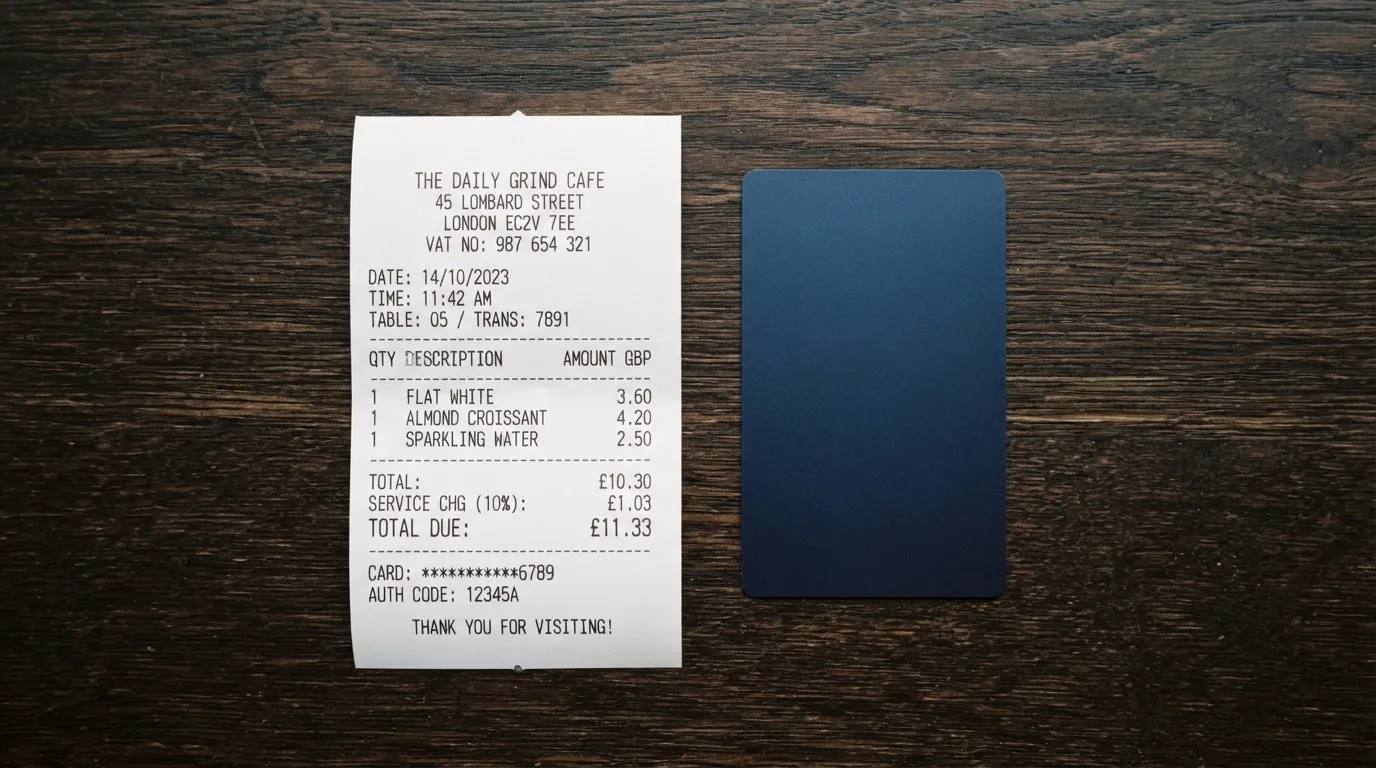
The everyday version of a SkyDAO payment looks like this in practice. You fund the card by transferring from your SkyDAO wallet, the wallet converts your crypto to a balance the card can spend, and the card then pays the merchant through the Visa network. The conversion and the network authorisation are the two places fees usually show up. Both are undisclosed here.
Let me put that into a couple of everyday scenarios so you can see why this matters.
- Buying lunch with Apple Pay abroad. You hold USDT in your SkyDAO wallet and you tap to pay at a café in a country that doesn’t use dollars. Somewhere in the chain, your USDT is converted to the card’s spending currency, and that currency is then converted again to the local currency at the point of sale. The first conversion is the card’s crypto-to-fiat fee, which is not stated. The second is the card’s foreign exchange fee, also not stated. On most cards in this category, those two fees are the largest part of what you pay.
- Withdrawing cash from an ATM. You insert the physical card, take out local currency, and pay both the ATM operator’s fee and SkyDAO’s own fee. The operator’s fee is usually shown on the screen before you confirm. SkyDAO’s fee is not published.
- Refusing a payment in a foreign currency and being charged in your home currency instead. This is the dynamic currency conversion trap, and it is run by the ATM or the merchant, not by the card. Even on cards that publish their FX fee, declining DCC is what saves you money, and you should be ready to do that on any card where the FX fee isn’t published.
The short version: the only way to know what SkyDAO costs you in practice is to make a small test transaction, read the receipt, and work backwards. If you’re not comfortable with that, this card is not for you.
How to top it up
Funding the card is the part of SkyDAO that is described most clearly, even if the specifics are still thin. The flow is this: you keep crypto in the SkyDAO wallet, you transfer value from the wallet to the card, and the card spends that loaded balance. The App Store listing describes the product as a “unified account for fiat and digital assets”, which suggests the wallet and the card balance are connected inside the same app.
Multichain transfers are mentioned, which is the part most likely to matter to you if you hold tokens on more than one network. The coins and networks SkyDAO supports for topping up are not listed in the public materials I read. That is a meaningful gap. If you hold USDT on Tron and the card only accepts USDC on Ethereum, you have a problem, and the kind of problem that costs real money to fix. The multichain claim is encouraging, but the absence of a list of supported tokens and networks is not.
Fees and minimums for the top-up itself are not stated. With most cards in this category, the card provider does not charge a separate fee for moving from the wallet to the card, but the on-chain network fee (gas on Ethereum, bandwidth and energy on Tron) is charged by the blockchain, not by the card. That fee is paid in the native token of the network: ETH on Ethereum, TRX on Tron. If your wallet holds stablecoins but no native token, your transfer will not go through. This is a common gotcha, and it is one to watch for on any card that does not publish its top-up flow step by step.
Two things to be careful with. First, blockchain transfers are irreversible, and a deposit sent on a network the card provider does not support, or to an address from another network, can be lost or stuck in manual recovery with no guarantee of return. Second, even when a network is supported, sending the wrong token to a wallet address that expects a different one can mean the same outcome. This is a category-wide risk, but it bites harder on cards that don’t tell you exactly which network to use.
The withdrawal side, in the other direction, is not described. If you want to move value off the card and back into the wallet, or out to a bank, the public materials do not say what that path looks like or what it costs.
Paying with it every day
The everyday side of SkyDAO is its strongest. The physical Visa is ordered in the app, you can add it to Apple Pay or Google Pay, and you can take cash out at ATMs. For most people, that covers the four things they actually do with a payment card: tap to pay in a shop, pay online, pay on a phone, and get cash.
A few things are still worth flagging, because they’re either common points of failure on cards like this or are simply not addressed in SkyDAO’s materials.
- Blocked merchant categories. Many issuers block specific merchant category codes, and gambling (MCC 7995) is the most common one. SkyDAO does not publish a list of blocked categories, so you may only find out at the till. If a particular category matters to you, ask before you rely on the card.
- Rewards or cashback. The materials I read do not mention any rewards, cashback, or earn rate. The VIP service gets higher limits, not a cashback rate. If a return on spending matters to you, SkyDAO does not currently offer one that I can confirm.
- Disputes and chargebacks. The process for disputing a transaction is not described. In the US, debit card reversal rights come from Regulation E and credit card rights from Regulation Z, but prepaid-card coverage varies and should not be assumed. On any card that doesn’t spell out a dispute process, treat the absence as a warning.
- Declines and holds. A small share of online merchants decline prepaid or foreign-issued cards because the BIN lookup reveals the card type and issuer country. The card number’s first six to eight digits identify the issuing institution, and the merchant can read that. If you shop on sites that use Address Verification Service (mainly US, Canada, and the UK) and your billing address doesn’t match what the issuer has, the payment can be declined even when the card is funded. A hold on a declined payment can stay on your balance for up to several days, typically up to seven.
- 3-D Secure. Online payments can be challenged by an extra step, often a one-time code or a biometric prompt, depending on what the issuer has set up. SkyDAO’s materials don’t say how their 3-D Secure flow is configured, but expect to be prompted occasionally.
- Mobile wallet security. Apple Pay, in particular, replaces the card number with a device-specific Device Account Number stored in the Secure Element on your phone, never on Apple servers, and each payment uses a one-time dynamic security code. The card issuer can also restrict a tokenised number, for example blocking magnetic-stripe or website use. That’s worth knowing if you plan to rely on the phone version for online shopping.
The app itself is available on iPhone and iPad, free, with a current version of 2.4.8 from 10 October. The supported languages on the App Store are English plus Bengali, French, German, Hindi, Indonesian, Italian, Japanese, Korean, Portuguese, Russian, Simplified Chinese, Spanish, Thai, Traditional Chinese, Ukrainian, and Vietnamese, which is a broad set. The help-centre link in the app appears to point to a closed Zendesk page, and dedicated support is described as a perk of the VIP service rather than a baseline offering. Support channels and hours are not stated.
What can go wrong
The honest list of risks here starts with disclosure gaps, because those are the risks SkyDAO’s own materials don’t address.
The company behind the card. The website talks about “Hong Kong – regional access, United States – global standards, License” without naming a Hong Kong entity, a US entity, or a licence number. The App Store seller is listed as SKYDAO TRUST LTD., and the developer is “SkydaoTrust”. The country of registration, the issuing bank, and the licence under which the card is issued are not stated. The card programme depends on a bank or e-money institution that holds a Visa licence, and the name of that partner is the kind of thing you want to be able to check before you load funds.
A few definitions that may help you read the regulator’s registers. A card network like Visa or Mastercard does not issue cards to consumers; it licenses issuers and sets the rules. The issuer is the bank or e-money institution that actually holds the card programme. In the EU, an electronic money institution can issue e-money, payment cards, and e-wallets but cannot lend, and it must safeguard customer funds, often by segregating them in dedicated accounts or by insuring them. Those safeguarded funds are not the same as bank deposits and may not be covered by deposit guarantee schemes. In the US, FinCEN guidance treats administrators and exchangers of convertible virtual currency as money transmitters. A crypto card often depends on two licences: a payment-services licence for the card, and a crypto licence (a CASP authorisation under MiCA in the EU) for the crypto side. Without those names on the page, you can’t tell which regulator you’d be dealing with if something went wrong.
Programme risk. Card programmes can be suspended or shut down. Visa has done it before. In November 2022, Visa said it had “terminated our global agreements with FTX” and the FTX US debit card programme was wound down by its issuer. In 2018, Visa suspended WaveCrest, a card issuer that supplied several crypto card brands, and that closed every WaveCrest-issued Visa programme in Europe. When a programme closes, the typical pattern is a notice period, then new loads are stopped, then spending is stopped, and users are asked to withdraw remaining balances. That last step is the one that determines how painful a closure is. A card that doesn’t publish the issuer, the safeguarding arrangements, or the closure plan is harder to plan around.
Counterparty and hack risk. If SkyDAO holds custody of your funds, the risk profile is the same as any custodial crypto platform. The history of those platforms includes Mt. Gox (about US$350 million reported stolen between 2011 and 2014), Coincheck (about US$400 million in 2018), and Ronin Network (US$625 million in 2022). Cryptocurrency transfers are typically irreversible, and a stolen private key has no built-in recovery. A self-custody-linked card, where your funds stay in your own wallet until the moment of payment, puts that risk on you instead: key loss, phishing, and clipboard-hijacking malware that swaps copied addresses. Neither model is free of risk, and the difference is who you trust with the keys.
Operational risk. The app’s review record is too thin to lean on, the help-centre appears closed, and the only support commitment I could find is a VIP perk. Encryption and “multi-layer risk controls” are mentioned in the App Store text, but as a developer claim rather than an audited control. I did not find an independent security review.
Sanctions. Even where a country list is unclear, any regulated issuer will screen against sanctions lists and may freeze or close accounts linked to sanctioned countries, citizenship, or activity. Stablecoins are not a workaround. Tether has said it disables tokens in wallets on the OFAC sanctions list and has frozen funds tied to illicit activity. If you have any exposure to a sanctioned jurisdiction, the path through any regulated card, including this one, is narrow and short.
Compliance with local law. Crypto cards are treated differently across jurisdictions. The EU’s MiCA rules on asset-referenced tokens and e-money tokens applied from 30 June 2024, and the rest, including crypto-asset service provider rules, applied from 30 December 2024. Under MiCA, e-money tokens may be issued only by a credit institution or an electronic money institution. A transitional period runs until 1 July 2026 for providers already operating under national law, or until they receive or are refused a MiCA authorisation. ESMA keeps an interim register of authorised CASPs, white papers, and non-compliant entities, and that register is the place to check a provider. In the US, the framework is different: state money transmitter licences, federal BSA obligations, and customer identification programmes. None of this is unique to SkyDAO, but the absence of any of it on SkyDAO’s own pages is the part that should give you pause.
The IRS treats digital assets as property, so exchanging them for goods, services, dollars, or other digital assets generally produces a taxable gain or loss. For personal holdings, that is usually a capital gain or loss, short-term if held one year or less, measured in your local fiat currency on the date of the transaction. Each card payment funded from crypto may be a separate disposal. That’s a category fact, not a SkyDAO fact, and it’s worth knowing before you start spending.
What to take instead
If the disclosure gaps put you off SkyDAO, or you simply want a card that publishes more about how it works, here is how three alternatives compare on the points that matter most for this review.
SkyDAO versus the alternatives at a glance
| Card | Score | What it offers | Where it falls short |
|---|---|---|---|
| SkyDAO | 5.3 / 10 | Physical Visa ordered in the app, Apple Pay and Google Pay, ATM access, multichain top-up. | Country list, fees, limits, issuer, and licence not disclosed; thin public record. |
| Whop Cards | 5.2 / 10 | Visa spending from a Whop balance, “no extra fees” claim, 5% cashback at select merchants (currently Uber, more planned). | Consumer availability limited to 31 US states; a long unsupported-country list; reward conditions not fully stated. |
| Stella | 6.5 / 10 | Virtual and physical VISA accepted at “over 40 million VISA merchants globally”, automatic top-up from an in-app custodial crypto wallet. | Country list, fees, and cost not disclosed on official pages; terms bar sanctioned users and route US and European users through affiliates. |
| UniFi Card | 4.7 / 10 | Prepaid Visa debit card issued by Lead Bank, Apple Pay, USDC wallet funding, ACH/wire/SEPA/SPEI deposits, “3% rewards on balances” claim. | Country support not confirmed from official pages; fees and card cashback not stated. |
Whop Cards is the closest to a direct comparison. It is a Visa that spends from a Whop balance, which is similar in spirit to SkyDAO’s wallet-to-card model. Whop publishes a country list that excludes Belarus, China (Mainland), Cuba, Hong Kong, India, Iran, Iraq, Israel, Myanmar, Nepal, Nicaragua, North Korea, Russia, Syria, Turkey, Ukraine, Venezuela, and Vietnam for consumers, and a longer list for businesses. The basis for those restrictions (citizenship or residence) is not stated. The card itself works anywhere Visa is taken, but the page says “no extra fees” without listing the amounts, and the 5% cashback is currently limited to Uber and select merchants. If you live in one of the 31 supported US states and spend heavily at those merchants, Whop is worth a closer look. If you don’t, the limited geography is the wall.
Stella takes a different approach with virtual and physical cards and a custodial in-app wallet that auto-tops up the card. The official site doesn’t publish a country list, but the terms bar users under economic sanctions programmes and route US and European users through affiliates. The card currency and fees are also not stated on the official pages. Stella is a reasonable pick if you want a custodian to manage the on-chain side for you, and you are comfortable with the affiliate structure.
UniFi Card is the most “bank-like” of the three, with a named issuer (Lead Bank), a prepaid debit Visa, USDC funding, and ACH, wire, SEPA, and SPEI deposits. The 3% rewards on balances is unusual for a card in this category, and the App Store release notes suggest the corridors are expanding (Philippines, Mexico, eurozone, with Colombia, Brazil, and the UK mentioned in recent notes). The country list is not confirmed from official pages, and fees are not published. If you live along one of the supported corridors and want a card with a named issuer, UniFi is a more concrete alternative than SkyDAO currently is.
None of these is a clear winner, and the “right” card depends on which gap is least bad for your situation: limited geography, undisclosed fees, an issuer you can’t verify, or a thin public record. SkyDAO’s combination of an undisclosed issuer and undisclosed fees is on the heavier end of that scale.
Who I would recommend it to
I’ll keep this short and specific. If you already use a crypto wallet, you want a physical Visa with ATM access, you can top up in multiple chains, and you are willing to accept a product that does not publish its fees, limits, or issuer, then SkyDAO is a usable everyday card. The wallet-to-card flow, Apple Pay and Google Pay, and ATM access are real features that work.
If any of the following matters to you, look at one of the alternatives above instead. You want to know what you’ll pay before you spend. You want to know who holds your funds and under which licence. You live in a country where SkyDAO’s eligibility is not confirmed, and you don’t want to find out at the identity check stage. You want a card that publishes a public record of user experience. You want a card that earns cashback, or a card with a named US issuer. For each of those, there is at least one alternative that addresses the gap more directly.
The most honest summary I can give is this. SkyDAO is at the prototype end of the disclosure spectrum, not the polished-consumer-product end. The card does the basic job. The information around the card does not.
Frequently asked questions
What is the SkyDAO card?
The SkyDAO card is a Visa payment card linked to a balance in the SkyDAO wallet. You keep crypto in the wallet, transfer value to the card, and spend that balance wherever Visa is taken, in shops, online, and through Apple Pay or Google Pay. The materials describe the app as a “unified account for fiat and digital assets”, with the card acting as the spending side of that account.
How does the SkyDAO card work?
The wallet holds your crypto and your card balance. When you pay, the balance is what the card draws on, and the card routes the payment through the Visa network. The conversion from crypto to spendable balance happens inside the SkyDAO app. ATM withdrawals are supported on the physical card. The exact coins, networks, and fees for that conversion are not listed in the public materials.
Is SkyDAO a bank?
SkyDAO is not described as a bank in its public materials. The card programme is run through a developer called SKYDAO TRUST LTD. and the site mentions a regional presence in Hong Kong and “global standards” in the United States, but the issuing bank and the licence are not named. A crypto card typically depends on a licensed bank or e-money institution as the actual issuer, and that partner is not disclosed.
Who owns SkyDAO?
Ownership is not stated on the public pages. The App Store seller is listed as SKYDAO TRUST LTD. and the developer name is “SkydaoTrust”. The country where that entity is registered, the people behind it, and any parent companies are not disclosed in the materials I could read.
Is the SkyDAO card available in my country?
I could not confirm a country list on SkyDAO’s own pages. A starting line in older project data described the card as “worldwide except 49 restricted countries”, but I could not verify that against any current public source. The most reliable answer right now is to contact SkyDAO directly before you download the app and start the identity check.
How do I get the SkyDAO card?
Download the SkyDAO app, complete identity verification, and order the physical card from inside the app. The card is shipped to the address you specify. Delivery times and shipping costs are not published. Apple Pay and Google Pay are supported, so you can add the card to your phone and start spending before the physical card arrives, subject to issuer limits.
Does the SkyDAO card require KYC?
Yes. The public materials describe identity verification as a step before the physical card can be applied for. The specific documents, the verification levels, and how those levels map to limits are not stated. Expect the usual regulated onboarding: government-issued ID, a selfie, possibly a proof of address, and a sanctions check.
How do I top up the SkyDAO card?
You transfer value from the SkyDAO wallet to the card. The flow is described as multichain, and the App Store text describes a “unified account for fiat and digital assets”. The specific coins and networks supported for topping up, and any fees or minimums, are not listed. On-chain network fees (gas, bandwidth) are charged by the blockchain, not by the card.
Is the SkyDAO card free?
The public materials do not disclose issuance, monthly, conversion, FX, or ATM fees. I would not assume it is free to issue or to use. The cheapest way to find out is to make a small test transaction, read the receipt, and work backwards from there.
Is the SkyDAO card safe?
The materials mention encryption and “multi-layer risk controls” as a developer claim, not as an audited control. The issuing bank, the licence, the safeguarding arrangements, and any independent security review are not published. The app’s review record on the App Store is too thin for an outside view. Treat the card as you would any product that holds your funds and doesn’t tell you how it does so: with caution, and with only what you can afford to lose loaded onto it.
App and neobank card options – cryptocardoptions.com
Content created by the «cryptocardoptions.com» team