
The UniFi card is a prepaid Visa you load with dollars and spend — most of its fee and limit details are simply not published
 Available in US
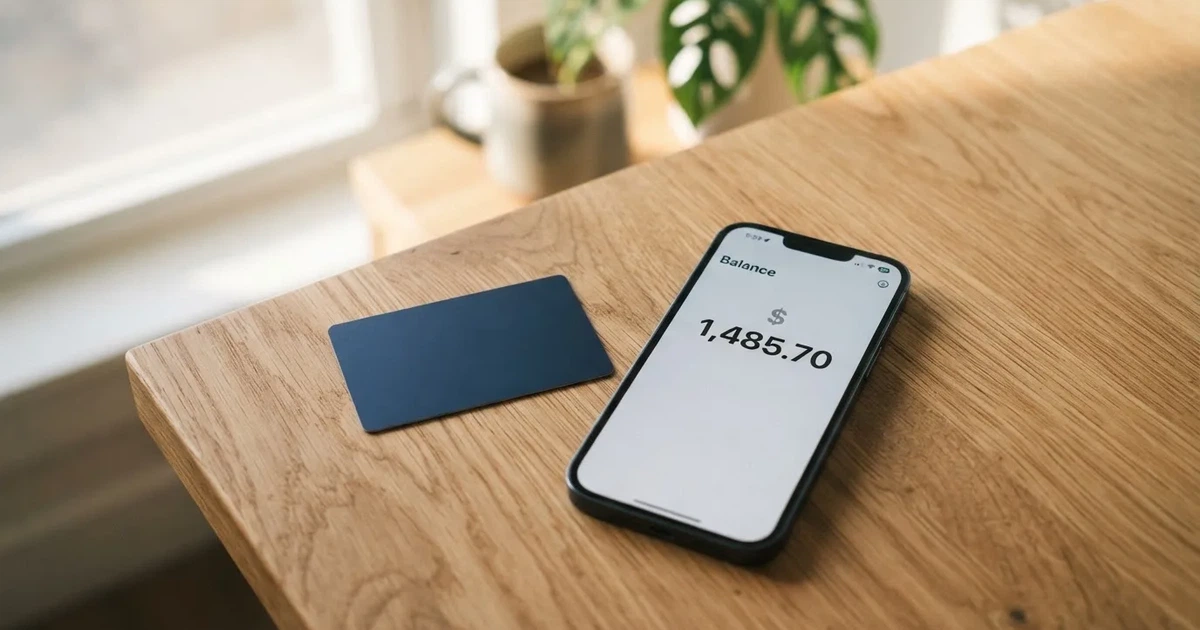
UniFi is a prepaid Visa debit card that you load with US dollars, then spend either as a balance or by sending money to local accounts and wallets in the Philippines, Mexico and the eurozone. It is run by Bridge Ventures, the card itself is issued by Lead Bank, and the company says plainly on its own materials that “UniFi is not a bank.” That is the honest summary of the product. The harder summary is what the public pages leave out: I could not confirm from official sources who is eligible, what the fees are, what the limits are, or whether you get plastic or a virtual card. Those are not small omissions when you are trying to decide whether a card will work for you.
My score for it is 4.7 out of 10. That is not a verdict on whether the product is badly built. It is a verdict on how much you can find out before you commit money to it.
Here is the thing I kept coming back to while reading: this is a card built for a narrow job — moving dollars to Latin America and Asia — and for that job it may well be useful. If you are outside that job, the same narrowness becomes the problem. The card holds US dollars. Your local spending account is not what it is for.
The conditions described here are current as of October 28, 2026. Anything the card’s own pages do not say, I mark as not stated rather than filling the gap with a guess.
Verdict: 4.7 out of 10, and the gap is disclosure rather than function
The score comes from six criteria, and I break each one down because a single number tells you nothing about where your specific problem will be.
| Criterion | Mark | Why |
|---|---|---|
| Who can get it | 5 / 10 | Not officially confirmed; the App Store shows routes to the Philippines, Mexico and the eurozone, and release notes add Colombia, Brazil via PIX and the UK |
| Cost | 5 / 10 | Tariffs are not disclosed: “Fees may apply. See UniFi website for more details” |
| Top-up options | 4 / 10 | Funding via ACH, wire, SEPA (IBAN) or SPEI (CLABE), and payouts to a USDC wallet; other coins and networks not named |
| Reliability and complaints | 4 / 10 | Prepaid Debit Visa issued by Lead Bank, managed by Bridge Ventures; Trustpilot 2.7 of 7 reviews, with complaints about silent support, “scam” accusations and a broken iPhone app |
| Everyday use | 5 / 10 | Apple Pay is there, Google Pay not disclosed; card form and ATM access not disclosed |
| Total | 4.7 / 10 |
Read that table row by row and you will notice something: not one criterion is a one. The card is not obviously broken in every respect. What it is, is under-described. That is a different problem from a bad product, and it produces a different reaction — you may still use this, but you have to go and ask questions rather than read them off a page.
Who it suits. People earning US dollars who need to send money to the Philippines, Mexico, Colombia, Brazil or the UK, or hold part of it in USDC. The App Store listing positions it exactly that way: send, spend and save. If your problem is getting a dollar balance out of a US account and into a family account in Manila or Mexico City, the product’s design makes sense.
Who it does not suit. Anyone in the eurozone who wants a euro card for ordinary spending, anyone who needs a card without a US connection, anyone who cannot do identity verification, and anyone for whom undisclosed fees are a dealbreaker. A card that will not tell you its conversion fee is a poor fit for someone whose whole reason for wanting a card is to avoid surprise costs.
What I would check before you commit. Three things, in this order: what the conversion fee actually is, whether you receive a physical card or only a virtual one, and what happens to a payment when the merchant’s own bank decides a foreign prepaid BIN is suspicious. The “Paying with it every day” section covers that last one, because it is the failure mode most people meet first.
Will they give you the card?
Short answer: I cannot tell you from official sources, and that is not a small gap.
This is the first thing you want to know about any card, and it is the first thing I went looking for. I did not find it. The official pages do not state eligibility criteria. What I did find was indirect evidence: the App Store listing shows send-money routes to the Philippines (PHP), Mexico (MXN) and the eurozone (EUR), and recent release notes mention Colombia, Brazil with PIX, and the UK with GBP.
Read that list carefully as a map rather than a permission slip. It tells you where the product is pointed, not who may open an account. A route existing in an app and an application being open to you are different claims, and only the second one answers your question.
There is a background reason to expect a US link anyway. The card is issued by Lead Bank, and the card programme is managed by Bridge Ventures, LLC. An issuing bank relationship usually means a US compliance framework around it, which usually means verification steps at some point. Note that as a likelihood, not a stated fact — the pages simply do not say it.
What the company does say is not a bank. And the practical consequence of that, for anyone wondering whether their money sits in an ordinary deposit account with deposit protection, is no. See the risks section for what that means.
How to get it
The card is a “Prepaid Debit Visa Card” issued by Lead Bank, and the app supports Apple Pay. The card currency is USD, spending from the USD balance as the starting data describes it. Beyond that, the application route is largely undocumented.
Identity verification: not stated. The card’s public pages do not say what documents you need or whether you can open an account without verification. What you get instead is one indirect data point from a Trustpilot reply dated March 2026, in which the company said unverified deposits are returned automatically via ACH. That tells you something useful about how a failed check is handled — the money comes back — but nothing about how the check works or who passes it.
Delivery: not stated. Whether you receive plastic in the post, and how long it takes, is not on the public pages. This matters more than it usually does, because a prepaid card is only as useful as the situations where you can actually present it.
Verification tiers: not stated. Some providers let you start small and raise limits later. Whether UniFi has tiers, and what unlocks a higher ceiling, is not published.
So the honest version of “how to get it” is: install the app, and treat the application itself as the only place where the rules exist. If you are someone for whom a US connection or identity documents are a problem, find out before you send money, not after.
Fees: what it really costs
The costs table below is the honest headline of this section: almost every cell is empty, and the card’s own answer to the fee question is a sentence pointing elsewhere.

| Fee or limit | What the card publishes |
|---|---|
| Issuance | not stated |
| Monthly fee | not stated |
| Conversion (crypto to dollars) | not stated |
| Foreign exchange | not stated |
| ATM | not stated |
| Daily limits | not stated |
| Monthly limits | not stated |
One line appears in the listing: “Fees may apply. See UniFi website for more details.” That is the entire published fee disclosure I could find. I am not going to invent numbers to fill the table, and you should be equally sceptical of any page that gives you confident figures without quoting a source.
What is *not* hidden is the shape of the account. UniFi holds US dollars, and local payouts run in PHP, MXN and EUR, with multi-currency improvements noted in the December 2025 release notes. Multi-currency improvements are not the same as a published exchange rate or a stated spread. The rate you get when euros or pesos leave the account is a thing you would want in writing before you rely on it.
Now the three everyday payments, and which fees plausibly apply to each. I am mapping these to the fee categories above, not asserting that a specific charge exists — that distinction matters when the tariff sheet is missing.
Paying for something in the United States. A prepaid Visa drawing on a USD balance is the simplest possible case: the payment leaves dollars, and no currency of yours is involved. Any charge here would be a merchant-side or network-side one, not a conversion.
Getting pesos or pesos’ worth to someone in Mexico. This is where a conversion cost usually lives, in the price of MXN and in any spread between the rate you receive and the mid-market rate. The card names MXN as a payout currency but does not state the rate or the fee. Ask before you rely on it.
Sending euros to the eurozone. Same shape: EUR is a named payout currency, and neither the rate nor the fee is published. There is a category you should know about generally — the FX fee, charged on the currency of the transaction rather than the currency of your account — but I cannot tell you whether this card has one, at what rate, or whether its spread is bundled into the conversion instead.
One cost that is not the provider’s, so you do not go looking for it in the tariff: on-chain network fees for a crypto deposit are charged by the blockchain, not by the card company. If you fund through USDC, the network takes its own cut.
The practical takeaway is short. Ask three questions in writing before your first meaningful payment: what is the conversion rate, what is the total fee, and who absorbs the FX spread. A provider that cannot answer those three has not told you enough for you to price your own money.
How to top it up
You have two doors, and the card tells you about both.
In with fiat. Receive funds via ACH, wire, SEPA (IBAN) or SPEI (CLABE). That is four named rails, which covers US bank transfers, the eurozone and Mexico. Fees and minimums are not stated.
In with crypto. You can get paid to a USDC wallet. Coins and networks beyond USDC are not named on the listing.
Out again. You can send money internationally to local accounts and wallets in PHP, MXN and EUR. Fees for sending are not stated.
The USDC side is worth unpacking, because it is the part where a mistake is expensive. Circle lists USDC as natively supported on 38 networks as of 16 September 2026, including Ethereum, Solana, Base, Polygon PoS, Avalanche, Arbitrum and Stellar. That is a fact about USDC, not about UniFi — which is exactly the trap. If UniFi only accepts one of those, sending on another is not a compatible deposit, and blockchain transfers are irreversible. A transfer sent on a network the provider does not support can be lost or need manual support recovery with no guarantee.
There is a related detail people trip over constantly: fees on Ethereum are paid only in ETH, so a wallet holding USDT with no ETH cannot send it at all. Tron prices its fees with bandwidth and energy rather than gas. And “USDC over TRC20” is not a native option — Circle stopped supporting USDC on Tron in February 2024.
So the rule I would follow is unglamorous: confirm the exact network your deposit must go on, from the provider, immediately before you send, and keep a little of the native gas token in the sending wallet. Reversibility in this space is theoretical.
Paying with it every day
Apple Pay: yes. The App Store listing confirms it. Apple Pay replaces the card number with a device-specific Device Account Number held in the Secure Element rather than on Apple servers, and each payment uses a one-time dynamic code — the standard protection, not a UniFi-specific weakness.
Google Pay: not stated. I did not find it confirmed, and I did not find it ruled out. If your phone is Android, that is your first question.
The card’s form: not stated. Physical, virtual, both, one at signup and one on request. Given that delivery timing is also unstated, this is a real practical risk for anyone who needs a card in hand.
ATM access: not stated. Withdrawing cash from a foreign-issued prepaid card is one of the most commonly restricted operations, and I found nothing either way from the provider.
Google Play: not checked. The app listing I read is iOS. The iOS app is “UniFi – Spend, Send, and Save”, rated 4.1 out of 5 from 9 ratings as read on 2026-10-21, latest version 1.31. Nine ratings is a very small sample, and I would not treat that 4.1 as a reliability signal.
Rewards. The listing claims “3% rewards on balances”. Card cashback is not stated. Read that claim carefully: it says balances, not spending.
Disputes: not stated. Whether you can file a chargeback, and how, is not on the public pages. Under US rules, prepaid-card coverage varies and should not be assumed — so do not assume a refund is available to you either.
Now the part that decides whether this card is usable for you day to day, and it is general to crypto cards rather than specific to UniFi. A merchant category code is a four-digit number classifying a business, assigned when it starts accepting cards. Merchants look up the issuer identification number on your card and can see which institution and country issued it, and may apply extra scrutiny if the issuer country differs from your billing address. That is the everyday reason a card issued in one country looks “foreign” in a shop in another — and this card is USD, issued by a US bank. Some merchants decline prepaid or foreign-issued cards outright.
Two more everyday realities. Address Verification compares the numeric parts of the billing address you type with issuer records; it is mainly a US, Canadian and UK thing and is generally unavailable for foreign-issued cards, which can cause declines. And 3-D Secure, the identity check added to online payments, can approve frictionlessly or challenge you with a one-time code — on a card whose app users report is unstable on iPhone, a step that depends on the app deserves a thought.
A declined authorisation may also leave a hold on funds for several days, typically up to 7.
What can go wrong
Here is what users reported, and then what the company says about itself. I am separating the two because they carry different weight.
User reports on Trustpilot, February to September 2026. Unanswered support emails and chats. Accusations of “scam” and of lost deposits, around February and March. Bugs, and a largely nonfunctional iPhone app, in February and September. Some users reported being unable to view their card details. The Trustpilot page reads 2.7 out of 5 from 7 reviews — two five-star and five one-star — as read on 2026-10-21.
Seven reviews is a tiny sample, and I want to be honest about that rather than treating it as a statistically meaningful verdict. But the shape of the complaints matters more than the count: the recurring theme is support that does not answer. In a product where a wrong-network deposit may need manual support recovery, unanswered support is not an inconvenience, it is a risk.
The company’s reply. It responded on 12 March 2026 to three of those reviews, and in a March 2026 Trustpilot reply said unverified deposits are returned automatically via ACH. That is the counterweight: it did answer, and it described a mechanism for returning money.
No official incidents found. I found no regulatory action, no card-programme suspension, and no reported outage. That is worth saying plainly, because the absence of a scandal is not the same as evidence of safety — it just means nothing has come to my attention.
Who is behind it. UniFi is Bridge Ventures Inc. dba UniFi in the starting data. The App Store lists the developer as UniFi Payments and the seller as Alio Financial, Inc. The card is issued by Lead Bank and managed by Bridge Ventures, LLC. Three names for one product is not unusual in this industry, but you are entitled to know which of them answers you when a payment fails.
Two-factor authentication and card freeze: not stated. These are the standard safeguards — app-based 2FA, instant freeze, spending limits, 3-D Secure confirmation, tokenised mobile wallets. I found no confirmation of any of them here. For a card holding your money while you are earning it, a freeze switch you control is the feature I would most want to see listed.
Support: not stated officially, and reviewers report email and chat going unanswered as recently as September 2026.
Growth. The release notes show direction of travel: version 1.28 on 11 August 2026 expanded to Colombia, Brazil (PIX) and UK (GBP), and version 1.21 on 18 December 2025 added QR Ph payments. Years on the earlier one are inferred from dated neighbours, so treat the December 2025 date as an inference.
A structural risk worth naming. Programmes close. WaveCrest, a Visa issuer that supplied crypto card brands, was suspended by Visa in Europe in 2018, closing all its Visa programmes. Visa itself terminated its global agreements with FTX on 13 November 2022 and the FTX US debit card was wound down by its issuer. Visa and Mastercard do not issue crypto cards themselves — they license issuers, and they can suspend a programme. The pattern when it happens: a notice period, then spending and loading stop, then users are asked to withdraw remaining balances. There was a 2026 closure reported by a secondary source where new loads ended 8 July 2026 and spending stopped 8 August 2026; single source, unconfirmed, and I include it only as a shape, not as a prediction.
On the crypto side, custody matters. Control of crypto belongs to whoever holds the private key. A seed phrase is typically 12 to 24 words and unencrypted, and anyone who obtains it can restore the wallet and spend the funds; transfers are typically irreversible, and a stolen key has no built-in recovery because the network cannot freeze or return anything. Custodial platforms have a real record: Mt. Gox, about US$350 million reported stolen 2011–2014; Coincheck, about US$400 million in 2018; Ronin Network, US$625 million in 2022. And stablecoins are not censorship-proof — Tether says it disables tokens in wallets on the OFAC sanctions list and has frozen funds tied to illicit activity. Nor are they reliably stable: TerraUSD collapsed in May 2022, and USDC temporarily lost its peg in March 2023 during the US banking crisis.
And the regulatory side, briefly. A card is a payment service regulated separately from crypto, so a crypto card often rests on two licences. In the EU, MiCA is the crypto framework: its rules on stablecoins applied from 30 June 2024 and the remaining provisions from 30 December 2024; under it, e-money tokens may be issued only by a credit institution or an electronic money institution. The transitional period lets providers already operating under national law continue only until 1 July 2026 or until they are authorised or refused, whichever comes first, and ESMA keeps an interim register you can check a provider against. EMIs must safeguard customer funds in dedicated accounts or by insurance, and those funds are not the same as bank deposits and may not sit under a deposit guarantee scheme. UniFi’s own position in that map is not something the public pages describe, and its statement that it is not a bank is the main thing you have to work with.
What to take instead
None of these is a recommendation — I am comparing what each one publishes, because that is the axis this review is on.
| Alternative | Score | Who it says it serves | What it publishes about cost |
|---|---|---|---|
| UniFi | 4.7 / 10 | Routes to the Philippines, Mexico, eurozone, Colombia, Brazil, UK | “Fees may apply” |
| Whop Cards | 5.2 / 10 | 31 US states for consumers, 41 for businesses; lists unsupported countries | “No extra fees”, no amounts |
| Stella | 6.5 / 10 | Countries not stated; terms bar users under sanctions programmes | not stated, “described under this User Agreement” |
| Renegade | 4.1 / 10 | No country list on the card page; euro vIBAN limited to the EEA | 9.90 / 19.90 / 29.90 EUR monthly by tier |
Whop Cards. The most transparent of the four on the question I kept hitting, at least in intent: it lists 31 consumer US states by name and 41 business states, and it names the unsupported consumer countries, including Russia, Belarus, Turkey, India, Vietnam and others. That specificity is worth something even before you trust it. On cost it says “No extra fees” but lists no amounts, and it publishes more than most on rewards: 5% cashback at select merchants, currently Uber, with more planned, payout currency and conditions not stated. It is a Visa that works where Visa is accepted, spends from a Whop balance, and is backed by stablecoin collateral from a linked wallet. Its score of 5.2 sits just above this card’s.
Stella. The highest-scoring of the group at 6.5, and the one whose page answers the questions this card leaves open about form: virtual and physical, Visa, working at “over 40 million VISA merchants globally”. Funding is direct — deposit crypto into the account and it automatically tops up the card, in an in-app custodial wallet. On rewards, the official card page states no cashback, and its Earn product is a separate yield thing rather than a card benefit. Its weakness mirrors UniFi’s: no countries stated, fees described only by reference to the user agreement, and users under economic sanctions programmes are barred.
Renegade. The lowest score here at 4.1, but it is the only one of the four with published prices. Monthly fees are Pioneer 9.90 EUR, Voyager 19.90 EUR and Vanguard 29.90 EUR, with lower amounts if paid in its own RNG coin. The crypto/fiat exchange is 1.6%, it says no other fees are collected, and new fees require at least 30 days’ notice. Rewards are 3% paid in RNG on all three tiers, with a monthly cap listed on the page. The card is virtual only, issued instantly in the app. The catch is jurisdictional: no supported or excluded country list on the card page, and the terms limit the euro vIBAN for euro deposits and withdrawals to customers in the European Economic Area. Transparent pricing inside a narrow geographic box — which, in the end, is the same trade UniFi makes, in the opposite direction.
Who I would recommend it to
If you earn in dollars and your recurring job is getting money to family or a supplier in the Philippines, Mexico, Colombia, Brazil or the UK, this card is designed for exactly that, and the routes it names are the reason to look at it. Apple Pay is there for the spending side, USDC is there if you want part of the balance in crypto, and the company did respond to reviews when it did.
I would not hand it to you if any of these are true. You need a euro or local card for everyday spending in the country you live in — this one holds dollars. You need to know what a payment costs, because it does not say. You cannot do identity verification, or cannot do it through a US-licensed issuer. You depend on support, and the recent reviews say support does not always answer. Or you are sending a meaningful amount of money and a wrong-network transfer would be the worst month of your financial life.
And one last thing, because it is the honest summary. This is a company that says it is not a bank, issues through Lead Bank, manages the programme through Bridge Ventures, sells under developer name UniFi Payments and legal seller Alio Financial, Inc., publishes a fee sentence instead of a fee schedule, and has a 2.7 on Trustpilot from seven reviews. None of that makes it unsafe. All of it means you should find the answers to my three questions before you move money you care about — and if you cannot get them, that answer is itself the answer.
Frequently asked questions
What is the UniFi card?
It is a prepaid Visa debit card that you load with a balance and spend, plus a service for sending that money to local accounts and wallets abroad. The card is issued by Lead Bank, the programme is managed by Bridge Ventures, LLC, and the company states that UniFi is not a bank. The card currency is USD, so it spends from a dollar balance.
Is UniFi a bank?
No — the company’s own materials say “UniFi is not a bank”. The card is issued by Lead Bank, a licensed issuer, which is a different thing: the bank holds the card programme while UniFi markets and operates the front end. So your balance is not a bank deposit, and you should not assume deposit-guarantee protection applies to it.
How do I top up the UniFi card?
Two ways. In with ordinary money via ACH, wire, SEPA with an IBAN, or SPEI with a CLABE for Mexico. Or with crypto, by getting paid to a USDC wallet. Fees and minimums are not stated for either route, and coins and networks beyond USDC are not named, so confirm the exact network before sending anything on-chain.
What does it cost to use the UniFi card?
The published answer is one sentence: “Fees may apply. See UniFi website for more details.” Issuance fee, monthly fee, conversion fee, FX fee, ATM cost, and daily and monthly limits are all not stated on the card’s public pages. I have not invented figures, and you should be wary of any site that gives you confident numbers without a source.
Is the UniFi card safe?
Nothing I found suggests it is unsafe, and equally nothing here is a promise that it is. There were no regulatory actions or programme suspensions in what I checked. But 2FA and card freeze are not stated, support is reported unanswered by users, and a custody-based balance carries counterparty risk — so treat it as a card for money you can afford to have access trouble with.
Can I use the UniFi card in my country?
I cannot confirm that from official pages, and eligibility is not stated. The App Store shows send-money routes to the Philippines, Mexico and the eurozone, with release notes adding Colombia, Brazil via PIX and the UK — that is a roadmap, not an eligibility list. Because the card is US-issued, a US connection is likely relevant; ask the provider before you apply.
Does the UniFi card require KYC?
Identity verification requirements are not stated. The one related detail is a Trustpilot reply from March 2026 in which the company said unverified deposits are returned automatically via ACH, which tells you how a failed check is handled but not how the check works. Prepaid cards are generally for adults 18 and over, and some issuers set higher limits.
How do I add the UniFi card to Apple Wallet?
Apple Pay is supported, according to the App Store listing, and that is the one everyday-use feature clearly confirmed. Google Pay is not stated either way. Note that Apple Pay uses a device-specific token in the Secure Element with a one-time code per payment, and the issuer can restrict a tokenised number to phone-only use, so it does not always behave identically to the plastic card.
Is UniFi worth it?
For its designed job — moving US dollars into the Philippines, Mexico, Colombia, Brazil or the UK — the routes it names make it plausible. Outside that job, I would not: the costs are undisclosed, the app is reported unstable by some iPhone users, and support is reported unanswered. Its 4.7 out of 10 reflects disclosure gaps as much as anything about how well the card performs.
How do I withdraw money from UniFi?
You send it out internationally to local accounts and wallets in PHP, MXN and EUR, and it also pays out to a USDC wallet. Sending fees are not stated, and neither is the exchange rate. If you withdraw over a network the provider does not support, blockchain transfers are irreversible and recovery is a manual support process with no guarantee.
App and neobank card options – cryptocardoptions.com
Content created by the «cryptocardoptions.com» team