
An under-the-hood Kredete card review for anyone weighing a USD Visa they can actually get
 Available in US
If you’ve tried to open a normal bank account and hit a wall — wrong country, wrong paperwork, no history, no address — the Kredete card comes up because it markets itself as a USD Visa that’s reachable from places ordinary banks don’t bother with. The promise is appealing. The reality, after reading through the official card page, the App Store listing and what third-party outlets have written, is more uneven. This review walks through who can actually get the card, what it costs, how it works day to day and where I’d want to know more before I committed real money to it. I’ve never used the card; everything here comes from the public information the company and press have put out.
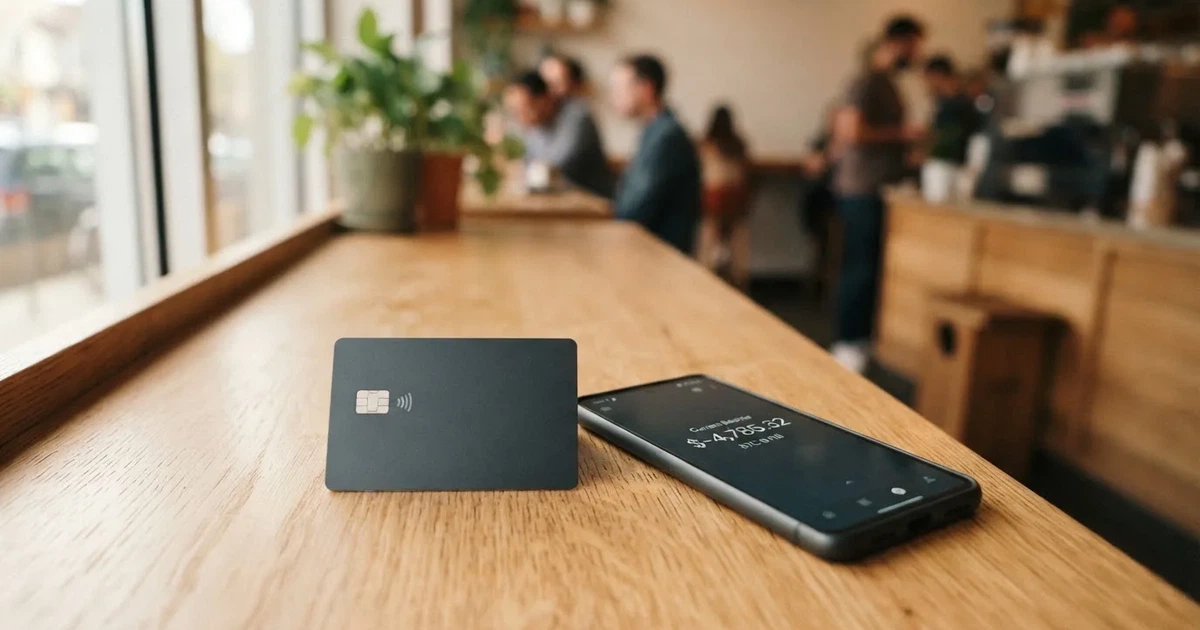
The conditions described in this review are current as of October 28, 2026.
Verdict
Kredete earns 6.7 out of 10 in my reading. That number isn’t a marketing line; it reflects genuine strengths in the everyday-use category (virtual card in seconds, Apple Pay and Google Pay, freeze from the app) pulled down by gaps in the basics — no published issuance fee, no monthly fee, no ATM allowance, no stated KYC requirement, no named issuer. The audience the company is clearly chasing is users in Africa who want a USD Visa with cashback, and on that score it does something useful: it gives a path to a Visa-branded card in markets where most of the alternatives are either cash, mobile money tied to a local currency, or crypto exchanges that don’t issue cards at all.
Who it suits
You might be a good fit for this card if you are an adult in one of the African or Middle Eastern markets Kredete says it serves, you already use USDC or another stablecoin and you want a card you can load and spend in USD without your local currency bleeding away in conversion margins. If you live in a country where ordinary bank cards are easy to get, you have plenty of options and the missing fee schedule here would push me elsewhere.
Who it doesn’t suit
It is not a great fit if you need a card you can rely on as your only payment tool. The card is paid from a Kredete account balance; the company’s public pages don’t go deep on what happens to that balance if the company stumbles. There is no published chargeback or dispute process. If you need cash access, the ATM fee and allowance are not stated, and if you need the kind of consumer protection US debit cardholders get under Regulation E, you will be looking for it here in vain. Treat this as a top-up-and-spend card, not a primary account.
Score table
| Criterion | Mark | Why I scored it this way |
|---|---|---|
| Who can get it | 6 / 10 | Official line is “global accounts in 60+ countries”, card spendable in 170+ countries; the press is clearer about the African footprint and the planned Gulf expansion. |
| Cost | 7 / 10 | 0% FX markup is the headline; the rest of the fee schedule (issuance, monthly, ATM) is not stated on the official page. |
| Top-up options | 5 / 10 | The card is paid from a Kredete balance, not from a crypto wallet directly; the card page doesn’t mention crypto, and the press says settlement is in USDC. |
| Reliability and complaints | 6 / 10 | Kredete, Inc. is named, the issuer is not; independent press is sparse, no public complaints, App Store rating 3.97 from 98 reviews. |
| Everyday use | 10 / 10 | Virtual card in about 10 seconds, physical card, Apple Pay, Google Pay, ATM access, freeze from the app. |
| Total | 6.7 / 10 |
Who they will give the card to
The official card page does not list eligible countries. The App Store listing, read on 2026-10-22, says Kredete provides “global accounts in 60+ countries”, and the same listing confirms the card itself can be spent in 170+ countries. So on the official side, the floor is: if you’re somewhere the app operates and your country isn’t on a sanctions list, you may be able to get an account. The detail of which countries those are, and which require what documents, is not stated on the public card page.
The unofficial reporting is more specific. AppsAfrica, in April 2026, says Kredete launched in selected African markets, currently serves users in 50 African countries and has plans to go live in the UAE, Saudi Arabia and Oman. An earlier piece in Disrupt Africa, dated 4 June 2025, put the number at “more than 40 African countries” — a figure that has clearly grown. So the realistic reading is: if you are an adult resident in much of Africa, you are inside the core target. If you are in the Gulf, you may need to wait.
For the reader asking “is this card available where I live”: the honest answer is that the official materials don’t give you a country-by-country list. The Kredete app itself is the source of truth on day one — install it, complete the sign-up flow and find out. The press says the app’s send-money footprint is broad; the card’s footprint is broader (170+ countries for spending) but narrower for account opening.
I should flag a few things the official page does not state. The KYC (know-your-customer) requirement — what documents you need to provide to open an account — is not stated. The KYC tiers — whether different verification levels unlock different limits — is not stated. The basis on which eligibility is decided (citizenship, residence, both) is also not stated. In a regulated payments product, these are the questions you want answered before you upload your passport. I would treat the absence of that information as a reason to contact support before you commit, not a reason to assume it doesn’t exist.
How to get it
The Kredete card is a USD Visa, available in virtual form (issued in about 10 seconds inside the app) and as a physical card. The virtual card is the workhorse: you get a card number, expiry and CVV you can paste into a checkout, subscribe to a service or add to a mobile wallet. The physical card is what you tap at a café or insert at an ATM. Kredete says the physical card is delivered to 70+ countries; the delivery time and shipping cost are not stated.
The application process itself is the standard mobile onboarding: install the Kredete app (“Kredete Send Spend Save Credit” on iOS, free, version 4.4.0 released 7 October 2026, requires iOS 16.2 or later), create an account, complete the verification the app asks for, then request a virtual or physical card. The card page does not describe the verification steps, so what you’ll actually be asked for is something I’d want to confirm with the app’s sign-up flow or with support.
Activation isn’t called out separately on the public page, but for a card issued inside an app the activation is usually just the moment the virtual card is generated, or the moment the physical card lands and you confirm receipt. There’s no separate PIN mailing step described, and the app-based freeze (a button in the top bar of the app, per the App Store release notes) implies you can also lock the card without phoning anyone.
Two practical things I’d check before signing up:
- Whether your country is on the supported list for account opening (the app is the only place that will tell you for sure).
- What documents you’ll need — without a published KYC requirement, you don’t know whether you’ll need a national ID, a proof of address, a selfie or all three.
Fees: what it really costs
The good news on cost is the FX markup: 0%. If you spend in a currency other than USD, Kredete does not add a foreign-exchange margin on top of the network rate. For a cardholder in a country with a weak local currency, that is genuinely meaningful — it is the difference between paying 3% and 4% extra on every foreign-currency purchase and paying only the network’s own conversion.

The less-good news is that almost everything else is not stated. The official card page does not list an issuance fee for the physical card, a monthly maintenance fee, an ATM withdrawal fee or a daily or monthly spending limit. The App Store release notes for version 4.4.0 (7 October 2026) say that rates and fees are now grouped by currency — USD, EUR, GBP and NGN — and that each transfer method shows its fee, which is a step towards transparency. It is not the same as a published schedule.
Three plans are mentioned in the same release notes: Basic, Flex and Premium, and the app is supposed to let you “compare Basic, Flex, and Premium side by side”. What each plan costs and what it gives you in return (a higher cashback rate, lower fees, a free ATM allowance) is not stated publicly. If you are the kind of person who needs to know your monthly cost before you sign up, you will need to open the app to find out.
Costs table
| Fee or limit | What the public materials say |
|---|---|
| Issuance fee (virtual card) | Not stated |
| Issuance fee (physical card) | Not stated |
| Monthly maintenance | Not stated |
| FX markup | 0% |
| Crypto conversion fee | Not stated |
| ATM withdrawal fee | Not stated |
| ATM allowance | Not stated |
| Daily spending limit | Not stated |
| Monthly spending limit | Not stated |
| Top-up fees | App groups by currency (USD, EUR, GBP, NGN) and shows per transfer method; specific numbers not stated |
| Plans | Basic, Flex, Premium — pricing and inclusions not stated |
Three everyday payments
To make this less abstract, three payments I would run through my head before signing up:
- A US$50 online subscription paid with the virtual card. The FX line doesn’t apply because both the card and the merchant are in USD; the only cost is whatever plan-tier fee Kredete charges on the load, and whatever the merchant’s own conversion is if the merchant converts to a local currency. With 0% FX markup on Kredete’s side, this should be the cheapest kind of transaction on the card.
- A €40 dinner in a eurozone country. The card is in USD, the merchant settles in EUR; Visa or Mastercard sets the rate and Kredete adds nothing on top. Network fee for a cross-currency transaction may apply on the issuer side, but is not separately disclosed here. As a rule of thumb, cross-currency Visa/Mastercard transactions carry a network fee that the issuer may or may not pass on; without a published fee table I cannot tell you what this one will cost you.
- A US$100 cash withdrawal from an ATM abroad. The ATM operator will almost certainly charge its own fee (typically displayed on the screen before you confirm); on top of that, Kredete may charge a withdrawal fee and may apply a monthly allowance. Neither is stated. This is the scenario where the missing fee schedule hurts the most, because an ATM withdrawal is the one card transaction where the surprise charge is the largest.
The pattern across these three is: if you stay in USD and stay online, the card looks competitive. The moment you go off-USD or off-network, the lack of a published fee schedule is the difference between an informed decision and a guess.
Top up: how to fund the card
The card is paid from your Kredete account balance. That is the only funding model described on the official card page. The card page does not mention crypto at all. So if you’re coming in expecting to load from a wallet, you need to read that carefully: the card doesn’t read your wallet at the till, it reads your Kredete balance, and you have to put money into that balance first.
The unofficial side fills in the crypto picture. Launch Africa, in July 2025, says the card “links to a user’s digital wallet”, settlement is in USDC, and FX conversion happens at the moment of purchase. That implies the underlying flow is: you send USDC into the Kredete account, Kredete credits your balance, and the card spends from that balance. The card page itself doesn’t show this flow; the app would. Because the public card page doesn’t list top-up methods, networks or minimum amounts, this is another area where the app is the only place you’ll see the real options.
A few things I’d want to know before funding:
- Which stablecoin and which network. USDC runs on dozens of networks (Ethereum, Solana, Base, Polygon PoS, Avalanche, Arbitrum, Stellar, among others). If Kredete expects USDC on Stellar (the chain the company has been publicly associated with), sending USDC on Ethereum by accident is a deposit that may not arrive, or arrive only after manual recovery. Blockchain transfers are typically irreversible, so getting the network right on the first try matters more than on a normal bank transfer.
- Whether there is a minimum top-up. Not stated.
- Whether there is a maximum top-up. Not stated.
- The fee for top-up. The release notes say fees are grouped by currency and transfer method, but specific numbers aren’t published on the card page.
If you don’t already hold stablecoins and were planning to buy some just to load this card, the realistic cost of topping up is: the on-chain network fee to move your stablecoin into the Kredete account, plus whatever fee the method you use to acquire the stablecoin charges you, plus whatever Kredete itself charges on the deposit. None of these are publicly listed; all of them can be found in the app or by asking support.
Paying with it every day
This is where the card scores well. You get a virtual card in about 10 seconds — fast enough that the use case is “I’m about to check out, give me a card number right now”. You can add the card to Apple Pay and Google Pay; both are supported. The physical card works at ATMs. You can freeze the card from a button in the top bar of the app, virtual and physical alike, which is the single most useful safety feature on any card and is genuinely here.
The card’s website also lists up to 6% cashback. The payout currency and the conditions (which merchants, which spending categories, whether there’s a cap) are not stated. The same page lists up to 5% APY on a balance held in the Kredete account, which is a separate feature from the card itself but lives in the same app.
Two things the public materials don’t tell you, and that I’d want to know:
- Blocked merchant categories. Many card issuers block gambling (MCC 7995) and other categories by policy; the official Kredete card page does not list any. That isn’t necessarily a problem, but it is information I would want before assuming any merchant will work.
- 3-D Secure behaviour. Online card payments often trigger a 3-D Secure step (Visa Secure on Visa cards); the card page doesn’t describe how Kredete handles this — whether you confirm in-app, by SMS or by biometric. The App Store release notes mention Face ID and passcode for crypto sends and swaps, which suggests in-app confirmation is the pattern, but I would not assume that for card payments without seeing it.
The app itself is rated 3.97 out of 5 on the US App Store from 98 ratings (read 2026-10-22). That is a small sample, and the rating covers the whole “send, spend, save, credit” app, not just the card. The Google Play listing was not read for this review, so I can’t speak to it.
The disputes process — what to do if a charge is wrong, how to file a chargeback, what evidence to provide — is not stated on the public page. This matters because a card without a clear dispute process is one where a billing error costs you the value of the disputed transaction while you sort it out.
What can go wrong
A review that only talks about the happy path isn’t useful. Here are the risks I’d weight before loading this card with serious money.
The company is named; the issuer is not. Kredete, Inc. is the App Store seller, and the card is described as a USD Visa. The card-issuing bank — the regulated institution that actually holds the card programme and is responsible for safeguarding your balance — is not named on the official card page. That isn’t unusual for a programme-manager arrangement (the crypto brand markets the card, the bank issues it), but it does mean your contractual counterparty for the balance and the dispute process is a bank whose name you have to dig to find. I’d want to know the issuer’s name and home regulator before loading more than I could afford to lose.
The company’s history is short and lightly documented. The unofficial record (Launch Africa, July 2025) describes Kredete as a Nigerian fintech startup founded in 2023 by Adeola Adedewe, built with Visa, Stellar and Rain, having raised a US$2.25 million seed in September 2024. The press coverage is real but thin; independent user reviews and complaints were not found in searches on 2026-10-21 and 2026-10-22, and Kredete does not appear to have a Trustpilot page. A short track record is not a verdict against the company, but it is a reason to keep balances small until you’ve used the card enough to trust the operation.
Crypto cards have a history of programme closures. In 2018, Visa suspended WaveCrest as an issuer in Europe, which closed a number of crypto card programmes overnight. In November 2022, Visa terminated its global agreements with FTX and the FTX US debit card programme was wound down by its issuer. The point isn’t that Kredete is FTX; the point is that even a perfectly-run crypto card depends on a card-network relationship and a licensed issuer, and either can change. When a programme closes, the usual pattern is a notice period, then loading stops, then spending stops, then you withdraw your remaining balance. A 2026 closure reported by a secondary source put new loads ending on 8 July 2026 and spending on 8 August 2026 — a useful, if single-source, illustration of how short the timeline can be.
Custody of any USDC balance is custodial. If you load the card with USDC, you are trusting Kredete to hold that USDC until you spend it. Crypto custodians have a poor historical record: Mt. Gox (around US$350 million reported stolen between 2011 and 2014), Coincheck (around US$400 million in 2018), Ronin Network (US$625 million in 2022). The Kredete App Store listing mentions “privacy tools” alongside Face ID and passcode, but custody and safeguarding arrangements are not stated. Treat any balance you keep in the Kredete account as money held by a third party, not money in your own wallet.
The fee schedule is incomplete. I’ve covered this already in the costs section, but it bears repeating in the risks section. A 0% FX markup is genuinely good, but without a published issuance fee, monthly fee and ATM fee you don’t know what your all-in monthly cost will be. The Basic, Flex and Premium plan comparison the app offers is the place to find out — but a fee schedule that is only visible after you’ve installed the app is one that costs some users more than they expected.
Stablecoins are not risk-free. USDC is presented as 1:1 redeemable for USD and 100% backed by cash and cash equivalents, mostly in an SEC-registered government money-market fund, with monthly reserve attestations by a Big Four firm. That’s the issuer’s own description. USDC briefly lost its peg in March 2023 during the US banking crisis, and Tether says it disables tokens in wallets on the OFAC sanctions list and has frozen funds tied to illicit activity. So the stablecoin that sits in your Kredete balance is not the same as cash in a bank account, and the regulatory framework around it is still evolving.
A declined authorisation can hold funds for up to a week. This isn’t a Kredete-specific risk; it’s a Visa/Mastercard plumbing fact. If a transaction is declined (because the merchant declined, because the address-verification check failed, because the 3-D Secure step didn’t complete) the authorisation can leave a hold on your balance for several days, typically up to seven. If you’re relying on a small balance, a series of holds can feel like missing money.
What to take instead
Kredete is not the only card chasing the underbanked, dollar-spending reader. The alternatives below are also crypto-linked or stablecoin-funded cards with their own trade-offs. I’ve picked three that come up in the same conversation, with the trade-offs spelled out in the same shape.
Whop Cards — 5.2 / 10
Whop Cards is available to consumers in 31 US states (Alabama, Alaska, Arkansas, California, Colorado, Connecticut, Florida, Hawaii, Illinois, Indiana, Iowa, Kansas, Kentucky, Maine, Massachusetts, Michigan, Minnesota, Montana, Nebraska, New Hampshire, New Jersey, New York, North Carolina, Oklahoma, Pennsylvania, South Carolina, Texas, Utah, Virginia, West Virginia, Wyoming) and to businesses in 41 states. It is unavailable for consumers in Belarus, Mainland China, Cuba, Hong Kong, India, Iran, Iraq, Israel, Myanmar, Nepal, Nicaragua, North Korea, Russia, Syria, Turkey, Ukraine, Venezuela and Vietnam; the corporate blocklist is a subset. The basis — whether eligibility is by citizenship, residence or both — is not stated. Whop’s own page says “No extra fees”, and the card is a Visa with a stablecoin-collateral-backed balance and 5% cashback at selected merchants (currently Uber, with more planned). The catch is the geographic ceiling: outside the United States, this card is not an option for most readers.
Stella — 6.5 / 10
Stella is a Visa with virtual and physical cards, accepted at “over 40 million VISA merchants globally”. The official site does not list eligible countries, and the terms bar users under economic sanctions programmes while routing US and European users through affiliates. The card is funded by depositing crypto into the account, which automatically tops up the card. The official card page does not state a cashback rate; the yield product is a separate offering. Stella’s appeal is the broad merchant footprint and the in-app, custodial wallet flow; the limit is that fee information is buried in the user agreement and the app rather than on the marketing page.
UniFi Card — 4.7 / 10
UniFi is a prepaid Visa debit card issued by Lead Bank, denominated in USD and spendable from a USD balance. The official pages do not confirm country eligibility; the app’s send-money routes include the Philippines, Mexico, the eurozone and (per recent release notes) Colombia, Brazil and the UK, which is some indication of where the user base lives. The card can be funded by ACH, wire, SEPA, SPEI or by receiving USDC into a wallet. UniFi’s listing claims 3% rewards on balances; the card’s own cashback is not stated. The reason it scores below the others here is the thin information: fees are described as “may apply, see UniFi website”, with no published schedule.
How to read the comparison
All four cards in this review — Kredete, Whop, Stella, UniFi — share the same basic shape. A user loads a balance (fiat or stablecoin), the card spends from that balance, and the user takes on some combination of FX, top-up and ATM fees. They differ on three axes: where you can actually get the card (which is mostly a function of geography and KYC), what your balance is denominated in (USD on a card network, or a stablecoin that converts at purchase), and what consumer protections the issuer provides when something goes wrong. The Kredete card’s specific profile is: a USD Visa, broad in where it can be spent, more clearly aimed at the African and Middle Eastern reader than the alternatives, and the least well documented of the four on fees and dispute process.
Who I would recommend it to
Putting all of this together, here is who I think the Kredete card actually fits, and who I would steer elsewhere.
A reasonable fit if you are:
- An adult resident in one of the African countries Kredete says it serves (the unofficial press puts this at 50 countries), or in a market where you can open a Kredete account, with a stable internet connection and a smartphone.
- Comfortable holding and moving USDC. The card page itself does not mention crypto, and the public material does not list which networks and tokens are supported, so the burden of “is my USDC on the right network” falls on you. If you already have a stablecoin wallet you trust, you have the technical fluency to handle that.
- Using the card as one of several payment tools, not the only one. The Kredete card is good for online USD spending, mobile-wallet payments and occasional ATM use; it should not be the place you keep your life savings.
- Willing to read the in-app fee schedule before relying on the card. With the Basic, Flex and Premium plan comparison available in the app, you can find out what each tier costs — but you have to do that work yourself.
A poor fit if you are:
- In a country where ordinary bank cards are easy to get. You have better-funded, better-regulated, more transparent options and the missing fee schedule here is a reason to keep looking.
- Dependent on a robust dispute process or chargeback right. The public page does not describe one.
- Looking for a card whose issuer you can identify and regulate. The card-issuing bank is not named on the official page.
- Holding balances you cannot afford to lose. Custodial cards are exposed to the issuer’s own risk; this card is no exception, and the company’s short history adds to that.
A note on safety: no card is risk-free, and a card that spends from a custodial balance of a regulated stablecoin adds the issuer’s solvency and the stablecoin’s peg to the list of things that have to hold for your money to be there when you reach for it. The mitigations Kredete does offer — freeze from the app, in-app confirmation of crypto sends and swaps, the option to load only what you intend to spend soon — are sensible. None of them replace a fee schedule, a named issuer, a clear dispute process and a longer track record. If those four things matter to you, treat this card as a candidate to revisit in a year’s time, not as a finished product to commit to.
Frequently asked questions
What is the Kredete card?
The Kredete card is a USD-denominated Visa card issued inside the Kredete app. It comes as a virtual card (issued in about 10 seconds) and as a physical card, and the account supports Apple Pay and Google Pay. The card spends from your Kredete account balance; the official card page does not mention crypto, but unofficial press describes settlement in USDC.
How does the Kredete card work?
You fund your Kredete account balance, then spend with the card. The card is a Visa, so it works at any merchant that accepts Visa. The official materials describe the funding flow at a high level; the specific top-up methods, networks and tokens are visible in the app rather than on the public card page. FX conversion happens at the point of purchase with a 0% FX markup.
Is Kredete a bank?
Kredete, Inc. is a fintech, not a bank. The company is the App Store seller and the brand behind the card. The licensed institution that actually issues the card is not named on the official card page; the card-issuing bank is the regulated entity that holds the card programme and is responsible for safeguarding the balance.
Who owns Kredete?
The company is Kredete, Inc. Unofficial press (Launch Africa, July 2025) describes it as a Nigerian fintech startup founded in 2023 by Adeola Adedewe, built with Visa, Stellar and Rain, and having raised a US$2.25 million seed round in September 2024. The official page does not give a fuller ownership history.
Is the Kredete card available in my country?
The official card page does not list eligible countries. The App Store listing says Kredete offers “global accounts in 60+ countries” and the card can be spent in 170+. Unofficial press says the company is live in selected African markets, currently serving users in 50 African countries, with planned expansion into the UAE, Saudi Arabia and Oman. The Kredete app itself is the source of truth on day one for account opening.
Does the Kredete card require KYC?
The card page does not state a KYC requirement. For any regulated payments product, expect the app to ask for identity verification before you can load or spend meaningful amounts; the specific documents and verification levels are not published on the public card page. Install the app to see the sign-up flow.
How do I top up the Kredete card?
The card is paid from your Kredete account balance. The card page does not describe top-up methods, networks, minimums or maximums; the App Store release notes for version 4.4.0 (7 October 2026) say fees are now grouped by currency (USD, EUR, GBP, NGN) and each transfer method shows its fee. Unofficial reporting describes the underlying flow as USDC deposited into the Kredete account, with FX conversion at purchase.
How do I add the Kredete card to Apple Wallet?
The card supports Apple Pay and Google Pay. The card page does not walk through the steps; the typical flow is to open the Kredete app, choose the card, and tap “Add to Apple Wallet” or the equivalent for Google Pay. The tokenised card number is then stored on the device and used in place of the physical card number at contactless terminals.
Is the Kredete card free?
The card page does not publish an issuance fee, a monthly fee or an ATM fee. The 0% FX markup is published, and the App Store release notes describe Basic, Flex and Premium plans you can compare in the app. The honest answer to “is it free” is: open the app and read the plan comparison before you decide, because the public page does not contain enough information to answer the question on its own.
Is the Kredete card safe?
The card offers in-app freeze (virtual and physical), in-app confirmation with Face ID or passcode for crypto sends and swaps, and the option to tokenise the card into Apple Pay or Google Pay. The card-issuing bank is not named on the official page, custody and safeguarding arrangements are not described, and the disputes process is not stated. Treat the card as you would any custodial payments product: load only what you intend to spend soon, keep the rest elsewhere, and use the freeze button the moment anything looks wrong.
App and neobank card options – cryptocardoptions.com
Content created by the «cryptocardoptions.com» team