
Is the Wayex card worth it in 2026? An honest, no-hype look for crypto holders
 Available in US
If you hold stablecoins and want to spend them like ordinary money, the Wayex card is one of the more interesting options on the table right now. It hands you a digital Visa for free, charges 0% when you spend in US dollars, and lets you top up with USDC, USDT, DAI or PYUSD straight from a wallet. That is a genuinely good deal on the surface. The catch is what the company does *not* say: the regions it actually works in, the price of a physical card, the currency-conversion fee, and your daily limits are all left blank on the public pages. So the card suits one reader very well — a stablecoin holder who just wants a clean digital Visa — and suits another reader less well: anyone who needs to know exactly what a euro transaction will cost before they tap to pay.
The conditions described here are current as of October 28, 2026.
Verdict: 7.5 out of 10
Let me give you the honest total first, then break down how it arrived. A 7.5 means “good, with real gaps” — not excellent, not a warning. If you read nothing else, this is the line: Wayex gets the basics unusually right (a free digital Visa, no monthly fee, dollar spending at 0%) and gets the transparency unusually wrong.
| Criterion | Score | Why, in short |
|---|---|---|
| Who can get it | 5 / 10 | “Live in 18+ regions today,” expanding to 100+; regions are not named, and sanctioned countries are excluded |
| Cost | 9 / 10 | Free digital card, free account, no monthly fee, “0% on USD spending”; physical and non-USD FX prices undisclosed |
| Top-up options | 9 / 10 | DAI, USDT, USDC, PYUSD across “10+ blockchains” (networks not named); also fiat USD, EUR and others |
| Reliability and complaints | 7 / 10 | Issued by Lead Bank under Visa U.S.A. Inc.; Bridge Ventures LLC runs the programme; Trustpilot 3.9/5 from 61 reviews, with blocks and slow payments |
| Everyday use | 8 / 10 | Free digital Visa, physical “where supported,” Apple Pay and Google Pay; ATM for the global card undisclosed |
The final total of 7.5 out of 10 is the number to hold on to. Here is who it suits and who it does not.
It suits you if you already sit on stablecoins, you mostly spend in US dollars or Apple Pay and Google Pay, and you are comfortable that your money sits with a provider rather than in your own wallet. It does not suit you if you live somewhere the 18 unnamed regions might not cover, if you need a physical card with predictable delivery, or if you spend heavily in non-dollar currencies and need the FX rate printed on the tin.
One audience fits perfectly: stablecoin holders who want a free digital Visa and little else. Wayex does that job well. Everyone else should read the gaps below before depositing.
Who will they actually give the card to?
The honest answer is: it depends on where you are, and the card will not tell you which places count. Wayex says the product is “live in 18+ regions today” and expanding to 100+. Those regions are not named on the pages I read. That single blank is the biggest reason the “who can get it” score sits at 5 out of 10 — the eligibility rule exists, it is just not published in a form you can check before you sign up.
Here is what is stated, clearly:
- Users cannot be located in, or be citizens or residents of, countries sanctioned by the UN, FATF, the EU or the US (OFAC), nor in jurisdictions that bar crypto services.
- The app is downloadable in 160+ countries.
- The card itself is “live in 18+ regions.”
So there are three different numbers in play — 160+ countries where you can download the app, 18+ regions where the card actually works, and 100+ regions as the stated expansion target. Only the first is generous, and downloading an app is not the same as getting a working card.
A note that is not from the card’s own site. A third-party review site (CoinCodeCap, February 2026) reported that the core product is Australia only, with the card shown for 160+ countries as an early rollout. That is unofficial and the card has not confirmed it, but it lines up with the silence about which regions are live, and it matters if you are outside Australia: your real-world experience may look more like the Australian help centre than like the global marketing page. Treat this as a strong hint, not as fact.
The rule the card *does* state — the sanctions bar — is worth taking seriously even though it sounds routine. Sanctions screening and issuer risk policy are often applied to citizenship and country of birth as well as to your address, which is why the terms phrase it as “located in, or citizen or resident of.” If you hold a passport from a sanctioned country but live legally elsewhere, the wording “cannot be… a citizen” is the part that would matter. I am not giving you a way around any of this; I am telling you the check is written more broadly than a postcode lookup, so if your citizenship could touch a sanctions list, raise it with support before you send anything.
How to get it
The signup pitch is speed: the card claims you can “complete KYC in as little as 2 minutes.” Applicants must be 18+. Here is the whole official picture, and it is a short one.
- Identity check: “complete KYC in as little as 2 minutes.” Which documents count is not specified on the pages I read.
- Age: 18+.
- Account levels: none described on the pages I read.
- Why applications get rejected: not stated.
What is the card, technically? It is a Visa Debit — a prepaid debit card. The digital version is free; a physical card is available “where supported.” Your balance is held in USDB, a dollar token that sits 1:1 against the US dollar. That detail matters for the fees section, so I will come back to it.
On the physical card and delivery. The main site says only “where supported” and gives no shipping details. The Australian help centre is more concrete: a physical card plus delivery costs AUD 14.99, and replacing a lost, stolen or expired card is free. That AUD figure is for the Australian product; the global card’s delivery countries and times are not stated anywhere I could find. If a plastic card in your wallet matters to you, this is a question to ask in support *before* you need it.
On verification friction. Some users report accounts being blocked during verification without a clear explanation (more on that under risks). The card’s own pages do not describe verification tiers or rejection reasons, so the only official guidance is the two-minute claim and the 18+ rule.
Fees: what it really costs
This is the section where Wayex is strongest, and also where the missing numbers hurt most. The headline is genuinely good. The fine print leaves two holes a spender will care about.

What the card states:
- The digital card is free. “Free digital card.”
- The account is free to open, with no monthly fees. “Free to open. No monthly fees.”
- Spending in US dollars is 0%. “0% on USD spending.”
- A standing caveat: the site footer simply says “Fees may apply.”
And what it does *not* state:
- The physical card price — not stated.
- The FX fee on non-USD spending — not stated for the global card.
- The crypto conversion fee — not stated.
- ATM fees and availability for the global card — not stated.
- Daily and monthly limits on the global card — not stated.
Here is the costs table, with “not stated” filled in honestly rather than guessed at:
| Fee or limit | Wayex global card (official) |
|---|---|
| Issuance (digital) | Free |
| Issuance (physical) | Not stated (“where supported”) |
| Monthly fee | None — “No monthly fees” |
| Conversion (crypto to balance) | Not stated |
| FX fee, non-USD spending | Not stated |
| Spending in USD | 0% |
| ATM | Not stated |
| Daily limit | Not stated |
| Monthly limit | Not stated |
| Standard footer note | “Fees may apply.” |
Now let me walk three everyday payments through this, because “0% on USD spending” is a phrase that hides more than it sounds.
Coffee in the United States, $6. You are spending USD from a USDB balance. On the stated terms this is 0%, and no fee line appears for USD spending. This is the cleanest case and the one Wayex advertises.
A subscription billed in euros, €10. You are now spending a non-USD currency. The official FX fee is not stated for the global card. Separately, on-ramp and off-ramp pages list euro among supported fiat currencies, but that is about funding, not about the rate your card converts at. Here I cannot tell you what this costs, because the card does not say. That is not me being cautious — it is simply not information the card provider makes public.
Buying something with a stablecoin you already hold. Your USDB balance is meant to sit 1:1 with the dollar. The crypto conversion fee is not stated on the official pages. The Australian help centre is the only place with a published conversion figure, and it is a *trading* fee tier — conversion from 0.40% down to 0.00% by 30-day volume — which belongs to the Australian product’s trading feature, not necessarily to how your card balance is loaded. I would not carry that 0.40% over to the global card as if it applied. Ask.
One more currency note, carefully scoped. The card names USDB (1:1 USD) and fiat currencies USD, EUR, GBP, MXN, BRL, with “0% on USD spending.” The Australian help centre says “No foreign exchange fees on Wayex” — but that page describes the AUD-denominated Australian product. Whether that no-FX promise travels to the global Visa card is not stated. Do not plan a euro-heavy month on the strength of an Australian help article.
Two tier systems sit in the background, and neither is the card’s cost. The main site lists no card tiers at all. Separately there is an “Everyday Yield” of up to 5% on liquid stablecoin balances (live) and Fixed-Term Deposits up to 20% via Kasu (coming soon), plus, in the Australian help centre only, a separate “Trading Fee Tiers” article. None of these is a spend fee; they are savings and trading features.
Top up: how to fund the card
Topping up is where this card scores highest, and it is the part you will feel most often. Two rails, both well served.
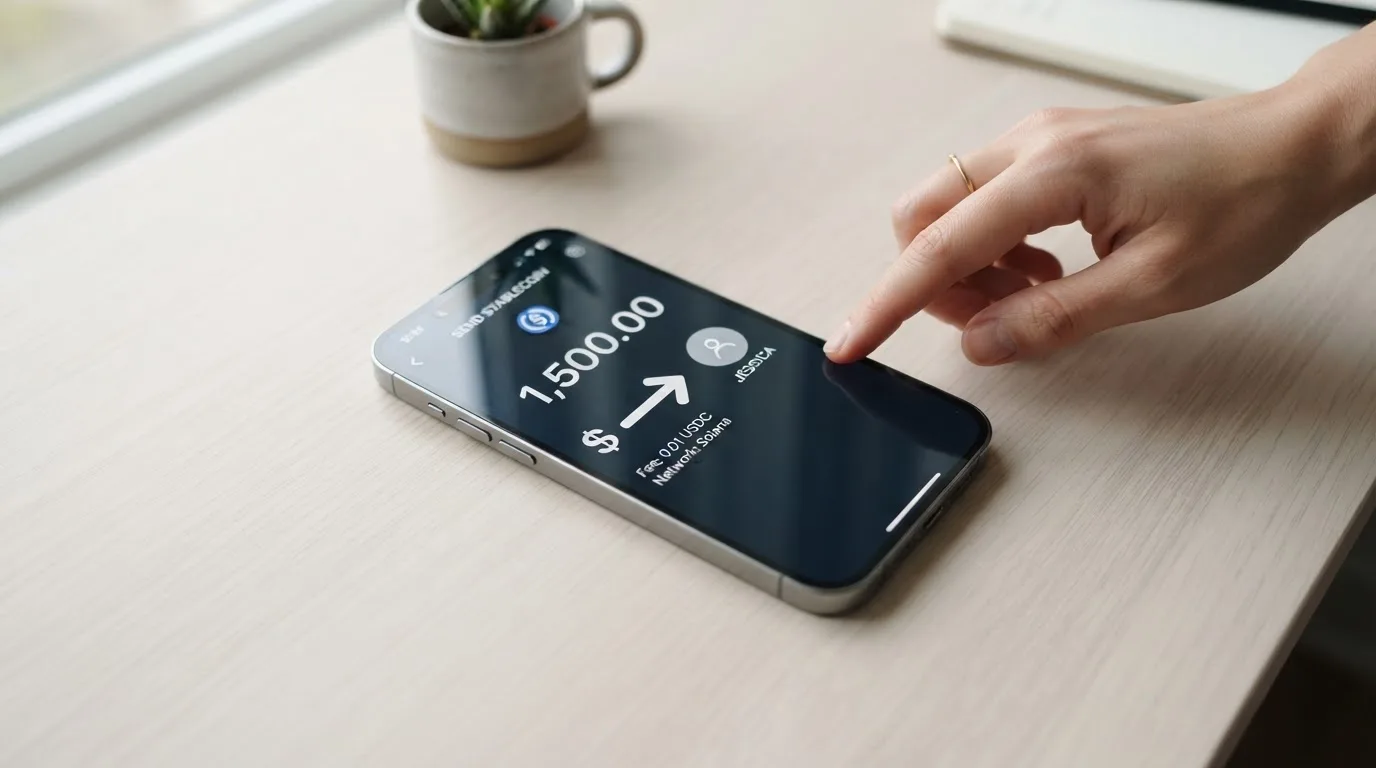
Stablecoins. Deposits in DAI, USDT, USDC and PYUSD, across “10+ blockchains.” The networks are not named. That unnamed part is the single practical trap in this whole section, so let me put it plainly: a deposit sent on a network Wayex does not support, or to an address belonging to a different network, can be lost or need manual recovery with no guarantee, because blockchain transfers do not reverse. Check the supported-network list in the app before you send a large transfer. If you are unsure, a small test deposit is the cautious move.
Fiat. Deposits and cash-outs in USD, EUR, GBP, MXN and BRL. Cash-out runs “where supported” via PIX, SPEI, Faster Payments, SEPA, Wire and ACH, with ACH and Wire enabled. Fees and times for cash-out are not stated on the main site.
The Australian help centre is more specific (a page dated 12 August 2026, for that product): crypto deposits are free from Wayex’s side but network and gas fees apply; an AUD deposit is zero-fee; and there is no limit on deposits. For the global card, the minimum top-up is not stated.
Getting money back out. Crypto cash-out to bank in Australia is 0.40% down to 0.00% conversion by 30-day volume; an AUD cash-out is no-fee; crypto transfers out are charged only network fees; an AUD cash-out is capped at AUD 100,000 per cash-out with a minimum of AUD 10. Those figures are Australian-product figures. One term worth knowing whatever your country: the terms say “We may withhold withdrawals pending further investigation,” and what happens to your balance after an account is closed is not stated.
Paying with it every day
Day-to-day use is the strong 8 out of 10. You get a digital Visa for free, a physical card “where supported,” and Apple Pay and Google Pay support. The apps exist for iOS (App Store) and Android (Google Play); store ratings are not shown on the site, and the app is downloadable in 160+ countries.
There is no card cashback stated. Do not confuse the “up to 5%” figure with a reward — that is a yield on stablecoin balances, a separate product, not money back when you buy coffee.
Three everyday details you will want to know:
- Blocked categories. Not stated. In this category generally, issuers often block things like gambling (MCC 7995), but that is issuer policy, not law, and Wayex does not publish a list.
- Online authorisation. These cards normally run through 3-D Secure (Visa’s brand is Visa Secure), which may add a one-time code or a biometric step to an online payment. If you are paying a small online merchant often, expect occasional extra steps.
- Holds. A declined or pending authorisation can leave a hold on your balance for several days, sometimes up to seven. With a stored-balance card there is no overdraft, but a hold can still make available money look smaller than it is.
If something goes wrong with a payment. The FAQ lists “What if I have a problem with a transaction” but, on the pages I read, does not answer it. The complaints policy behind it does say an acknowledgement within three business days and resolution within 30 business days. Disputes go to binding arbitration in Panama City, in English. No chargeback time frames are given. If a chargeback route matters to you, ask for it in writing before you rely on it.
What can go wrong
This is where I would slow down and read, because the risks are less about technology and more about how the account is run.
The structure — know who is actually behind the card. The card is issued by Lead Bank under licensing by Visa U.S.A. Inc. Bridge Ventures LLC is the Program Manager. Wayex itself is the Platform Provider and states it is “not a bank.” Wayex’s own country of registration is not stated. Practically, this is the standard arrangement in this category: the network (Visa) sets the rules, a licensed bank (Lead Bank) holds the card programme, and the crypto brand (Wayex) is the front end you interact with. It is not automatically a bad sign, but it means disputes and account actions often sit with institutions whose names are not on the app.
Freezing and custody. The card describes “Transparent custody, and optional self-custody,” encryption, 24/7 monitoring, and “Instant controls & alerts” on the card, with infrastructure partners Bridge and Lead Bank. What I could *not* find on the pages I read: details on two-factor authentication, on freezing the card, or on how safeguarding works. Those are exactly the things to ask about.
User reports — read these as reports, not verdicts. On Trustpilot, the TrustScore reads 3.9 out of 5 from 61 reviews, with 74% five-star and 10% one-star (I read this on 2026-10-20; Trustpilot notes no recent invitations to review). The themes:
- Account verification blocks without explanation — several reports from May–June 2026.
- Delayed account closure — one user requested closure on 12 February 2026 and reported it still pending on 26 May 2026.
- Slow payments — a EUR 5 transfer taking over 10 days (March 2026).
- App sign-out bugs — October 2025.
On the positive side, reviewers praise support and the absence of FX fees. The company replies to all negative reviews, usually pointing you to private channels. One earlier user report (roughly 4.0–4.3/5 from ~53–56 reviews) described a single one-star review from February 2026 calling it a crypto scam over about $20 lost, with the company replying that the funds had arrived. No Reddit threads were found, and no official incident. I am not endorsing or repeating the scam claim; I am telling you the complaint mix, because the recurring one is verification friction, which is the same thing the eligibility gaps predict.
Regulation. The card sits under Visa U.S.A. Inc. licensing via Lead Bank, with Bridge Ventures LLC as programme manager, arbitration in Panama City, and help-centre pages that refer to Australian consumer-protection regulators for the separate Australian product. No dated licence events came up in what I reviewed. None of this is a red flag on its own; it is a picture of a young, multi-jurisdiction setup, which is normal here but worth weighing.
The category risks that apply to you whatever the brand. Self-custody-linked cards keep funds in your own wallet until payment but leave you fully responsible for key loss, phishing, and malware that swaps copied addresses. Custodial cards are the opposite: easier, but you trust the provider completely, and providers do fail — Mt. Gox, Coincheck and Ronin Network are the historical names. Stablecoins themselves are not risk-free; USDC briefly lost its peg in March 2023, and TerraUSD collapsed in May 2022. A declined online payment can leave a hold for days. And a broad, honest caveat: the services described here are not investment products, and I am not offering tax or legal advice — if you spend crypto directly, that is a disposal in most tax frameworks and worth checking with a professional in your own country.
What to take instead
If any of the gaps above bother you, the honest move is to compare rather than commit. Here are the three alternatives I looked at, with the same score scale so you can see the gap. None is a knockout — each trades Wayex’s missing numbers for different missing numbers.
| Card | Score | Card type | Cost stated | Top-up rail | Rewards |
|---|---|---|---|---|---|
| Wayex | 7.5 / 10 | Visa Debit, prepaid | Free digital card, no monthly fee, 0% on USD spend | DAI, USDT, USDC, PYUSD + fiat | None on card; up to 5% yield on stablecoins |
| Whop Cards | 5.2 / 10 | Visa, virtual/physical not stated | “No extra fees” | Whop balance backed by stablecoin collateral | 5% cashback at select merchants (Uber) |
| Stella | 6.5 / 10 | Virtual and physical VISA | Not stated | Deposit crypto, auto-tops the card | None on card |
| UniFi Card | 4.7 / 10 | Prepaid Debit Visa, issued by Lead Bank | Not stated (“Fees may apply”) | ACH, wire, SEPA, SPEI; get paid to a USDC wallet | Listing claims “3% rewards on balances”; no card cashback stated |
A few things stand out when you lay them side by side:
Whop Cards (5.2). Coverage is unusually explicit — 31 US states for consumers, 41 for businesses, with a named list of unsupported consumer countries including Belarus, China (Mainland), Cuba, Hong Kong, India, Iran, Iraq, Israel, Myanmar, Nepal, Nicaragua, North Korea, Russia, Syria, Turkey, Ukraine, Venezuela and Vietnam. That transparency is the opposite of Wayex’s “18+ regions.” Its catch: no conversion or FX fees are stated, and it spends from a Whop balance rather than from crypto you hold directly.
Stella (6.5). Terms bar users under economic sanctions programmes and route US and European users through affiliates; countries are not stated on the official site. Virtual and physical VISA, deposit crypto and the card auto-tops. Fees are “described under this User Agreement and/or on the App,” which is not the same as published.
UniFi Card (4.7). Also issued by Lead Bank, also a prepaid debit Visa, also thin on detail — “Fees may apply. See UniFi website.” Its app lists send-money routes to the Philippines, Mexico, the eurozone and, in recent release notes, Colombia, Brazil (PIX) and the UK.
If your priority is *knowing what things cost*, Whop’s state list is the most transparent of the four. If your priority is *spending stablecoins you already own*, Wayex and Stella fit that better. I would not decide on the cards alone — pick the one whose issuer and terms you have actually read.
Who I would recommend it to
I would recommend the Wayex card to the reader who is already sitting on USDC, USDT, DAI or PYUSD and wants a clean, free digital Visa to spend them from, mainly in dollars, mostly online or through Apple Pay and Google Pay, and who is comfortable letting a provider hold the balance. For that person it is a good deal and hard to argue with.
I would hold off if you need a guaranteed physical card with stated delivery, if your spending is mostly in euros, pounds or another non-dollar currency and you need the FX cost in advance, if you want daily and monthly limits published, or if you are outside the unnamed 18+ regions and cannot confirm your country is covered before depositing. In those cases I would rather you pick a card that publishes its numbers — Whop, at least, tells you where it does not work.
My own test before I would fund it: can I name my region from something the card published? Can I see the FX fee and the limits in writing? And if I opened a dispute next month, do I know which institution decides it? Wayex lets me answer the first and third question only with help from the help centre. That is why this is a 7.5 and not a 9.
Frequently asked questions
What is the Wayex card?
Wayex is a prepaid Visa Debit card that lets you spend a stablecoin-backed balance as ordinary money. You load it with stablecoins such as USDC, USDT, DAI or PYUSD, or with fiat, and the balance is held in USDB, a dollar token that sits 1:1 against the US dollar. The digital card is free, and Wayex is a crypto platform, not a bank.
How does the Wayex card work?
You deposit crypto or fiat, the balance converts to USDB, and you spend that balance like cash — in stores, online, or via Apple Pay and Google Pay. Because it is prepaid, it draws on a stored balance rather than a bank account, so it cannot overdraw. The card is issued by Lead Bank under Visa U.S.A. Inc. licensing, with Bridge Ventures LLC as programme manager.
Is Wayex a bank, and who owns it?
No — Wayex states it is “not a bank.” It is the platform provider. The card is issued by Lead Bank under licensing by Visa U.S.A. Inc., and Bridge Ventures LLC is the programme manager. This is the standard structure for crypto cards: the network sets rules, a licensed bank holds the programme, and the crypto brand is the front end you use.
Who can get the Wayex card?
Applicants must be 18+ and complete KYC, which the card says takes as little as two minutes. The card is “live in 18+ regions today,” expanding to 100+, but those regions are not named. Users cannot be located in, or be citizens or residents of, countries sanctioned by the UN, FATF, the EU or the US, or jurisdictions that bar crypto services.
Is the Wayex card free, and what does it cost?
The digital card is free, the account is free to open, and there is no monthly fee. Spending in US dollars is 0%. The physical card price is not stated on the global site — the Australian help centre lists AUD 14.99 for card and delivery — and the FX fee for non-USD spending and the crypto conversion fee are not stated either.
How do I top up the Wayex card?
You deposit stablecoins (DAI, USDT, USDC, PYUSD) across “10+ blockchains,” or fiat in USD, EUR and other currencies including GBP, MXN and BRL. Check the supported networks in the app first: sending on an unsupported network can be lost. Crypto deposits are free from Wayex’s side, though network and gas fees apply.
Can I use the Wayex card in my country?
You can only use it if you are in a region where the card is actually live, and the company says that is 18+ regions without naming them. The app downloads in 160+ countries, but that is not the same as the card working. Cash-out and some features run “where supported.” Confirm your country with support before depositing funds.
Is the Wayex card safe?
Treat it as a custodial product unless you opt into self-custody: “Transparent custody, and optional self-custody,” encryption, 24/7 monitoring and instant card controls are advertised, but two-factor and freeze details are not published. Trustpilot shows 3.9/5 from 61 reviews, with recurring reports of verification blocks without explanation and delayed closures. There is no chargeback time frame stated.
What are the Wayex card’s limits?
The global card’s daily and monthly limits are not stated. The Australian help centre lists a maximum of AUD 10,000 per card transaction and AUD 100,000 per transaction and per day for crypto buy/sell, with a AUD 5 minimum. ATM withdrawals there are Australia-only, Wayex fee $0, maximum AUD 1,000 per day. Applicability to the global card is unconfirmed.
Is the Wayex card worth it?
For a stablecoin holder who mainly spends in dollars and wants a free digital Visa with Apple Pay and Google Pay, yes — the value is hard to beat. You trade that value for unnamed regions, an undisclosed physical-card price, no published FX or conversion fee, no stated limits, and a complaints history centred on verification blocks. Decide by asking support the three questions the site leaves blank.
App and neobank card options – cryptocardoptions.com
Content created by the «cryptocardoptions.com» team