
A self-custody wallet that became a Visa card — useful, thin on the details
 Available in US
The BloFin Wallet card is a Visa Platinum card that spends straight out of a crypto wallet you hold the keys to yourself. The pitch is clean: no bank account in the chain, no custody, top up with USDT or USDC, and pay a coffee by converting stablecoins at the till. The reality is roughly that clean and a good deal thinner than the marketing. There is no fee for issuing the card, no annual fee, no dormant-account fee, and a spend fee that falls as you use the card — down to 1.00% at the base tier and to zero at the top. In exchange you get a card whose country list is not published, whose exchange-rate handling is not disclosed, and whose whole product launch dates from a press release in July 2026.
I scored it 6.9 out of 10. That is not a dismissive number and it is not a recommendation either. It sits around the middle: genuinely appealing for one specific reader — someone already holding crypto, already comfortable with self-custody, already paying in USDT or USDC on Arbitrum or Base — and a poor fit for everyone else, including most people who simply want a reliable card for a shop down the road.
The conditions described here are current as of October 28, 2026.
| Criterion | Mark | Why |
|---|---|---|
| Who can get it | 7 / 10 | 35 countries in the starting data (US, Australia, Japan, UAE, Brazil, Mexico), not re-verified; you pick your region in the app |
| Cost | 8 / 10 | Issuance, activation, annual and dormant fees all $0.00; 1.00% spend fee at VIP 0 down to 0.00% at VIP 5; FX not disclosed |
| Top-up options | 7 / 10 | USDT and USDC on Arbitrum and Base, free to top up |
| Reliability and complaints | 6 / 10 | Issuer Rain, a Visa Principal Member (per the FAQ, unverified); no complaints about the card found; unofficial: BloFin exchange 1.3/5 on Trustpilot |
| Everyday use | 6 / 10 | Apple Pay and Google Pay exist; virtual or plastic and ATM access not disclosed |
| Total | 6.9 / 10 | A sharp tool for self-custody holders, an incomplete picture for everyone else |
Who this is for, plainly. If you keep your own keys, you think in stablecoins rather than in bank balances, and you mostly spend on chains you already use, the fee structure is genuinely good: nothing to pay for having the card, and a spend fee that reaches zero at the highest tier if you use it heavily enough. The moment your situation drifts from that — you need a card that works everywhere without thinking, you need cash from an ATM, you need to pull money back out, you live somewhere the region list rejects — the gaps in what the card discloses start to matter.
Will they give you the card
The honest answer is that the card’s own pages do not tell you, and I would rather say that plainly than dress up an unverified list as policy.
There is no published country list on the card page. What you find instead is an instruction to “select your country or region” inside the app. My starting data lists 35 countries, including the US, Australia, Japan, the UAE, Brazil, Mexico, Malaysia and New Zealand, and I have not re-verified that list against the live app — treat it as a starting point, not a promise. More importantly for you as a reader: whether the test is your citizenship or your residence is not stated. Those are two different questions with two different answers, and in this category the distinction bites. Sanctions screening and issuer risk policy are routinely applied to citizenship and country of birth as well as to where you live, so a resident of an eligible country holding a passport from somewhere else may still be refused. The app is where you find out, and it is the app you should check before you move a single dollar.
The background matters more than it sounds. KYC is not a formality bolted onto these products; anti-money-laundering law requires regulated businesses to verify customers and assess risk, keep monitoring transactions and report anything suspicious. In the EU, customer due diligence covers name, address, date of birth, nationality and identity documents, a sanctions check, the purpose of the relationship, and whether you are a politically exposed person. If that due diligence cannot be completed, the rules require the institution to decline the transaction or relationship, and to end it where necessary — which is exactly why accounts get frozen pending documents. In the US the customer identification programme requires name, date of birth, address and an identification number, and electronic systems validate proof-of-address documents against records. Nationality is recorded and screened separately from residence for the reasons above.
One useful floor: prepaid and debit cards are generally available to adults, 18 and over, though some issuers set higher limits.
How to get it
Short, all in the app, and — on the card’s account — fast. That is the whole picture, and it is thinner than it sounds in one important respect: the identity check is described as applying “where required”.
The sequence the card describes is: create your wallet, select your region, submit the application, do the ID check, receive the card. The ID check happens in-app, takes “a few minutes”, and approval is quoted as “as fast as 10 minutes”. That 10-minute figure is a best case, not a typical one, and I would not plan anything around it.
What you are not told: which documents are accepted, whether proof of address is needed, whether there is an age requirement stated for this product, or what KYC tier the card sits at. The only language is “where required”, which leaves the reader guessing whether a passport will do or whether an address document and a selfie are in scope. Before you start, have a passport to hand, and be ready for the possibility that more is asked.
You are applying for a “BloFin Wallet Visa Platinum card” — Visa-branded, Platinum tier. Whether you get a virtual card or a physical one is not stated, and neither is the card currency. Delivery time is not stated either, so if you need something in your hand this week, that is a question to ask in the app before you commit.
Fees: what it really costs
Here is the strongest part of the product. The card charges nothing to have, and its spend fee is tied to how much you used it last month rather than to your balance.
| Fee or limit | Value |
|---|---|
| Issuance | $0.00 |
| Activation | $0.00 |
| Annual fee | $0.00 |
| Dormancy fee | $0.00 |
| Cancellation | no fee |
| Spend fee | 1.00% or lower by VIP tier, charged at payment |
| FX fee | not stated |
| ATM | not stated |
That zero row is worth pausing on. Issuance, activation, annual and dormancy all at $0.00, and cancellation free as well. Plenty of cards in this category bury a monthly maintenance charge in the small print; this one does not have one to bury.
The spend fee is the live number. By VIP tier: VIP 0 at 1.00%, VIP 1 at 0.90%, VIP 2 at 0.80%, VIP 3 at 0.50%, VIP 4 at 0.20%, VIP 5 at 0.00%, charged at the moment of payment. Tiers are assigned by prior-month card spend. The monthly saving caps are $2, $5, $50, $100 and $200 for VIP 1 through VIP 5. Linking a BloFin Exchange account applies the higher tier, so if you trade there anyway, your tier can climb on someone else’s spending.
Three everyday payments, with the fee each one attracts, at the base tier where nothing is discounted:
- A $30 supermarket shop. You pay the $30 plus a 1.00% spend fee of $0.30. Network fee: none, this is not an on-chain transfer. What you cannot see is whether the stablecoin was converted before or after the amount was taken, and at what rate.
- A €24 coffee in a country that is not your own. The base amount plus 1.00% on €24, which is about €0.24. The bigger unknown sits on top: the FX fee is not stated. In this category the exchange rate is usually Visa’s, and a card issued in one country can simply look foreign to a shop in another, since merchants can look up the issuer country from the card’s first digits and apply extra scrutiny when it differs from the billing address. That is a decline risk, not just a cost.
- A $12 monthly subscription. $12 plus 1.00%, so about $12.12. Note the tier mechanic working against you in one respect and for you in another: this small payment counts toward next month’s tier, so subscriptions are how a low-spender climbs slowly rather than not at all.
The reduced-fee monthly quotas reset on the 1st of the month: VIP 1 $2,000, VIP 2 $2,500, VIP 3 $10,000, VIP 4 $12,500, VIP 5 $20,000. Alongside that, the card FAQ says there is “no fixed spending limit”. Those two statements sit together oddly — a per-month reduced-fee allowance and no overall ceiling — and the card does not explain how they interact. Treat the tier quotas as the real boundary on where the cheap rate applies.
The single largest hole is the FX fee, and I want to be direct about why: if you spend outside the dollar, the total you pay is the amount plus the 1.00% spend fee plus an exchange rate the card does not publish. I cannot tell you what that will be, and neither can the card’s public pages. If most of your spending is foreign, that is a real gap and it is the one that would decide this for me.
Top up: how the money gets in
Two coins, two networks, no fee. That is the shortest possible answer and it is also a narrower one than you may expect.
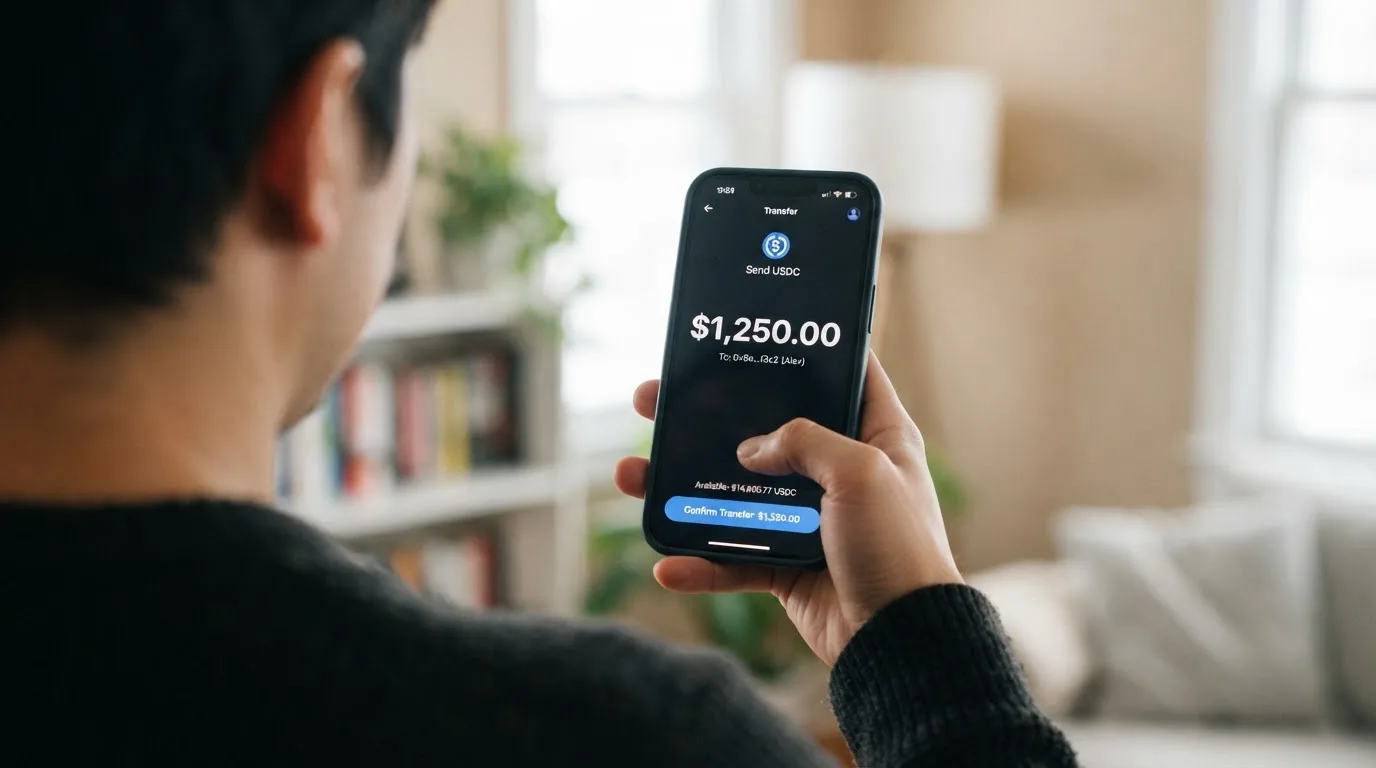
Top up with USDT and USDC on Arbitrum and Base. Top-up is free. USDT and USDC only — and in practice only the pairs above. Who pays the network fee, and what the minimum is, are not stated. Whether you can add fiat directly is not stated either, so do not assume a bank transfer route exists.
One thing to plan around: per the card FAQ, withdrawals are currently unavailable. So this is a spend-only setup in practice. Money goes in from your own wallet; it does not come back out to your own wallet through the card.
The category-level caution is real here, and it is worth a paragraph because it is where people lose money. Blockchain transfers are irreversible. A deposit sent on a network the provider does not support, or to an address belonging to a different network, can be lost or need manual support recovery with no guarantee. Arbitrum and Base are the networks the card names; send anything else and you are outside the supported set by definition. And the coins are stablecoins, which is a promise of pegging, not a guarantee — TerraUSD collapsed in May 2022 and USDC briefly lost its peg in March 2023 during the US banking crisis. USDC and USDT are US-dollar-pegged; the BIS put about 90% of stablecoin market capitalisation in these two. Circle says USDC is redeemable 1:1 for USD and fully backed by cash and cash equivalents, mostly in an SEC-registered government money market fund, with monthly reserve attestations by a Big Four firm — that is Circle’s description of itself, and it is why USDC is the coin I would use here. Tether’s USDT has been issued on many networks including Ethereum, Tron, Solana, Polygon and Avalanche, with reserves intended to back it 1-to-1. Neither token is censorship-proof: Tether says it disables tokens in wallets on the OFAC sanctions list and has frozen funds tied to illicit activity.
What the free top-up does not cover is the chain’s own cost. On-chain network fees — gas or bandwidth — for your deposit are charged by the blockchain, not by the card provider. On Ethereum that gas is paid only in ETH, so a wallet holding USDT and no ETH cannot send. Base and Arbitrum do not work that way, which is a further quiet argument for using exactly the networks the card names.
Paying with it every day
It works like a normal card at a normal terminal, and there are no rewards. That is the whole daily-use picture.
Apple Pay is supported on the card page. The launch press release says Apple Pay and Google Pay. Blocked merchant categories are not stated, which is worth knowing given how the category usually works: MCC 7995 covers gambling — casinos, betting, lotteries — and many issuers block it on specific cards by policy rather than by law, with the blocked list varying by issuer. So do not read “not stated” as “nothing is blocked”.
No cashback and no rebates. The card’s own framing is blunt about it: “No waiting for cashback or rebates.” What you get instead is the reduced spend rate, which is a different thing and arguably a better one if you spend enough to reach the tiers.
What is not disclosed, and each of these is a hole: whether you receive a virtual card, a plastic card, or both; whether you can draw cash at an ATM; what currency the card is denominated in; and how disputes are handled — the chargeback process, the reason codes, who you complain to.
Those gaps bite in ordinary ways. Address Verification Service, which compares the numeric parts of the billing address you type with issuer records, is mainly offered in the US, Canada and the UK and is generally unavailable for foreign-issued cards — a common cause of declines at US merchants. Some shops decline prepaid or foreign-issued cards outright, because the issuer lookup reveals the card type and country. And a declined authorisation can leave a hold on your funds that stays for several days, typically up to seven.
The app is on Google Play, as an APK download, and on the App Store. I did not read the store ratings.
What can go wrong
Nothing went wrong publicly that I could find — and that absence cuts both ways.
First the reassuring part. No official incidents found. No card-specific user complaints found. There is no Trustpilot page for BloFin Wallet itself. For a product that launched recently, that is what a clean launch looks like.
Now the part that should make you careful, and it comes with an explicit caveat. Unofficial, from third-party sites and not confirmed by the card: the BloFin exchange — the exchange, not the card — shows 1.3 out of 5 on Trustpilot from 68 reviews, per hellosafe.be, on a snapshot dated July 2025, with recurring themes of customer service and the handling of funds. That is a user report from a third-party site, not an adjudicated finding. It also predates the card by a year. But the exchange and the card share a name and a tier system, and the card’s own FAQ links your tier to an exchange account, so the reputational shadow falls across.
Who you are dealing with is worth being precise about, and here the official record is short. The operating name is “BloFin Wallet”, and the launch press release is dated Road Town, Virgin Islands. The issuer is Rain, a Visa Principal Member — that detail comes from the card FAQ and I have not verified it. Licences are not stated. Unofficial again, and unverified: a restricted-countries review site reported in 2026 that the BloFin exchange operates through BuildLight Future Limited in the Marshall Islands, and a wiki profile listed the Cayman Islands as headquarters of BloFin Wallet.
Why the issuer matters more than the brand: when you pay with this card, the Visa network routes the message and sets the rules, the issuer holds the card programme, and the crypto brand is often only a programme manager or front end. That is the normal structure in this category. It also means the partner can change. Visa and Mastercard do not issue crypto cards to consumers themselves; they license issuers and can suspend a programme. Visa terminated its global agreements with FTX in November 2022 and the FTX US debit card programme was wound down. WaveCrest, a Visa issuer that supplied several crypto card brands, was suspended by Visa in Europe in 2018, closing all WaveCrest-issued Visa programmes. Closures tend to follow a pattern: a notice period, then spending and loading stop, then users are asked to withdraw remaining balances. Combine that with this card’s FAQ saying withdrawals are currently unavailable, and the shape of the risk is worth sitting with.
Self-custody cuts one risk and raises another. The good: with a self-custody-linked card your funds stay in your own wallet until the moment of payment. The bad: you bear sole responsibility for key loss, phishing, and clipboard-hijacking malware that silently swaps a copied address. The wallet here is created first, then the card is applied for, and deposited assets may serve as collateral for a credit line — so the card is tied to your holdings rather than sitting beside them. Whether 2FA or a card-freeze control exists is not stated, and no support channels are listed on the card page, which for a self-custody product is the gap I would worry about most.
The last piece is regulatory, and it is unfinished business rather than a warning. Under the EU’s markets-in-crypto regulation, MiCA, e-money tokens may be issued only by a credit institution or an electronic money institution. The transitional period lets providers operating under national law continue only until 1 July 2026 or until they are refused or granted authorisation, whichever comes first. ESMA maintains an interim register of authorised providers that you can check. A card is regulated separately as a payment service, so a crypto card often depends on two licences at once. And where funds sit with an electronic money institution, they must be safeguarded — segregated or insured — but that is not the same as a bank deposit and may not sit under a deposit guarantee scheme.
What to take instead
None of the three alternatives below beats BloFin Wallet on my score — they sit at 6.2, 6.2 and 6.1 against its 6.9. I include them because each answers a different complaint about this card, and you should pick on which complaint you have.
Decaf (6.2 / 10) is the one to look at if the exchange rate is what bothers you, because Decaf adds no FX fee — its page says the FX is the one Visa offers. It is also the most explicit about where it will not go: it is not issued in Belarus, China, North Korea, India, Iran, Iraq, Israel, Myanmar, Nepal, Russia, Syria, Turkey, Cuba, Ukraine, Venezuela, Vietnam, Nicaragua, Puerto Rico or Nigeria, with a list of restricted US states including Arizona, Delaware, Georgia, Idaho, Louisiana, Maryland, Montana, Ohio, Oregon, Rhode Island, Washington and Wisconsin. Pricing: virtual card $5 worldwide, physical card $10 in the US or $90 elsewhere, no monthly or annual fee. You can pay a Decaf payment link or account details by card, bank transfer or USDC. Whether the restricted list keys off citizenship or residence is not stated — the same ambiguity as with BloFin.
SafePal (6.2 / 10) is the broadest on top-up: crypto from 40+ blockchains, converted to USDC by default or to fiat, with transactions on Arbitrum. Its costs are layered differently — no account creation or management fees, card issuance fee not stated, standard top-up fee 0%, a 1% FX fee on Mastercard non-USD settlement, 1 USD/EUR/CHF/7 CNH to process a refund, and a spread inside swaps that is not quantified. Another page describes crypto top-up “as low as 0.4%” on the top tier. No cashback; referral commissions run up to 40% of referred top-up fees, and tier privileges hang off deposits, referrals and staking. Note the mismatch to check yourself: a virtual Mastercard debit only, with limits stated in EUR against a Swiss Fiat24 account, while its eligibility wording refers to “citizens of supported regions who live in supported areas” — and the region list on that page came back empty when I fetched it.
Avici (6.1 / 10) is the weakest of the three and the vaguest. It advertises “No Hidden Fee”, “No Gas Fee, No Interchange Fee” with no amounts attached, lists no conversion or FX percentages, and does not state who can get one. What it does have is shape: a Visa product with secured credit-card wording, virtual cards by category — subscriptions, groceries, travel — plus a delivered physical card, and perks such as airline miles, rental car insurance, travel and restaurant perks and trip protection. You deposit crypto to Avici and top up the card with crypto, though the coins and networks are not listed, and it says you can withdraw funds anytime.
Against all three, BloFin’s real advantages stay what they were: $0.00 across issuance, activation, annual and dormancy; a spend fee that reaches 0.00%; a named, free top-up route; and a self-custody wallet underneath. Its real disadvantage is shared by all of them and worth stating plainly: the FX line, the withdrawal position and the licensing detail are thin across this whole category, not just here.
Who I would recommend it to
I would recommend it to exactly one person, and I can describe them. You already run a self-custody wallet. You hold USDT or USDC and move them on Arbitrum or Base. You would rather not give a third party the keys. You are based in, or a citizen of, one of the countries the app accepts — and you are willing to find out which by opening it, because the card does not publish the list. You spend heavily enough that the tier would climb; at VIP 0 the 1.00% is unremarkable, but the fee falls to 0.20% at VIP 4 and 0.00% at VIP 5, and the monthly reduced-fee quotas that unlock go from $2,000 at VIP 1 to $20,000 at VIP 5. And you mostly shop where a USD-pegged balance works, so the undisclosed FX fee rarely bites.
I would not recommend it if any of these sound like you: you want a card that works without thinking about which chain your money is on; you need an ATM; you need to get money back out, because withdrawals are currently unavailable; you spend mostly in non-dollar currencies and refuse to accept an unstated exchange rate; you want the fine print on documents, delivery, disputes and support, because it is not published; or you are choosing between crypto cards as a way around having a bank account, which this is not designed to be and will not do reliably.
There is one more line worth drawing, because this is the category’s honest edge. If you are paying tax on crypto holdings, treating each card payment as an ordinary purchase is not a safe simplification. Digital assets are treated as property, and exchanging them for goods, services or dollars generally produces a taxable gain or loss, measured in local currency at fair market value on the date of the transaction. Every card payment funded from crypto can be a separate disposal. I am not giving you tax advice — I am telling you not to let a 0.00% spend fee convince you the transaction had no consequences.
Frequently asked questions
What is the BloFin Wallet card?
It is a Visa Platinum card that spends directly from a crypto wallet you control yourself, rather than from a bank account. The wallet is created first, then you apply for the card. Issued by Rain, a Visa Principal Member per the card FAQ, and launched under the name “BloFin Wallet” in a press release dated Road Town, Virgin Islands in July 2026. You load it with USDT or USDC.
How does the BloFin Wallet card work?
You create a self-custody wallet, select your region, apply, pass an ID check “where required”, and receive a card. After that you top up with USDT or USDC on Arbitrum or Base, and each payment converts and spends from that balance, charging a spend fee of 1.00% or lower depending on your VIP tier. It behaves closer to a prepaid card than a debit card: it draws on a stored balance and cannot overdraw it.
Is BloFin Wallet a bank?
No, and nothing on the card page presents it as one. It is a crypto wallet with a Visa card attached, issued by Rain. Licence details are not stated on the card’s public pages. That matters because safeguarded e-money funds are not the same as bank deposits and may not sit under a deposit guarantee scheme — so do not assume deposit protection you have not been told about.
Who owns BloFin Wallet?
The operating name is “BloFin Wallet”, and the launch press release is dated Road Town, Virgin Islands. Unofficial and unverified: a third-party site reported the related BloFin exchange operating through BuildLight Future Limited in the Marshall Islands, and a wiki profile listed the Cayman Islands as the wallet’s headquarters. Treat both as third-party claims, not confirmed facts.
How do I get the BloFin Wallet card?
Create your wallet in the app, select your country or region, submit the application, complete the in-app ID check and the card follows. The check takes “a few minutes” and approval is quoted as “as fast as 10 minutes”. Which documents are accepted, whether proof of address is needed, delivery time, and whether you get a virtual or physical card are all not stated — so have a passport ready and ask in the app.
Does BloFin Wallet require KYC?
Yes, in the sense that the application includes an ID check, described as applying “where required”. The card does not state its KYC level, the documents accepted, or a proof-of-address requirement. This is not a card for avoiding checks — the in-app verification is part of the standard process, and regulated businesses are required to verify customers and screen for sanctions.
What does it cost to hold the card?
Nothing. Issuance, activation, annual and dormancy fees are each $0.00, and cancellation carries no fee. The only recurring charge is the spend fee at payment — 1.00% at VIP 0, 0.90% at VIP 1, 0.80% at VIP 2, 0.50% at VIP 3, 0.20% at VIP 4 and 0.00% at VIP 5. The FX fee, ATM charges and card currency are not stated.
How do I top up the BloFin Wallet card?
Top up with USDT or USDC on Arbitrum or Base, and top-up is free. Only those two coins on those two networks are supported. The network fee for your deposit is charged by the blockchain rather than by the card provider. Fiat top-up, who pays the network fee, and the minimum amount are not stated. Transfers are irreversible, so sending on any other network risks losing the funds.
Can I withdraw money from the BloFin Wallet card?
No, not at present. The card FAQ states that withdrawals are currently unavailable, so this is effectively a spend-only product: crypto goes in, spending comes out, and getting funds back out is not something the card currently supports. If you need an exit route, that alone is a reason to look elsewhere.
Is the BloFin Wallet card safe?
There is no safety guarantee here, but there is nothing adverse on the record either: no official incidents found and no card-specific user complaints. The card’s security features — 2FA, card freeze, spending controls — are not stated, and no support channels are listed. Unofficial and predating the card by a year, the related BloFin exchange showed 1.3 out of 5 on Trustpilot from 68 reviews. Self-custody means key loss and phishing are on you.
Wallet card options – cryptocardoptions.com
Content created by the «cryptocardoptions.com» team