
What the Jeton card actually does, and who it is for
 Available in US
Jeton positions itself as a payment app, a multi-currency account and a card in one. You can hold balances in several currencies, move funds in and out, pay online and in shops with a virtual or physical card, and tap to pay with your phone. The question this review tries to answer is simple: for someone who needs a card that spends from a crypto balance, does Jeton do the job, and at what cost?

I went through the Jeton fees page (dated January 2026), the company’s terms, the FCA register entries for the UK side, and the most recent user reports I could find. The card is real, the licences are real, and the fees are mostly stated in plain numbers. The picture that comes out is mixed: a regulated, broadly accessible product with clear up-front pricing on the card itself, but a funding model that leans heavily on conversion fees and a support operation that has drawn a fair number of complaints.
The conditions on this page are current as of October 28, 2026.
Verdict
Jeton’s overall score is 6.4 out of 10. That is not a number I invented; it is the result of looking at six aspects of the card side by side.
| Criterion | Mark | Short reason |
|---|---|---|
| Who can get it | 8 / 10 | Worldwide reach on paper, with “All Countries” as the only listed option |
| Cost | 4 / 10 | Card issuance and ATM fees are competitive, but funding fees are steep |
| Top-up options | 6 / 10 | Six named coins into the wallet, but networks and stablecoin support are not spelled out |
| Reliability and complaints | 5 / 10 | Real licences, but Trustpilot users report frozen accounts and slow support |
| Everyday use | 10 / 10 | Virtual and physical cards, Apple Pay and Google Pay, in-app freeze |
| Total | 6.4 / 10 | A workable everyday card wrapped around a wallet that is costly to fill |
The audience this card seems aimed at is the person who wants a regulated app account and a payment card that draws on it, with both a virtual and a physical option. If that is you, and you are comfortable paying the funding fees, the everyday mechanics are solid. If your main concern is the cheapest possible way to convert crypto into a card balance, you will probably want to look elsewhere.
The card is *not* aimed at people who want the lowest possible fees end-to-end, at people who self-custody and want their keys to stay in their own wallet until the moment of payment, or at anyone who cannot afford a delay when something goes wrong. The complaints I read suggest that when a problem lands, it can take a while to resolve.
Who they will give the card to
Jeton’s public pages say that Jeton Bank is authorised to provide services to clients worldwide. The terms page only offers an “All Countries” option, and notes that the region you choose affects the terms you see. There is no clean public list of supported or unsupported countries, and the public information does not separate eligibility by citizenship from eligibility by residence.
A piece of starting data says the physical card has been confirmed for the EU. The card pages themselves talk about VISA, Mastercard and UnionPay support, which suggests the issuing side is set up to ship cards to a broad range of places, but I did not find a country-by-country shipping table.
In practice that means: if you can sign up for the Jeton app and complete the checks the app asks for, the card is at least *available* in your region. The catch is that “available in the app” is not the same as “delivered to your door quickly”; the company has not published shipping countries or delivery times, so the only way to know is to go through the app.
The card pages do not state a minimum age, a required proof of address, or a list of accepted identity documents. If you are signing up because an ordinary bank has turned you down or because you do not have a long banking history, the lack of a clear list is a mixed signal: it lowers the barrier to entry, but it also means you do not know in advance which document will be enough.
For most readers the practical question is therefore not “is my country on the list” but “will my documents pass”. The terms page points at the same idea when it says the region you select changes the terms; the rules you are agreeing to depend on the answers you give during sign-up.
How to get it
Jeton says sign-up takes 3 minutes and involves no paperwork. That is the marketing line. The real flow, from what the app and the support pages describe, is: download the Jeton app, create an account, choose a region, and go through device verification with a six-digit PIN. After that, you can request a card.
There are two card types: a virtual card and a physical card. The fees are stated as 0.99 USD or EUR for the virtual card and 39.99 USD or EUR for the physical card. Replacement cards cost $15 for physical and $1 for virtual. The fees page does not say how long delivery takes or to which countries the physical card ships.
The card itself is described as supporting VISA, Mastercard and UnionPay. It draws on a multi-currency account held inside the Jeton app. The card’s *currency* — that is, the currency in which transactions are settled — is not stated on the public pages, beyond a starting-data note that USD and EUR are the card currencies it has been seen in.
You can have up to 25 additional cards on one account, which is more than most personal cards offer. That figure is taken from the fees page dated January 2026, where some currency symbols are inconsistent, so it is worth re-checking inside the app when you actually sign up.
A few things the public pages do *not* say, and that you should check before you commit:
- the documents you will be asked for at sign-up, including any proof of address
- the age requirement
- whether there are different KYC “levels” that unlock higher limits
- where the physical card ships, and how long it takes
If you have had trouble opening a bank account in the past, the global-on-paper availability is the most useful thing about the sign-up. The lack of a public document list is the least reassuring.
What it really costs: fees, ATM and limits
The card-side fees are clear. The funding-side fees are where the cost of using Jeton really lives.
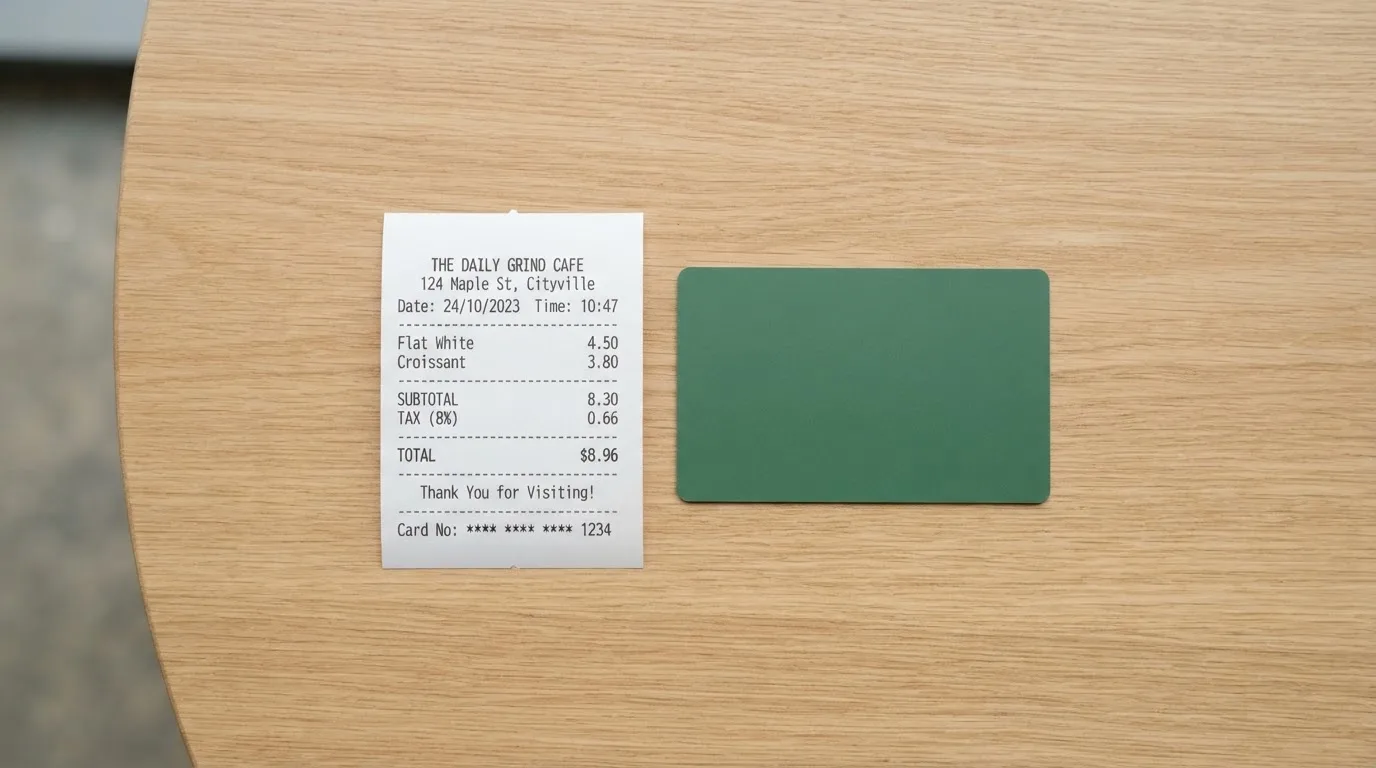
The costs table
| Fee or limit | Amount |
|---|---|
| Virtual card issuance | 0.99 USD or EUR |
| Physical card issuance | 39.99 USD or EUR |
| Account maintenance | Waived |
| Monthly fee | Waived |
| Annual fee | Waived |
| Foreign-currency card payment | 0 |
| Crypto conversion fee (in-app) | Not listed on the fees page |
| ATM withdrawal, UK | 0.5% of transaction value |
| ATM withdrawal, outside UK | 0.5% + 2% |
| ATM balance enquiry | 0 |
| ATM free allowance | Not stated |
| ATM per-transaction limit | $700 |
| ATM daily limit | $2,000 |
| ATM weekly limit | $10,000 |
| ATM monthly limit | $10,000 |
| POS per-transaction limit | $100,000 |
| POS daily limit | $1,000,000 |
| POS weekly limit | $1,000,000 |
| POS monthly limit | $1,000,000 |
| Max card load per month | £60,000 (one table version) |
| Replacement card, physical | $15 |
| Replacement card, virtual | $1 |
| Card closure | 0 |
POS limits are “subject to card approval”, which means the headline number is the ceiling, not the default. A few specific everyday scenarios help to put the table in context.
Three everyday payments
You buy a coffee in a shop that uses your home currency. You tap with Apple Pay. There is no foreign-currency fee, because the transaction is in your card’s base currency. The merchant pays whatever its acquirer charges; that is not your problem. Net cost on top of the coffee: zero.
You pay a hotel bill in a third country, in their local currency. Jeton’s stated foreign-currency card payment fee is 0, so you are not being charged a percentage on the FX by Jeton. What you may be paying is the wholesale FX margin that sits inside the network rate Visa or Mastercard sets — the card page does not break that out. Net cost: not zero, but the card itself is not adding a Jeton fee on top.
You withdraw cash from an ATM abroad. Outside the UK, you pay 0.5% plus 2% on the amount you take out. On a €200 withdrawal that is roughly €1 plus €4, so about €5 in fees, before any ATM-surcharge the ATM owner adds. The first thing to check is whether your ATM has a free-allowance policy at Jeton’s end; the card pages say no free allowance is stated, so every withdrawal is paid for.
The two fees that are not on the card page, but that show up in the wider funding table, are the *crypto conversion fee* and the *card top-up fee*. The conversion fee is the one Jeton charges when you swap a coin for fiat inside the app. The top-up fee is the one that runs 2.5%, 3%, 3.5% or 5% depending on the method and the country, and it applies to the act of moving fiat from your Jeton wallet onto the card. The fees page is not card-specific on this point, so the only way to know which percentage will apply to your top-up is to look inside the app at the moment you top up.
Top up: how to fund the card
The card is spent from a Jeton wallet balance. To get a balance, you deposit crypto into the Jeton wallet, then convert and top up the card.
The coins named in starting data are BTC, ETH, LTC, BCH, DOGE and XRP. Stablecoins are not named in the public material I read, and the specific networks (Ethereum mainnet, Tron, Solana, and so on) are not stated. In practice that is a meaningful gap: a deposit sent on the wrong network, or a stablecoin that Jeton does not support, is a deposit that is either lost or has to be recovered through support, with no guarantee.
The card top-up fees, in the general funding table on the fees page, are 2.5%, 3%, 3.5% or 5% depending on the method and the country. The minimum top-up is not stated, and the fees page does not give a card-specific top-up fee.
There is no card-specific withdrawal fee listed, and closing a card costs 0.
A few things to check before your first top-up, in roughly this order:
- which coins the app actually accepts from your country at the moment you open it
- which network each coin is sent on — sending USDT on a network Jeton does not watch is the classic way to lose a deposit
- what percentage the top-up fee is on the route you intend to use
- whether the conversion from crypto to fiat inside the app carries a separate fee that is not on the public fees page
If you self-custody your crypto, the deposit step is also the step where you hand control of those funds to Jeton. Once they sit in the Jeton wallet they are no longer in your wallet; they are in Jeton’s custody, and the safeguards and complaints track of the company start to matter.
Paying with it every day
The everyday side of the card is the part Jeton has clearly thought about.
You can have a virtual card and a physical card, both drawn on the same multi-currency account. The virtual card is the one you would type into a website or add to a mobile wallet immediately; the physical card is the one you take to a shop or an ATM. The card supports VISA, Mastercard and UnionPay at the network level, so it works wherever those networks are taken.
Apple Pay and Google Pay are both supported. The card pages give the full device list: iPhone, Android phone, Apple Watch, Wear OS, iPad, Mac and the web. Setup is the usual tokenisation flow; the card number is replaced with a device-specific number, and the real PAN never sits on the device’s storage in the clear.
In-app, you can freeze and unfreeze both the physical and the virtual card. You can also set spending limits. PIN-based device verification is used at sign-in, with a six-digit code. None of this is unusual for a modern card app, but it is the kind of basic safety net that you want to see in place before you load any meaningful balance.
The card pages do not publish a list of blocked merchant categories. Many issuers block gambling, certain crypto-related merchants, or adult entertainment on prepaid cards; Jeton’s public material does not tell you which categories it blocks, so it is worth checking in the app if that matters to you.
Cashback is not mentioned on the card page. If you are weighing Jeton against cards that advertise a percentage back, this is one of the missing pieces.
The app is on the App Store and Google Play. The official store ratings were not retrievable when I checked. A third-party estimate puts the rating at about 3.5 out of 5 (Justuseapp, 2026, unofficial). I would not treat that as a confirmed figure, but it is roughly in line with what users describe in their Trustpilot reviews, which I cover in the next section.
Dispute handling is not described on the terms page. The company does have a complaints-handling policy, but the public version is silent on the specific process, the timeline, and the chargeback reason codes. If a transaction goes wrong, that is one of the things you would want to know in advance.
What can go wrong
This is the section of the review where Jeton is hardest to defend.
The licences
On the company side, the picture is mostly reassuring. The card and the account are issued by Financial House Limited, which is FCA-authorised with FRN 902039. The wider Jeton brand sits under LA Orange Limited t/a Jeton, also FCA-authorised, with register number 902088. Jeton Bank Limited is separately licensed in the Commonwealth of Dominica (2022/C0175). These are real licences, attached to real companies, in real registers.
What the public pages do *not* state is whether customer funds are safeguarded. In the UK, an e-money institution is required to safeguard customer funds, but the Jeton pages do not show that explicitly. If you keep a meaningful balance on the card, that is a question worth asking support before you load it.
The user reports
The less reassuring side comes from the user base. Trustpilot shows 3.1 out of 5 from 725 reviews, with 260 in the last twelve months, read on 21 October 2026. That is a long tail of unhappy customers, not a one-off spike.
The themes I saw, between roughly June and October 2026:
- an app update around 12 October 2026 reportedly caused users to lose history or have trouble logging in
- lost or cancelled cards, with the replacement flow taking longer than users expected
- slow support, especially at first contact
- KYC delays, where the documents the user uploaded took a long time to be reviewed
- withdrawal limits and account locks
- $0.50 declined-payment fees that users felt were not flagged clearly enough
- the Polish złoty route removed in June 2026 and USD support reportedly pulled in August 2026 for some users
I did not find any official incident reports on the Jeton side, so the picture is one-sided. The themes are consistent enough that I would not dismiss them as noise, but I would also not take any individual review as the whole story. The useful frame is: the licences and the card product are real, the support operation is the part that is struggling, and that is the part you will feel most if something goes wrong.
Security and safety
On the product side, the basic safeguards are in place: app-based PIN, device verification, freeze and unfreeze in the app, spending limits. The company also lists UKAS accreditation, Cyber Essentials Plus and ISO 27001 on its trust pages, which are certifications of the company’s information-security setup rather than guarantees about individual accounts.
There is no published detail on what happens to customer balances if the company fails. The Visa and Mastercard networks can suspend a programme — that has happened before with crypto cards, notably FTX in 2022 and WaveCrest in 2018 — and when that happens, the typical pattern is a notice period, then a stop on new loads, then a request to withdraw remaining balances. The time that takes varies; the existence of customer funds at the moment of closure does not.
If your balance is small, the operational risk is mostly about inconvenience. If your balance is large, it is worth thinking about why you are keeping it inside a card-issuing app rather than in a wallet you control.
What to take instead
Three other cards come up in the same “crypto-funded payment card” space, with different trade-offs.
Whop Cards score 5.2 out of 10. Consumer access is open in 31 US states, including California, Texas, Florida and New York; business access covers 41 states. A long list of unsupported consumer countries includes Belarus, China (Mainland), Cuba, Hong Kong, India, Iran, Iraq, Israel, Myanmar, Nepal, Nicaragua, North Korea, Russia, Syria, Turkey, Ukraine, Venezuela and Vietnam. The card is a Visa, accepted wherever Visa is taken; virtual/physical type and card currency are not stated. The page advertises “no extra fees”, with no issuance or monthly amounts listed, and no conversion or FX fee amounts. Funding comes from a Whop balance backed by stablecoin collateral from a linked wallet; the specific coins and networks are not stated. Cashback is 5% at select merchants, currently Uber, with more planned. Whop is the most US-centric of the four cards here, and the geographic bar is the thing to check first.
Stella scores 6.5 out of 10, a touch above Jeton. The official site does not state which countries are supported; the terms bar users under economic sanctions programmes and route US and European users through affiliates. The card is virtual and physical, on VISA, at “over 40 million VISA merchants globally”. The fee numbers are not stated officially; the terms say fees are “described under this User Agreement and/or on the App”. Funding is by depositing crypto into the account, which automatically tops up the card from the in-app wallet, which is custodial. The official card page does not state a cashback programme — the Earn product is a separate yield feature.
UniFi Card scores 4.7 out of 10. Eligibility is not confirmed from official pages; the App Store lists send-money routes to the Philippines (PHP), Mexico (MXN), the eurozone (EUR), and recent release notes mention Colombia, Brazil (PIX) and the UK (GBP). The card is a “Prepaid Debit Visa Card” issued by Lead Bank; the app also supports Apple Pay; the card currency is USD, spent from the USD balance. Fees are not stated on the listing — “Fees may apply. See UniFi website for more details.” Funding is by ACH, wire, SEPA (IBAN) or SPEI (CLABE), or by getting paid to a USDC wallet; coins and networks beyond USDC are not stated. The listing claims “3% rewards on balances”, but card cashback is not stated.
| Card | Score | Region | Networks | Cashback | Funding model |
|---|---|---|---|---|---|
| Jeton | 6.4 | Worldwide on paper | VISA, Mastercard, UnionPay | Not stated | Crypto into Jeton wallet, then top up |
| Whop | 5.2 | 31 US consumer states | Visa | 5% at select merchants | Whop balance backed by stablecoin |
| Stella | 6.5 | Not stated | VISA | Not stated | Crypto deposit auto-tops card |
| UniFi | 4.7 | US-centric, plus some LATAM/EU | Visa (issued by Lead Bank) | “3% on balances” (listing) | ACH/wire/SEPA/SPEI or USDC |
If the geography fits, the choice between these is mostly about funding style. Jeton is the one that names a long list of coins. Stella is the one that auto-tops from an in-app deposit. Whop is the US card that pays a small cashback. UniFi is the one that leans on USDC and traditional rails.
Who I would recommend it to
Jeton is a reasonable pick if you want a regulated, multi-currency app account, both a virtual and a physical card, Apple Pay and Google Pay, and the ability to load the card from a crypto balance held in the same wallet. If that bundle matches what you are after, the card-side fees are competitive: the issuance fees are small, monthly fees are waived, foreign-currency card payments are listed as 0, and the everyday mechanics (freeze, limits, mobile wallets) are in place.
Jeton is *not* a good pick if the cheapest possible end-to-end cost is the main thing. The card-side fees are fine; the funding-side fees are not, and the public pages do not give you a card-specific top-up fee to plan against. It is also not a good pick if you want to keep your crypto in self-custody until the moment you pay, because the deposit step puts the funds into Jeton’s custody.
If you have a fallback card and only need Jeton for a specific use case — paying a remote contractor, spending in a currency your bank does not handle well, using a virtual card for a subscription that keeps declining your normal one — then the cost of the funding fees is the only thing that has to come out ahead of whatever the alternative is. If Jeton is going to be your everyday card and you will be topping it up regularly, the funding cost is the number to model first.
The company behind the card has real licences, and the card product does what the marketing says. The support operation is the part that needs work, and that is the part to budget your patience around.
Frequently asked questions
What is the Jeton card?
The Jeton card is a payment card (virtual and physical) drawn on a multi-currency account inside the Jeton app, which can be topped up from a Jeton crypto wallet.
How does the Jeton card work?
You deposit crypto into the Jeton wallet, convert it to a fiat balance, and load that balance onto the card. The card then spends like any other Visa, Mastercard or UnionPay card, including via Apple Pay and Google Pay.
Is Jeton a bank?
Jeton operates through licensed entities, including an FCA-authorised e-money issuer in the UK and Jeton Bank Limited in Dominica, but it is structured as a payment and e-money business rather than a full retail bank.
Who owns Jeton?
The card and account are issued by Financial House Limited (FCA FRN 902039); the Jeton brand is operated by LA Orange Limited t/a Jeton (FCA 902088), and Jeton Bank Limited is separately licensed in Dominica (2022/C0175).
Is the Jeton card available in my country?
Jeton’s public pages say it is authorised to serve clients worldwide, with “All Countries” as the only option on the terms page, but the company has not published a country-by-country list, so the only way to confirm is to go through the app.
How do I get a Jeton card?
You download the Jeton app, create an account, complete the in-app checks, and request a virtual card for 0.99 USD/EUR or a physical card for 39.99 USD/EUR.
Does the Jeton card require KYC?
Jeton says sign-up takes 3 minutes with no paperwork, but the company has not published the documents it may ask for, the age requirement, or whether there are different KYC levels that unlock higher limits.
How do I add the Jeton card to Apple Wallet or Google Pay?
The Jeton app supports Apple Pay (iPhone, Apple Watch, iPad, Mac) and Google Pay (Android, Wear OS, web); you add the card through the standard tokenisation flow inside the app, then verify with your issuer.
How do I top up the Jeton card?
You deposit a supported coin (BTC, ETH, LTC, BCH, DOGE or XRP per starting data) into your Jeton wallet, convert it to a supported fiat balance, and load the card from that balance; the public fees page does not list a card-specific top-up fee.
Is the Jeton card safe?
Jeton lists UKAS, Cyber Essentials Plus and ISO 27001 certifications, and the app supports PIN, device verification, in-app card freeze and spending limits; the user-review side of that picture is mixed, with Trustpilot at 3.1 from 725 reviews (read October 2026).
App and neobank card options – cryptocardoptions.com
Content created by the «cryptocardoptions.com» team