
What the NEXA crypto card actually costs you, and who it suits
 Available in US
NEXA sells reloadable prepaid cards that draw on a crypto balance, with a virtual Silver tier, a plastic Black tier and a metal Platinum tier. The pitch is straightforward: no bank account needed, no credit check, accepted in “190+ countries” at “over 33 million merchant locations.” The reality, once you start counting what you actually pay, is quite different, and the official pages leave large parts of the picture blank. This review walks through who can get one, what the cards cost in real money, how you top them up, what the daily experience looks like, and the risks that come from a card programme that names no issuer and keeps its fee schedule behind a placeholder link.

Conditions are current as of October 28, 2026.
Verdict: who this card is for, and who it isn’t
NEXA scores 4.7 out of 10, and most of that pull comes from how easy it is to get hold of rather than from how well it works once you have it. The card suits a narrow reader: someone who cannot open a normal bank account or standard debit card, who already holds crypto and who needs a payment instrument that converts that crypto to fiat at the till, and who is willing to pay significant upfront fees for the privilege. It does not suit a casual crypto user, a frequent traveller comparing FX markups, or anyone who needs a card with transparent daily costs.
| Criterion | Mark | Why |
|---|---|---|
| Who can get it | 8 / 10 | “190+ countries” for transfers; acceptance at 33 million+ merchant locations; no eligibility or restricted-country list published. |
| Cost | 1 / 10 | Silver carries $49.95 enrollment, $3.99 monthly hosting and a $5.95 activation fee, with a displayed total of $114.93; Black $133.85, Platinum $281.85; fee schedule not disclosed. |
| Top-up options | 6 / 10 | Cash, wire, transfer or cryptocurrency via the dashboard; supported coins not listed officially. |
| Reliability and complaints | 3 / 10 | No named issuer; the official site advertises a token presale; a third-party card-rating site gives Silver 3.2/10. |
| Everyday use | 6 / 10 | Virtual, plastic and metal tiers exist; Apple Pay and Google Pay support not confirmed; ATM mentioned but with no stated conditions. |
| Total | 4.7 / 10 |
The audience that gets the most out of NEXA is buyers who want a choice between virtual, plastic and metal card tiers and who do not need a fully transparent fee breakdown. If that is you, the rest of this review will tell you what to check before you hand over the enrollment fee.
Who will they give you the card
The headline claim on the NEXA site is that you can send money from “190+ countries” and that the card itself is accepted at “over 33 million merchant locations.” No restricted-country list or eligibility criteria are published on the official pages. There is no stated minimum age, no list of excluded nationalities, and no public list of blocked jurisdictions. That openness is the single strongest feature of the product and the reason the “who can get it” score sits at 8 out of 10.
The home page is explicit about what the card does not require: “NO Bank Account Required” and no credit check. That phrasing is aimed at readers who have been turned down for ordinary banking, whether because they are unbanked, because they are new to a country, or because their credit file is thin. For those readers, NEXA’s lack of underwriting is the point.
What the site does not say is just as important. There is no eligibility section, no statement of which countries are excluded for the card itself (as opposed to for outbound transfers), and no list of which citizens or residents can apply. A third-party card-comparison site, cryptocards.so, reports that sign-up requires an email address, a phone number and an identity document, but that proof of address and a selfie are not required. That information is unofficial and has not been confirmed on a NEXA page I could read. The official site does not describe KYC at all, so anyone who needs to know exactly which documents to have ready should plan for the worst case: a government-issued ID plus a way to confirm the email and phone used at sign-up.
The same lack of detail applies to the corporate side. The footer says “Powered by NEXA” with a 2023 copyright, and a third-party site names “Nexa Cards Solutions Ltd,” but no card issuer is identified on the official pages. Without a named issuer, the question “is this card safe in my country?” is hard to answer from the public material, because the legal entity that holds the card programme, the licence it operates under and the regulator that oversees it are all absent from the front of the site. That omission is the single most important thing to weigh against the breadth of the “190+ countries” claim.
How to get it
The application path is the same for all three tiers: sign up through the official site, complete whatever identity checks the dashboard demands, choose your card, pay the relevant upfront fees and wait for delivery. The site does not give a step-by-step walk-through, so the order below is reconstructed from the published fees and the FAQ, not from an in-product tutorial.
The first decision is which tier you want. NEXA Silver is the virtual card and the cheapest of the three, with an enrollment fee of $49.95, a monthly hosting fee of $3.99 and a one-time activation fee of $5.95. NEXA Black is the plastic card and is labelled “Pre-Paid Annually” on the page that lists the fees, with an enrollment of $99.95, monthly hosting of $11.95 and activation of $10.00. NEXA Platinum is the metal card, also “Pre-Paid Annually,” with the same $99.95 enrollment, the same $11.95 monthly hosting and the same $10.00 activation. The displayed totals for the year are $114.93, $133.85 and $281.85 respectively, but those numbers do not match the sum of the listed line items and the page does not explain the gap. (You can see the full breakdown in the costs section below.) It is worth pausing at that mismatch before paying: if the displayed total is not simply the fees multiplied out, the difference is coming from somewhere, and the official pages do not say where.
The second decision is whether the dashboard asks for KYC and, if so, at what level. The official site does not state what triggers identity verification. The third-party comparison page reports email, phone and an ID document, with no proof of address or selfie, but that is unofficial and the card operator has not confirmed it on its own pages. If you are a citizen of a country whose documents are harder to verify, or if you live at an address that does not match your ID, the absence of a published KYC flow is a real risk, not just an inconvenience.
The third step is delivery. The FAQ says a virtual card number is issued within 24 hours, a plastic card within 5 business days and a metal card within 7 business days. The card itself is reloadable, and the FAQ mentions Visa and Mastercard as the available networks. The currency the card holds is not stated on the public pages, though the load limit is denominated in “U.S. Dollars or equivalent in cryptocurrency,” which suggests USD as the working currency. If a replacement card is needed, the FAQ points to support without giving a fee or a turnaround time.
What it really costs: the NEXA Fees
The fees section is where the NEXA card most clearly fails the reader, because the official site publishes a fee schedule link that does not contain a schedule. The cost table below is built from the only figures the public pages actually give: the tier-by-tier line items and the limits on the FAQ. Everything else, including what you will pay to convert crypto, to withdraw from an ATM, to spend abroad or to replace a lost card, is either mentioned in principle or described as “may apply” without a number attached.

| Fee or limit | Silver (virtual) | Black (plastic) | Platinum (metal) | Notes |
|---|---|---|---|---|
| Enrollment | $49.95 | $99.95 | $99.95 | One-time, paid up front. |
| Activation | $5.95 | $10.00 | $10.00 | One-time. |
| Monthly hosting | $3.99 | $11.95 | $11.95 | Recurring. |
| Displayed first-year total | $114.93 | $133.85 | $281.85 | Black and Platinum labelled “Pre-Paid Annually.” |
| ATM withdrawal fee | Not stated | Not stated | Not stated | FAQ says fees “may apply.” |
| International transaction fee | Not stated | Not stated | Not stated | FAQ says fees “may apply.” |
| Card replacement fee | Not stated | Not stated | Not stated | FAQ says fees “may apply.” |
| Maximum load (physical) | — | $150,000 or crypto equivalent | $150,000 or crypto equivalent | Virtual described as “unlimited loading.” |
| Daily and monthly spend limits | Not stated | Not stated | Not stated | FAQ refers limits to “account type.” |
A few everyday examples help translate that table into actual money. Imagine you take the virtual Silver card, the cheapest of the three, and you fund it with the equivalent of $200 in stablecoins. Before you have spent a cent, you have already paid $49.95 for enrollment, $3.99 for the first month’s hosting and $5.95 for activation, a total of $59.89 in fixed fees. If you load $200 and spend it over the next month, your effective first-month cost is roughly 30% of the balance, before any conversion fee, ATM fee or international transaction fee is even taken into account. The Black and Platinum tiers are worse on a per-dollar basis because the monthly hosting fee roughly triples while the activation and enrollment fees also rise.
The second example is a single foreign purchase. You are in another country, you tap to pay in a local currency, and the FAQ says a fee “may apply” to international transactions. The percentage is not published, and the site does not name the markup over the network rate. The same gap exists for ATM withdrawals, where the only official statement is that a fee “may apply” with no allowance, no per-transaction cap and no currency. The third-party comparison page describes ATM, FX, top-up and decline fees as “free” and at the same time calls the fee schedule “opaque.” Those two statements are contradictory and the operator has not resolved the contradiction on its own pages, so the safe assumption is that the official “may apply” wording is the one to plan around.
The third example is the displayed total itself. For Silver, $49.95 plus $3.99 plus $5.95 equals $59.89 in line items, while the page displays $114.93 as the total. That gap of more than $50 is not explained. The Black tier shows a similar gap: $99.95 plus $11.95 plus $10.00 equals $121.90 in line items against a displayed $133.85, an unexplained $11.95. The Platinum tier shows $99.95 plus $11.95 plus $10.00 against $281.85, a gap of more than $159. Because the page does not say what the extra amount is for, a reader cannot tell whether it is a prepaid load, a shipping charge, a tax, a “first-year” bundle that includes something else, or simply an error on the page. Until the operator publishes a clear breakdown, the displayed total is not a number you can rely on for budgeting.
The official fee-schedule link is a placeholder, which is why the table above cannot fill in the ATM, FX, replacement and limit lines. The third-party site, cryptocards.so, says ATM, FX, top-up and decline fees are listed as free, but it also says the same fee schedule is “opaque.” Until the operator publishes a real schedule on its own domain, the only honest reading is that the costs of those operations are not known.
How to Top up a NEXA card
Top-up is described on the dashboard: you can fund the card with cash, a wire, a transfer or a cryptocurrency transfer. The site does not list the specific coins it accepts or the networks on which those coins should be sent, so the practical answer to “which coin should I send?” is not on the public pages. A third-party listing mentions icons for BTC, ETH and BNB and describes support for “over 65 different cryptocurrencies,” but that information is unofficial and has not been confirmed on a NEXA page I could read.
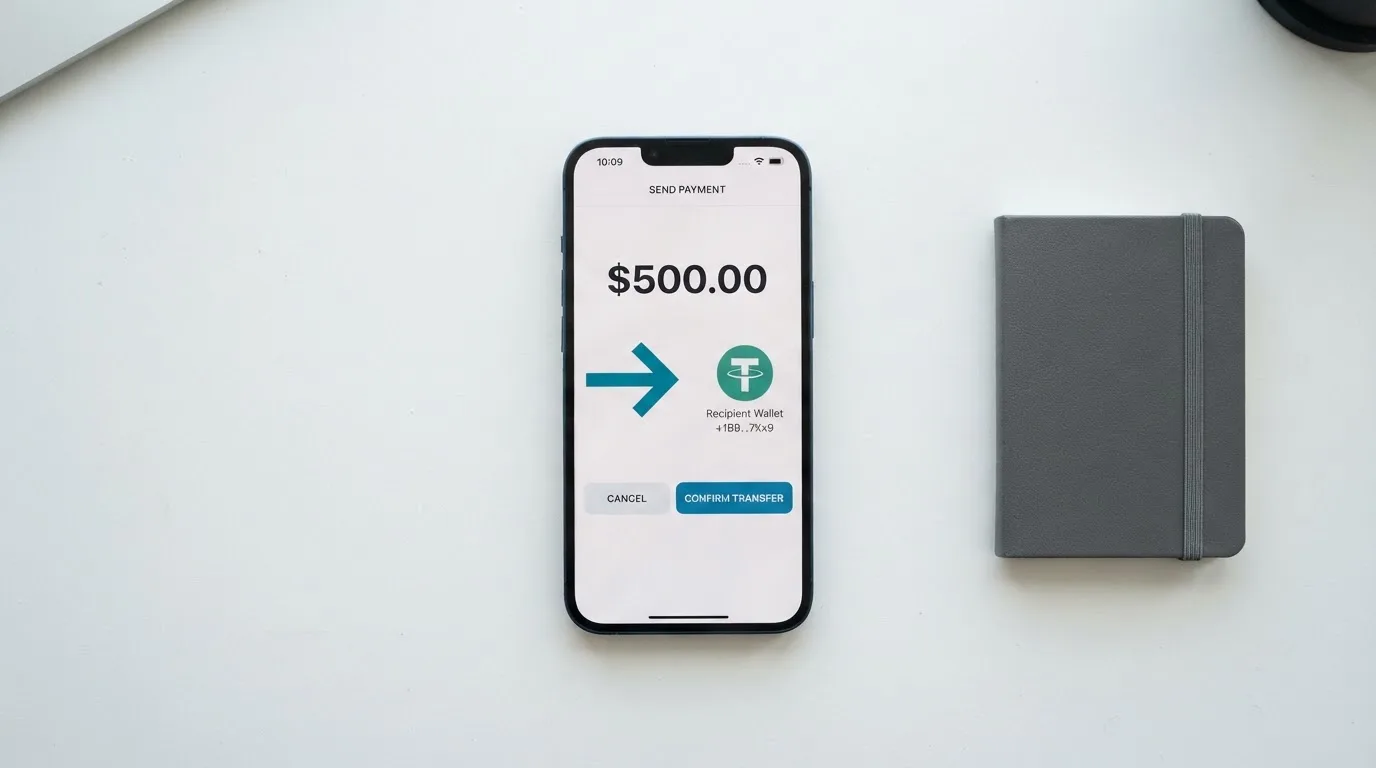
The safest interpretation of the public material is that NEXA accepts a generic “cryptocurrency” deposit into a wallet address shown in the dashboard, and that the network on which to send is whatever the dashboard tells you at the moment of the deposit. The reason this matters is that crypto transfers are irreversible, and a deposit sent on the wrong network or to the address of a different network can be lost. If the dashboard does not name the network, the only safe approach is to test with the smallest possible amount, wait for it to credit, and only then send a larger balance.
The site describes the funding flow as “cash, wire, transfer or crypto in the dashboard.” That is a fairly broad menu, but it leaves out the operational details a reader will need in practice: the minimum top-up amount, the deposit fee (if any), the time it takes for a wire or a cash deposit to clear, and whether the conversion from crypto to the card’s working balance happens at deposit time or at spend time. The FAQ mentions “instant transfers” but does not say which funding method that applies to. Until those details are published, the best a reader can do is to top up with a small test amount first and confirm the credit before sending a meaningful balance.
A general point worth keeping in mind when funding any prepaid card from crypto is that the working balance is denominated in fiat. The card spends fiat and the underlying crypto is converted into that fiat at some point in the pipeline. That conversion is itself a fee-bearing event, and the rate used for the conversion is one of the largest determinants of what you actually pay to use a card like this. NEXA does not publish a conversion rate or a conversion fee, which is a meaningful gap for any reader who cares about the spread between the spot price of their crypto and the dollar amount that lands on the card.
Paying with it every day
The NEXA card behaves like a prepaid card: you fund a balance, the balance is held by the issuer, and the card cannot overdraw. The tier you pick determines the physical form. Silver is virtual, so the “card” is a number you can use for online purchases and, in principle, add to a mobile wallet if the issuer allows it. Black is plastic and is delivered to you, and Platinum is metal. The FAQ lists Visa and Mastercard as the available networks, though it does not say which tier ships on which network or whether both are available for every tier.
The site does not mention Apple Pay or Google Pay on any of the public pages I could read. The third-party comparison site reports conflicting information: one section says Apple Pay and Google Pay are supported, while a cons list on the same page says they are not. Because the official pages are silent, the safe assumption is that tokenised mobile-wallet support is not guaranteed. If adding the card to Apple Wallet or Google Wallet is important to you, that is a question to put to support before paying the enrollment fee.
The FAQ also refers to a mobile app and an online dashboard at dashboard.nexacards.com. The store ratings for the app are not stated on the public pages, so the quality of the day-to-day experience through the app is something a reader can only judge by signing up, and that is the most expensive way to find out. The dashboard is the one piece of the daily experience that is described clearly: it is the place where funding, balance checks and card management are supposed to happen.
ATM access is mentioned as a fee-bearing transaction, with no allowance, no per-transaction cap and no monthly limit. The card currency is implied to be USD, because the load limit is denominated in “U.S. Dollars or equivalent in cryptocurrency,” and other currencies are not stated. A dispute process is also not stated, which is worth thinking about before relying on the card for a high-value purchase: a prepaid card without a clear chargeback path is a riskier instrument than a regulated debit card with one.
There are no stated rewards, cashback or staking incentives on the official pages. The third-party comparison page also does not list any reward programme, so the card does not pay you back for using it; it only costs you.
What can go wrong
The single biggest risk on NEXA is structural: the official pages do not name the card issuer. The footer says “Powered by NEXA” with a 2023 copyright, and a third-party site names “Nexa Cards Solutions Ltd,” but the bank or e-money institution that actually issues the card under a Visa or Mastercard licence is not identified on the site. The Terms & Conditions page names “Natural Intelligence Ltd.” as the site operator, calls NEXA “not a lending institution, insurance provider, or other Partner,” and sets the governing law as Israel with Tel Aviv-Jaffa courts. That language reads like comparison-site boilerplate rather than card terms, and it does not tell a reader which licensed entity holds the card programme. Without a named issuer, you cannot look up a regulator, check a licence register, or file a complaint with the body that oversees the card.
The second risk is the fee schedule. The official link leads to a placeholder, so the cost of an ATM withdrawal, a foreign-currency purchase or a card replacement is not known in advance. The third-party site that says those operations are “free” also says the fee schedule is “opaque,” and the operator has not reconciled those statements on its own pages. The practical effect is that the only way to learn what a given transaction will cost is to make the transaction and read the receipt.
The third risk is the token presale. The official site promotes a token sale at presale.nexacards.com, and the home page positions NEXA as part of a wider crypto project rather than as a payments product alone. The fact that a payment card is being marketed alongside a token sale is not, on its own, evidence of wrongdoing, but it is a feature readers should be aware of: the company is also raising money, and the priorities of a company running a token presale are not always the priorities of a regulated card programme.
The fourth risk is the reputation data that does exist. A third-party card-rating site, cryptocards.so, gives the NEXA Silver card a score of 3.2 out of 10 as of October 2026, citing opaque fees and high upfront fees. A Trustpilot page exists for a similarly named domain, nexascard.com, with reports of frozen funds and a company reply about sanctions screening, but that page is for a different domain and the operator has not confirmed it is the same entity. There is no confirmed Trustpilot page for nexacards.com and no dated licence or issuer news on the official site. The company phone number is +1 (877) 770-0550, with stated hours of 9 AM to 9 PM Monday to Friday even though hero text on the site claims 24/7 support; the email is [email protected].
The fifth risk is operational. The site mentions encryption, secure payment processing and fraud protection, and says a lost or stolen card can be blocked via support. Custody and safeguarding of the underlying crypto balance are not described, so a reader does not know whether the funds backing the card are held in a segregated account, an omnibus wallet, or the operator’s general treasury. In the EU, e-money institutions are required to safeguard customer funds by segregating them in dedicated accounts or by insuring them, but the safeguards only apply if the issuer is actually an EMI, and that has not been confirmed. The wider category record is sobering: Mt. Gox, Coincheck and Ronin are all cases where custodial platforms lost customer funds, and crypto transfers are irreversible once executed.
What to take instead
Three alternatives cover most of the same use cases as NEXA. None of them is a perfect substitute, but each is more transparent about at least one of the things NEXA leaves blank.
Cardex is a debit crypto card on the networks VERVE, Visa, Mastercard and UnionPay, with both virtual and physical cards. The site claims coverage of “200+ countries” with no country list or exclusions, and the App Store listing positions the product in Nigeria with payments in Naira. Cardex scores 5.6 out of 10. The interesting feature is the “AI-Powered Conversion Rate” described on the site: at the moment of payment, the system scans global exchange rates and picks the best one, so the FX leg of the cost is at least described, even though no fee percentage is published. Funding is from USDT, USDC and BTC wallets, with the network not stated. Rewards, monthly fees and an explicit fee schedule are not stated.
TakeCard is a virtual and physical card product from the Takenos wallet. It scores 5.5 out of 10. The virtual card is available immediately and costs USD 5, while the physical card is available only in Bolivia for now and costs USD 20 for issuance plus USD 20 for shipping (a separate article in the same help centre quotes USD 10 for physical in Bolivia, so the two figures conflict). Payments in USD are 1:1, while other currencies are converted at the official Visa rate of the transaction day. The purchase commission is 1% per transaction. Top-up is from the Takenos balance, with USDC and USDT on Polygon, BNB Chain, Tron or Ethereum described in starting data that I could not verify on a public page. The Takenos site says the wallet can receive payments “from any country,” but country coverage for the card itself is not clearly listed.
OkiCard is a virtual card product that scores 6.0 out of 10, the highest of the three alternatives. The site claims “150+ countries” (with some pages saying “200+”) and “no geo-blocking based on your passport,” though users must confirm they are not in a sanctioned jurisdiction. The pricing page lists issuance at $0, monthly at $0 and a starting price of $15 for the virtual card, while the FAQ mentions a one-time issuance fee and the two pages disagree. The initial deposit is 100 USDT. The fee structure is the most transparent of the four products: a 3% load fee, 0% transaction fee in USD, and a stated “no hidden exchange spreads.” Funding is in USDT on BSC, Ethereum, Tron or Solana, with USDC described as “soon” and BTC and altcoins as “coming soon.” FX fee is not stated, and there is no cashback or rewards programme.
Read across the four cards and a pattern emerges. NEXA is the easiest to sign up for and the hardest to predict in cost. Cardex is broader in network choice and the only one that describes a conversion mechanism. TakeCard is the most explicit on the purchase commission but the most limited geographically, and the conflicting shipping figures are a small warning sign. OkiCard has the clearest fee structure of the four and the highest headline score, but it is also the most restrictive on funding (USDT only, on a fixed list of networks). The right pick depends on which trade-off matters most: sign-up ease (NEXA), network reach (Cardex), explicit per-purchase commission (TakeCard) or published fee structure (OkiCard).
Who I would recommend it to
I would recommend NEXA to a narrow reader. If you cannot open a bank account or a standard debit card, if you already hold crypto and want a way to spend it at a point of sale, and if you are willing to pay a meaningful first-year fee for that access, NEXA delivers on the basic promise: a prepaid card that draws on a crypto balance and works in a wide set of countries. The virtual, plastic and metal tier choice is real, and the absence of a credit check and a bank account requirement is genuinely useful for the audience it targets.
I would not recommend NEXA to most other readers. A reader who already has a regulated debit card and who simply wants to spend crypto will get a better deal on conversion from a card that publishes its fee schedule. A reader who travels frequently will want an FX markup in writing, and NEXA does not provide one. A reader who plans to use the card at scale will want a named issuer, a clear regulator and a published dispute process, and none of those is on the public site. The displayed totals that do not match the line-item sums are also a reason to be cautious: if the official page cannot reconcile its own numbers, the reader has no reliable way to budget the first year.
If you do decide to apply, the practical steps are these. Treat the displayed first-year total as an estimate and budget for the worst case. Start with the virtual Silver tier, because the upfront loss is smallest if you change your mind. Fund the card with a small test amount first, confirm the credit, and only then send a meaningful balance. Keep records of every transaction, especially the first few, so that if a fee you were not told about appears on your statement you have the data to dispute it. And before relying on the card for anything important, contact support at [email protected] or +1 (877) 770-0550 and ask the three questions the public pages do not answer: who is the card issuer, what is the conversion fee at spend time, and what is the dispute process for a charge I do not recognise.
Frequently asked questions
What is the NEXA card?
The NEXA card is a reloadable prepaid card sold in three tiers (a virtual Silver, a plastic Black and a metal Platinum) that draws on a crypto balance funded through the NEXA dashboard. The home page says no bank account is required and there is no credit check.
How does the NEXA card work?
You sign up, choose a tier, pay the upfront fees and top up the card through the dashboard using cash, a wire, a transfer or a cryptocurrency. At spend time the card draws on a stored balance, so it cannot overdraw, and the network routes the payment to the merchant.
Is NEXA a bank?
The Terms & Conditions page says NEXA is “not a lending institution, insurance provider, or other Partner,” and the official site does not name a card-issuing bank or e-money institution. The site operator named in the terms is Natural Intelligence Ltd., with governing law Israel.
Is the NEXA card available in my country?
The site says transfers work from “190+ countries” and that the card is accepted at “over 33 million merchant locations,” but it does not publish an eligibility list or a list of restricted countries. For any specific country, the safest answer is to ask support before paying the enrollment fee.
Does the NEXA card require KYC?
The official pages do not describe the KYC process. A third-party comparison site reports that email, phone and an identity document are required, with no proof of address or selfie, but that information is unofficial and the card operator has not confirmed it on its own pages.
How do I activate the NEXA card?
Activation is a one-time fee of $5.95 for Silver, $10.00 for Black and $10.00 for Platinum, listed on the fee page. The dashboard is where activation happens in practice, but the official pages do not give a step-by-step walk-through.
How do I top up the NEXA card?
Top up through the dashboard using cash, a wire, a transfer or a cryptocurrency transfer. The official pages do not list the supported coins or the networks, and a third-party site says “over 65” cryptocurrencies are supported, but that figure has not been confirmed on a NEXA page.
Can I add the NEXA card to Apple Wallet or Google Pay?
The official pages do not mention Apple Pay or Google Pay. A third-party comparison site gives conflicting answers, with one section saying the card supports both wallets and a cons list saying it supports neither, so the safe assumption is that tokenised mobile-wallet support is not guaranteed until the operator confirms it.
Is the NEXA card safe?
The site mentions encryption, secure payment processing and fraud protection, and the FAQ says a lost or stolen card can be blocked via support. The card issuer is not named on the official pages, custody of the underlying crypto balance is not described, and the fee schedule is a placeholder link, so a reader cannot fully verify the safety of the programme from public material alone.
Is the NEXA card worth it?
For a reader who cannot open a normal bank account, who already holds crypto and who is willing to pay significant upfront fees for a prepaid card that works in many countries, the basic promise is delivered and the card is worth considering. For a reader who already has a regulated debit card, who travels frequently or who needs a published fee schedule and a named issuer, the lack of transparency on cost and on the corporate structure makes NEXA harder to recommend against the alternatives.
Virtual card options – cryptocardoptions.com
Content created by the «cryptocardoptions.com» team